Free
$0no time limit
Manage one server end to end:
- 1server
- 1active deployment
- 1domain
- 5cron jobs
- 20saved command logs
- full terminal access
FIELD NOTESSERVER COMPASS 1.46.0A DAY ON YOUR SERVER
New in 1.45 — Tunnels for AI Agents. Your AI agent can now set up Cloudflare Tunnels over MCP.Right now it lives in fourteen terminal tabs and a notes file of half-remembered commands.
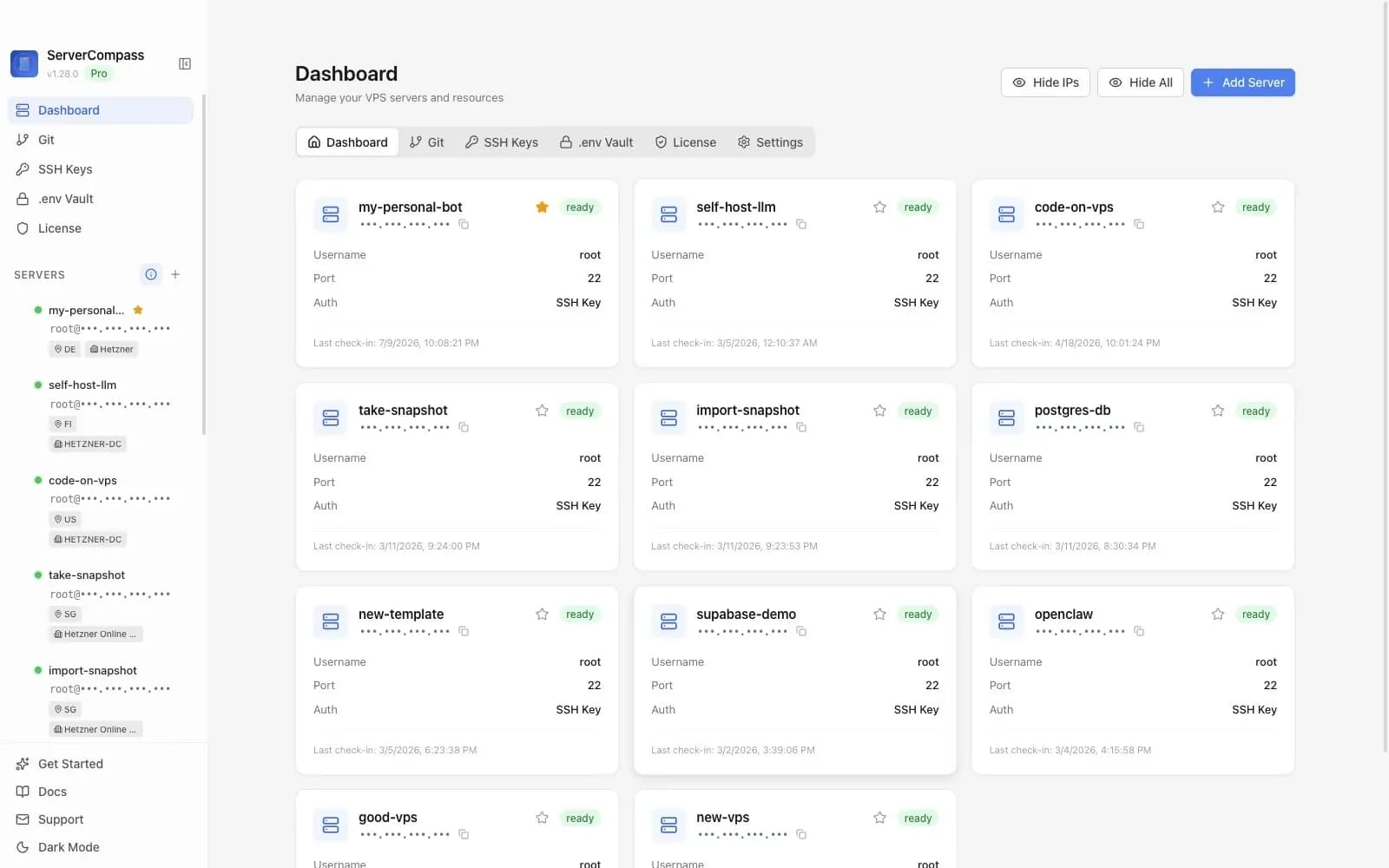
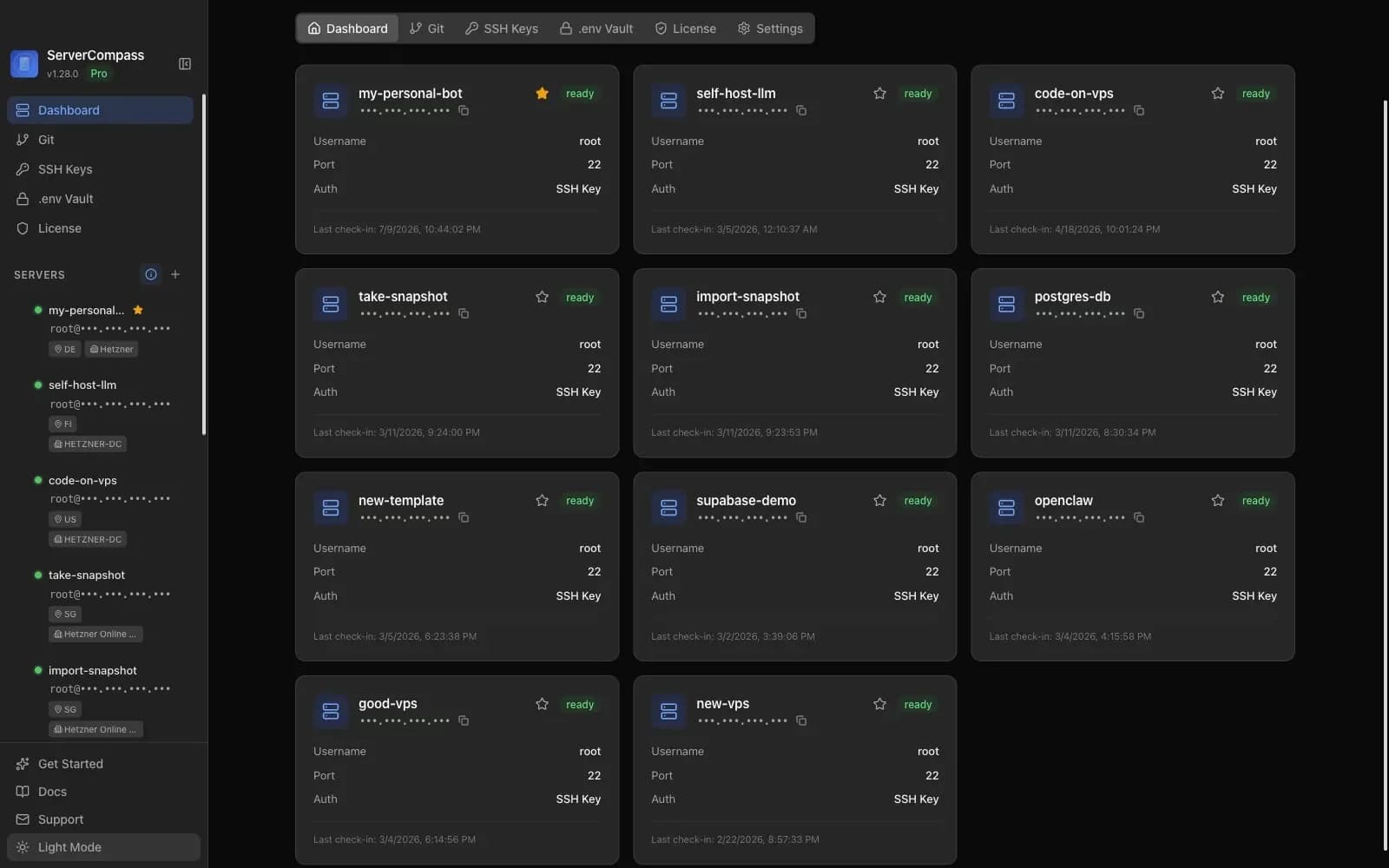
Server Compass charts the whole VPS in one window on your computer. Nothing is installed on the server.
HOW IT CONNECTS
LANE A SERVER COMPASS
LANE B A PANEL (COOLIFY, DOKPLOY)
02:00— THE NIGHT BEFOREBEARING 030°
Fourteen terminal tabs, half of them signed into the same box. A notes file of commands that worked once. A .env you copied by hand. You know where everything is — until something breaks at 2 a.m. and you’re grepping your own history.
notes.txt
Server Compass replaces the shadow system with a chart.
It connects to your servers over SSH and keeps every app, domain, secret and alert in one place. Your keys stay on your computer. Your server runs Docker, a proxy and your apps — no control panel.
06:40— MORNINGBEARING 100°
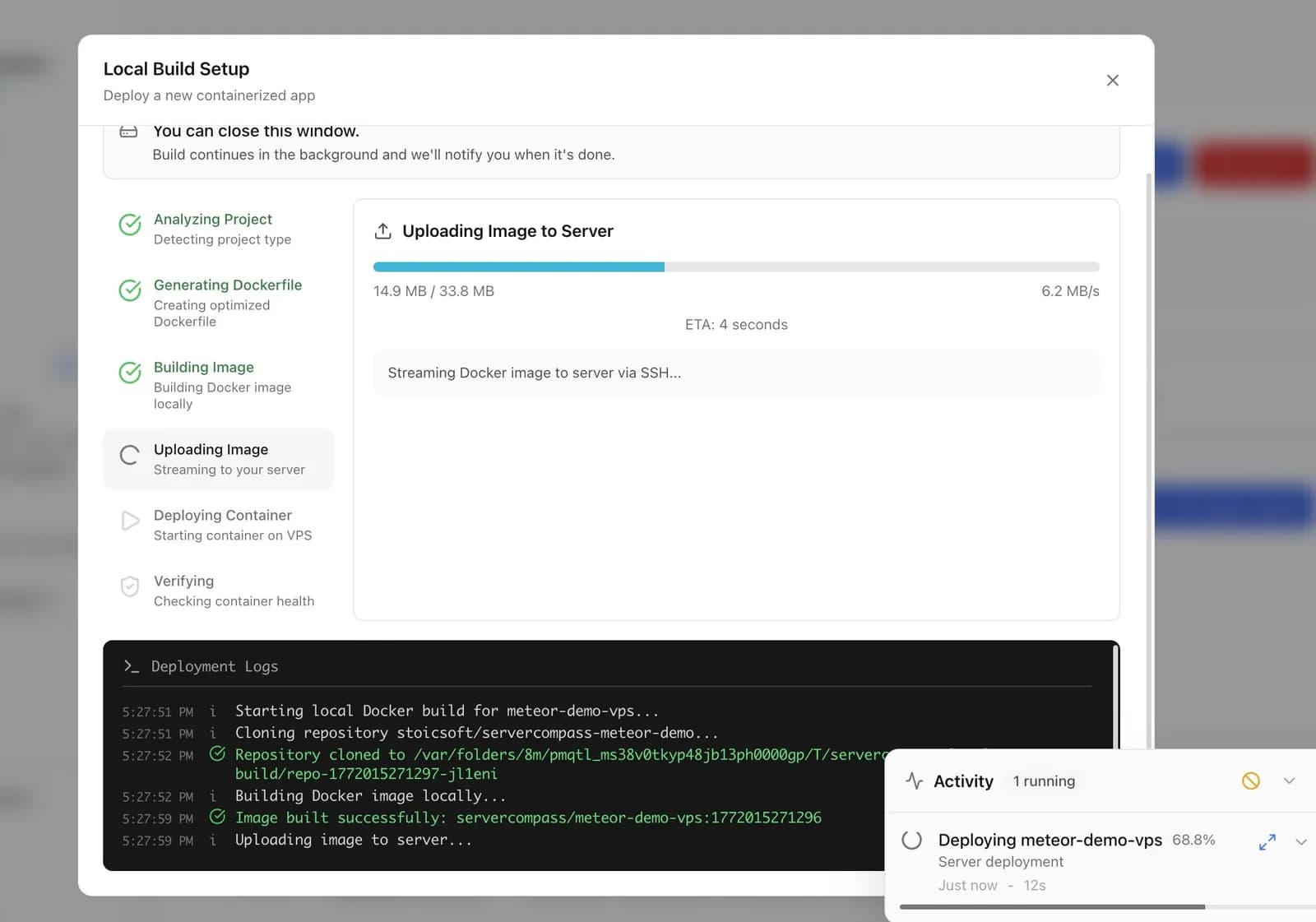
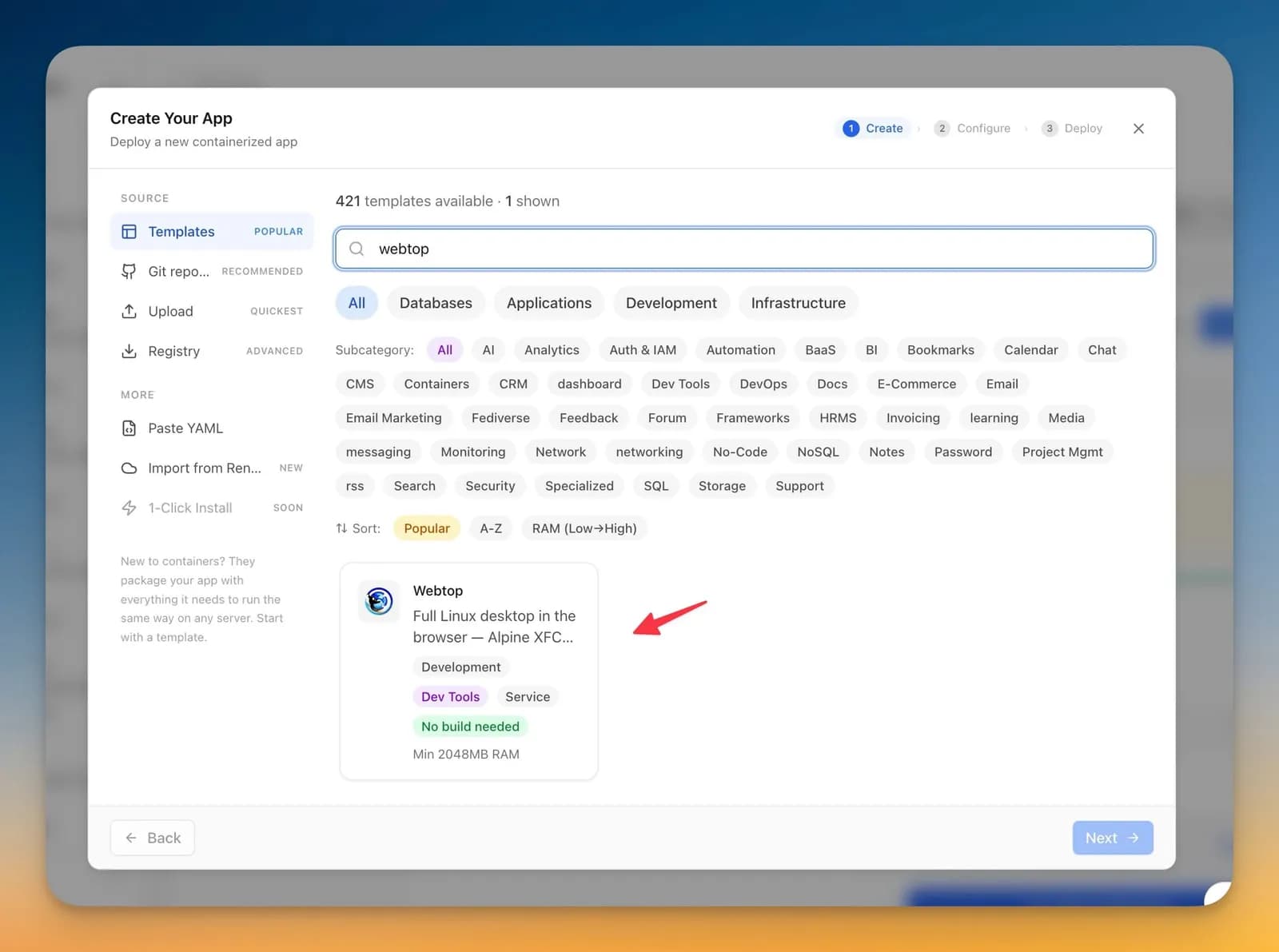
Open the Stack Wizard and pick a GitHub or GitLab repo, any public Git URL, a Docker image or a compose file. Choose where it builds — on the VPS, in GitHub Actions, on your own machine, or pulled from a registry. Redeploys are zero-downtime, and Auto Deploy ships every push to your branch, even while the app is closed.
12:10— MIDDAYBEARING 182°
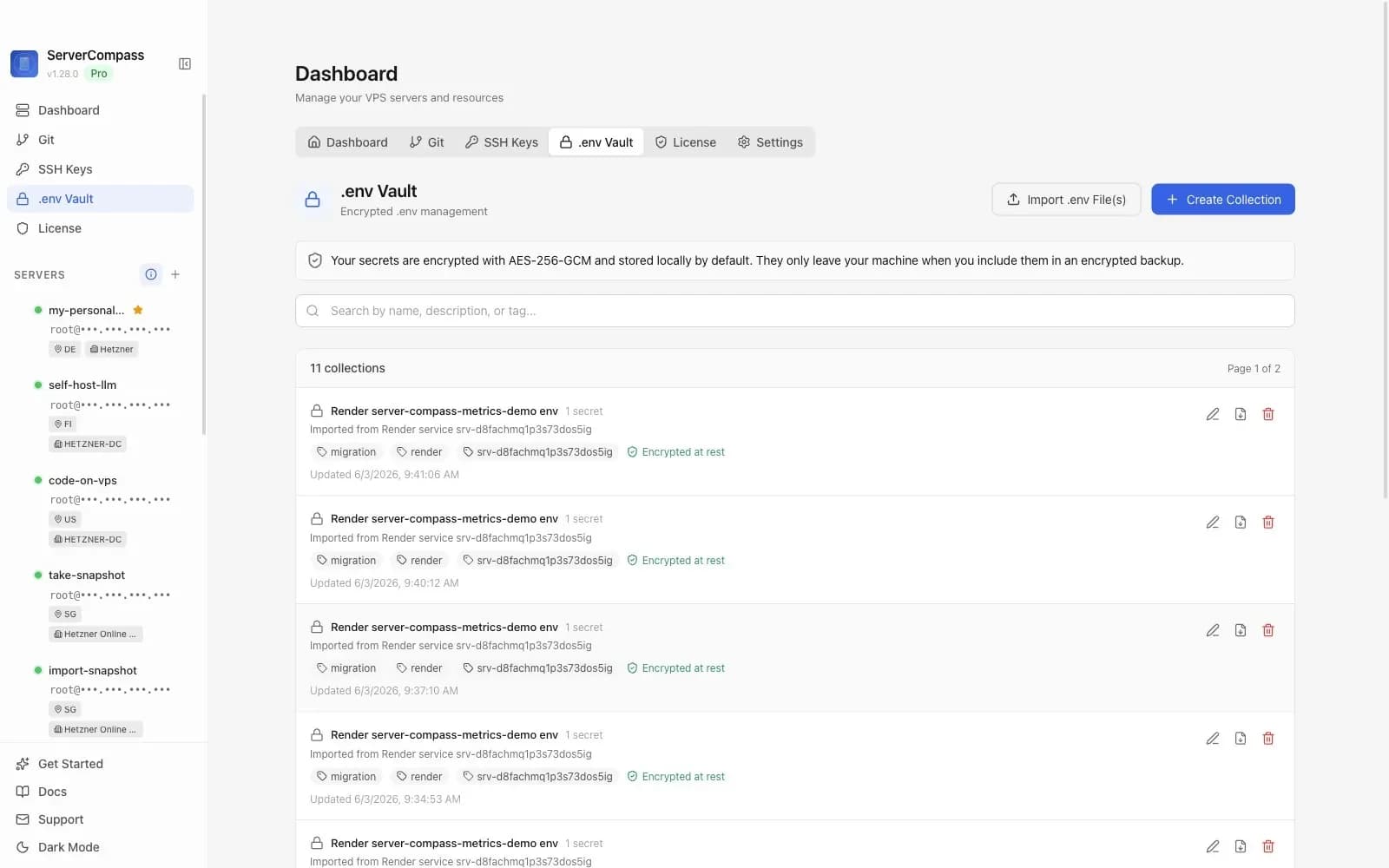
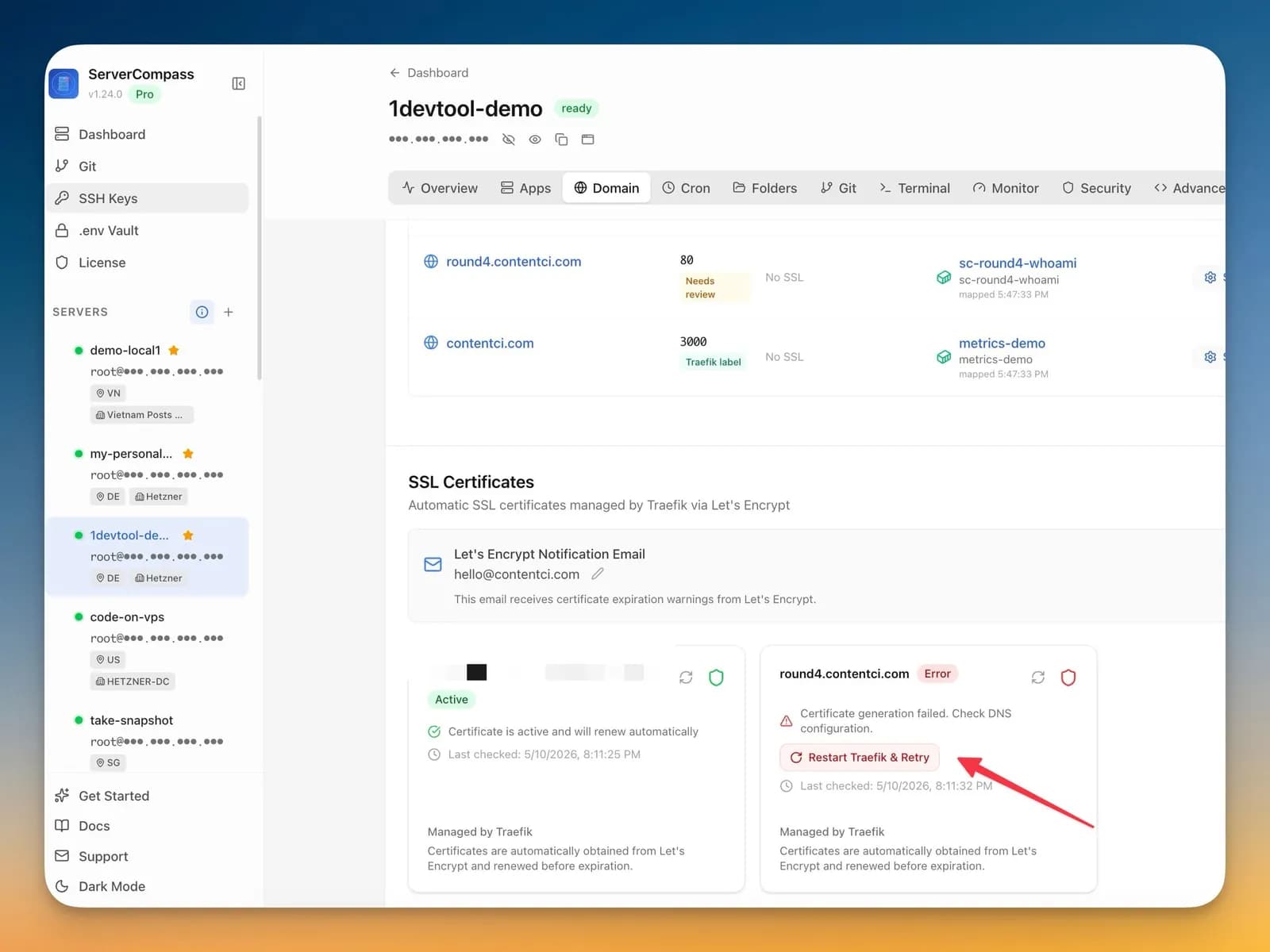
Add a domain and Server Compass routes it through Traefik with a Let’s Encrypt certificate — or through the Nginx or Caddy you already run. It checks DNS before you go live and renews certificates before they expire. Environment variables live in the .env Vault, encrypted with AES-256-GCM on your computer, and import into any app in one click.
15:30— AFTERNOONBEARING 232°
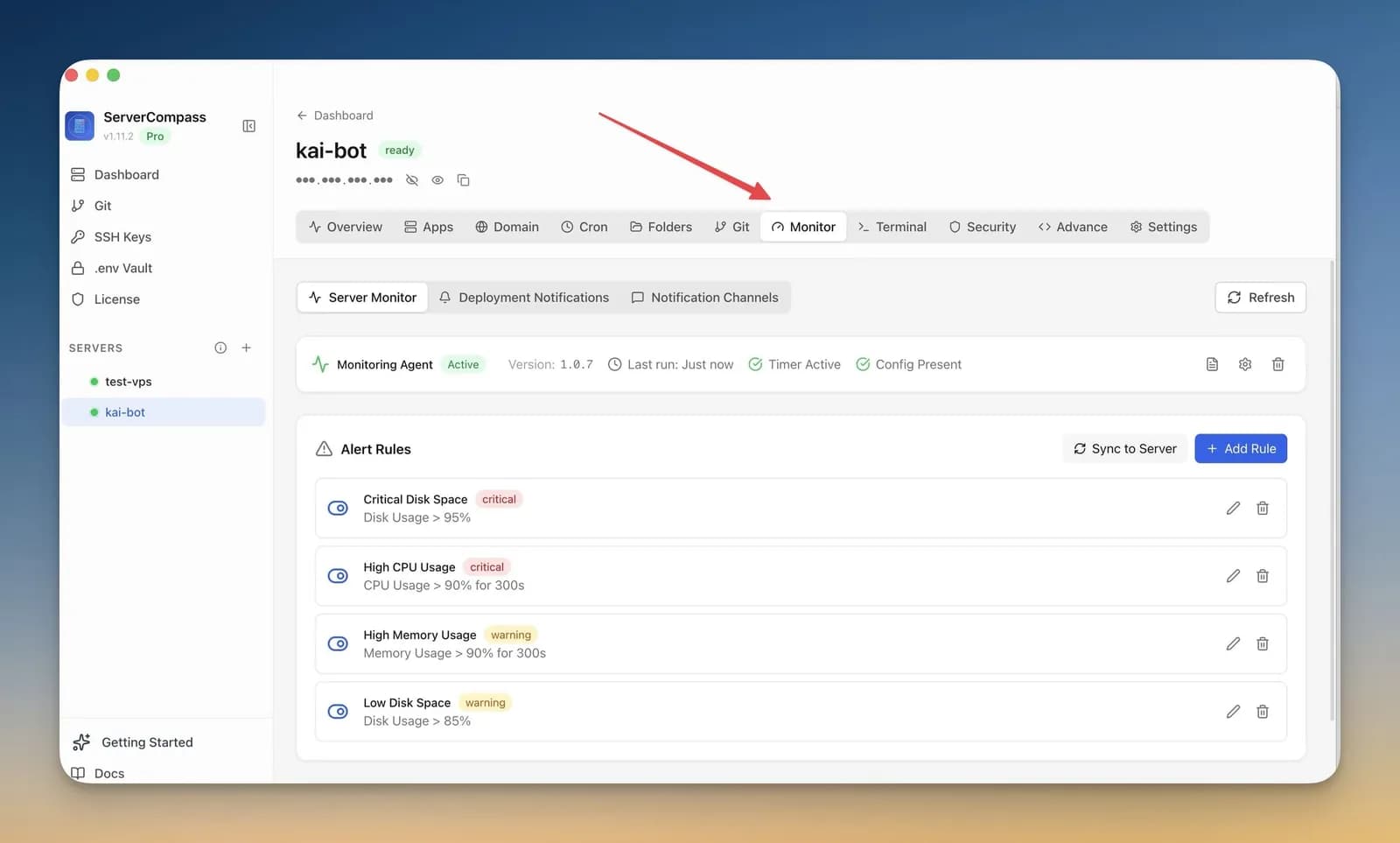
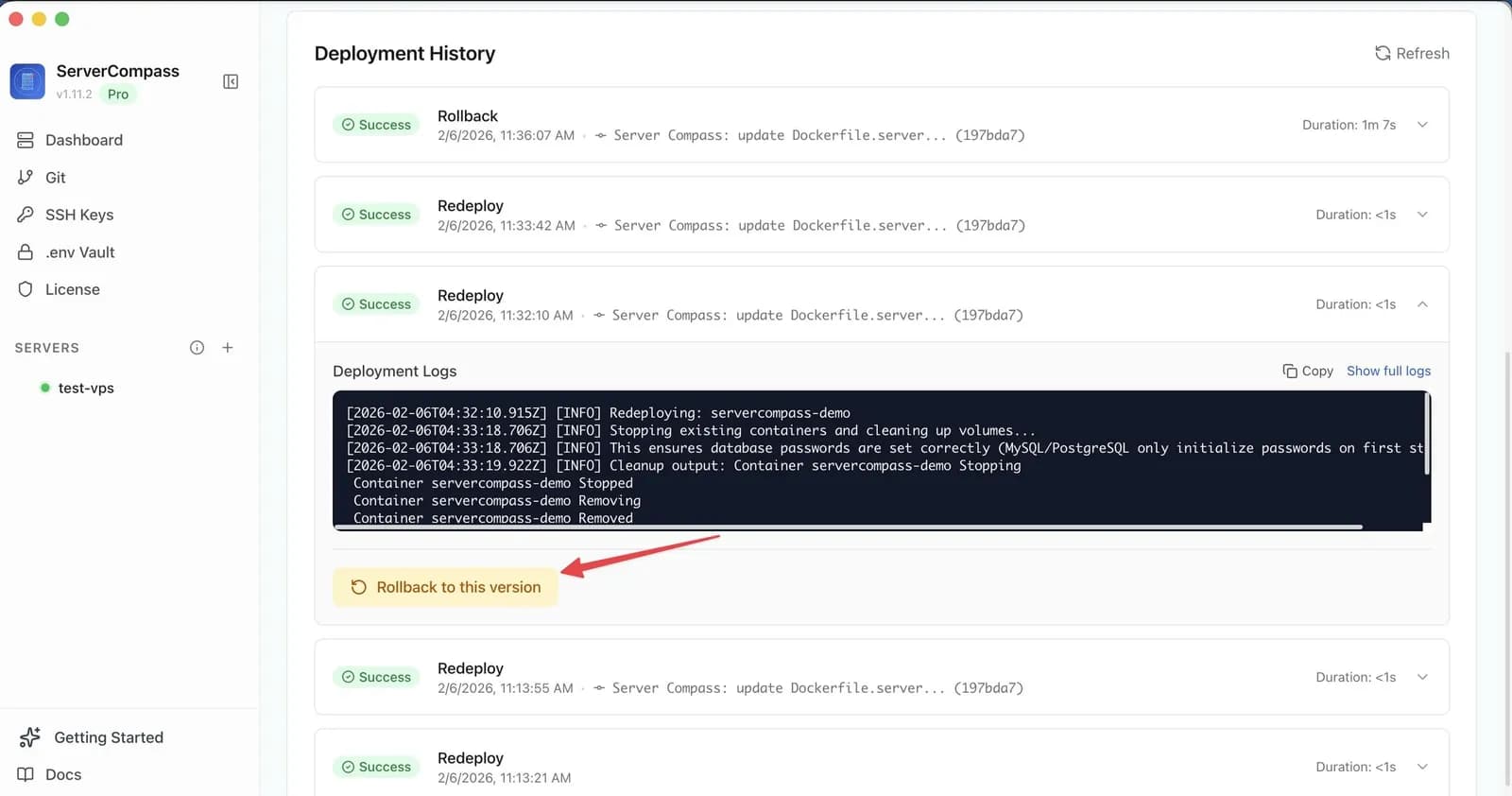
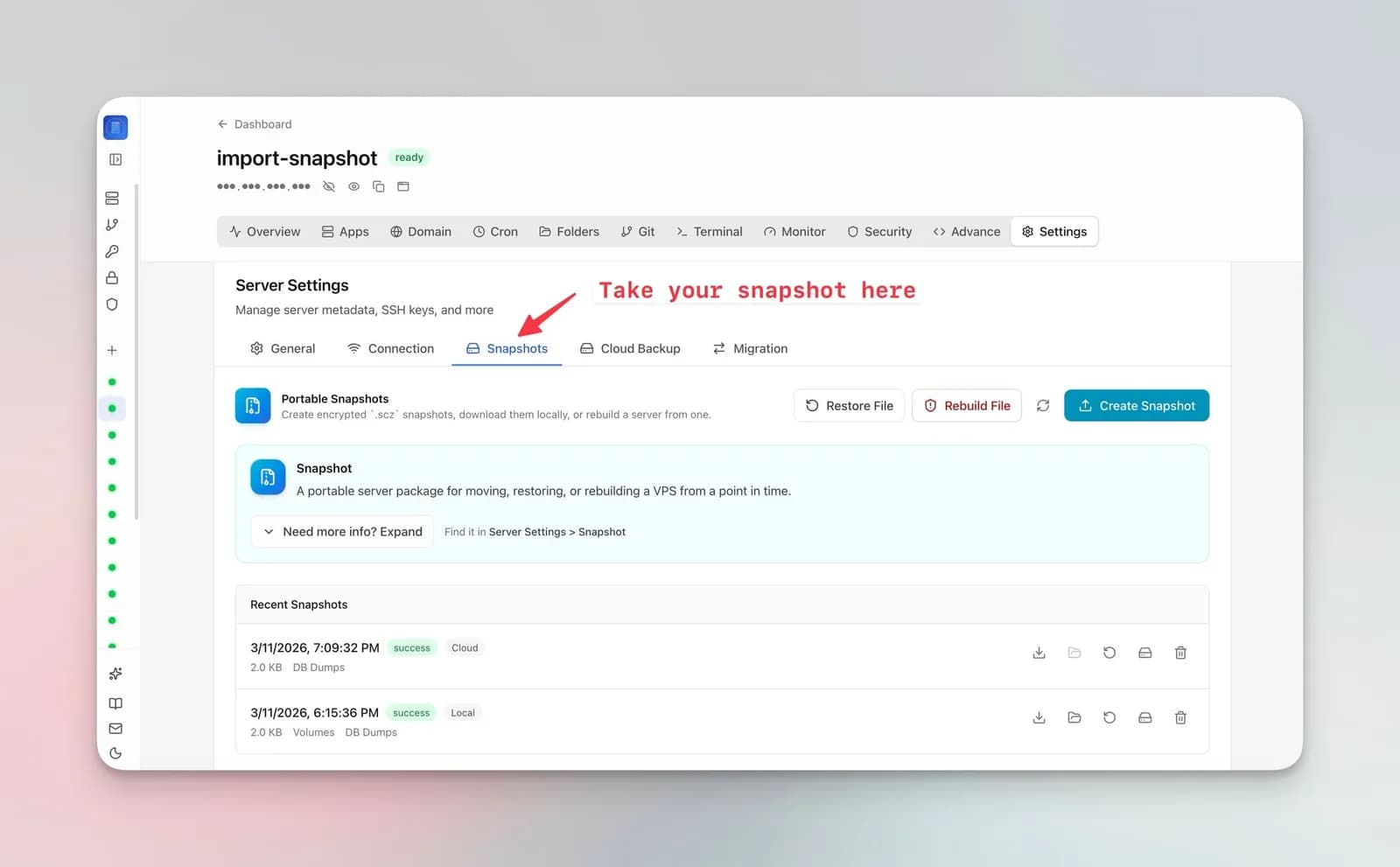
Install the monitoring agent and set alert rules on CPU, memory, disk or load; alerts go to Slack, Discord, email or your own webhook. If a deploy goes wrong, roll back to any earlier deployment — routing comes with it. Before anything risky, take a snapshot: restore it later, or rebuild the whole server from it.
21:15— EVENINGBEARING 319°NEW IN 1.45
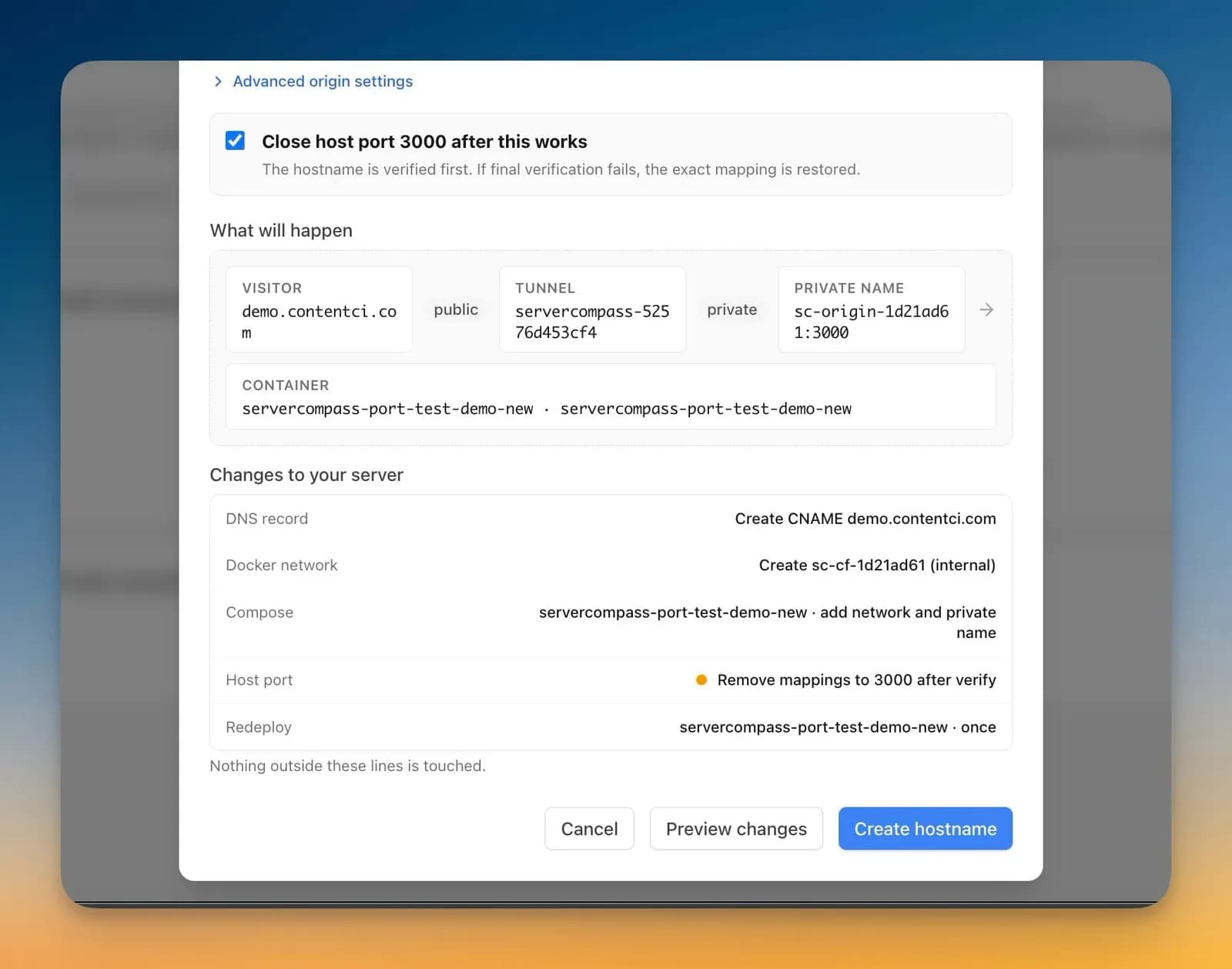
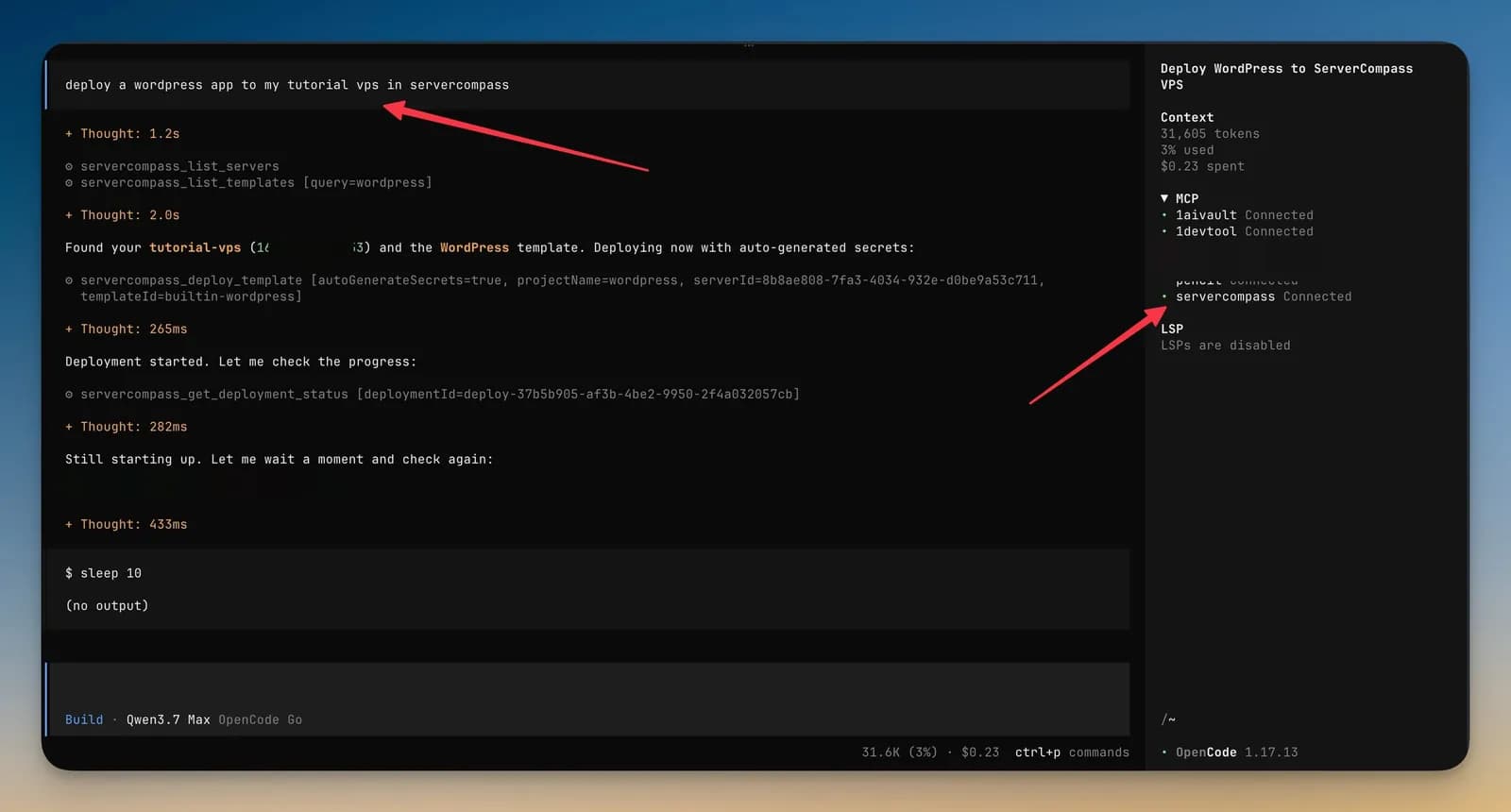
Turn on AI Access (MCP) and Claude Code, Codex, Cursor or six other AI tools can manage your servers through a local, token-secured endpoint — 50 tools, from listing apps to deploying templates. New in 1.45: 22 of those tools run Cloudflare Tunnels, so an agent can find the tunnel already on a server, preview a hostname route to your app, create it, and check that it’s reachable.
TERMS OF PASSAGE
Counted from the Server Compass 1.45.0 source.
discover_cloudflare_tunnelsRead1 tunnel found, connector healthylist_cloudflare_stack_servicesReadblog: ghost, port 2368preview_cloudflare_routeReadDNS record + ingress rule, nothing applied yetcreate_cloudflare_routeDeployroute createdverify_cloudflare_routeReadorigin, DNS and public reachability OK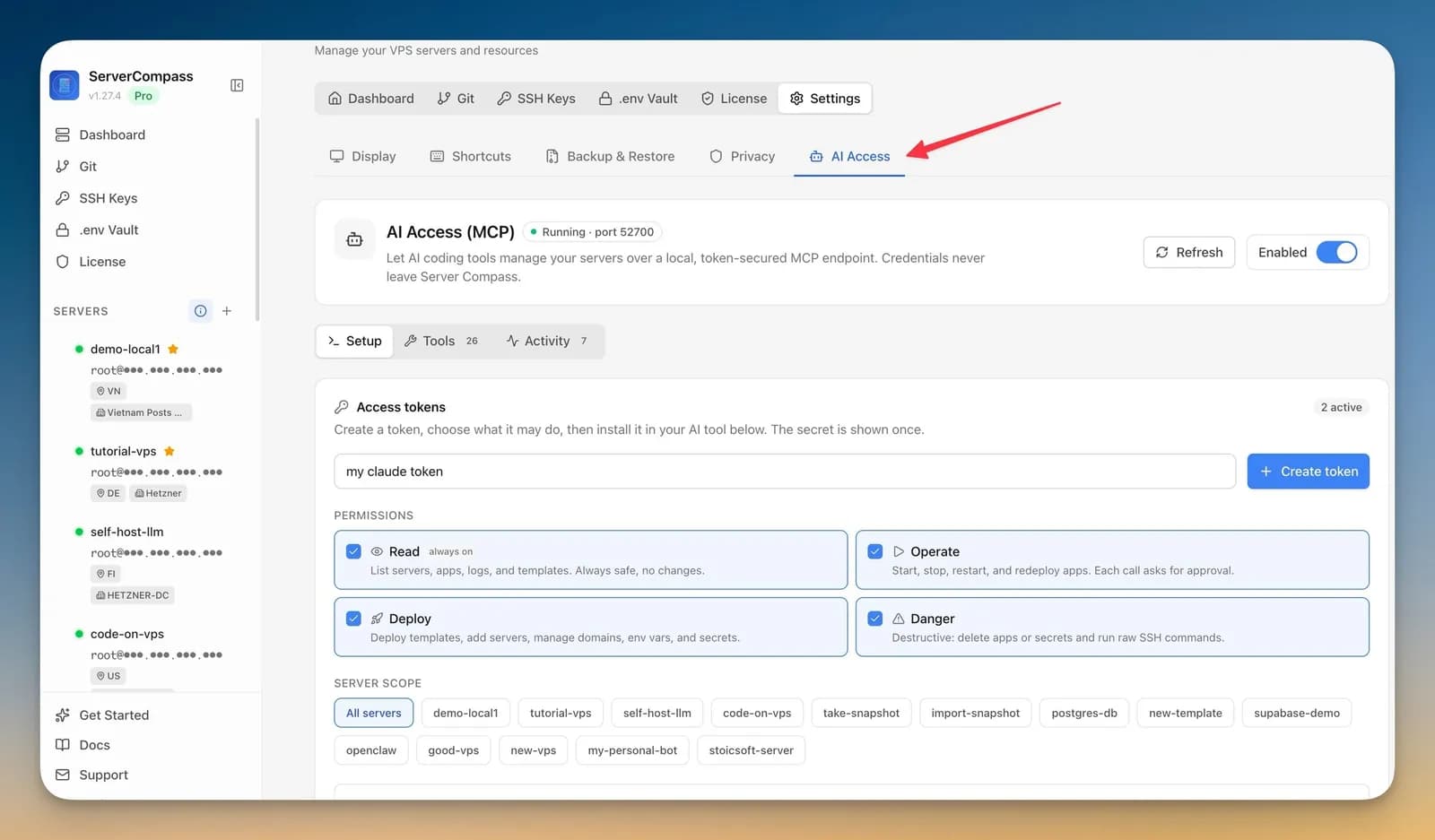
02:00— THE NEXT NIGHTBEARING 030°
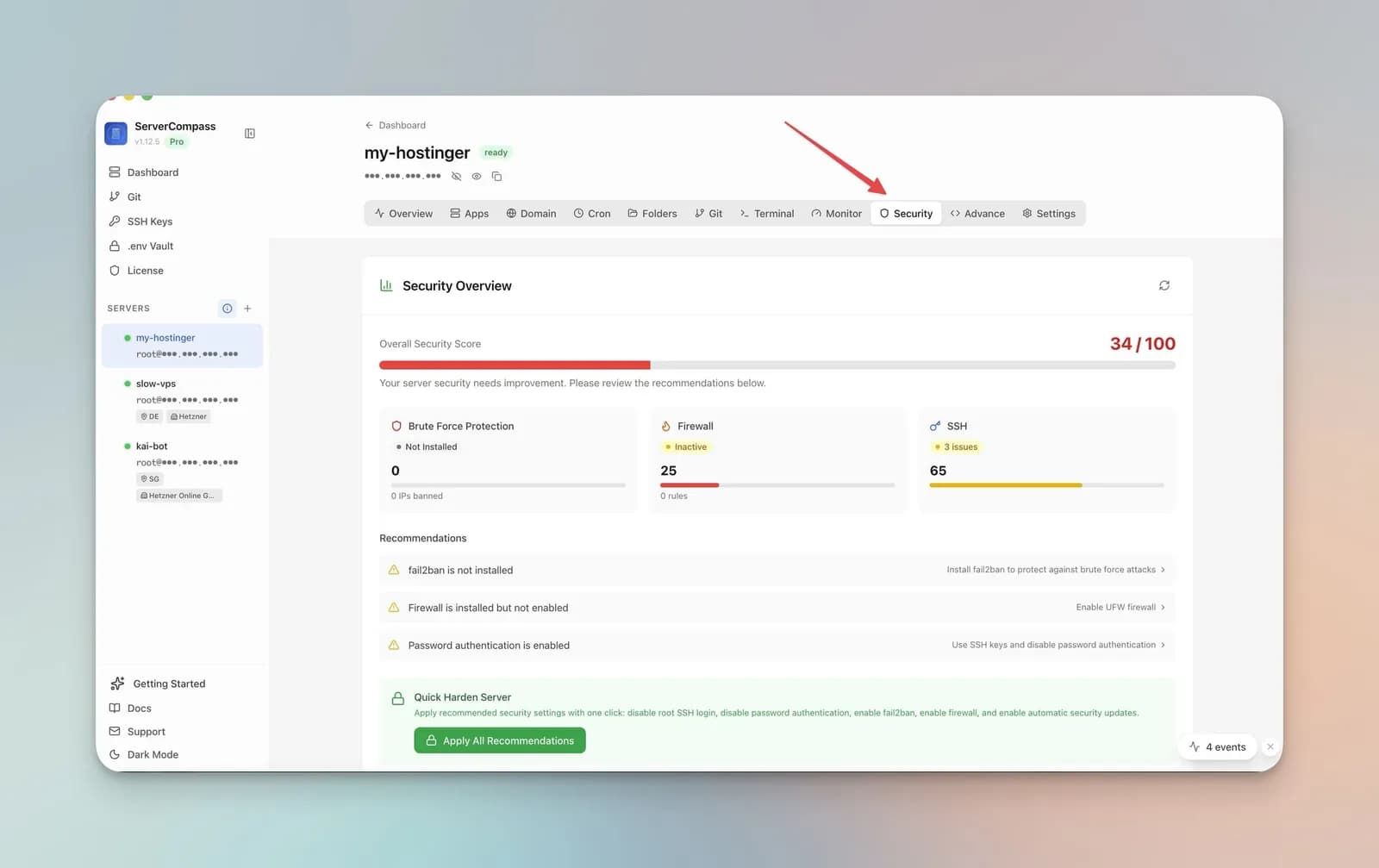
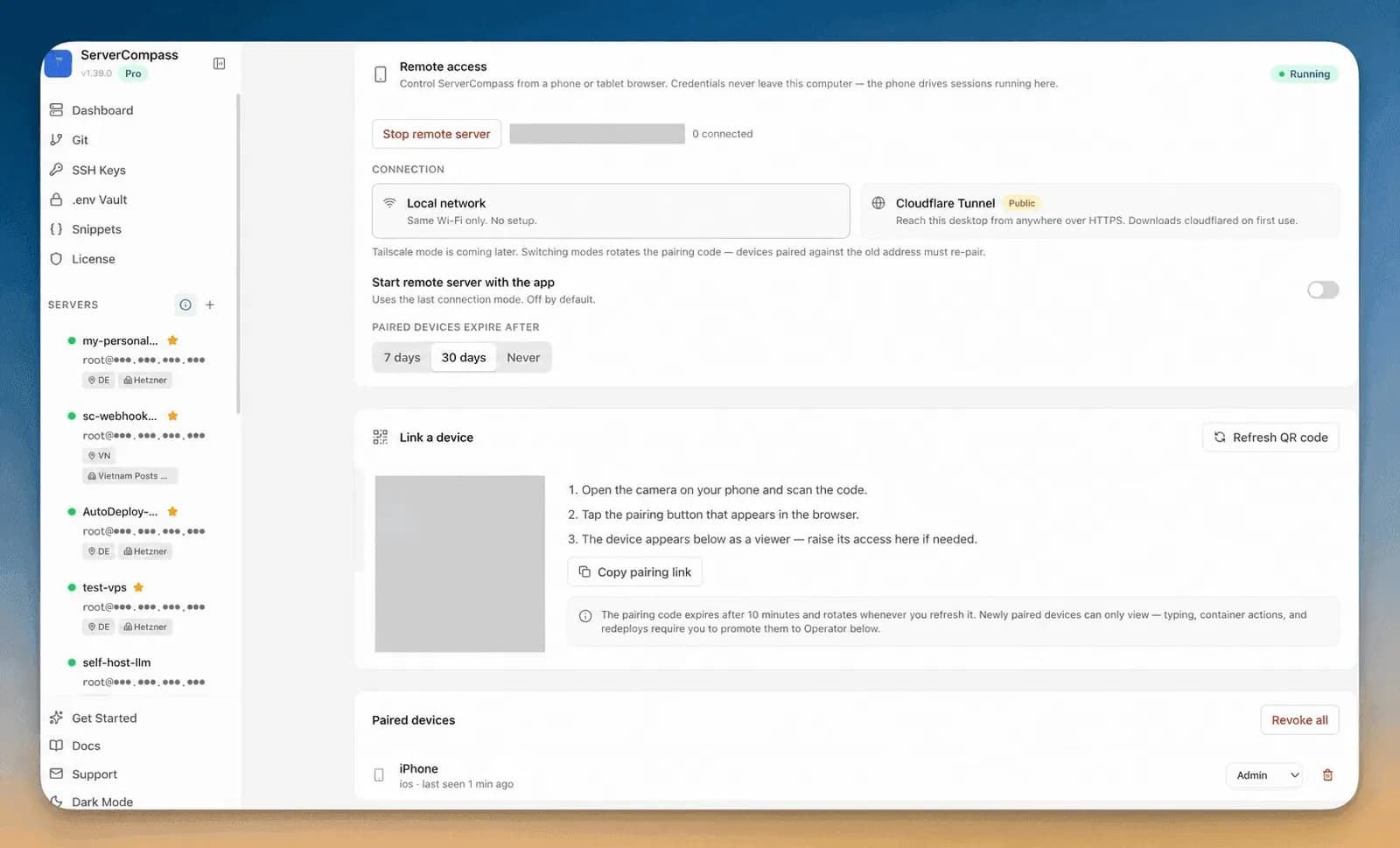
The Security tab audits the box and applies the fixes: UFW Firewall, Brute-Force Protection, SSH Hardening with backups you can restore, and a sudo user instead of root. If something does need you, open Remote Control on your phone — on your Wi-Fi, through a Cloudflare Tunnel or over Tailscale — while your server keys stay on the desktop.
LEGEND
~/.ssh/config in one go.PRICE OF PASSAGE
$0no time limit
Manage one server end to end:
one-time licence
| Licence | Devices |
|---|---|
| $29 | 1 device |
| $59 | 3 devices |
| $89 | 5 devices |
Unlimited servers, deployments, domains, cron jobs and command logs, plus database provisioning.
12 months of updates; the version you have keeps working forever.
LOGBOOK ENTRIES
ENTRY 1
Self-hosting always felt like the punishment version of deploying. The kind of chore I'd save for the weekend and never actually do. Server Compass turned it into a 30-second thing.
 Tony Tin NguyenWebsite (coderhorizon.com)
ENTRY 2
ServerCompass makes managing my own server and app deployments a breeze! It replaces a bunch of PaaS and SaaS subscriptions thus paying for itself in no time at all. Best of all, my code and data is more private, secure and centralized.
 Brian HayLinkedIn, Creative 3D/XR/Web/App Developer
ENTRY 3
Server Compass - A Game Changer for Indie Developers. I was one of the early adopters of Server Compass, and honestly, it has completely transformed my deployment workflow. Before this, I was stuck in an awkward middle ground - paying too much for PaaS platforms like Vercel, or wasting hours wrestling with terminal commands and SSH configurations.
 Nam TranTrustpilot, ReadyApp.Store
ENTRY 4
Server Compass hits a gap that’s been quietly draining teams for years. Devs love the polish of Vercel or Railway but hate the mounting bills and platform lock-in. This bridges that divide perfectly—the same clean UX, but fully self-hosted, giving you total control without the overhead.
 ctran.ethX
ENTRY 5
The standout difference? Server Compass runs locally on your machine, not on your server. Unlike Coolify, Dokploy, or CapRover—which install heavyweight dashboards on your VPS—Server Compass connects via SSH only when deploying. Your server stays clean and focused on running your apps. At $29 with no subscription, it pays for itself in the first month compared to Vercel or Railway.
 Terry CarsonGitHub
ENTRY 6
I googled alternative to Dokploy and Coolify. then I found your reddit post from google search. I've bought solo builder. Thanks for the great product.
ENTRY 7
I also have told my friend group about this app and hopefully they will check it out and spread the word because the concept is amazing, I think you really nailed it
QUESTIONS FROM THE MARGIN
Only what your apps need: Docker, and Traefik if you let it manage domains (or it uses the Nginx or Caddy you already run). The monitoring agent, the Auto Deploy service and the client portal are opt-in. No control panel or dashboard runs on the server — the app lives on your computer and connects over SSH.
Any VPS you can reach over SSH: Hetzner, DigitalOcean, Vultr, Linode, AWS and the rest. For a new server the app recommends Ubuntu 22.04 or 24.04, at least 2 GB of RAM and a public IPv4 address. You can sign in as a sudo user; root isn't required.
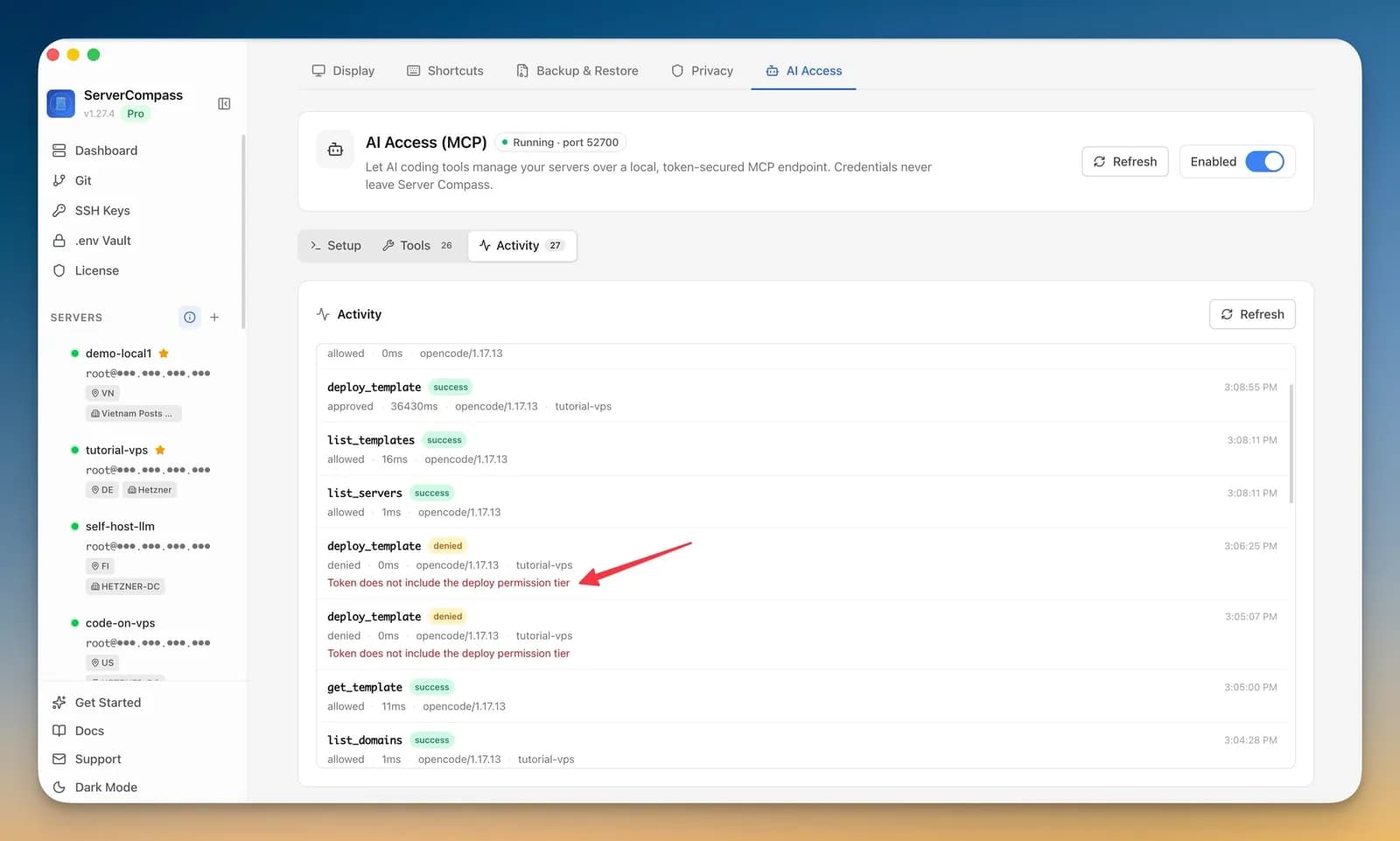
Only what its token allows. You choose the access levels (Read, Operate, Deploy, Danger) and, if you like, which servers it may touch. The endpoint listens on your computer only, credentials never leave Server Compass, every call is logged as allowed or denied, and you can revoke a token at any time.
The setup panel has steps for Claude Code, Codex CLI, Gemini CLI, Grok CLI, OpenCode, Cursor, Windsurf, Cline and VS Code. Any other tool that speaks MCP over HTTP can use the same endpoint and token.
Free manages one server end to end with no time limit: 1 server, 1 active deployment, 1 domain, 5 cron jobs and 20 saved command logs, with full terminal access. Pro removes the limits and adds database provisioning.
No. Pro is a one-time licence — $29 for one device, $59 for three, $89 for five — with 12 months of updates. When the update window ends, the version you have keeps working. There's a 7-day money-back guarantee, and a StoicSoft bundle key activates Pro too.
They keep running. Your apps are Docker containers behind Traefik or your own proxy on your server; Server Compass was never in the path of your traffic.
No, but it's there when you want it: a full terminal for every server, Snippets for the commands you keep retyping, and a replay of past sessions.
SET OUT
Free for one server, no account needed to start. Version v1.46.0
13 Ventura or later