Back to ChangelogDownload
v1.15.0February 25, 2026
Local Build
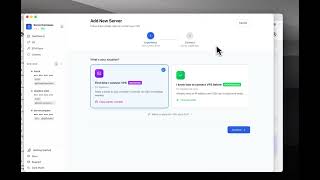
Build Docker images on your own machine and stream them to your server via SSH, plus upload source code directly from a local folder, unmanaged app scanner, and more environment types.
Download v1.15.0
Get this version from GitHub Releases
What's Changed
New Features
6- Three build methods: Build on VPS, Local Build (build on your machine, stream via SSH), or GitHub Actions Build
- Upload source code directly — pick a local folder and deploy without a GitHub repository
- Automatic framework detection for uploaded code — detects Node.js, Python, Django, Flask, and more
- Unmanaged App Scanner — find Docker containers already running on your server that aren't managed by ServerCompass
- 8 environment types — Alpha, Beta, QA, Demo, Development, Test, Staging, and Preview
- Interactive build location comparison guide with pros/cons and resource recommendations
Improvements
4- Dockerfile diff viewer — side-by-side diff with green/red highlighting for added and removed lines
- Smarter environment creation with auto-detection of available build locations
- External deployment detection — deployments triggered outside ServerCompass now appear in history with "External Trigger" label
- Deployment session persistence — closing and reopening the wizard resumes from where you left off
Bug Fixes
4- Fixed Local Build failing with SSH permission denied when cloning from GitHub
- Fixed redeploy failing for Local Build apps with "image not found" errors
- Fixed Apple Silicon warning for Local Build — clear explanation when building AMD64 images on M1/M2/M3 Macs
- Fixed staging environment creation leaving orphaned database records or failing silently
Screenshots
Related Resources
Video Tutorials
Technology Stacks
Related Topics
local builddockeruploadsource codeframework detectionunmanaged appsenvironmentsdockerfilediffapple siliconarm64