

Server Compass vs Netlify
Compare full-stack VPS management with Server Compass against Netlify's JAMstack platform. Choose complete infrastructure control or managed static site hosting.
Server Compass column checked against v1.45.0 · Updated
Pick Netlify for static and Jamstack sites on a global CDN with serverless functions. Pick Server Compass when you also need backends, databases and workers on one server you own.
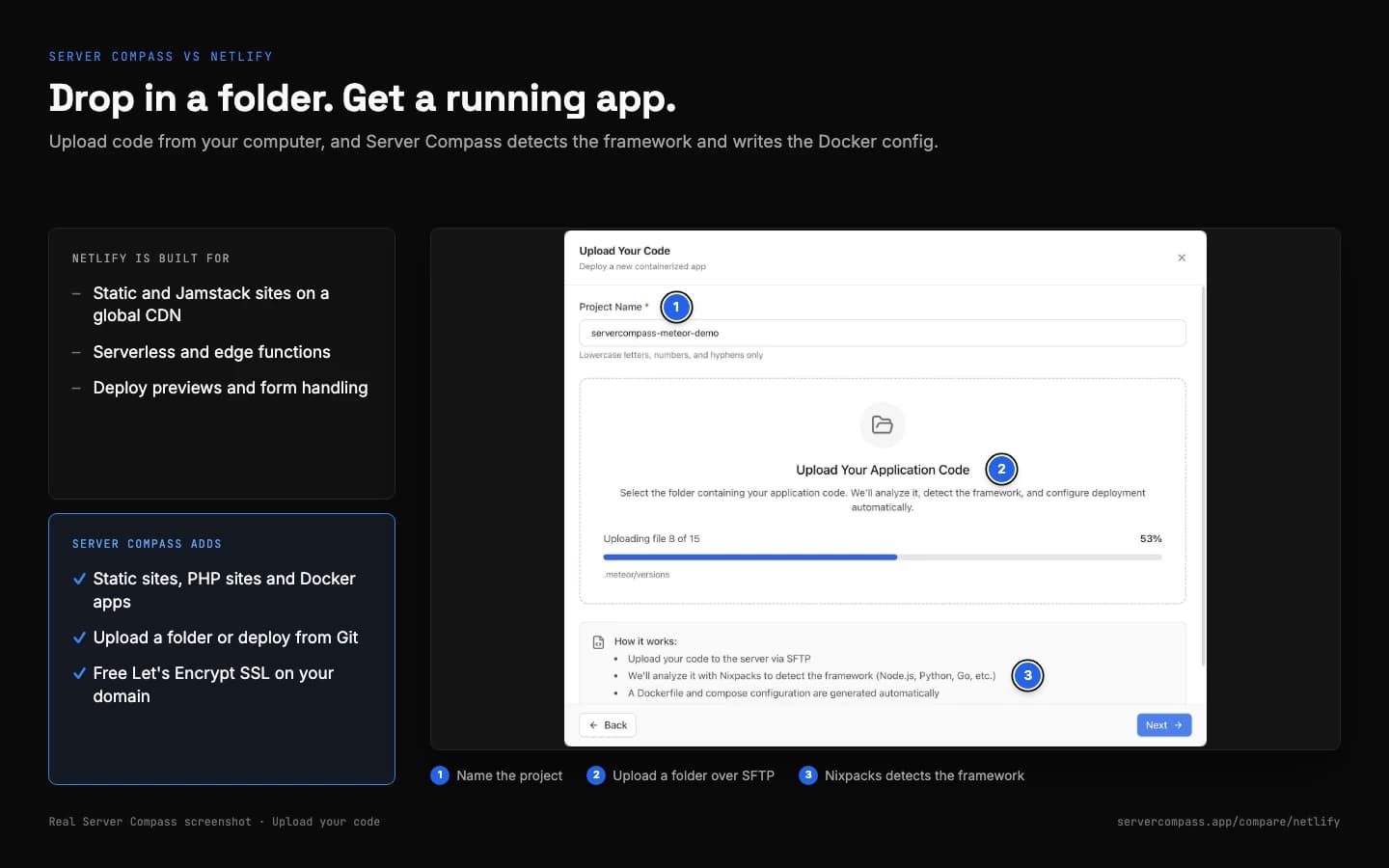
- Static and PHP site templates, no Git repository required
- Upload a folder, deploy from Git or pull a registry image
- Free Let's Encrypt SSL; put Cloudflare in front for a CDN
Feature Comparison
| Feature | Server Compass | Netlify |
|---|---|---|
| Platform focus | Full-stack (backend + frontend) | JAMstack (static + serverless) |
| App support | Any app via Docker + 420+ templates | Static, SSR frameworks, Functions |
| Backend support | Any runtime via Docker | Serverless functions only |
| SSH access | Full terminal | |
| File browser | ||
| Cron jobs | Visual management | Netlify Functions (limited) |
| Docker support | ||
| Static sites | ||
| Database hosting | PostgreSQL, MySQL, MongoDB, Redis + more | Netlify Database (Postgres) |
| Infrastructure ownership | ||
| CDN | DIY (Cloudflare) | Built-in global CDN |
| Pricing model | One-time + VPS | Free + credits (Pro $20/mo) |
| Build minutes | Unlimited | Not metered; 15 credits/prod deploy |
| Bandwidth charges | Yes (20 credits/GB) | |
| Team members | One license per person | Unlimited on Pro ($20/mo) |
Pricing Comparison
Server Compass
- Desktop app (lifetime)
- Full-stack deployments
- Unlimited builds & bandwidth
- Free for 1 server, no expiry
- SSH, file browser, cron UI
- Pay only VPS ($5-20/mo)
- All features included
Netlify
- Free: 300 credits/month (hard limit)
- Pro: $20/month flat, unlimited members, 3,000 credits
- Bandwidth: 20 credits per GB (~$0.13/GB)
- Production deploys: 15 credits each; previews free
- Functions compute: 10 credits per GB-hour
- Extra credits: $10 per 1,500 (Pro)
When to Choose Each Platform
Choose Server Compass if...
- You need full-stack applications (not just JAMstack)
- You want to deploy backend APIs, databases, workers
- You need SSH access and server control
- You want visual cron job management
- You prefer one-time costs over subscriptions
- You need Docker or Compose deployments
- You want to avoid build minute limits
- You want flat costs instead of usage credits
Choose Netlify if...
- You only deploy static sites and JAMstack apps
- You want zero configuration CDN
- You need serverless functions at the edge
- You prefer Netlify-specific features (Forms, Identity)
- You want automatic atomic deploys
- You need branch-based preview URLs
- You prefer managed platform without VPS
Read More
Frequently Asked Questions
Can Server Compass host a plain static site?
Yes. The Static Site template serves editable HTML, CSS and JavaScript with Nginx, no Git repository required. Attach a domain and the certificate is issued automatically.
What is the difference between Server Compass and Netlify?
Server Compass is a desktop app that deploys and manages apps on servers you own, over SSH, with no control panel running on them. The comparison table on this page shows where Netlify works differently. Server Compass is free for one server, and Pro is $29 one-time; you also pay your VPS provider, typically $5-20/month.
Is Server Compass cheaper than Netlify?
It depends on how you use Netlify. Server Compass is free for one server, and Pro is $29 one-time for unlimited servers; after that you only pay for your VPS, typically $5-20/month. Netlify pricing: Pro is $20/mo for any team size, plus extra credits as traffic grows.
Can I migrate from Netlify to Server Compass?
Usually, yes. Anything that runs in Docker can run on your VPS with Server Compass, and there are 420+ one-click templates. Built-in migration covers Coolify, Dokploy, RunCloud, Dockge, EasyPanel (preview) and Render, and you can use any VPS provider, such as DigitalOcean, Hetzner or Linode.
Does Server Compass have the same features as Netlify?
Server Compass covers the core deploy workflow: one-click templates, Git and image deploys, automatic SSL, environment variables, logs and rollbacks. Because the apps run on your own server, it also gives you an SSH terminal, a file browser, cron jobs and security tools.
Which should I choose: Server Compass or Netlify?
Choose Server Compass if you want to own your servers, avoid vendor lock-in, work over SSH and pay once for the tool. Choose Netlify if the reasons listed under "Choose Netlify if..." on this page match how you work.
Ready to Own Your Infrastructure?
Download Server Compass and start deploying on your own VPS with the same polished experience you expect from premium platforms.
Looking beyond Netlify? See the best Netlify alternative for self-hosting