

Server Compass vs Coolify
Server Compass is a desktop app that manages your servers over SSH, so no control panel runs on them. Apps deploy as plain Docker Compose stacks behind Traefik. Pay $29 once, with no panel to host and no Cloud subscription.
Server Compass column checked against v1.45.0 · Updated
Coolify is a free, open-source panel you run on your server, or rent as Coolify Cloud. Server Compass is a desktop app that manages the server over SSH, so no dashboard runs there or faces the internet.
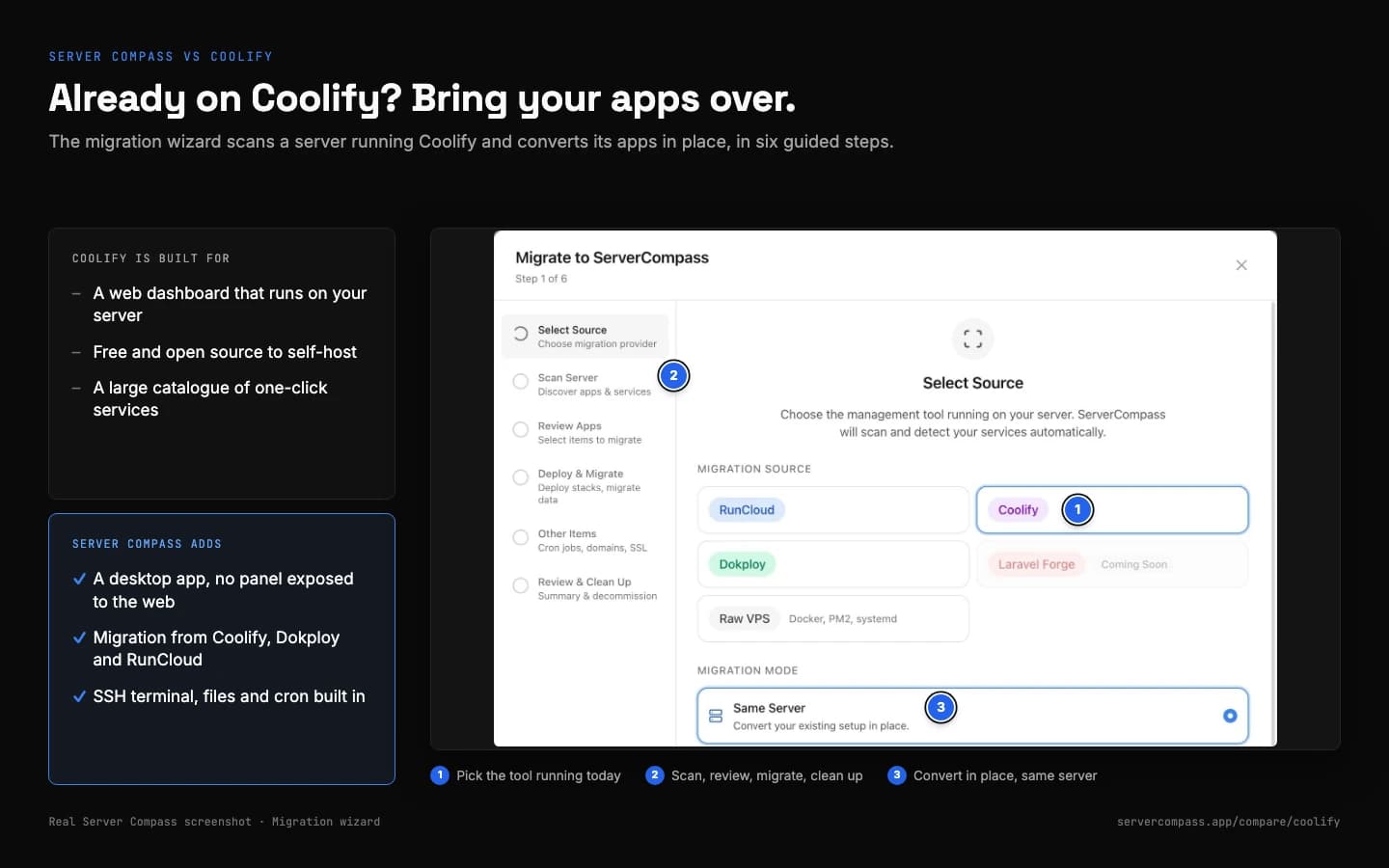
- A migration wizard converts a Coolify server's apps in place
- Apps run as plain Docker Compose stacks behind Traefik
- Free for one server; Pro is $29 once
Feature Comparison
| Feature | Server Compass | Coolify |
|---|---|---|
| Platform | Desktop app + VPS | Server-installed panel |
| App support | Any app via Docker + 420+ templates | Docker, any containerized app |
| Installation on server | Docker + Traefik, no panel | Required (Docker) |
| Server resources used | Docker + Traefik only, UI runs locally | ~500MB RAM minimum |
| GitHub OAuth | Built-in | GitHub App (free) |
| User experience | Native PaaS-like UI | Web panel |
| SSH access | Full terminal | Via panel |
| File browser | ||
| Cron jobs | UI management | UI management |
| Docker support | ||
| Next.js deployments | ||
| Static sites | ||
| Self-hosted DB | PostgreSQL, MySQL, MongoDB, Redis + more | PostgreSQL, MySQL, MariaDB, MongoDB, Redis + more |
| Updates required | Desktop app only | Server panel updates |
| Security surface | Minimal (no panel) | Web panel + database |
| Pricing model | $29 one-time + VPS | Free self-hosted; Cloud from $5/mo |
| Team collaboration | One license per person | Teams + roles, free self-hosted |
| Custom domains | Unlimited | Unlimited |
Pricing Comparison
Server Compass
- Desktop app (lifetime license)
- No panel or agent to install
- GitHub OAuth included
- Unlimited deployments
- Unlimited servers
- All features unlocked
- No control panel on your server
- VPS cost: $5-20/month
Coolify
- Self-hosted (requires installation)
- Self-hosted: free, all features
- Cloud: $5/month (2 servers)
- Cloud: +$3/month per extra server
- Uses ~500MB+ server RAM
- Panel maintenance required
- Web panel exposed to internet
When to Choose Each Platform
Choose Server Compass if...
- You don't want monthly subscription fees
- You want to avoid installing panels on your server
- You prefer native desktop apps
- You want GitHub OAuth without hosting a panel
- You want no control panel running on your server
- You manage multiple servers
- You want a one-time payment model
- You prefer no exposed management panels
Choose Coolify if...
- You need advanced Docker orchestration
- You want a web-based control panel
- You need team collaboration features now
- You want a free, open-source self-hosted panel
- You prefer everything self-hosted in Docker
- You need Coolify's specific integrations
Read More
Frequently Asked Questions
Does Server Compass install anything on my server?
No control panel and no required agent. It installs what apps need to run: Docker with the Compose plugin on first deploy, Traefik when you add a managed domain, and a few base packages (git, curl, Node.js, PM2) when you add the server. Monitoring, Auto Deploy and Cloudflare Tunnel add their own small services only if you turn them on.
What is the difference between Server Compass and Coolify?
Server Compass is a desktop app that deploys and manages apps on servers you own, over SSH, with no control panel running on them. The comparison table on this page shows where Coolify works differently. Server Compass is free for one server, and Pro is $29 one-time; you also pay your VPS provider, typically $5-20/month.
Is Server Compass cheaper than Coolify?
It depends on how you use Coolify. Server Compass is free for one server, and Pro is $29 one-time for unlimited servers; after that you only pay for your VPS, typically $5-20/month. Coolify pricing: Free to self-host; Cloud hosts the panel for you. A self-hosted panel consumes server resources.
Can I migrate from Coolify to Server Compass?
Usually, yes. Anything that runs in Docker can run on your VPS with Server Compass, and there are 420+ one-click templates. Built-in migration covers Coolify, Dokploy, RunCloud, Dockge, EasyPanel (preview) and Render, and you can use any VPS provider, such as DigitalOcean, Hetzner or Linode.
Does Server Compass have the same features as Coolify?
Server Compass covers the core deploy workflow: one-click templates, Git and image deploys, automatic SSL, environment variables, logs and rollbacks. Because the apps run on your own server, it also gives you an SSH terminal, a file browser, cron jobs and security tools.
Which should I choose: Server Compass or Coolify?
Choose Server Compass if you want to own your servers, avoid vendor lock-in, work over SSH and pay once for the tool. Choose Coolify if the reasons listed under "Choose Coolify if..." on this page match how you work.
Ready to Own Your Infrastructure?
Download Server Compass and start deploying on your own VPS with the same polished experience you expect from premium platforms.