May 2, 2026
Stop Exposing Internal Services to the Public Internet
Link apps on the same VPS over a private network in a guided flow. No public ports for your databases, no manual Docker network surgery, no copy-pasted connection strings — just two clicks to connect your app to the services it depends on.
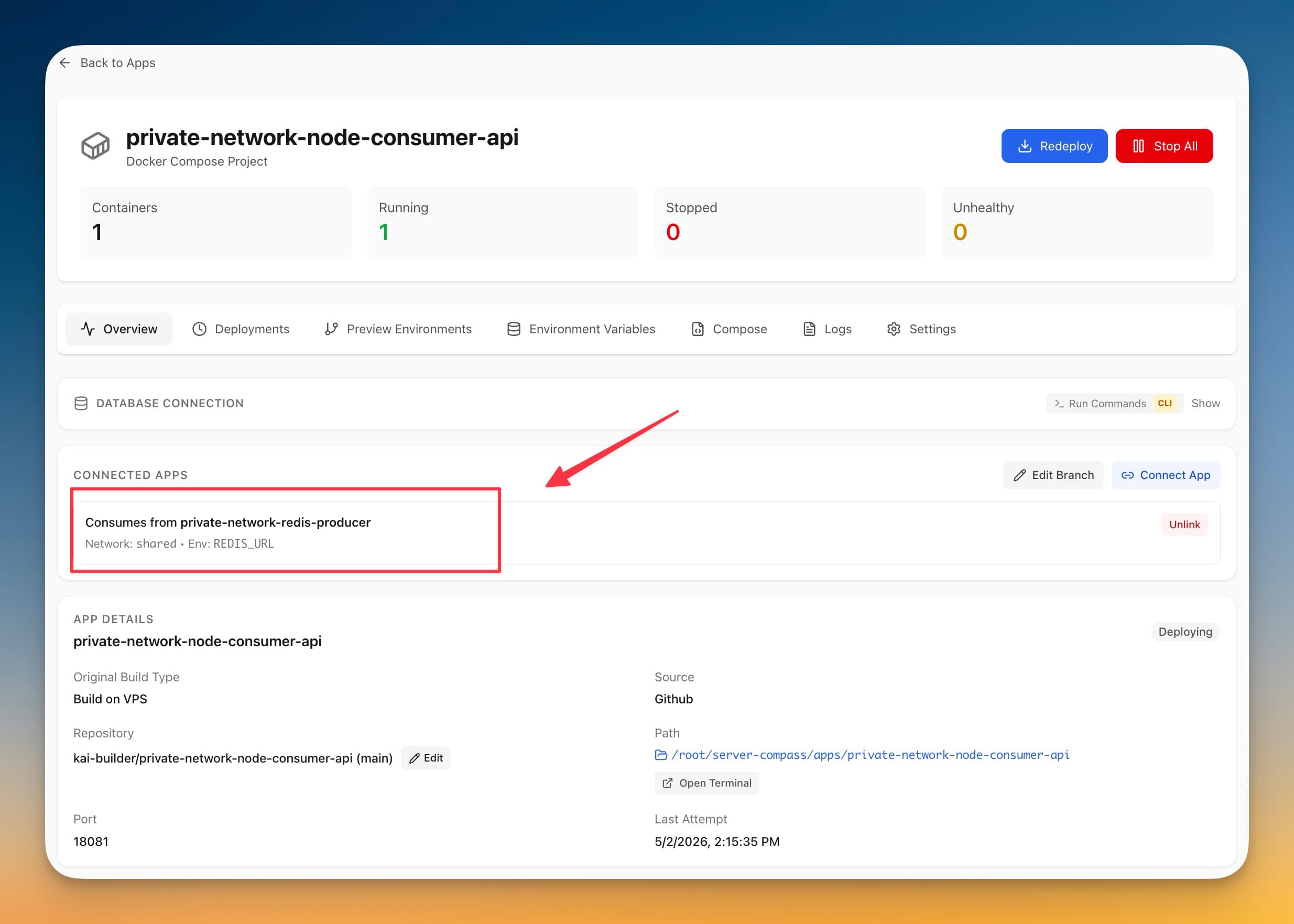
You deploy a Next.js app to your VPS. It needs Redis. You deploy Redis as a separate app on the same box. Now you have to make them talk.
If you've done this before, you know the choices. You can publish Redis on a public port, hope nobody finds it, and copy the public IP into your app's REDIS_URL. You can SSH in and hand-craft a Docker network, attach both containers, figure out the internal hostname, and pray the network survives the next redeploy. You can stand up a reverse proxy with auth in front of Redis, which is overkill for two containers that live three millimeters apart on the same disk.
None of these are good. The first one is how databases end up on Have I Been Pwned. The second one breaks the moment you redeploy or restart Docker. The third one is more infrastructure to maintain than the thing it's protecting.
What changed
Now you can connect two apps on the same VPS through a guided flow. Pick the caller, pick the target, save. The two apps share a private Docker network the moment you confirm, and the producer can drop its public port if you want — its public surface goes from "open to the internet" to "open only to the apps you've linked."
You get this from any app's detail page. Open the Connect Apps tab, pick the app you want to link to, and Server Compass does the network plumbing.
How it works in practice
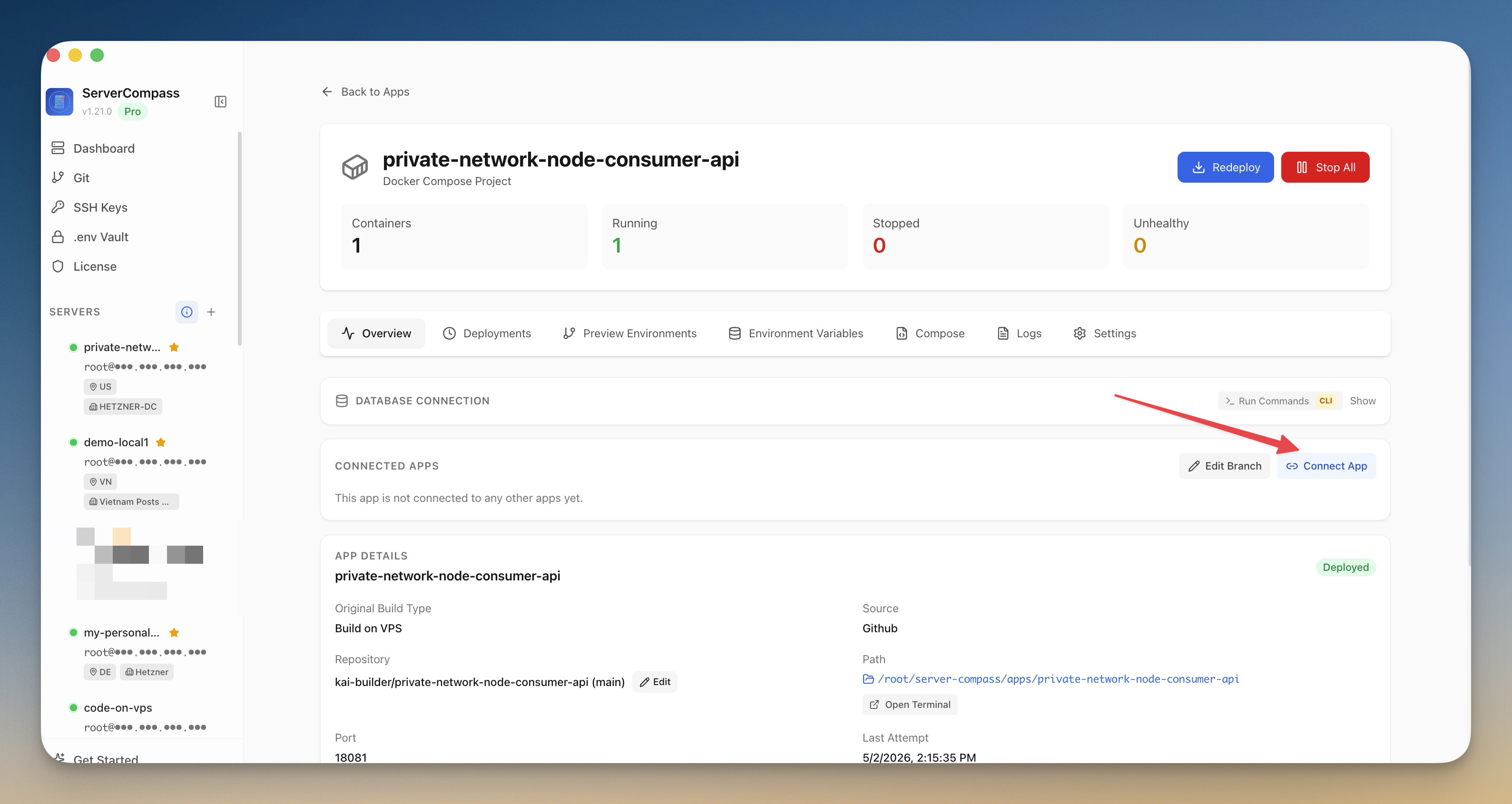
Pick the caller, pick the target — or let Auto-detect choose
Say your Next.js frontend needs Redis. From the frontend's app page, you open Connect Apps and pick Redis as the target. If you're not sure which app is calling which, Auto-detect looks at the workloads and proposes the right direction. The frontend app gets connection values; Redis stays where it is.
Get suggested env values for the services you actually use
For common services — Redis, Postgres, MySQL, MongoDB — you don't have to type out a connection string. Server Compass suggests a working REDIS_URL, DATABASE_URL, or equivalent based on the target app's container name and the private network's internal hostname. You can edit the value before saving if you want a different env var name or a different format.
That's the part that usually eats an afternoon: you remember Redis exists, you forget that the username is default, you forget that rediss:// is for TLS and redis:// isn't, you ship a 500 to production. Suggested values give you a reference that already works on your specific server.
Make service apps private by default
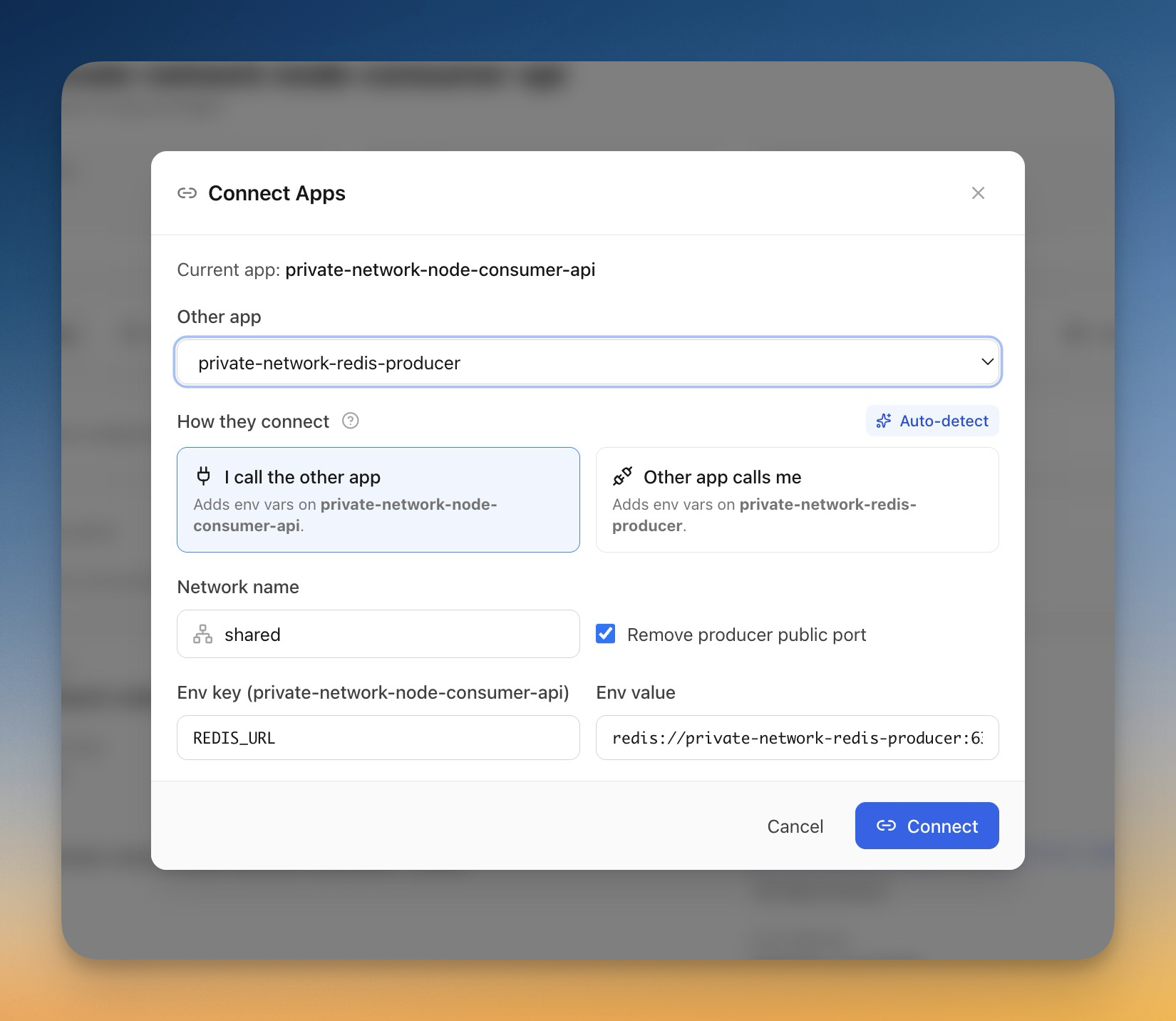
When you finish linking, Server Compass offers to remove the producer app's public port. Your Redis container still listens on its internal port — your Next.js app still talks to it without a single change — but the public address is gone. Anyone scanning the internet for open Redis instances now sees nothing.
This is the part that matters most. The way most public Redis incidents happen is not exotic: someone deploys Redis with a default config, exposes 6379, and forgets the requirepass line. With the public port removed, that whole class of mistake stops being possible. Your service apps become invisible to the public internet without you having to remember firewall rules, fail2ban configs, or reverse proxies.
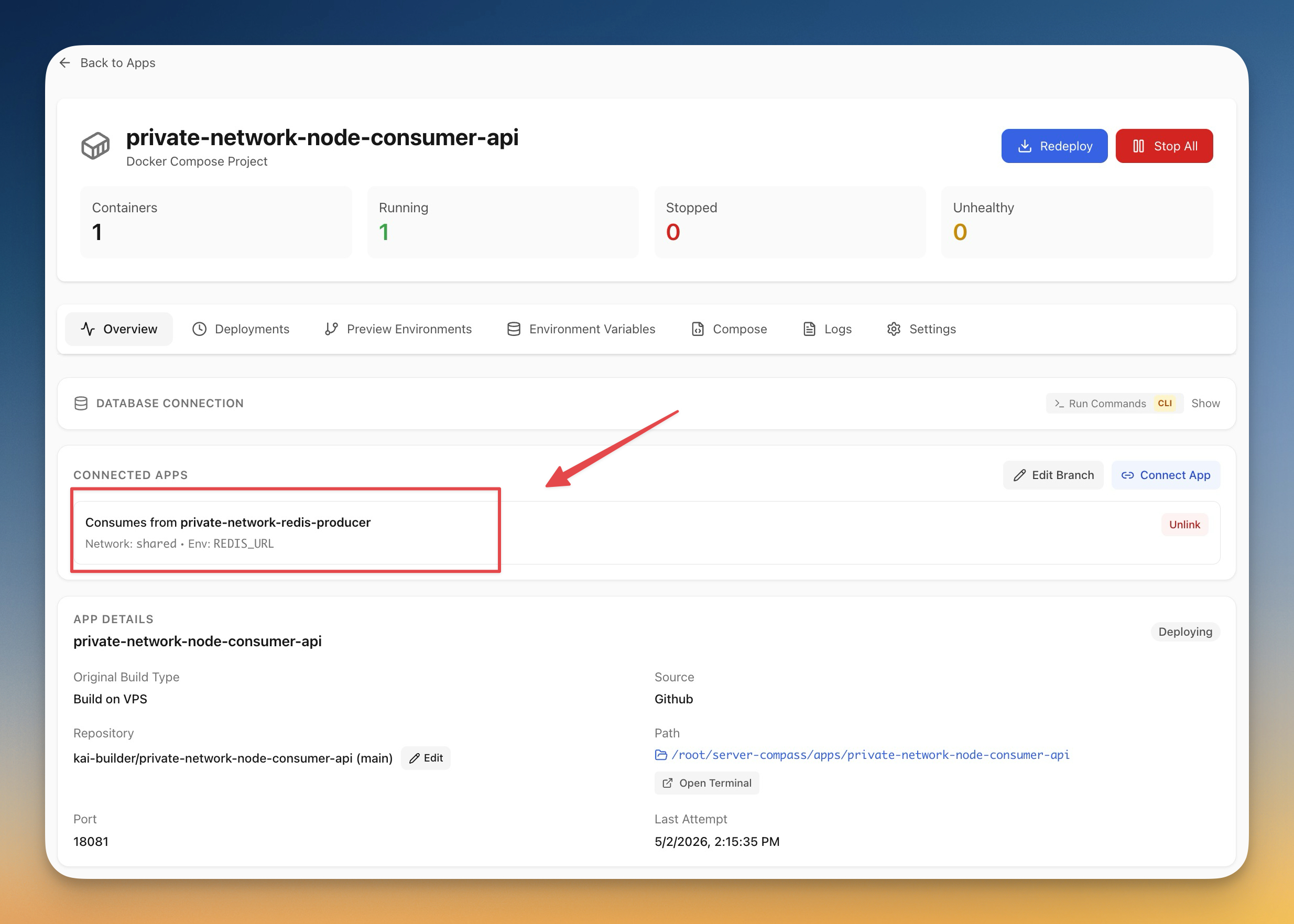
Manage links from the app view or the server view
From an app's page you see the apps it's linked to. From the server's App Connections list you see every linked app pair on that VPS — useful when you have ten apps and need to remember which ones share a Postgres. Unlinking is a single click on either side, and it cleans up the network membership for you so you don't end up with stale Docker network references.
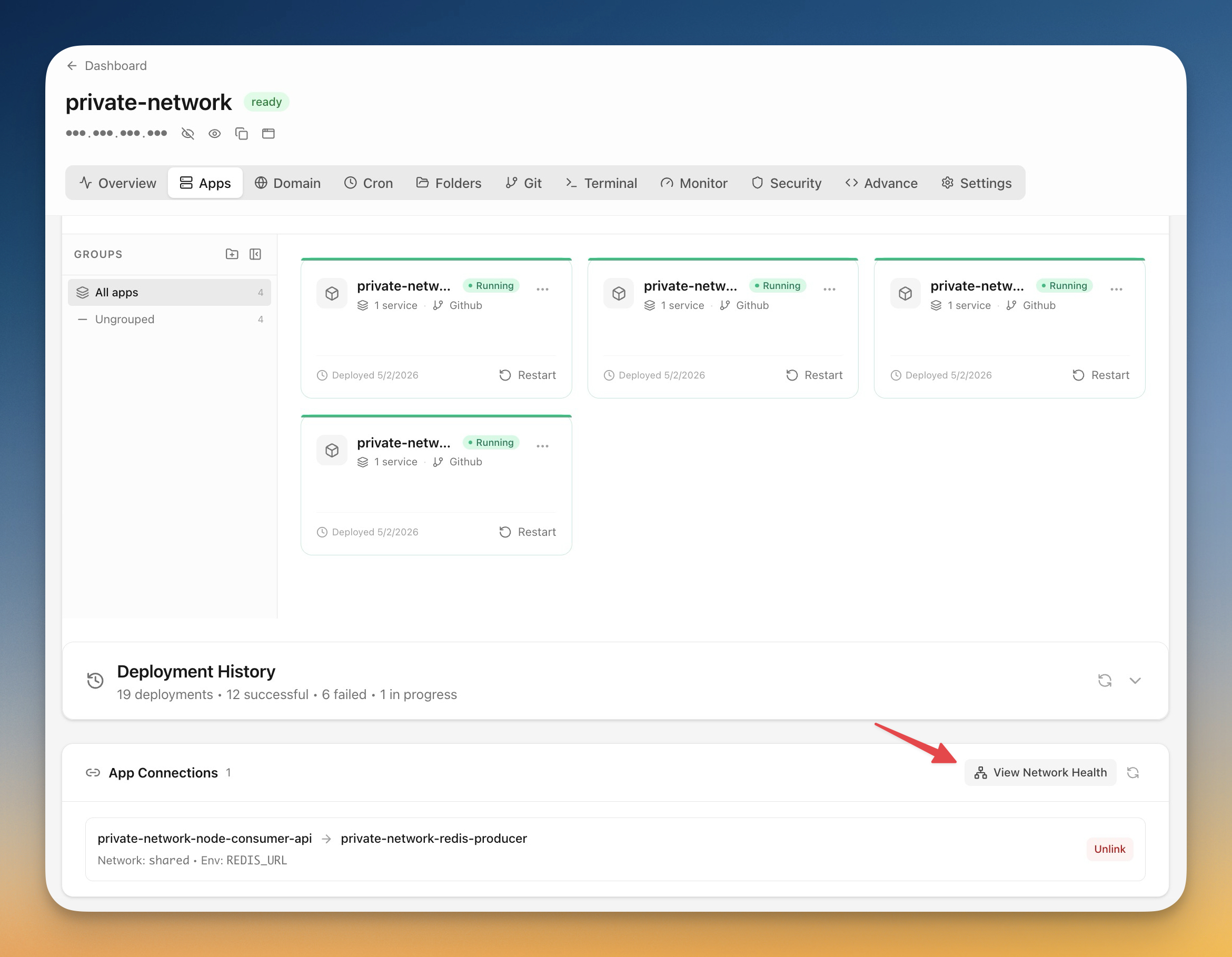
Spot broken networks before they page you
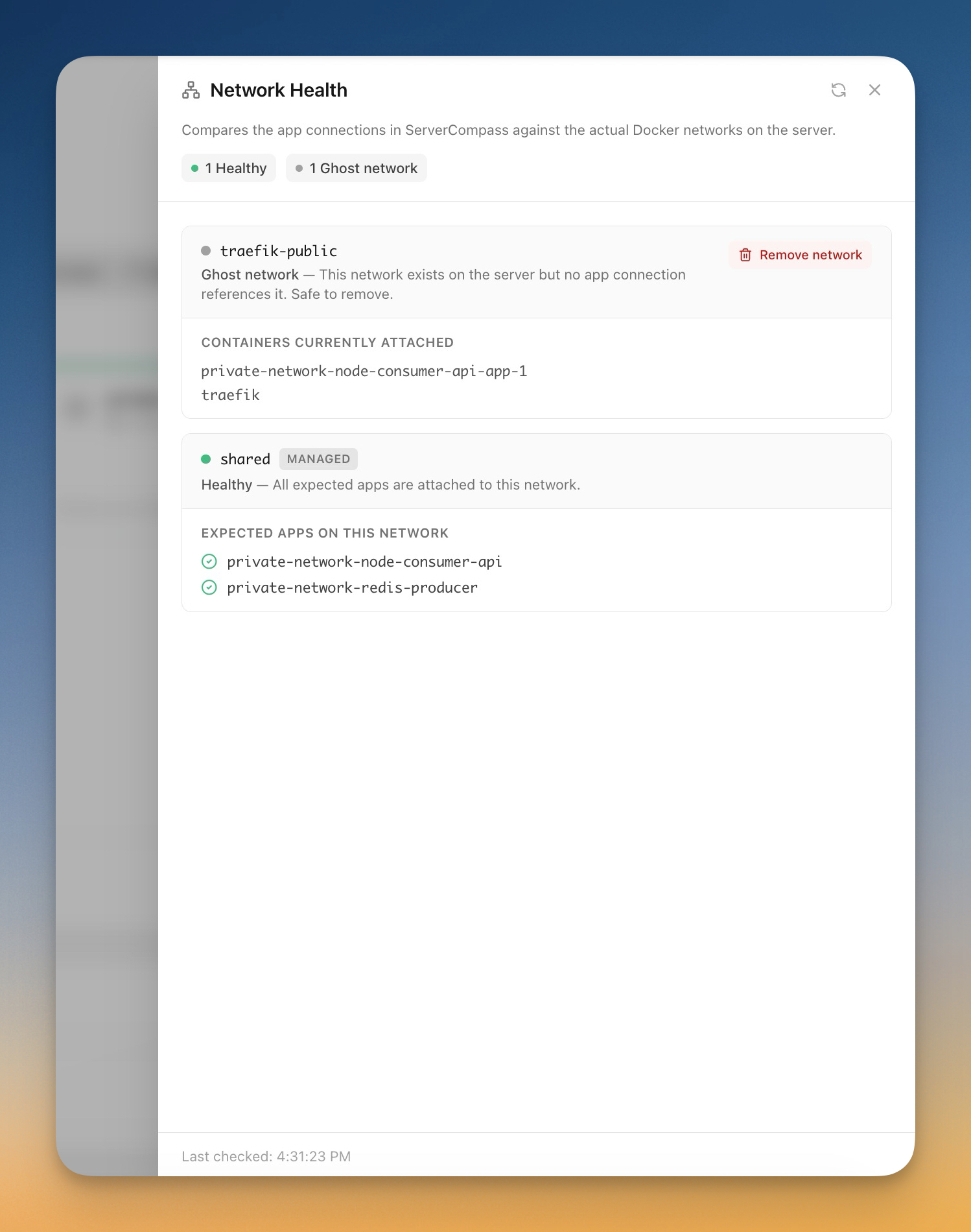
The new Network Health view catches the failure modes that are easy to miss until production breaks. It shows you missing links — apps that think they're connected but aren't on the right network — broken memberships from a partial redeploy, and orphaned networks that nothing references anymore.
Ghost networks are a rite of passage with hand-rolled Docker setups: every time you delete an app without cleaning up its network, you leave behind another *_default that nobody knows about. The health view lists them, and you remove them in one click.
Before vs after
| Step | Before | After |
|---|---|---|
| Make Redis reachable from your app | Publish 6379 publicly or hand-craft a Docker network | Click Connect Apps, pick Redis |
Get a working REDIS_URL | Look up your VPS public IP, remember the auth syntax, paste into env | Suggested value populated, edit if needed |
| Stop exposing Redis to the internet | Manually edit firewall rules per server | One toggle when you connect |
| Find out a connection broke | Wait for a 500 in production | Open Network Health, see the missing link |
| Clean up an old app's network | SSH in, docker network ls, docker network rm, hope it isn't in use | Click "Clean up" in the health sheet |
Who benefits most
Solo developers running a small stack on a single VPS. You're the most likely to expose a database accidentally because you're moving fast and there's nobody else reviewing your firewall rules. App Connections makes private-by-default the path of least resistance.
Indie hackers running multiple side projects on one box. Each project tends to grow its own little dependency graph — a marketing site that needs Postgres, an internal tool that needs Redis, a worker that needs both. The server-level App Connections list is how you remember what's wired to what when you come back to a project six months later.
Small teams running internal tools alongside production. Your staging API, your internal admin panel, and your shared Postgres do not need public ports. They need to talk to each other. Now they can, without making the perimeter of your server bigger than it has to be.
Try it
Update to v1.22.0 and open any app on your VPS. The Connect Apps tab is on the app's detail page, and the Network Health view is one click away from there.
If you've been putting off cleaning up the Docker networks on your server because of how tedious it usually is, this is the version where that gets easy.
Related in the StoicSoft network
If you're self-hosting on a VPS or working through a deployment guide like the one above, DeployToVPS is the StoicSoft network's handbook for VPS deployment recipes — docker-compose, nginx, traefik, and common app self-hosts.
From across the StoicSoft network
Hand-curated reads on the same topic from sister sites in the StoicSoft family.