March 6, 2026
Fly.io Pricing Breakdown: $40/mo vs $5 VPS (2026)
Complete Fly.io pricing breakdown for 2026. Learn how Machines, volumes, bandwidth, and dedicated IPs add up. Compare real costs vs self-hosting on a $5 VPS with Server Compass.
TL;DR
A production app on Fly.io costs $20–40+/mo with Machines, volumes, bandwidth, and IPs billed separately. Server Compass lets you self-host on a $5 VPS with a one-time $29 payment — one price for everything.
Fly.io has positioned itself as the go-to platform for developers who want global edge deployment without managing Kubernetes. The promise is compelling: deploy your Docker containers to data centers around the world with a simple CLI command. But when you dig into the Fly.io pricing model, the reality becomes more complex.
Unlike traditional VPS providers with fixed monthly rates, Fly.io uses a resource-based pricing model where you pay for CPU, RAM, storage, bandwidth, and IP addresses separately. This can make it difficult to predict your actual monthly bill until you're already running in production.
In this comprehensive breakdown, we'll explain exactly how Fly.io pricing works, calculate real-world costs for common deployments, and compare them against what you'd pay for a simple $5 VPS. By the end, you'll know exactly when Fly.io makes sense and when self-hosting is the smarter choice.
How Fly.io Pricing Works
Fly.io's pricing is built around “Machines” — their term for the containers that run your applications. Unlike a VPS where you pay one price for a bundle of resources, Fly.io charges separately for each component. Let's break down every billable item.
Machines (CPU and RAM)
Machines are the core compute unit on Fly.io. Each Machine runs your Docker container and is billed per second based on CPU and RAM allocation. Here's the current pricing structure:
Machine Type
CPU
RAM
Per Hour
Per Month (730hrs)
shared-cpu-1x
1 shared
256MB
$0.0027
$1.94
shared-cpu-1x
1 shared
512MB
$0.0041
$2.99
shared-cpu-1x
1 shared
1GB
$0.0068
$4.97
shared-cpu-2x
2 shared
2GB
$0.0191
$13.94
performance-1x
1 dedicated
2GB
$0.0536
$39.13
performance-2x
2 dedicated
4GB
$0.1072
$78.26
performance-4x
4 dedicated
8GB
$0.2144
$156.51
Key insight: The cheapest shared CPU option is $1.94/month, but with only 256MB RAM, it's barely enough for a static site. Most real applications need at least 512MB-1GB, pushing you to $3-5/month per Machine just for compute.
Volumes (Persistent Storage)
Fly Machines are ephemeral by default — when they restart, any data written to the filesystem is lost. If you need persistent storage (and you almost certainly do for databases, file uploads, or any stateful application), you'll need Fly Volumes.
Resource
Price
Monthly Cost (10GB)
Volume Storage
$0.15/GB/month
$1.50
Volume Storage (50GB)
$0.15/GB/month
$7.50
Volume Storage (100GB)
$0.15/GB/month
$15.00
While $0.15/GB sounds cheap, remember that most $5 VPS plans include 25-80GB of SSD storage. On Fly.io, getting equivalent storage would cost $3.75-12/month on top of your compute costs.
Bandwidth (Outbound Data Transfer)
Fly.io includes some bandwidth in each region, but charges for overages. The pricing varies by region:
Region
Included
Overage Price
North America & Europe
100GB/month
$0.02/GB
Asia Pacific
30GB/month
$0.04/GB
India
30GB/month
$0.12/GB
Africa & South America
30GB/month
$0.06/GB
For most small to medium applications in North America or Europe, 100GB of included bandwidth is generous. But if you're serving media files, large downloads, or have globally distributed traffic, bandwidth costs can add up quickly.
Dedicated IPv4 Addresses
Here's a cost that catches many developers off guard: dedicated IPv4 addresses cost $2/month each. While Fly.io provides shared IPv4 and IPv6 for free, certain use cases require dedicated IPs:
- Running services that require a static IP
- Setting up custom DNS configurations
- Complying with IP whitelisting requirements
- Running multiple apps that need separate IPs
On a VPS, you get a dedicated IPv4 address included in your plan. On Fly.io, that's an extra $2/month per IP.
Managed Postgres
Fly.io offers managed PostgreSQL, which is convenient but adds to your bill:
Plan
Resources
Monthly Cost
Development
1 shared CPU, 256MB RAM, 1GB storage
~$2/month
Production (single node)
1 shared CPU, 1GB RAM, 10GB storage
~$7/month
Production (HA)
2 replicas + 10GB storage
~$15-30/month
Compare this to self-hosting PostgreSQL on a VPS: the database runs alongside your app at no extra cost beyond the VPS itself.
Real Cost Examples
Now let's calculate what you'd actually pay for common deployment scenarios on Fly.io versus a traditional VPS.
Example 1: Simple Web App (Node.js/Next.js)
A typical Node.js or Next.js application with modest traffic (under 10,000 requests/day).
Component
Fly.io Cost
VPS Cost
Compute (shared-cpu-1x, 1GB RAM)
$4.97/mo
Included
Storage (10GB volume)
$1.50/mo
Included (25-80GB)
Bandwidth (50GB)
$0 (under limit)
Included (1-4TB)
IPv4 Address
$0 (shared) or $2/mo
Included
Total
$6.47-8.47/mo
$5/mo
Result: Even for the simplest app, Fly.io costs 30-70% more than a basic VPS.
Example 2: App with Database
A web application with a PostgreSQL database — the most common production setup.
Component
Fly.io Cost
VPS Cost
App Machine (shared-cpu-1x, 1GB)
$4.97/mo
Included
Postgres Machine
$4.97/mo
Included (Docker)
App Volume (5GB)
$0.75/mo
Included
Postgres Volume (20GB)
$3.00/mo
Included
Bandwidth (100GB)
$0
Included
Dedicated IPv4
$2/mo
Included
Total
$15.69/mo
$5-6/mo
Result: With a database, Fly.io costs 2.5-3x more than a VPS running the same stack. That's $115/year in extra costs.
Example 3: Multi-Region Deployment
This is where Fly.io's value proposition shines — deploying to multiple regions for low latency globally. But let's see the costs:
Component
Fly.io Cost (3 regions)
3x App Machines (shared-cpu-1x, 1GB each)
$14.91/mo
Primary Postgres + 2 Read Replicas
$14.91/mo
3x Volumes (20GB each)
$9.00/mo
Bandwidth (cross-region traffic)
$5-15/mo (estimate)
Dedicated IPv4
$2/mo
Total
$45.82-55.82/mo
For true multi-region deployment, Fly.io is actually competitive. Setting up the same infrastructure yourself would require 3 VPS instances ($15-20/month) plus database replication configuration, load balancing, and significant DevOps expertise.
However, most applications don't need multi-region deployment. If your users are primarily in one geographic area, a single well-placed VPS delivers excellent performance.
Fly.io vs VPS: Complete Cost Comparison
Here's a comprehensive comparison for different use cases:
Use Case
Fly.io Monthly
VPS Monthly
Annual Savings
Static site / simple app
$5-8
$5
$0-36
Web app + PostgreSQL
$15-20
$5-6
$108-180
Full stack (app + DB + Redis)
$20-30
$6-12
$168-216
Production app (dedicated CPU)
$40-80
$12-24
$336-672
Multi-region (3 locations)
$45-60
$15-20 (3x VPS)
$360-480*
*Multi-region VPS requires additional setup for load balancing and replication.
When Fly.io Makes Sense
Despite the higher costs, Fly.io is the right choice in specific scenarios:
1. Global Low Latency is Critical
If your application serves users worldwide and milliseconds matter (real-time collaboration, gaming, financial applications), Fly.io's global edge network provides genuine value. Deploying to 20+ regions with a single command is something you simply can't replicate easily with VPS infrastructure.
2. You Need Geographic Redundancy
For applications requiring high availability across multiple continents, Fly.io handles the complexity of multi-region deployment, database replication, and automatic failover. Building this yourself requires significant DevOps expertise.
3. Your Traffic is Highly Variable
Fly.io's per-second billing and automatic scaling can be cost-effective if you have traffic that spikes dramatically. A VPS sits idle during low-traffic periods but costs the same. Fly.io Machines can scale to zero (though wake time affects user experience).
4. You Value CLI-First Workflow
The flyctl CLI is excellent. If you prefer deploying via terminal commands and want tight integration with your Git workflow, Fly.io's developer experience is top-notch.
When VPS Wins
For the majority of applications, a VPS provides better value:
1. Single-Region Deployment
If your users are concentrated in one geographic area (most B2B SaaS, regional businesses, personal projects), a single VPS in that region delivers the same performance at a fraction of the cost. A VPS in Frankfurt serves European users just as well as a Fly.io Machine in Frankfurt — but costs 50-70% less.
2. Predictable Workloads
When your traffic is steady and predictable, fixed VPS pricing beats resource-based billing. You know exactly what you'll pay each month — no surprise bills from traffic spikes or bandwidth overages.
3. Multiple Services on One Server
A VPS lets you run your app, database, Redis, cron jobs, and monitoring tools on a single $5-10 server. On Fly.io, each service is a separate billable Machine. Running PostgreSQL, Redis, and your app together on Fly.io easily costs $15-25/month. The same stack on a VPS: $5-10/month.
4. Cost-Conscious Projects
Side projects, MVPs, startups watching their runway, and indie developers benefit from VPS economics. The annual savings of $100-500+ compounds over time and across multiple projects.
5. Full Infrastructure Control
With a VPS, you have root access. Install any software, configure the OS however you want, run long-running processes, access full system logs, and debug issues directly on the server. Fly.io's container abstraction hides this complexity — which is great until you need to troubleshoot at the system level.
Alternative: Server Compass + VPS
What if you could get Fly.io's deployment experience with VPS economics? That's exactly what Server Compass delivers.
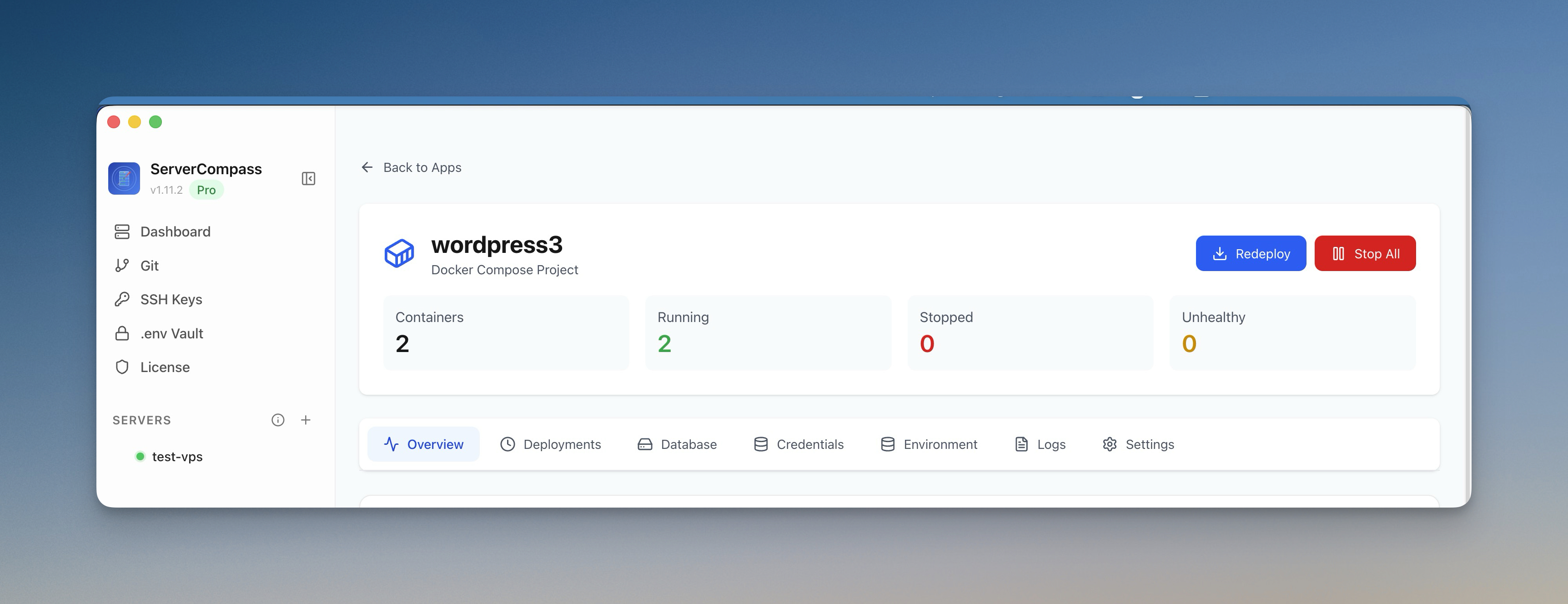
Server Compass is a desktop application that gives you visual deployment tools for your own VPS. Instead of paying Fly.io's resource-based pricing, you pay a one-time $29 license plus your VPS cost ($5-10/month for most applications).
What You Get
- One-click Docker deployments — Deploy containers visually without writing Docker commands
- Git-based auto-deploy — Push to GitHub, auto-deploy to your VPS (just like Fly.io)
- Zero-downtime deployments — Blue-green deployments with automatic rollback
- Automatic SSL — Let's Encrypt certificates provisioned automatically
- 166+ one-click templates — Deploy PostgreSQL, Redis, MongoDB, and more instantly
- .env Vault — AES-256-GCM encrypted environment variables
- No server footprint — Server Compass runs on your desktop, not on your VPS
Cost Comparison Summary
Scenario
Fly.io (Annual)
Server Compass + VPS
You Save
App + PostgreSQL
$180-240/year
$29 + $60/year = $89
$91-151
Full stack
$240-360/year
$29 + $72/year = $101
$139-259
Production (dedicated CPU)
$480-960/year
$29 + $144/year = $173
$307-787
For detailed feature comparisons, see our Server Compass vs Fly.io comparison and Fly.io alternative pages.
Frequently Asked Questions
Does Fly.io have a free tier?
Fly.io offers a $5 monthly credit for new accounts, which covers roughly 2-3 small Machines. However, this isn't a true free tier — it's a credit that gets consumed by usage. Once depleted, you pay full price. The free tier is best suited for testing and development, not production workloads.
What are Fly.io's hidden costs?
The most commonly overlooked costs are:
- Dedicated IPv4: $2/month (required for many setups)
- Volumes: $0.15/GB/month for persistent storage
- Regional bandwidth: Asia, India, Africa have lower included bandwidth and higher overage rates
- Multiple Machines: Each database, cache, or worker is a separate billable Machine
Can Fly.io scale to zero?
Yes, Fly.io Machines can scale to zero when not receiving traffic, which stops compute charges. However, there are important caveats:
- Cold start latency when the Machine wakes up (1-3 seconds typically)
- Volume storage continues to be billed even when Machines are stopped
- Databases should not scale to zero as they need to be always available
What's cheaper than Fly.io?
For single-region deployments, almost any VPS provider is cheaper:
- Hetzner: $4.15/month for 2 vCPU, 4GB RAM, 40GB SSD
- DigitalOcean: $6/month for 1 vCPU, 1GB RAM, 25GB SSD
- Vultr: $5/month for 1 vCPU, 1GB RAM, 25GB SSD
- Linode: $5/month for 1 vCPU, 1GB RAM, 25GB SSD
Pair any of these with Server Compass ($29 one-time) for a deployment experience comparable to Fly.io at a fraction of the ongoing cost.
How hard is it to migrate from Fly.io to VPS?
Migration is straightforward because Fly.io uses standard Docker containers. Your existing Dockerfile works unchanged on a VPS. The main steps are:
- Export your database from Fly.io Postgres
- Spin up a VPS (takes 60 seconds)
- Deploy your Docker container using Server Compass or docker-compose
- Import your database
- Update DNS to point to your new VPS IP
Most migrations complete in under an hour.
Is Fly.io faster than a VPS?
For single-region deployments, performance is comparable. A Fly.io Machine in Frankfurt and a Hetzner VPS in Frankfurt have similar latency for European users. Fly.io's advantage is multi-region deployment — serving users from the closest edge location. If you don't need global distribution, a well-placed VPS performs just as well.
Conclusion
Fly.io pricing makes sense for specific use cases: global edge deployment, multi-region redundancy, and applications with highly variable traffic. For these scenarios, the convenience and built-in infrastructure justify the premium.
For everyone else — single-region apps, startups, side projects, and cost-conscious developers — a $5-10 VPS delivers the same (or better) results at 50-70% lower cost. Tools like Server Compass bridge the deployment experience gap, giving you Fly.io-like convenience while keeping your infrastructure costs minimal.
The bottom line: unless you're building a globally distributed application, self-hosting on a VPS will save you $100-500+ per year with no meaningful compromise in performance or developer experience.
Ready to switch? Try Server Compass — $29 one-time, deploy unlimited apps to unlimited servers, and stop paying Fly.io's resource-based premiums.
Related in the StoicSoft network
If you're self-hosting on a VPS or working through a deployment guide like the one above, DeployToVPS is the StoicSoft network's handbook for VPS deployment recipes — docker-compose, nginx, traefik, and common app self-hosts.