March 11, 2026
How to Create a robots.txt File for the AI Era (2026 Guide)
Learn how to generate robots.txt files that control both search engine crawlers and AI bots like GPTBot, ClaudeBot, and Perplexity. Complete guide with examples, directives, and a free robots.txt generator tool.
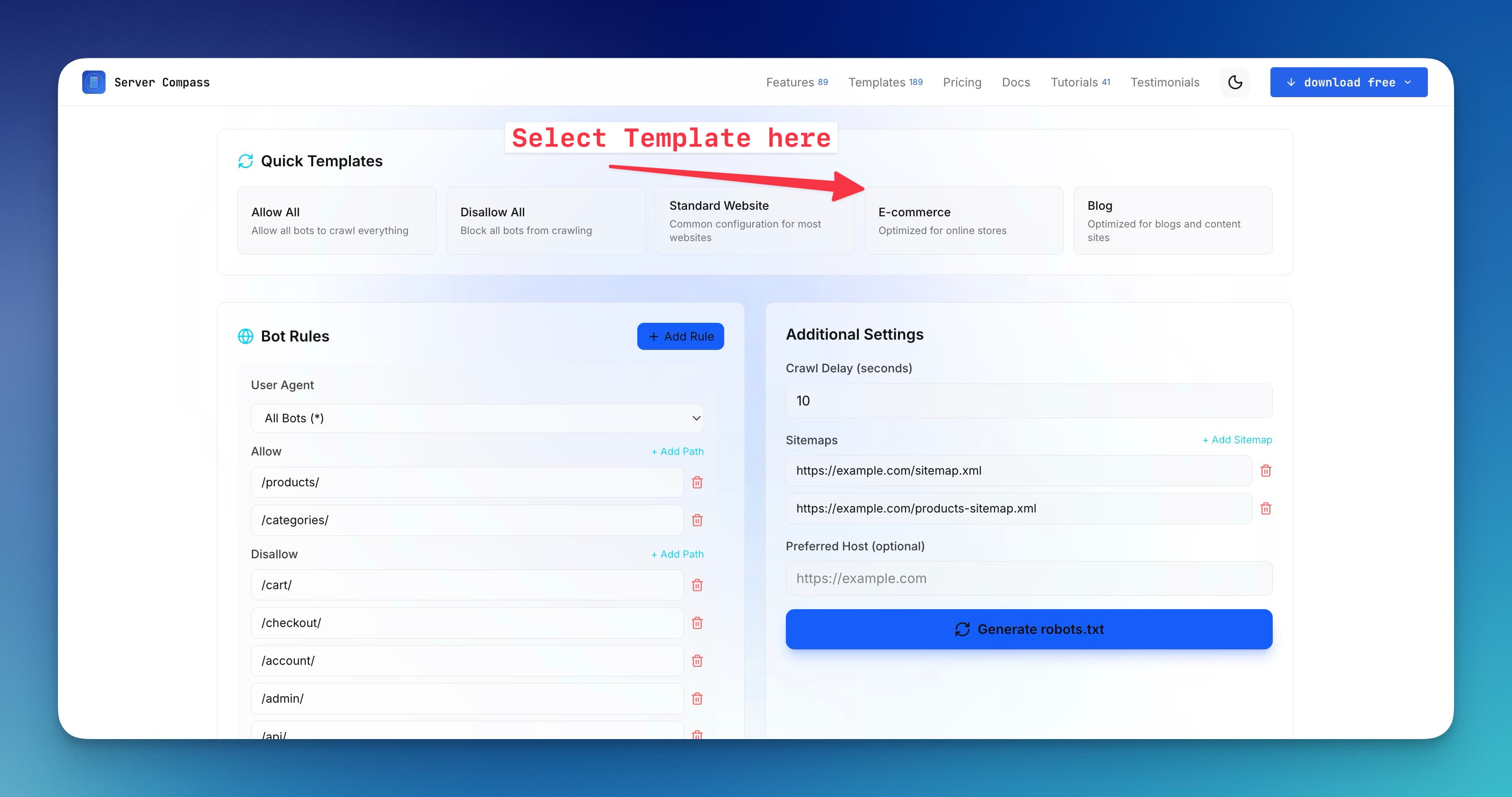
The humble robots.txt file has been around since 1994, but in 2026 it's more important than ever. With AI companies crawling the web to train their models, you now need to decide not just which search engines can index your content, but which AI systems can learn from it.
This guide covers everything you need to know to create a robots.txt file that works for both traditional search crawlers and the new wave of AI bots. Plus, we've built a free robots.txt generator to make the process even easier.
What Is robots.txt and Why Does It Matter?
A robots.txt file is a plain text file placed at the root of your website (e.g., https://example.com/robots.txt) that tells web crawlers which pages or sections of your site they can or cannot access.
Important: robots.txt is a directive, not a security measure. Well-behaved bots follow it, but malicious scrapers ignore it. Think of it as a "please do not disturb" sign rather than a lock.
Why It Matters More in 2026
Three major shifts have made robots.txt crucial:
- AI training data — Companies like OpenAI, Anthropic, Google, and others crawl websites to train large language models. Your content could be used without compensation.
- Server resources — Aggressive AI crawlers can hammer your server with requests, costing you bandwidth and degrading performance.
- Content licensing — Publishers now need granular control over who can use their content and how.
Basic robots.txt Syntax
Before you generate robots.txt files, you need to understand the basic directives:
User-agent
Specifies which crawler the rules apply to. Use * for all bots:
`User-agent: * Disallow: /private/ User-agent: Googlebot Allow: /`
Disallow and Allow
Disallow blocks access to a path. Allow permits access (useful for exceptions):
`User-agent: * Disallow: /admin/ Disallow: /api/ Allow: /api/public/`
Sitemap
Points crawlers to your XML sitemap for better indexing:
`Sitemap: https://example.com/sitemap.xml`
Crawl-delay
Requests a delay between requests (in seconds). Not all bots respect this:
`User-agent: * Crawl-delay: 10`
AI Bots You Should Know About
To create robots.txt rules for AI crawlers, you first need to know their user-agent strings. Here are the major ones:
Bot Name
User-agent
Company
Purpose
GPTBot
GPTBot
OpenAI
Training data for GPT models
ChatGPT-User
ChatGPT-User
OpenAI
Real-time browsing in ChatGPT
ClaudeBot
ClaudeBot
Anthropic
Training data for Claude
Claude-Web
Claude-Web
Anthropic
Real-time web access in Claude
Google-Extended
Google-Extended
Gemini/Bard training (separate from search)
Bytespider
Bytespider
ByteDance
Training data for TikTok AI
PerplexityBot
PerplexityBot
Perplexity AI
AI search engine
Amazonbot
Amazonbot
Amazon
Alexa answers and AI training
FacebookBot
FacebookBot
Meta
AI training for Meta products
cohere-ai
cohere-ai
Cohere
Training enterprise AI models
Applebot-Extended
Applebot-Extended
Apple
Apple Intelligence training
Should You Let AI Bots Crawl Your Site in 2026?
This is the million-dollar question every website owner faces. There's no universal answer — it depends on your content, business model, and values. Let's break down both sides.
Reasons to Block AI Crawlers
1. Your content is your product. If you're a publisher, journalist, or content creator, AI companies are essentially taking your work to build products that compete with you. They profit from your content without compensation. The New York Times, Reddit, and many publishers have blocked AI crawlers for this reason.
2. No licensing agreements. Unlike search engines that drive traffic back to your site, AI training bots take your content and use it to generate answers that may never link back. You get nothing in return.
3. Server resources. AI crawlers can be aggressive. GPTBot and others may send thousands of requests, consuming bandwidth and server resources you're paying for.
4. Data privacy concerns. If your site contains user-generated content, forum discussions, or personal information, allowing AI training raises privacy and ethical questions.
5. Future-proofing. Once your content is in a training dataset, you can't remove it. Blocking now prevents future regret.
Reasons to Allow AI Crawlers
1. AI-powered search visibility. Perplexity, ChatGPT with browsing, and Google's AI Overviews are becoming how people find information. If you block these bots, your content won't appear in AI-generated answers, potentially losing significant traffic.
2. Brand awareness. When AI assistants cite or recommend your brand, product, or service, it builds awareness. Some businesses see this as free marketing.
3. The ship has sailed. If your site has been public for years, your content is likely already in training datasets. Blocking now only prevents future updates from being included.
4. Licensing deals are emerging. Companies like OpenAI, Google, and Apple are signing content licensing agreements with publishers. Allowing crawling today might position you for paid partnerships tomorrow.
5. Open web philosophy. Some believe in keeping the web open and accessible. If you benefited from others' open content, paying it forward feels right.
The Middle Ground: Selective Access
You don't have to choose all-or-nothing. Many site owners take a nuanced approach:
- Allow real-time browsing bots (ChatGPT-User, Claude-Web) that cite sources and drive traffic, while blocking training bots (GPTBot, ClaudeBot).
- Protect premium content behind paywalls or member areas while allowing AI access to free content.
- Allow specific companies you trust or have relationships with while blocking others.
- Monitor and adjust — start permissive, track the impact on traffic and server load, then tighten as needed.
Our Recommendation for 2026
For most websites, we recommend a selective blocking approach:
- Block aggressive training bots like GPTBot, ClaudeBot, and Bytespider unless you have a licensing deal.
- Allow AI search bots like PerplexityBot and Google-Extended if visibility in AI answers matters to your business.
- Always allow traditional search engines — blocking Googlebot hurts you more than anyone.
- Protect sensitive directories regardless of bot type.
Use our robots.txt generator to implement this exact strategy with a few clicks.
robots.txt Examples for Common Scenarios
Block All AI Bots (Keep Search Engines)
If you want search engines to index your site but block AI training crawlers:
`# Allow search engines User-agent: Googlebot Allow: / User-agent: Bingbot Allow: / # Block AI training bots User-agent: GPTBot Disallow: / User-agent: ChatGPT-User Disallow: / User-agent: ClaudeBot Disallow: / User-agent: Claude-Web Disallow: / User-agent: Google-Extended Disallow: / User-agent: PerplexityBot Disallow: / User-agent: Bytespider Disallow: / User-agent: Amazonbot Disallow: / User-agent: FacebookBot Disallow: / User-agent: cohere-ai Disallow: / User-agent: Applebot-Extended Disallow: / # Default allow for other bots User-agent: * Allow: / Sitemap: https://example.com/sitemap.xml`
Allow Only Specific AI Bots
If you want to allow some AI companies (perhaps those with licensing deals) while blocking others:
`# Allow Google AI (you use their services) User-agent: Google-Extended Allow: / # Allow Perplexity (they link back) User-agent: PerplexityBot Allow: / # Block training-focused bots User-agent: GPTBot Disallow: / User-agent: ClaudeBot Disallow: / User-agent: Bytespider Disallow: / User-agent: * Allow: / Sitemap: https://example.com/sitemap.xml`
Protect Specific Content
Allow AI bots on most pages but protect premium or sensitive content:
`User-agent: GPTBot Disallow: /premium/ Disallow: /members/ Disallow: /api/ Allow: / User-agent: ClaudeBot Disallow: /premium/ Disallow: /members/ Disallow: /api/ Allow: / User-agent: * Disallow: /admin/ Disallow: /api/internal/ Allow: / Sitemap: https://example.com/sitemap.xml`
Aggressive Blocking (Maximum Privacy)
Block everything except essential search engines:
`# Only allow major search engines User-agent: Googlebot Allow: / User-agent: Bingbot Allow: / User-agent: DuckDuckBot Allow: / User-agent: Yandex Allow: / # Block everything else User-agent: * Disallow: / Sitemap: https://example.com/sitemap.xml`
Use Our Free robots.txt Generator
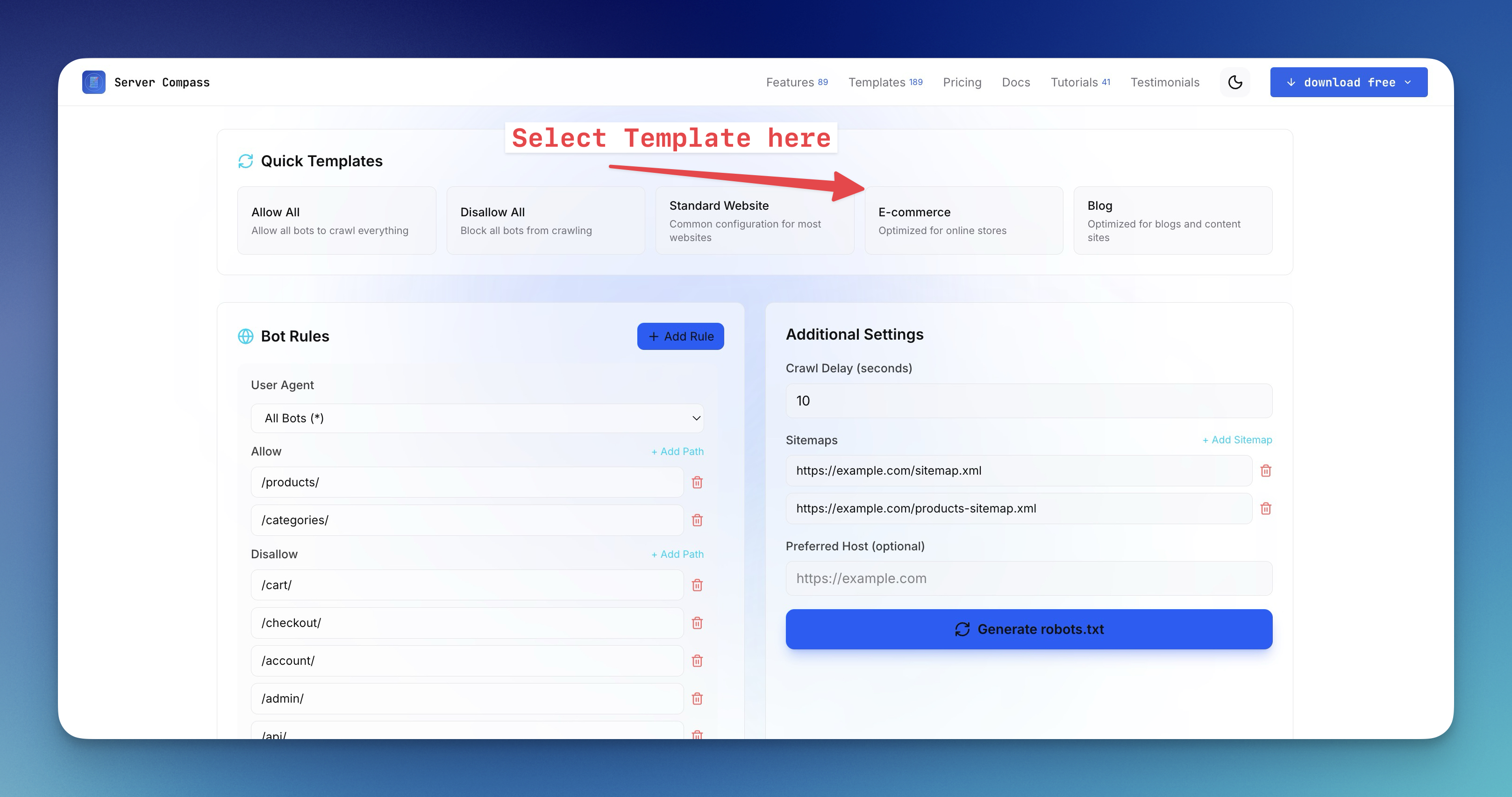
Manually writing robots.txt rules can be tedious and error-prone. That's why we built a robots.txt generator that makes it easy to:
- Select which search engines to allow
- Choose which AI bots to block or allow
- Add custom disallow paths
- Include your sitemap URL
- Copy or download the generated file
Try the free robots.txt generator tool — no signup required.
Where to Place Your robots.txt File
After you create robots.txt, place it at the root of your domain:
`https://example.com/robots.txt ✓ Correct https://example.com/files/robots.txt ✗ Wrong https://www.example.com/robots.txt ✓ Correct (but separate from non-www)`
Note: Subdomains need their own robots.txt files. blog.example.com and example.com are treated as separate sites.
Framework-Specific Placement
Framework
Location
Next.js (App Router)
app/robots.txt or public/robots.txt
Next.js (Pages Router)
public/robots.txt
React (CRA/Vite)
public/robots.txt
Vue/Nuxt
public/robots.txt or static/robots.txt
WordPress
Root of WordPress installation (or use Yoast SEO)
Laravel
public/robots.txt
Django
static/robots.txt or serve via URL route
Testing Your robots.txt
After you generate and deploy your robots.txt, verify it works:
Google Search Console
Use the robots.txt Tester in Google Search Console to check for syntax errors and test specific URLs.
Manual Testing
Simply visit your robots.txt URL directly:
`curl https://yourdomain.com/robots.txt`
Common robots.txt Mistakes to Avoid
1. Blocking CSS and JavaScript
Blocking /css/ or /js/ directories prevents search engines from rendering your pages properly, hurting SEO:
`# Don't do this User-agent: * Disallow: /css/ Disallow: /js/`
2. Forgetting Trailing Slashes
Disallow: /admin blocks /admin, /admin/, and /administrator. Be specific with Disallow: /admin/ if you only want to block the directory.
3. Case Sensitivity
Paths in robots.txt are case-sensitive. /Admin/ and /admin/ are different.
4. Using robots.txt for Security
Never rely on robots.txt to protect sensitive data. It's publicly readable and malicious bots ignore it. Use authentication and access controls instead.
Beyond robots.txt: Additional Controls
robots.txt is just one layer. Consider these additional methods:
Meta Robots Tag
Page-level control in your HTML:
`<meta name="robots" content="noindex, nofollow"> <meta name="googlebot" content="noindex"> <meta name="GPTBot" content="noindex">`
X-Robots-Tag Header
Server-level control for non-HTML files (PDFs, images):
`X-Robots-Tag: noindex, nofollow`
Rate Limiting
If AI bots are hammering your server despite robots.txt rules, implement rate limiting at the server or CDN level. Cloudflare, Nginx, and most reverse proxies support this.
Conclusion
Creating a robots.txt file in 2026 requires thinking beyond just search engines. With AI crawlers actively scraping the web for training data, you need a strategy that balances discoverability with content protection.
Key takeaways:
- Know the bots — GPTBot, ClaudeBot, Google-Extended, and others have distinct user-agents you can target.
- Be explicit — List each AI bot you want to block rather than relying on catch-all rules.
- Test thoroughly — Use Google Search Console and manual checks to verify your rules.
- Layer your defenses — Combine robots.txt with meta tags, headers, and rate limiting.
Ready to create your own? Use our free robots.txt generator to build a customized file in seconds.
Related in the StoicSoft network
If you work in AI-assisted coding, shared terminal sessions, or agent-driven shell workflows like the ones above, 1devtool is the StoicSoft network's tool for safer AI-assisted terminal work — shared sessions with auditing, preflight policy, and tiered model routing built in.
From across the StoicSoft network
Hand-curated reads on the same topic from sister sites in the StoicSoft family.
 1DevTool5 min read
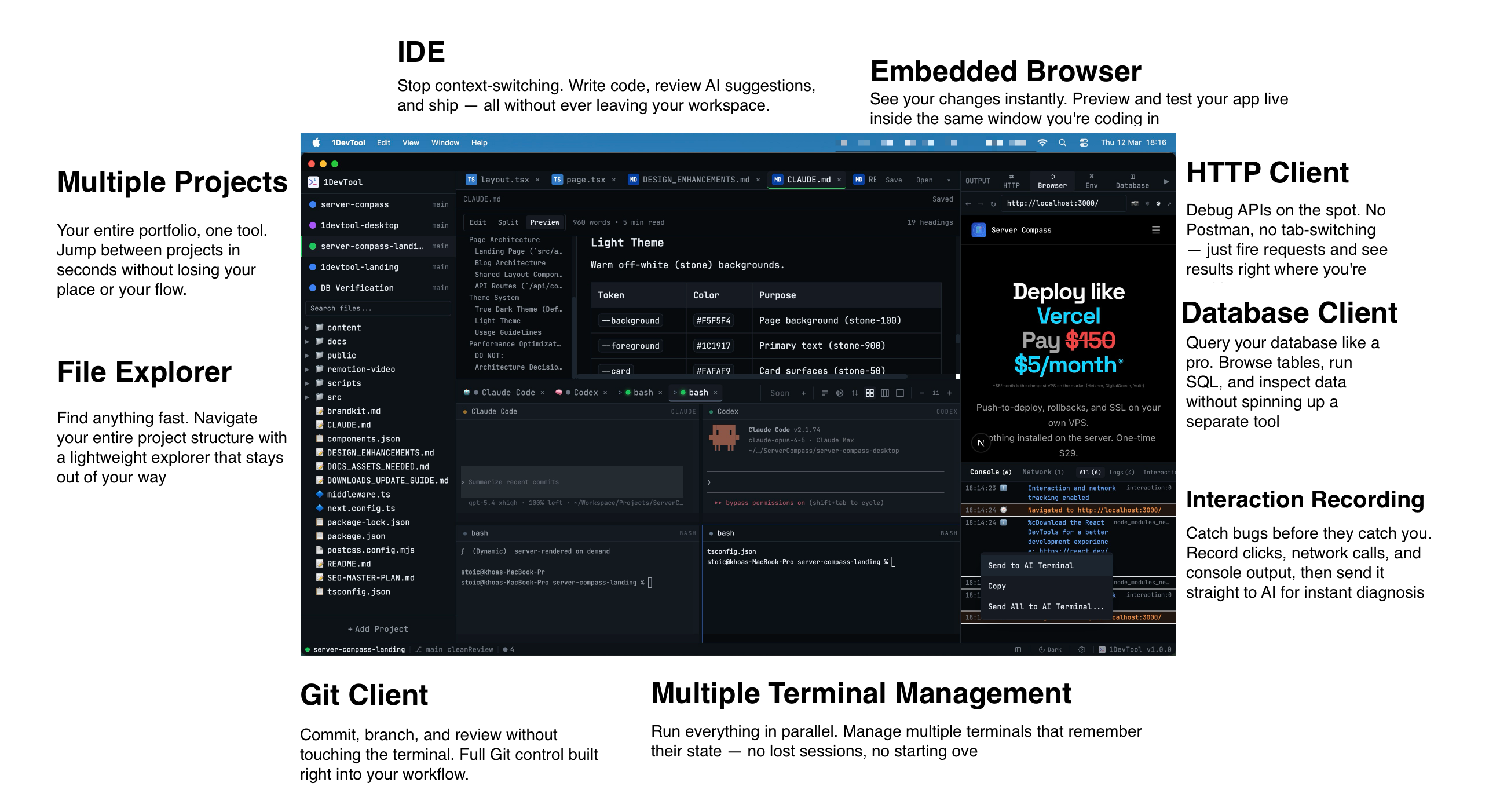
Introducing 1DevTool: The AI-Powered Code Editor for Developers
Meet 1DevTool, the AI code editor that combines the power of multiple AI models with a beautiful, developer-friendly interface. Built for productivity, designed for developers.
Read on 1devtool.com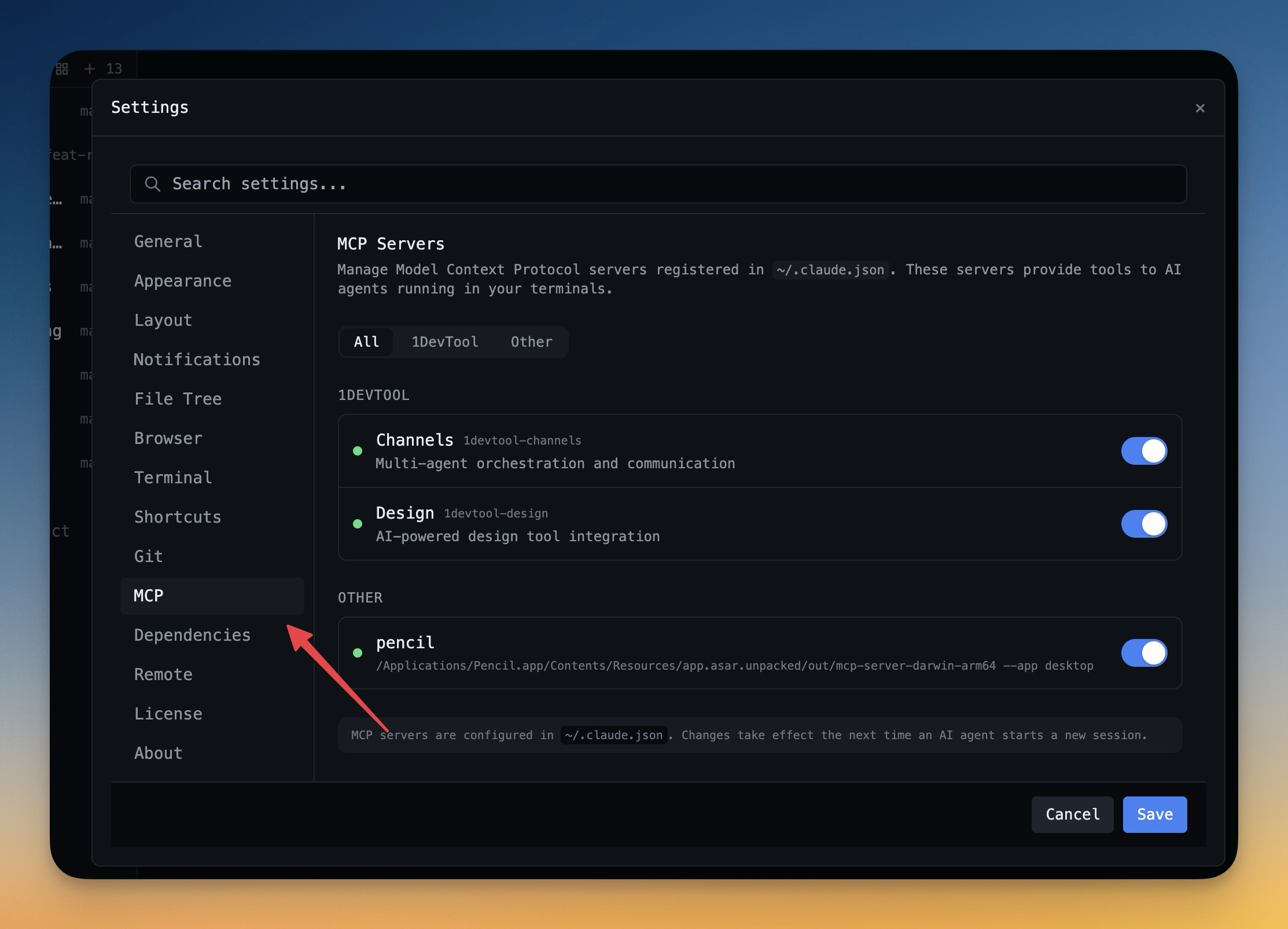 1DevTool11 min read
Self-Hosted AI Coding Assistant Workflow: Practical Setup Guide
A self-hosted AI coding workflow needs more than model hosting. You need environment control, connector governance, and reproducible operations. This guide covers the practical stack.
Read on 1devtool.com