March 6, 2026
Render Is Getting Expensive. Here's a $5/mo Alternative
Render's free tier is gone and paid plans start at $7/mo per service. We break down the real costs and show you how to run the same stack on a $5 VPS with Server Compass.
TL;DR
Render costs $7–25+/mo per service and the free tier is gone. Server Compass lets you self-host the same stack on a $5 VPS with a one-time $29 payment — no terminal needed.
If you're here, you're probably staring at a Render bill wondering how a “simple deployment platform” got this expensive. You're not alone — Render's free tier is effectively gone, and paid plans start at $7/mo per service. Run a web app, a database, and a worker? That's $21/mo minimum before you even think about scaling.
But here's what Render's pricing page doesn't make obvious: the costs that quietly compound as your project grows. Below, we break down every tier, expose the charges that catch developers off guard, and show you exactly when it makes financial sense to move to a $5 VPS instead.
Pricing verified March 2026. Costs change frequently — check Render's pricing page for the latest.
Render Pricing Model Overview
Render uses a fixed monthly pricing model for most services, which sets it apart from usage-based platforms like Railway or Vercel. This predictability is one of Render's biggest selling points — you know exactly what you'll pay each month without worrying about traffic spikes causing surprise bills.
However, Render's pricing structure has several layers:
- Account-level plans: Individual, Team, Organization, and Enterprise
- Service-level pricing: Each web service, database, cron job, and background worker has its own monthly cost
- Resource tiers: Within each service type, you choose CPU/RAM configurations
- Add-ons: Persistent disks, additional bandwidth, and premium support carry extra fees
Understanding how these layers interact is crucial to estimating your actual monthly spend on Render.
Render Pricing Tiers
Free Tier Limitations
Render offers a free tier that's attractive for hobby projects and learning, but comes with significant limitations that make it unsuitable for anything beyond experimentation:
Feature
Free Tier Limit
Impact
Web Services
750 hours/month (shared)
~31 days if running one service continuously
Spin Down
After 15 minutes of inactivity
30-60 second cold starts for first request
RAM
512 MB
Tight for Node.js/Python apps with dependencies
CPU
0.1 vCPU (shared)
Noticeable slowdowns under any load
Bandwidth
100 GB/month
Sufficient for low-traffic sites
Build Minutes
500 minutes/month
~16 builds for a typical Next.js app
PostgreSQL
90 days only, then deleted
Not viable for any persistent data
Redis
Not available
Must pay for caching layer
The most significant limitation is the spin-down behavior. Free tier services go to sleep after 15 minutes of inactivity, resulting in cold starts of 30-60 seconds when the next request arrives. This makes free tier unsuitable for production APIs, webhooks, or any service where response time matters.
The 90-day PostgreSQL limit is another deal-breaker for real projects. Your database simply gets deleted after 90 days unless you upgrade to a paid plan.
Individual Plan ($7+/month)
The Individual plan removes free tier restrictions and gives you access to Render's full service catalog. However, you pay per service:
- No account fee: You only pay for the services you deploy
- Web services start at $7/month: For 512 MB RAM, 0.5 vCPU
- No spin-down: Services stay running 24/7
- Autoscaling available: Pay for additional instances as needed
- Custom domains: Included with automatic SSL
For a solo developer running a single web service, $7/month is competitive. The challenge is that most real applications need more than one service.
Team Plan ($19+/user/month)
Teams need collaboration features, which come at a premium:
- $19/user/month: Base cost for team collaboration
- Role-based access control: Manage permissions across services
- Shared environments: Preview environments and staging
- Priority support: Faster response times
- Service costs are additional: The $19/user is on top of infrastructure costs
For a 5-person team, you're looking at $95/month just for the team plan — before any services are deployed. Add web services, databases, and background workers, and costs escalate quickly.
Service-Specific Costs
Web Services
Web services are Render's core offering. Here's the 2026 pricing breakdown:
Instance Type
RAM
CPU
Monthly Cost
Starter
512 MB
0.5 vCPU
$7
Standard
2 GB
1 vCPU
$25
Pro
4 GB
2 vCPU
$85
Pro Plus
8 GB
4 vCPU
$175
Pro Max
16 GB
8 vCPU
$350
Pro Ultra
32 GB
16 vCPU
$700
The $7 Starter tier works for simple apps, but most production workloads need at least the Standard tier at $25/month. The jump from Standard to Pro is steep — $60/month more for double the resources.
Autoscaling costs: If you enable autoscaling, each additional instance costs the same as your base instance. Running 3 instances of a Standard service costs $75/month.
Databases
Render offers managed PostgreSQL and Redis. Database pricing is where costs can escalate significantly:
PostgreSQL Pricing
Plan
RAM
Storage
Monthly Cost
Starter
256 MB
1 GB
$7
Basic
1 GB
16 GB
$20
Standard
4 GB
96 GB
$95
Pro
8 GB
256 GB
$185
Pro Plus
16 GB
512 GB
$395
The $7 Starter database has only 256 MB RAM and 1 GB storage — suitable for development but inadequate for production. The Basic tier at $20/month is the minimum viable option for real applications.
Important limitation: Render PostgreSQL doesn't include point-in-time recovery on lower tiers. For proper backup protection, you need Standard ($95/month) or higher.
Redis Pricing
Plan
Memory
Monthly Cost
Starter
25 MB
$10
Basic
100 MB
$25
Standard
1 GB
$85
Pro
5 GB
$185
Redis pricing is particularly steep. A 25 MB Starter instance costs $10/month — compare this to running Redis on a $5 VPS with gigabytes of available memory.
Cron Jobs
Render charges for cron jobs based on execution time and instance size:
- Minimum $1/month: For jobs running a few minutes total
- Same instance pricing as web services: A Pro instance running cron jobs costs $85/month equivalent
- Billed per second: You pay only for actual execution time
For simple scheduled tasks (daily cleanups, reports), cron jobs are affordable. But if you have multiple jobs or long-running processes, costs add up.
Static Sites
This is where Render shines for budget-conscious developers:
- Free: Unlimited static sites
- 100 GB bandwidth/month: Per site on free tier
- Global CDN: Included at no cost
- Custom domains: With automatic SSL
- Build minutes count against total: 500/month free, then $0.01/minute
For static sites, Render is genuinely competitive with Netlify and Vercel. If you're only hosting static content, Render's free tier is excellent.
Background Workers
Background workers follow the same pricing as web services. A common pattern is running:
- Web service (API): $25/month
- Background worker (job processing): $25/month
- Redis (job queue): $25/month
That's $75/month just for a basic async job processing setup — before you add a database.
Real Cost Examples
Let's look at what real applications cost on Render:
Simple SaaS App
A typical small SaaS with moderate traffic:
Service
Tier
Monthly Cost
Next.js Frontend
Standard (2 GB)
$25
Node.js API
Standard (2 GB)
$25
PostgreSQL
Basic (1 GB)
$20
Redis
Starter (25 MB)
$10
Total
$80/month
Production App with Workers
A production app with background job processing:
Service
Tier
Monthly Cost
Next.js App (2 instances)
Standard
$50
API Server (2 instances)
Standard
$50
Background Worker
Standard
$25
PostgreSQL
Standard (4 GB)
$95
Redis
Basic (100 MB)
$25
Cron Jobs
Various
$10
Total
$255/month
Team Production Setup
A 4-person team with staging and production:
Cost Item
Monthly Cost
Team Plan (4 users)
$76
Production Environment (same as above)
$255
Staging Environment (scaled down)
$80
Total
$411/month
At $411/month ($4,932/year), this is where Render starts to look expensive compared to alternatives.
Render vs VPS Cost Comparison
Let's compare Render's pricing to running the same workloads on a VPS:
Simple SaaS Comparison
Platform
Monthly Cost
Resources
Render
$80/month
4 GB RAM total across services
Hetzner VPS
$7/month
4 GB RAM, 2 vCPU, 40 GB SSD
DigitalOcean Droplet
$24/month
4 GB RAM, 2 vCPU, 80 GB SSD
Annual savings with VPS: $636-$876 compared to Render
Production App Comparison
Platform
Monthly Cost
Resources
Render
$255/month
Split across multiple services
Hetzner VPS
$15/month
8 GB RAM, 4 vCPU, 160 GB SSD
DigitalOcean Droplet
$48/month
8 GB RAM, 4 vCPU, 160 GB SSD
Annual savings with VPS: $2,484-$2,880 compared to Render
Why the Cost Difference?
Render charges per service, while a VPS gives you dedicated resources that can run unlimited containers:
- No per-service fees: Run 10 apps or 1 for the same VPS cost
- Included databases: PostgreSQL, Redis, MongoDB run free on your VPS
- No bandwidth overages: Most VPS plans include generous bandwidth
- Full resource access: Use all available RAM/CPU, not artificial limits
When Render Makes Sense
Despite the cost premium, Render is a good choice in specific scenarios:
Render Is Worth It For:
- MVP and early-stage startups: When you need to ship fast and DevOps isn't your focus
- Static sites: The free tier is genuinely excellent
- Small teams without DevOps expertise: Zero-config deployments save time
- Predictable billing: No surprise bills from traffic spikes (unlike Vercel)
- Quick prototypes: Deploy from GitHub in minutes
- Companies valuing managed services: Database backups, SSL, and monitoring included
Render Pricing Is Competitive When:
- You're running a single web service with a small database
- Your alternative is Heroku (Render is typically 30-50% cheaper)
- Time-to-market is more valuable than infrastructure costs
- You need preview environments for PRs (built-in feature)
When to Switch to VPS
Consider migrating from Render when:
Cost Threshold
- Monthly bill exceeds $50-100: At this point, VPS self-hosting becomes significantly more economical
- Running multiple services: Each additional service on Render adds $7-25+/month; on a VPS, it's essentially free
- Scaling instances: Autoscaling costs multiply quickly; a larger VPS is often cheaper
Technical Requirements
- Need more control: Custom Nginx configs, specific software versions, system-level tuning
- Running stateful services: Databases, message queues, and caches are cheaper self-hosted
- Compliance requirements: Some regulations require dedicated infrastructure
- WebSocket-heavy apps: VPS gives you persistent connections without limits
Growth Signals
- Your team has or can learn basic Docker/Linux skills
- You're deploying more than 3-4 services
- Database requirements exceed Basic tier ($20/month)
- You want to add services without worrying about incremental costs
Alternative: Server Compass
If Render's pricing doesn't work for your budget but you still want a great deployment experience, Server Compass offers the best of both worlds: the developer experience of a PaaS with the economics of VPS hosting.
Server Compass Advantages
- One-time $29 license: No monthly platform fees, ever
- Deploy to any VPS: Hetzner, DigitalOcean, Vultr, Linode, or any provider
- Unlimited services: Run as many apps as your VPS can handle
- Built-in databases: Deploy PostgreSQL, MySQL, MongoDB, Redis with one-click templates
- GitHub integration: Push-to-deploy via GitHub Actions
- Zero-downtime deployments: Blue-green deployments included
- Visual interface: No CLI required for day-to-day operations
Cost Comparison: Render vs Server Compass
For the $255/month production setup we calculated earlier:
Platform
Year 1 Cost
Year 2+ Cost
Render
$3,060
$3,060/year
Server Compass + Hetzner
$209 ($29 + $180)
$180/year
Server Compass + DigitalOcean
$605 ($29 + $576)
$576/year
First year savings: $2,455-$2,851
Annual savings after year 1: $2,484-$2,880
For a detailed comparison, see our Render vs Server Compass comparison and Render alternative guide.
What You Get with Server Compass
- Docker Stack Wizard: Visual multi-container deployments
- Framework Detection: Auto-detect 16+ frameworks (Next.js, Django, Laravel, etc.)
- Zero-Downtime Deployments: Blue-green deployments without configuration
- .env Vault: AES-256 encrypted environment variables
- Database Management: Visual database admin for PostgreSQL, MySQL, MongoDB
- Automatic SSL: Let's Encrypt certificates with auto-renewal
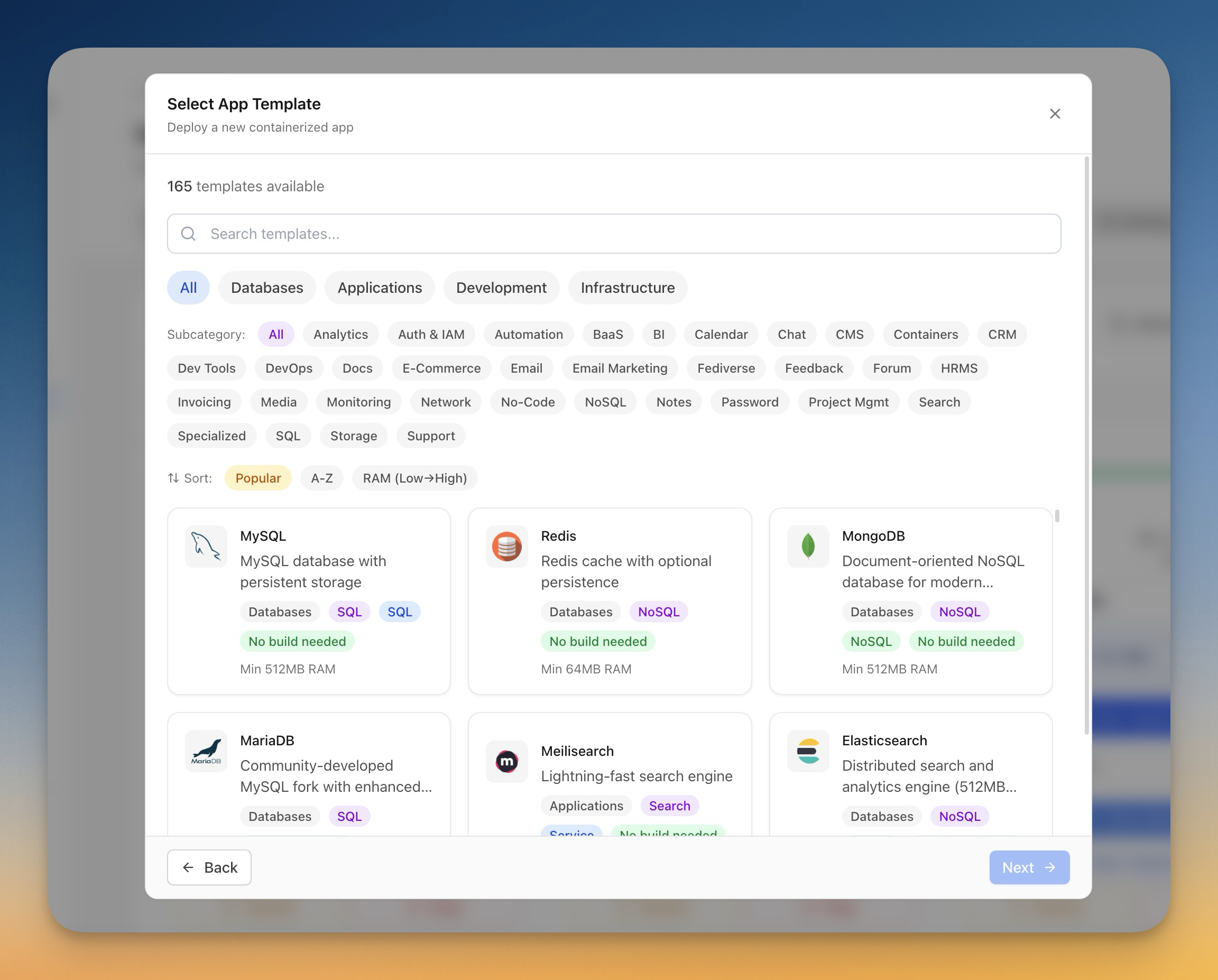
- 100+ Templates: One-click deploy for popular services
Frequently Asked Questions
Is Render's free tier good enough for production?
No. The free tier spins down after 15 minutes of inactivity, causing 30-60 second cold starts. The 90-day PostgreSQL limit means your database gets deleted. Free tier is only suitable for demos, portfolios, and testing.
How does Render compare to Heroku pricing?
Render is typically 30-50% cheaper than Heroku for equivalent resources. A basic Heroku dyno is $7/month (same as Render), but Heroku's database add-ons and other services are significantly more expensive. If you're on Heroku, Render is a reasonable migration target.
Does Render charge for bandwidth?
Render includes 100 GB/month on the free tier and generous bandwidth on paid plans. Unlike Vercel, you won't get surprise bandwidth bills. However, if you exceed limits on higher-traffic sites, overage charges apply at $0.10/GB.
Can I run multiple apps on one Render service?
No. Render's model is one app per service. This is a key cost driver — each additional app adds $7-25+/month. With a VPS, you can run unlimited Docker containers on a single server.
Is Render worth it for startups?
For early-stage MVPs where speed matters more than cost, yes. For scaling startups spending $100+/month on infrastructure, self-hosting becomes more economical. The tipping point is usually when you need multiple services or production-grade databases.
What's the best Render alternative?
It depends on your priorities:
- Lower costs with great DX: Server Compass + VPS
- Managed serverless: Vercel or Cloudflare Pages
- Usage-based pricing: Railway
- Global edge: Fly.io
How hard is it to migrate from Render?
Render uses standard Docker and Git-based deployments, making migration relatively straightforward. Your Dockerfiles work anywhere, environment variables can be exported, and databases can be migrated with pg_dump. Server Compass supports GitHub Actions CI/CD, so you can maintain similar push-to-deploy workflows.
Conclusion: Is Render Worth It in 2026?
Render offers a solid developer experience with predictable pricing — a refreshing alternative to Vercel's usage-based billing. For static sites and small projects, Render's free tier is excellent. For single-app deployments on the Starter tier, $7/month is fair.
However, Render's per-service pricing model means costs escalate quickly for real applications. A typical production stack costs $80-250+/month, which is 5-20x more expensive than running the same workload on a VPS.
Render is worth it if:
- You value simplicity over cost optimization
- You're running 1-2 services total
- You don't have DevOps expertise in-house
- Predictable billing is a priority
Consider alternatives if:
- Monthly costs exceed $50-100
- You're running multiple services or databases
- Your team can manage basic Docker deployments
- Long-term cost savings matter to your business
For developers and teams looking to maximize value, Server Compass provides Render-like deployment experience at VPS prices. One-time $29 license, unlimited deployments, and full control over your infrastructure.
Ready to compare? See our detailed Render comparison or explore Render alternatives.
Related in the StoicSoft network
If you're self-hosting on a VPS or working through a deployment guide like the one above, DeployToVPS is the StoicSoft network's handbook for VPS deployment recipes — docker-compose, nginx, traefik, and common app self-hosts.
From across the StoicSoft network
Hand-curated reads on the same topic from sister sites in the StoicSoft family.