March 6, 2026
Self-Hosted Vercel Alternative: Complete Guide (2026)
The complete guide to self-hosted Vercel alternatives. Compare Server Compass, Coolify, and CapRover. Learn how to migrate from Vercel, calculate real cost savings, and deploy with the same developer experience on your own VPS.
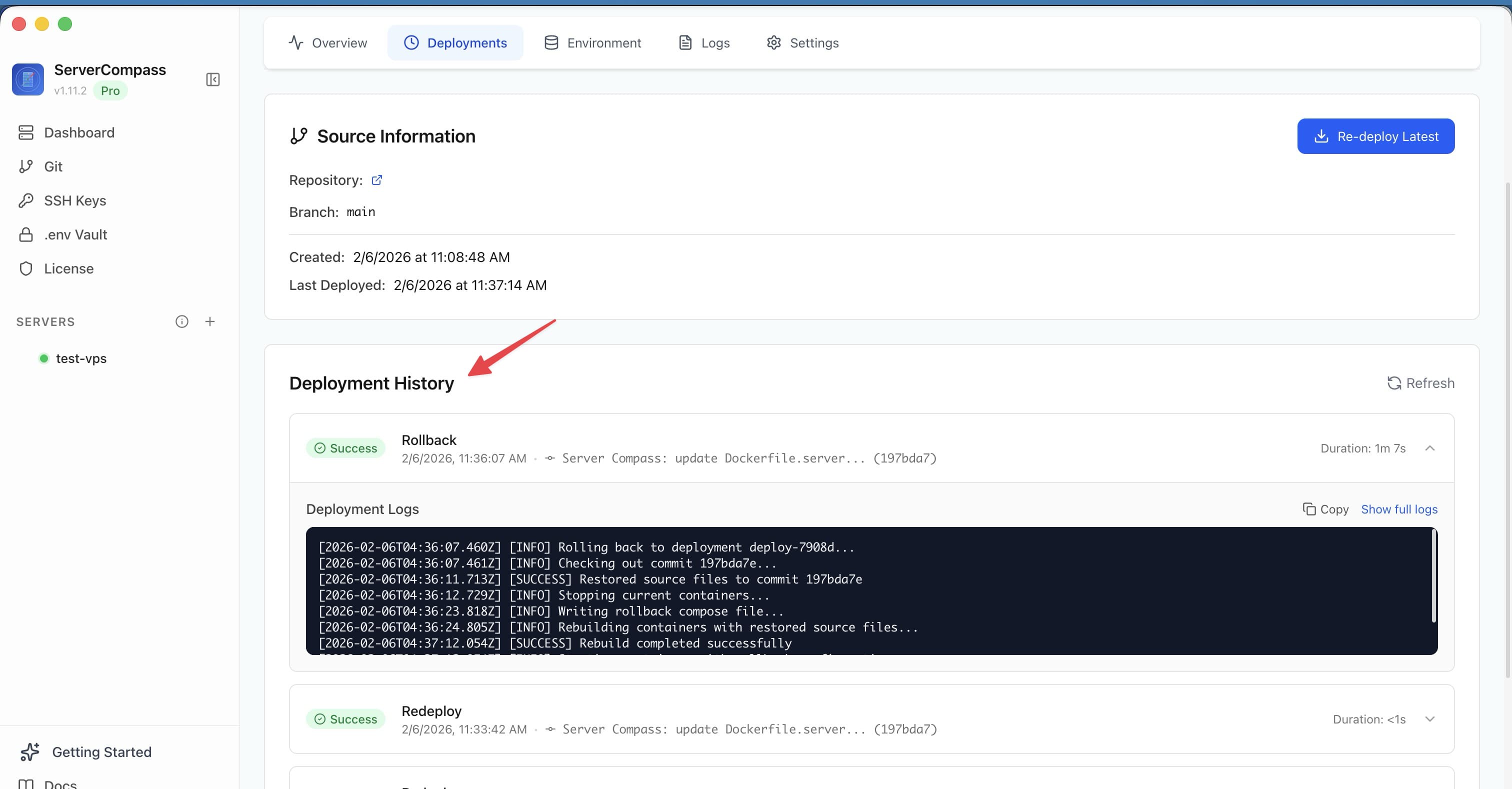
Vercel changed how developers deploy web applications. The git-push-to-deploy workflow, instant preview deployments, and zero-config SSL made it the gold standard for developer experience. But as your traffic grows, so does your bill. What starts as a convenient $20/month quickly balloons to $200, $500, or even $2,000+ monthly as bandwidth overages, serverless function executions, and build minutes add up.
The solution? A self-hosted Vercel alternative that gives you the same developer experience on your own infrastructure. You keep the one-click deploys, Git integration, and automatic SSL—but pay a flat $5-50/month for your VPS instead of usage-based pricing that punishes your success.
This guide covers everything you need to know about self-hosted Vercel alternatives in 2026: the top platforms compared, step-by-step migration instructions, real cost savings calculations, and how to choose the right solution for your needs.
Why Developers Want Vercel UX Without Vercel Pricing
Vercel's pricing model has a fundamental problem: it charges you more when you succeed. A viral blog post, a successful Product Hunt launch, or simply growing your user base can transform your hosting costs overnight. Here's what developers commonly experience:
- Bandwidth overages: After 1TB on Pro ($20/month), you pay $40 per 100GB. A high-traffic site can easily rack up $400-800/month in bandwidth alone.
- Serverless function costs: After 1M executions, additional invocations cost $0.60 per million. API-heavy apps can hit $100-300/month just in function costs.
- Build minute limits: The 6,000 minutes included on Pro sound generous until you have a monorepo with multiple apps deploying on every commit.
- Team seat pricing: $20/user/month adds up fast. A 5-person team pays $100/month before any usage.
The frustration is real: you love Vercel's workflow, but you can't afford it at scale. Self-hosted alternatives solve this by decoupling the deployment experience from the infrastructure costs. You get the same git push workflow, the same preview deployments, the same automatic SSL—but on a VPS that costs $5-50/month regardless of traffic.
What You Need from a Self-Hosted Vercel Alternative
Not every deployment tool qualifies as a true Vercel alternative. To match Vercel's developer experience, a self-hosted platform needs these core capabilities:
One-Click Deploys
Vercel's magic starts with zero-config deployment. Connect your repo, and Vercel figures out your framework, build commands, and output directory automatically. A real alternative needs the same: framework detection that recognizes Next.js, React, Vue, Svelte, Django, Flask, Laravel, Go, Rust, and more—then configures everything without manual setup.
Git Integration
Push to main, deploy to production. Push to a feature branch, get a preview URL. This Git-centric workflow is non-negotiable. Your alternative should integrate with GitHub, GitLab, or Bitbucket and trigger deployments automatically on every push.
Automatic SSL
Manual certificate management is a relic of the past. Your self-hosted alternative should provision Let's Encrypt certificates automatically and renew them before expiry. Connect a domain, SSL works—no command line required.
Preview Deployments
Every pull request should get its own URL for testing and review. This is one of Vercel's most loved features, and any serious alternative needs to replicate it. Unique URLs per branch, automatic cleanup when branches are merged or deleted.
Zero-Downtime Updates
Deploying shouldn't mean downtime. Blue-green or rolling deployments should be the default, not an enterprise add-on. Your new version spins up, health checks pass, traffic switches over—users never notice the update.
Environment Variable Management
Secrets belong in a vault, not a .env file committed to Git. Your alternative should offer secure environment variable storage, ideally with encryption at rest and per-environment configurations (development, staging, production).
Top Self-Hosted Vercel Alternatives in 2026
Three platforms stand out as the best self-hosted Vercel alternatives. Each takes a different approach to balancing features, complexity, and cost.
1. Server Compass — The Closest to Vercel UX
Server Compass is a desktop application that brings Vercel's deployment experience to your own VPS. Instead of a web-based control panel, you get a native Mac, Windows, or Linux app that connects to any VPS over SSH and handles all the complexity behind a visual interface.
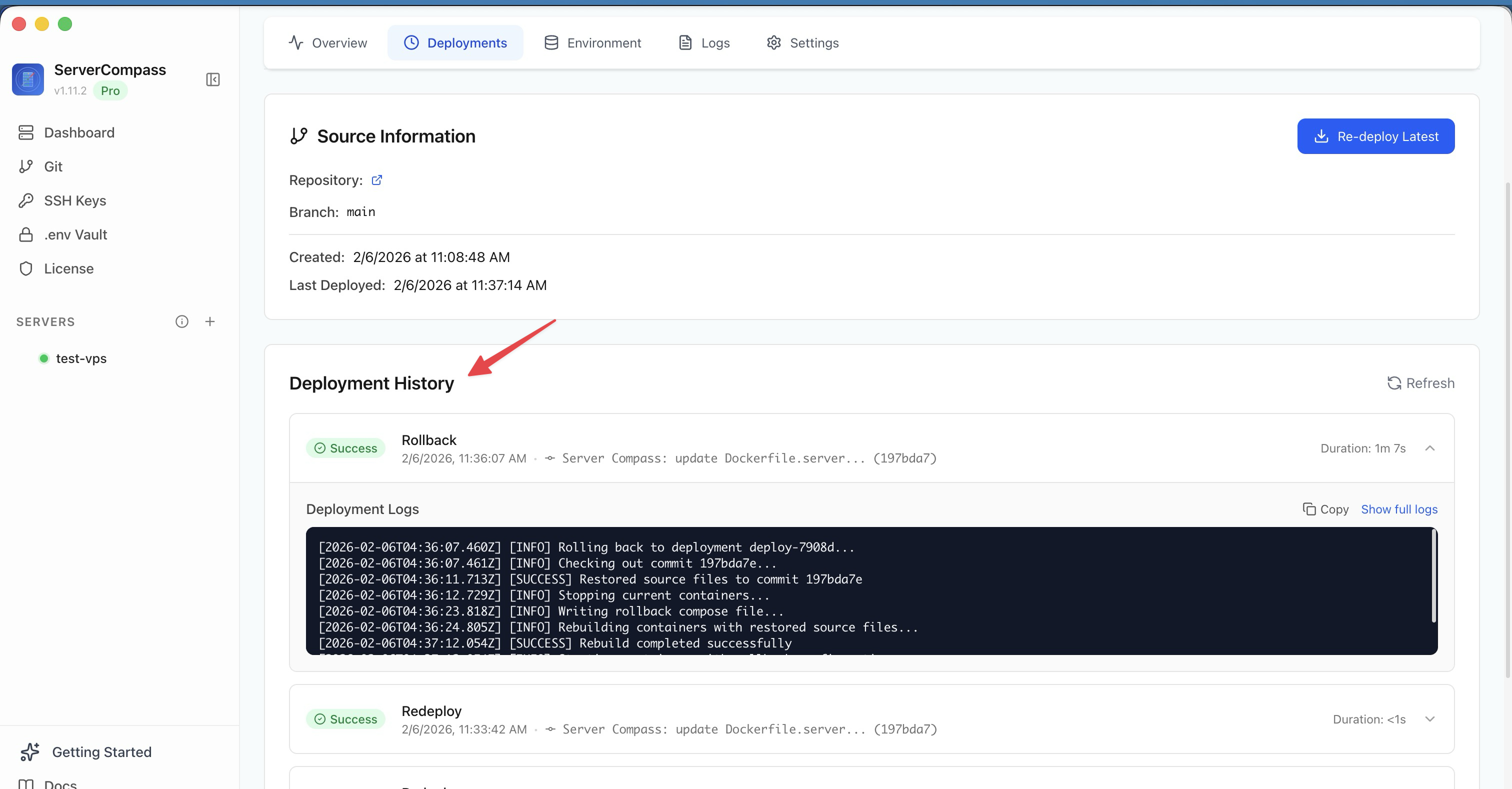
Key Features
- Framework Detection: Auto-detects 16+ frameworks including Next.js, Nuxt, SvelteKit, Remix, Astro, Django, Flask, FastAPI, Laravel, Rails, Go, Rust, and more. See framework detection for the full list.
- GitHub Actions CI/CD: Generates complete GitHub Actions workflows that build and deploy automatically. Push to main, your VPS updates. No manual pipeline configuration.
- Docker-Based Deployments: Every app runs in Docker containers with blue-green deployment for zero downtime. Automatic Dockerfile generation if you don't have one.
- Three Build Options: Build on your VPS, build locally on your machine, or build via GitHub Actions. Choose based on your VPS specs and CI needs.
- 100+ One-Click Templates: Deploy PostgreSQL, MySQL, MongoDB, Redis, WordPress, Ghost, Supabase, n8n, Plausible Analytics, and more with a single click. Browse all available templates.
- .env Vault: AES-256-GCM encrypted environment variable management. Secrets never leave your machine unencrypted.
- Database Management: Deploy and manage databases alongside your apps with built-in database management. Visual query editor included.
- Server Monitoring: Real-time CPU, memory, disk, and network monitoring. Know when your server needs an upgrade before it becomes a problem.
- Domain Management: Automatic SSL via Let's Encrypt, custom domain configuration, and DNS verification—all through the GUI.
Pricing
- One-time license: $29 (lifetime access, no subscriptions)
- VPS costs: $5-50/month depending on your provider and specs
- Total monthly cost: As low as $5/month after the one-time purchase
Best For
Developers and teams who want the closest experience to Vercel on their own infrastructure. Ideal for SaaS apps, agencies managing multiple client sites, and anyone tired of usage-based billing. The desktop app approach means no web panel to secure and no additional server resources consumed by the deployment platform itself.
See the full Server Compass vs Vercel comparison or visit the Vercel alternative page for more details.
2. Coolify — The Open Source Option
Coolify is a self-hosted, open-source platform that runs on your VPS and provides a web-based dashboard for deployments. It's the most popular open-source Vercel alternative with an active community.
Key Features
- Open Source: MIT licensed, community-driven development
- Git Integration: GitHub, GitLab, and Bitbucket support with auto-deploy
- Database Support: One-click PostgreSQL, MySQL, MongoDB, Redis deployment
- Automatic SSL: Let's Encrypt integration
- Docker and Docker Compose: Native support for containerized apps
- Team Features: Multi-user access with role-based permissions
Pricing
- Self-hosted: Free (you pay for your VPS)
- Coolify Cloud: $5/month if you don't want to self-host Coolify itself
Considerations
- Resource overhead: Coolify runs on your VPS, consuming RAM and CPU. Minimum 2GB RAM recommended for the platform itself.
- Self-maintenance: You're responsible for updating Coolify and troubleshooting issues.
- Learning curve: The web interface is comprehensive but can be overwhelming for simple deployments.
Best For
Developers who prefer open-source solutions and are comfortable with self-maintenance. Good for teams that want a web-based dashboard accessible from anywhere.
See the full Server Compass vs Coolify comparison.
3. CapRover — The PaaS Builder
CapRover is an open-source PaaS that you install on your VPS. It provides a web dashboard and CLI for deploying Docker-based applications. Think of it as building your own Heroku.
Key Features
- One-Click Apps: Large marketplace of pre-configured apps
- CLI and Web Dashboard: Deploy via command line or browser
- Cluster Support: Scale across multiple servers with Docker Swarm
- Automatic SSL: Let's Encrypt wildcard certificate support
- Custom Domains: Easy domain configuration per app
Pricing
- Free and open source: Apache 2.0 license
- VPS costs only: $5-50/month depending on your needs
Considerations
- Docker Swarm: Uses Swarm instead of Kubernetes, which is simpler but less common in modern DevOps.
- Dated UI: The web interface is functional but not modern.
- Limited framework detection: Less automatic configuration compared to Server Compass or Coolify.
Best For
Developers who want a Heroku-style PaaS experience and are comfortable with Docker. Good for teams that need multi-server clustering.
See the full Server Compass vs CapRover comparison.
Why Server Compass Is the Best Self-Hosted Vercel Alternative
While Coolify and CapRover are solid options, Server Compass offers the closest experience to Vercel for several reasons:
Feature Comparison Table
Feature
Vercel
Server Compass
Coolify
CapRover
Framework Detection
Excellent
16+ frameworks
Good
Limited
Git Auto-Deploy
Yes
Yes (GitHub Actions)
Yes
Yes
Preview Deployments
Yes
Yes
Yes
Manual
Zero-Downtime Deploy
Yes
Blue-green
Yes
Yes
Automatic SSL
Yes
Let's Encrypt
Let's Encrypt
Let's Encrypt
One-Click Templates
Limited
100+
50+
100+
Database Management
Vercel Postgres ($)
Built-in (free)
Built-in
Via templates
Env Variable Encryption
Yes
AES-256-GCM
Yes
Basic
Server Monitoring
Analytics ($)
Built-in
Basic
Basic
Resource Overhead
N/A (managed)
None (desktop app)
2GB+ RAM
1GB+ RAM
Pricing Model
Usage-based
$29 one-time + VPS
Free + VPS
Free + VPS
Deployment Workflow Comparison
Vercel workflow:
- Connect GitHub repo to Vercel
- Vercel detects framework, configures build
- Push to main → production deploys
- Push to branch → preview URL generated
- Merge PR → preview cleaned up
Server Compass workflow:
- Add your VPS to Server Compass (one-time setup)
- Connect GitHub repo via the app
- Server Compass detects framework, generates Dockerfile and GitHub Actions workflow
- Push to main → GitHub Actions builds and deploys to your VPS
- Push to branch → preview deployment on subdomain
- Merge PR → preview cleaned up automatically
The workflows are nearly identical. The difference is where the compute runs: on Vercel's infrastructure (usage-based billing) or your VPS (fixed monthly cost).

Cost Savings Calculator
Let's calculate real savings for common scenarios:
Scenario 1: Solo Developer with Growing SaaS
Cost Category
Vercel (monthly)
Server Compass (monthly)
Base plan
$20 (Pro)
$0 (one-time $29)
Infrastructure
Included
$12 (4GB VPS)
Bandwidth (500GB)
$0 (under limit)
Included
Serverless functions (2M)
$0.60
N/A (always-on)
Database
$20+ (Vercel Postgres)
$0 (self-hosted)
Total
$40.60/month
$12/month
Annual cost
$487.20
$144 + $29 = $173
Annual savings
$314.20 (65%)
Scenario 2: Scaling Startup (High Traffic)
Cost Category
Vercel (monthly)
Server Compass (monthly)
Base plan (3 users)
$60
$0 (one-time $29)
Infrastructure
Included
$48 (16GB VPS)
Bandwidth (3TB)
$800 (2TB overage)
Included
Serverless functions (10M)
$5.40
N/A
Database
$50+ (scaled Postgres)
$0 (self-hosted)
Total
$915.40/month
$48/month
Annual cost
$10,984.80
$576 + $29 = $605
Annual savings
$10,379.80 (94%)
Scenario 3: Agency with 10 Client Sites
Cost Category
Vercel (monthly)
Server Compass (monthly)
Base plan
$200 (10 projects x Pro)
$0 (one-time $29)
Infrastructure
Included
$24 (8GB VPS, all sites)
Bandwidth
$150 (combined overages)
Included
Total
$350/month
$24/month
Annual cost
$4,200
$288 + $29 = $317
Annual savings
$3,883 (92%)
Step-by-Step Migration from Vercel to Server Compass
Migrating from Vercel is straightforward. Here's the complete process:
Step 1: Provision Your VPS (10 minutes)
Choose a VPS provider based on your needs:
- Hetzner: Best value in Europe, $4-20/month for 2-8GB RAM
- DigitalOcean: Reliable, $12-48/month for 2-8GB RAM
- Linode: Solid performance, $12-48/month
- Vultr: Many locations, $12-48/month
Recommended specs for most apps:
- 2-4 vCPUs
- 4-8GB RAM
- 80GB+ SSD
- Ubuntu 22.04 or 24.04
Step 2: Install Server Compass (5 minutes)
- Download Server Compass for your OS (Mac, Windows, or Linux)
- Add your VPS: enter the IP address, SSH user, and SSH key
- Server Compass connects and installs Docker, Nginx, and required dependencies automatically
Step 3: Export Environment Variables from Vercel (5 minutes)
From the Vercel dashboard:
- Go to your project → Settings → Environment Variables
- Copy each variable (or use the Vercel CLI:
vercel env pull .env.local) - In Server Compass, go to your app → Environment → paste or import your variables
Server Compass encrypts all variables with AES-256-GCM before storing them.
Step 4: Connect Your Repository (5 minutes)
- In Server Compass, click "New App" → "From GitHub"
- Authorize GitHub access (OAuth)
- Select your repository
- Server Compass auto-detects your framework and configures the build
Step 5: Configure Build Settings (5 minutes)
Review and adjust if needed:
- Build command: Usually auto-detected (e.g.,
npm run build) - Output directory: Auto-detected (e.g.,
.nextfor Next.js) - Node version: Select from the dropdown
- Build location: VPS, local machine, or GitHub Actions
For GitHub Actions builds (recommended for larger apps):
- Server Compass generates the workflow YAML
- Click "Push Workflow" to commit it to your repo
- GitHub Actions will build and push to your VPS on every commit
Step 6: Deploy and Test (10 minutes)
- Click "Deploy" to trigger the first deployment
- Watch the logs in real-time
- Once complete, visit the temporary domain to verify everything works
- Test all critical functionality
Step 7: Configure Your Domain (10 minutes)
- In Server Compass, go to Domains → Add Domain
- Enter your domain name
- Update your DNS A record to point to your VPS IP
- Server Compass provisions the SSL certificate automatically
Step 8: Gradual Traffic Migration (Optional)
For zero-risk migration:
- Keep Vercel running initially
- Use Cloudflare or your DNS provider to split traffic (10% to VPS)
- Monitor for errors and performance
- Gradually increase to 50%, then 100%
- Cancel Vercel subscription once confident
Migration Checklist
- VPS provisioned with recommended specs
- Server Compass installed and connected to VPS
- Environment variables exported from Vercel
- Environment variables imported to Server Compass
- GitHub repository connected
- Build settings configured and tested
- GitHub Actions workflow deployed (if using)
- First deployment successful
- All app functionality tested
- Domain DNS updated
- SSL certificate provisioned
- Production traffic migrated
- Vercel subscription cancelled
Vercel vs Self-Hosted: Complete Comparison
Aspect
Vercel
Self-Hosted (Server Compass)
Pricing Model
Usage-based (unpredictable)
Fixed VPS cost (predictable)
Monthly Cost
$20-$2,000+ depending on traffic
$5-$50 fixed
Bandwidth
1TB included, $40/100GB after
Unlimited (VPS dependent)
Build Minutes
6,000/month, then paid
Unlimited
Serverless Limits
10-60s execution time
None (always-on processes)
WebSockets
Limited/extra cost
Full support
Long-Running Jobs
Not supported
Full support
Database Co-location
Separate service ($)
Same server (free)
Data Privacy
Vercel infrastructure
Your VPS, your region
Vendor Lock-in
High (Vercel-specific features)
None (standard Docker)
Global Edge
Built-in CDN
Add Cloudflare (free)
Server Access
None
Full root access
Maintenance
Fully managed
You manage VPS (or use managed VPS)
Real Cost Savings: Developer Stories
Example 1: SaaS Founder Cuts $800/month
A B2B SaaS with 2,000 active users was paying $850/month on Vercel: $60 for two team members, $400 in bandwidth overages (their app serves large files), $200 for Vercel Postgres, and $190 in serverless function costs.
After migrating to Server Compass on a $48/month Hetzner VPS:
- PostgreSQL runs on the same server
- Bandwidth is unlimited
- No serverless function billing (Node.js runs as always-on container)
- Total: $48/month
- Savings: $802/month ($9,624/year)
Example 2: Agency Consolidates 15 Client Sites
A digital agency was managing 15 client sites across Vercel, paying roughly $450/month total (mix of Pro plans and bandwidth overages).
After migrating to Server Compass:
- All 15 sites run on a single $24/month VPS
- Each site gets its own Docker container
- Zero-downtime deployments for each
- Total: $24/month
- Savings: $426/month ($5,112/year)
Example 3: Indie Hacker Escapes the Hobby Tier
A solo developer outgrew Vercel's hobby tier (100GB bandwidth, limited builds) and faced upgrading to Pro at $20/month with usage-based billing.
Instead, they migrated to Server Compass:
- $6/month VPS (Hetzner CX22)
- $29 one-time license
- Unlimited bandwidth and builds
- Room to grow without cost anxiety
- Savings: $14/month vs Pro tier, plus predictability
Frequently Asked Questions
Is self-hosting harder than using Vercel?
With tools like Server Compass, the deployment experience is nearly identical to Vercel. You push to Git, your app deploys. The main difference is the initial VPS setup (10-15 minutes) and occasionally updating your server's OS (a few minutes every few months). If you can follow a tutorial, you can self-host.
What about edge functions and global CDN?
For global distribution, add Cloudflare in front of your VPS (free tier works great). You get CDN caching, DDoS protection, and edge computing via Cloudflare Workers if needed. Most apps don't need true edge computing—a well-cached CDN handles 95% of use cases.
Can I run Next.js with all features on self-hosted?
Yes. Server Compass supports Next.js fully: SSR, ISR, API routes, middleware, image optimization. The only Vercel-specific features that don't translate are Edge Runtime (use Node.js runtime instead) and Vercel Analytics (use Plausible, available as a one-click template).
What if my VPS goes down?
VPS providers offer 99.9%+ uptime SLAs, comparable to Vercel. For higher availability, deploy to two VPS instances with a load balancer (Cloudflare or your provider's). Server Compass makes multi-server deployment straightforward.
How do I handle database backups?
Server Compass includes one-click backup configuration for PostgreSQL, MySQL, and MongoDB. Backups can be stored locally or pushed to S3-compatible storage (Cloudflare R2, Backblaze B2, AWS S3).
Is Server Compass open source?
No, Server Compass is a commercial product with a one-time $29 license. If open source is a requirement, consider Coolify or CapRover, though they require more maintenance and consume VPS resources.
Can I migrate back to Vercel if needed?
Absolutely. Since Server Compass uses standard Docker containers, your app is fully portable. Reconnect your repo to Vercel and deploy—no code changes required (unless you added Vercel-specific features originally).
How does Server Compass compare to Coolify?
Server Compass is a desktop app (no server resources consumed), has better framework detection, and generates GitHub Actions pipelines. Coolify is open source, runs on your VPS, and has a web-based dashboard. Choose based on whether you prefer open source (Coolify) or lower resource usage and better DX (Server Compass). See the full Server Compass vs Coolify comparison.
Conclusion: Take Control of Your Deployments
Vercel revolutionized web deployment, but its pricing model punishes success. A self-hosted Vercel alternative gives you the same developer experience—git-push deploys, automatic SSL, preview deployments, zero-downtime updates—without usage-based billing that scales with your traffic.
Server Compass offers the closest experience to Vercel on your own infrastructure. With 16+ framework detection, GitHub Actions CI/CD, 100+ one-click templates, and a $29 one-time license, it's the most cost-effective path to predictable hosting costs.
Whether you're a solo developer escaping the hobby tier, a startup watching every dollar, or an agency tired of per-project billing, self-hosting is the answer. Your $5-50/month VPS will handle more traffic than a $500/month Vercel bill, and you'll never worry about surprise invoices again.
Ready to make the switch? Try Server Compass today and see how much you'll save. Most migrations take less than an hour, and the annual savings can be measured in thousands.
Next Steps
- Read the full Vercel comparison
- Visit the Vercel Alternative page
- Check pricing and download
- Watch deployment tutorials
Related in the StoicSoft network
If you're self-hosting on a VPS or working through a deployment guide like the one above, DeployToVPS is the StoicSoft network's handbook for VPS deployment recipes — docker-compose, nginx, traefik, and common app self-hosts.
From across the StoicSoft network
Hand-curated reads on the same topic from sister sites in the StoicSoft family.
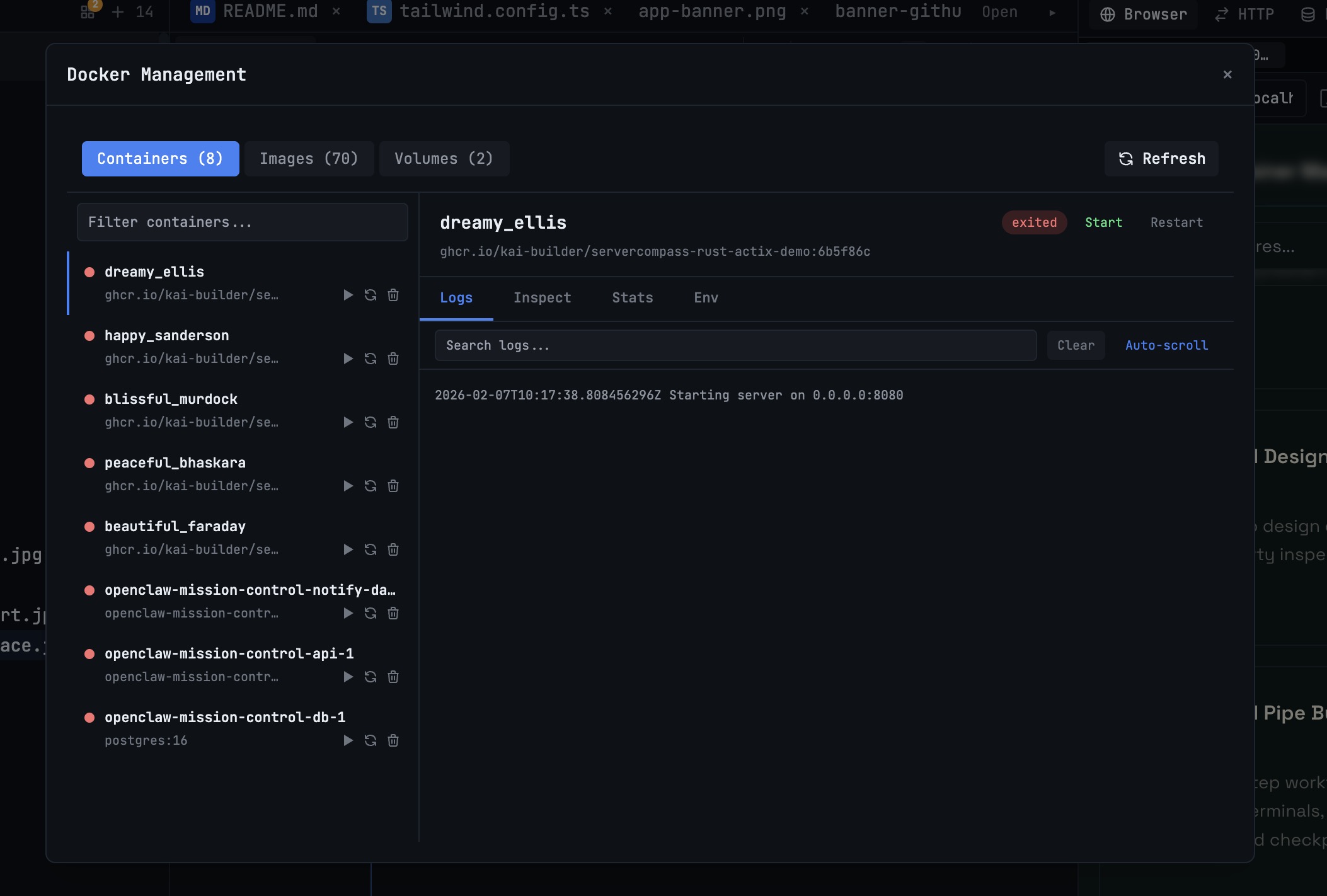 1DevTool10 min read
Docker Desktop Alternatives for Developers in 2026
Developers want a Docker workflow that stays close to code, logs, and AI agents. This comparison breaks down Docker Desktop alternatives by performance, observability, and daily usability.
Read on 1devtool.com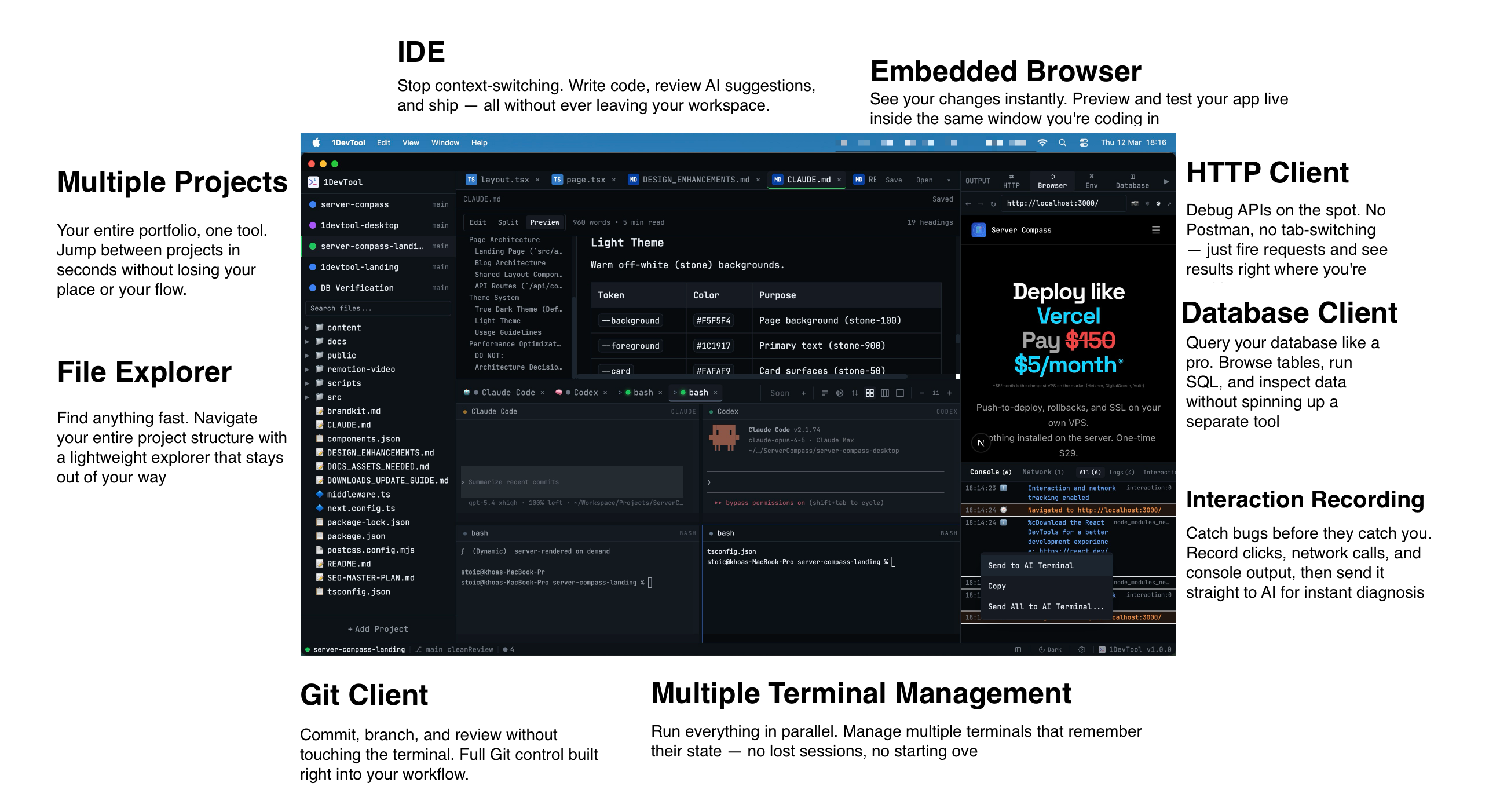 1DevTool12 min read
Best AI Code Editors in 2026: Complete Guide
Compare the top AI-powered code editors of 2026 including Cursor, Windsurf, 1DevTool, and more. Find the perfect AI IDE for your development workflow.
Read on 1devtool.com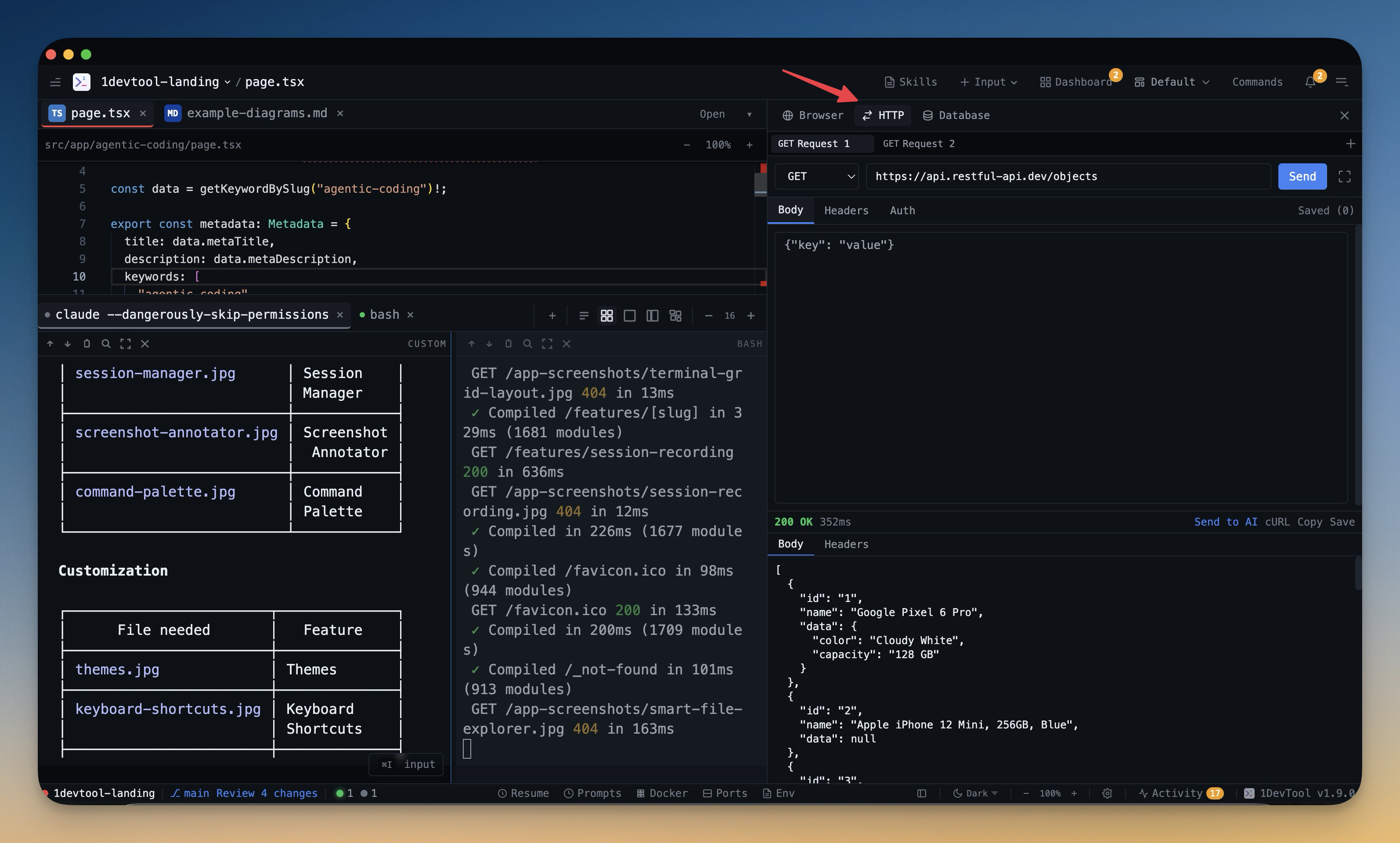 1DevTool10 min read
Best Postman Alternative for Developers in 2026
If your API workflow lives in one app and your debugging context lives in another, you are paying a context-switch tax. Compare Postman alternatives and see how a workspace-native HTTP client changes API development speed.
Read on 1devtool.com- 1DevTool14 min read
GitHub Copilot vs Cursor: The Definitive Comparison (2026)
GitHub Copilot vs Cursor head-to-head comparison. Features, pricing, AI models, and which one is better for your workflow.
Read on 1devtool.com