March 6, 2026
The True Cost of Heroku in 2026 (After Free Tier Removal)
A comprehensive breakdown of Heroku pricing in 2026 after the free tier removal. Discover hidden costs, real-world examples, and why developers are migrating to self-hosted alternatives that save 80% or more.
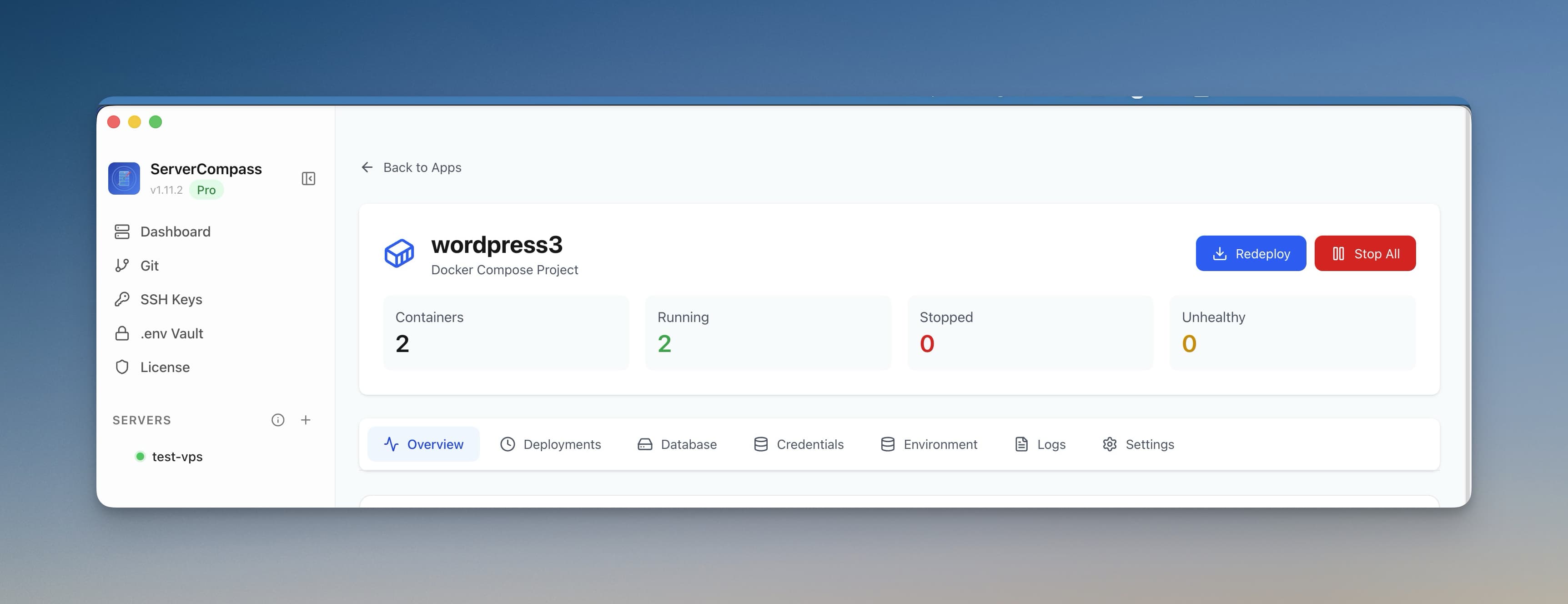
Remember when Heroku was the go-to platform for developers who wanted to deploy apps without worrying about infrastructure? Those days are gone. In November 2022, Salesforce-owned Heroku eliminated its free tier, fundamentally changing the platform's value proposition. Now in 2026, developers are left wondering: is Heroku pricing still worth it, or has the platform become too expensive for what it offers?
This comprehensive guide breaks down every aspect of Heroku pricing in 2026—from dyno costs to add-on expenses—and shows you exactly what you'll pay for real-world applications. Spoiler alert: the numbers might shock you.
RIP Heroku Free Tier: A Brief History
For over a decade, Heroku's free tier was legendary. Developers could spin up hobby projects, prototypes, and even small production apps without paying a dime. The free dyno would sleep after 30 minutes of inactivity, but for many use cases, that was perfectly acceptable.
Then came November 28, 2022. Heroku announced the end of free dynos, free Postgres databases, and free Redis instances. The reasoning? "Fraud and abuse" of free resources. But the real impact was devastating for the developer community:
- Millions of hobby projects went offline overnight
- Bootcamp students lost their free deployment option
- Open-source maintainers scrambled for alternatives
- The "Heroku is easy" recommendation became "Heroku is expensive"
Fast forward to 2026, and Heroku's pricing structure has evolved—but not in favor of developers. Let's break down exactly what you'll pay.
Current Heroku Pricing Tiers (2026)
Heroku's pricing revolves around "dynos"—lightweight Linux containers that run your application code. Here's the complete breakdown:
Eco Dynos: $5/month (The "New Free Tier")
After killing the free tier, Heroku introduced Eco dynos as the entry point. At $5/month, you get:
- 1000 dyno hours/month shared across all Eco apps
- 512 MB RAM per dyno
- Sleep after 30 minutes of inactivity (just like the old free tier)
- No horizontal scaling—one dyno only
- No preboot or session affinity
The catch: 1000 hours sounds generous until you realize that running a single app 24/7 requires 720 hours/month. If you have two Eco apps, you're already over the limit. Each additional 1000 hours costs another $5.
Reality check: Eco dynos are essentially the old free tier with a $5 paywall. The 30-minute sleep timeout means your app will have cold starts, frustrating users who hit a sleeping dyno.
Basic Dynos: $7/dyno/month
Basic dynos are the minimum for anything resembling production:
- 512 MB RAM
- No sleep timeout—runs 24/7
- No horizontal scaling—still one dyno only
- No preboot or advanced features
The problem: With only 512 MB RAM and no scaling, Basic dynos struggle with any moderately complex application. A typical Node.js app with a few dependencies can easily hit memory limits during traffic spikes.
Standard Dynos: $25-50/dyno/month
Standard dynos are where Heroku starts getting serious—and expensive:
Standard-1X ($25/dyno/month):
- 512 MB RAM
- Horizontal scaling (run multiple dynos)
- Preboot for zero-downtime deploys
- Session affinity available
Standard-2X ($50/dyno/month):
- 1 GB RAM
- All Standard-1X features
- Better suited for memory-intensive apps
The math gets ugly: Running a production app with 3 Standard-1X dynos for redundancy costs $75/month—just for compute. Add a database, and you're already over $100/month for a simple setup.
Performance Dynos: $250-500/dyno/month
For high-traffic applications, Heroku offers Performance dynos:
Performance-M ($250/dyno/month):
- 2.5 GB RAM
- Dedicated resources (no noisy neighbors)
- Better CPU performance
- All Standard features
Performance-L ($500/dyno/month):
- 14 GB RAM
- Maximum compute performance
- Ideal for memory-heavy workloads
Enterprise reality: A production setup with 4 Performance-M dynos runs $1,000/month in dyno costs alone. Before databases. Before Redis. Before any add-ons.
The Hidden Costs: Heroku Add-ons
Dyno pricing is just the beginning. Most real applications need databases, caching, logging, and monitoring. Here's where Heroku's costs explode.
Heroku Postgres Pricing
Since killing the free tier, Heroku Postgres starts at $5/month for the most basic plan:
Plan
Price/Month
Storage
RAM
Connections
Essential-0
$5
1 GB
Shared
20
Essential-1
$9
10 GB
Shared
20
Essential-2
$15
10 GB
Shared
40
Standard-0
$50
64 GB
4 GB
120
Standard-2
$200
256 GB
8 GB
400
Premium-0
$350
512 GB
30 GB
500
Premium-2
$750
1 TB
61 GB
500
The connection trap: Essential plans only allow 20-40 connections. A moderately busy app with connection pooling can easily exhaust these, forcing you to upgrade to Standard-0 at $50/month minimum.
Heroku Redis Pricing
Need caching or session storage? Redis pricing starts at $15/month:
- Mini ($3/month): 25 MB, 20 connections—basically useless
- Essential ($15/month): 100 MB, 40 connections
- Premium-0 ($50/month): 256 MB, 80 connections
- Premium-3 ($200/month): 1.5 GB, 200 connections
- Premium-7 ($750/month): 7 GB, 500 connections
Other Essential Add-ons
Most production apps need additional services:
- Papertrail (logging): $7-230/month depending on volume
- New Relic (monitoring): $25-175/month for Heroku-specific plans
- SendGrid (email): Free tier available, then $15-90/month
- Scheduler (cron jobs): Free, but consumes dyno hours
- SSL endpoints: Now included, but custom certs cost extra
Real-World Heroku Cost Examples
Let's calculate what actual applications cost on Heroku in 2026:
Example 1: Hobby Project / Portfolio Site
A simple Node.js or Rails app with a database:
- 1 Eco dyno: $5/month
- Essential-0 Postgres: $5/month
- Total: $10/month ($120/year)
The catch: Your site sleeps after 30 minutes, taking 10-30 seconds to wake up when visitors arrive. Not exactly impressive for a portfolio.
Example 2: Side Project That Actually Works
A side project with real users that needs to stay awake:
- 1 Basic dyno: $7/month
- Essential-1 Postgres: $9/month
- Mini Redis (sessions): $3/month
- Total: $19/month ($228/year)
Reality: Still limited to 512 MB RAM with no redundancy. One crash and your app is down.
Example 3: Startup MVP (Actually Production-Ready)
A real startup needs reliability and room to grow:
- 2 Standard-1X dynos (redundancy): $50/month
- Standard-0 Postgres: $50/month
- Premium-0 Redis: $50/month
- Papertrail (logging): $7/month
- Total: $157/month ($1,884/year)
And this is minimal: No background workers, no staging environment, basic database. Scale up just slightly and you're easily at $300-500/month.
Example 4: Growing SaaS Application
A SaaS with 1000+ users and steady traffic:
- 3 Standard-2X dynos: $150/month
- 2 Standard-1X worker dynos: $50/month
- Standard-2 Postgres: $200/month
- Premium-3 Redis: $200/month
- Papertrail Pro: $45/month
- New Relic APM: $75/month
- Total: $720/month ($8,640/year)
The scale shock: And this doesn't include staging environments (multiply by 0.5x), CI/CD pipeline costs, or any spikes in traffic that require additional dynos.
Example 5: Enterprise Production Setup
A serious production application with proper infrastructure:
- 4 Performance-M dynos: $1,000/month
- 2 Performance-M worker dynos: $500/month
- Premium-2 Postgres: $750/month
- Premium-7 Redis: $750/month
- Full monitoring stack: $200/month
- Total: $3,200/month ($38,400/year)
Why Developers Are Leaving Heroku
The free tier removal was just the catalyst. Here's why developers are migrating away from Heroku in droves:
1. Terrible Price-to-Performance Ratio
Compare Heroku's $25/month Standard-1X dyno (512 MB RAM, shared CPU) to a $5/month DigitalOcean droplet (1 GB RAM, 1 dedicated vCPU, 25 GB SSD). You get 2x the RAM, dedicated CPU, and persistent storage for 1/5 the price.
2. Platform Stagnation
Since Salesforce acquired Heroku in 2010, innovation has slowed to a crawl. While competitors ship features like edge functions, serverless containers, and integrated CI/CD, Heroku still relies on the same dyno model from 2011.
3. Vendor Lock-In
Heroku's Procfile-based deployment system, add-on ecosystem, and proprietary buildpacks create significant lock-in. Migrating a complex Heroku app to another platform can take weeks of engineering time.
4. Limited Control
You can't SSH into a dyno. You can't install custom system packages easily. You can't tune kernel parameters or optimize at the OS level. For many applications, this lack of control becomes a bottleneck.
5. Reliability Concerns
Heroku has experienced multiple high-profile outages in recent years. Without the ability to failover to your own infrastructure, you're entirely dependent on Heroku's operations team.
Heroku vs. VPS: The Real Cost Comparison
Let's compare the growing SaaS example ($720/month on Heroku) to self-hosting on a VPS:
VPS Equivalent Setup
- DigitalOcean 8 GB Droplet: $48/month (4 vCPUs, 8 GB RAM, 160 GB SSD)
- Managed Postgres (optional): $15/month for basic, or self-host for $0
- Redis: Self-hosted, $0
- Logging/Monitoring: Self-hosted Grafana stack, $0
- Total: $48-63/month ($576-756/year)
Savings: $657-672/month ($7,884-8,064/year)
That's a 91-93% cost reduction for equivalent or better resources.
What You Gain with Self-Hosting
- More resources: 8 GB RAM vs. 3 GB on Heroku
- Full root access: Install anything, tune everything
- Persistent storage: 160 GB SSD included
- No artificial limits: Connection counts, dyno hours, etc.
- Data sovereignty: Choose your datacenter location
- Multiple apps: Run unlimited applications on one server
Better Alternatives to Heroku in 2026
If you're looking to escape Heroku's pricing, here are your best options:
Self-Hosted PaaS Solutions
Get Heroku's developer experience on your own VPS for a fraction of the cost:
- Server Compass : Desktop app that gives you Heroku-like deployments on any VPS. One-time purchase, deploy unlimited apps. See the full Heroku comparison.
- Coolify: Open-source, self-hosted Heroku alternative
- CapRover: Free, open-source PaaS with web interface
- Dokku: The original Heroku clone, minimal and powerful
Managed Alternatives (If You Must)
If you want managed hosting but at better prices:
- Railway: Modern Heroku alternative with usage-based pricing
- Render: Heroku-like experience starting at $7/month
- Fly.io: Edge-first platform with generous free tier
- DigitalOcean App Platform: Starts at $5/month
Why Server Compass Wins for Heroku Refugees
Server Compass specifically addresses every Heroku pain point:
- Git-push deployments: Same workflow you're used to
- Automatic SSL: Let's Encrypt certificates auto-renewed
- Database management: Deploy Postgres, MySQL, MongoDB with one click
- Zero-downtime deploys: Blue-green deployments built in
- Environment variables: Secure vault for all your secrets
- 100+ templates: Deploy Redis, PostgreSQL, WordPress, and more instantly
- Fixed pricing: One-time purchase, no monthly fees
See the detailed Server Compass vs. Heroku comparison
Quick Migration Guide: Heroku to VPS
Migrating from Heroku is easier than you think. Here's the high-level process:
Step 1: Export Your Data
heroku pg:backups:capturefor Postgres dumps- Export environment variables with
heroku config - Document your Procfile processes
Step 2: Set Up Your VPS
- Spin up a droplet on DigitalOcean, Hetzner, or Vultr ($5-48/month)
- Install Server Compass or your preferred deployment tool
- Connect your Git repository
Step 3: Deploy Your Application
- Server Compass auto-detects your framework and generates Docker configs
- Import your environment variables
- Deploy your Postgres database from a template
- Restore your data from the Heroku backup
Step 4: Update DNS
- Point your domain to your new VPS IP
- SSL certificates are automatically provisioned
- Test thoroughly before decommissioning Heroku
Most migrations take 2-4 hours. Your first month's savings will more than cover the time investment.
Frequently Asked Questions
Is there any way to use Heroku for free in 2026?
No. Heroku eliminated all free options in November 2022. The cheapest option is the Eco dyno at $5/month, which still has the 30-minute sleep timeout. For truly free hosting, consider Fly.io, Render, or Railway's free tiers, or self-host on a free Oracle Cloud instance.
What's the difference between Eco and Basic dynos?
Both have 512 MB RAM, but Eco dynos sleep after 30 minutes of inactivity and share a pool of 1000 hours/month across all your Eco apps. Basic dynos run 24/7 without sleeping. For anything user-facing, Basic is the minimum viable option.
Is Heroku still worth it in 2026?
For most developers and startups, no. The convenience premium no longer justifies the 10-20x cost difference compared to VPS hosting. Heroku may still make sense for enterprises with strict compliance requirements or teams with zero DevOps capacity, but even then, managed alternatives like Railway offer better value.
How does Heroku scaling work?
You can only scale horizontally (add more dynos) with Standard or higher plans. Eco and Basic dynos are limited to one instance. Vertical scaling means upgrading to a more expensive dyno type. Both actions require manual intervention or third-party autoscaling add-ons.
What are Heroku's hidden costs?
The main hidden costs are:
- Add-on expenses: Databases, Redis, logging, monitoring add up fast
- Staging environments: Duplicate your entire stack for testing
- Connection limits: Force upgrades to higher database tiers
- Build minutes: Large apps can hit limits on lower plans
- Data transfer: High-traffic apps may incur overage charges
How hard is it to migrate off Heroku?
Difficulty depends on your stack complexity. Simple apps (single dyno + Postgres) can migrate in a few hours. Complex setups with multiple workers, add-ons, and custom buildpacks may take 1-2 weeks. The main challenges are:
- Replacing Heroku-specific add-ons with self-hosted alternatives
- Converting Procfile processes to Docker containers or systemd services
- Setting up CI/CD pipelines outside Heroku
- Migrating environment variables and secrets
Is managing a VPS too complex?
Not anymore. Tools like Server Compass provide Heroku-level simplicity on any VPS. You get git-push deployments, automatic SSL, database management, and monitoring without touching the command line. The initial setup takes 15-30 minutes, and ongoing maintenance is minimal.
The Bottom Line: Heroku Pricing in 2026
Heroku revolutionized deployment in 2007, but in 2026, its pricing no longer makes sense for most developers. The free tier removal was the final straw for many, and the remaining paid tiers offer poor value compared to modern alternatives.
The math is simple:
- A basic production setup on Heroku costs $150-300/month
- The equivalent on a VPS costs $12-48/month
- Annual savings: $1,200-3,000+
If you're still on Heroku, it's time to evaluate your options. Whether you choose a self-hosted solution like Server Compass, a managed alternative like Railway, or go full DIY with Docker on a VPS, you'll save money and gain capabilities that Heroku simply doesn't offer.
Ready to escape Heroku's pricing? See how Server Compass compares as a Heroku alternative , or view the full feature comparison.
Related in the StoicSoft network
If you're self-hosting on a VPS or working through a deployment guide like the one above, DeployToVPS is the StoicSoft network's handbook for VPS deployment recipes — docker-compose, nginx, traefik, and common app self-hosts.
From across the StoicSoft network
Hand-curated reads on the same topic from sister sites in the StoicSoft family.
 1DevTool10 min read
One-Time Purchase Code Editor Alternatives in 2026
Subscription fatigue is real for individual developers and small teams. Here is a framework for evaluating one-time purchase code editor alternatives without sacrificing AI workflows.
Read on 1devtool.com 1DevTool11 min read
Self-Hosted AI Coding Assistant Workflow: Practical Setup Guide
A self-hosted AI coding workflow needs more than model hosting. You need environment control, connector governance, and reproducible operations. This guide covers the practical stack.
Read on 1devtool.com