October 25, 2026
Let Your AI Agent Manage Cloudflare Tunnels
Your coding agent can now publish a hostname, check a route and repair a tunnel connector itself, limited to the permission tiers you give its token.
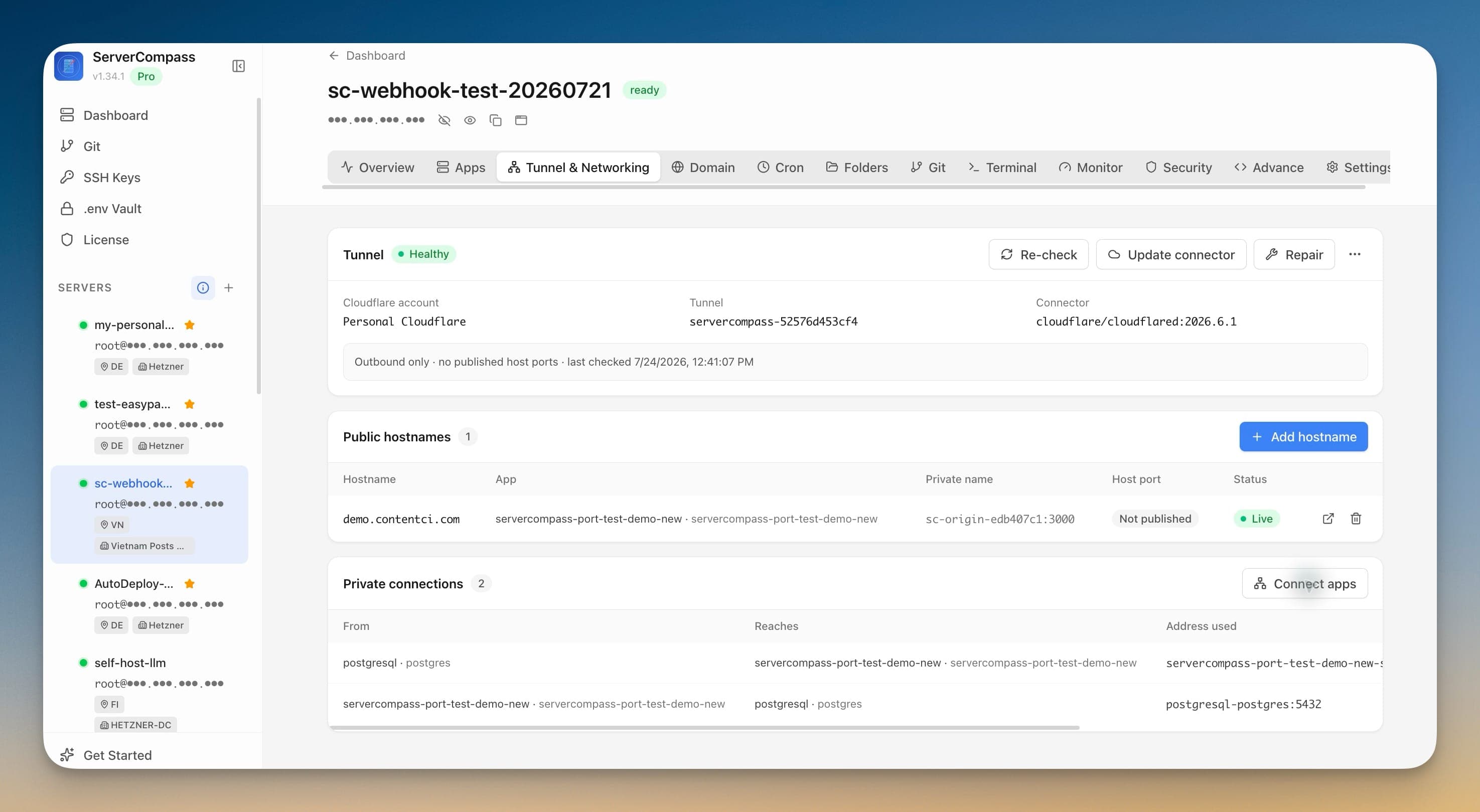
You asked your coding agent to ship a new service, and it did most of the job. It wrote the Compose file, deployed the app through Server Compass and checked the logs. Then it hit the part where the app needs a public hostname, and it stopped. The tunnel lived in a different place. You opened the app, clicked into Tunnel & Networking, added the hostname yourself, waited for DNS and came back to tell the agent it could carry on.
It is a small interruption, but it breaks the loop every time. The agent can see the server and the app, and it has no view of the connector that is actually carrying traffic to them. When a route drifts or a connector falls over at night, the agent can tell you something is wrong, but it can't look at the tunnel or fix it.
What changed
Server Compass 1.45.0 gives AI agents the Cloudflare tunnel tools. An agent connected over AI Access (MCP) can now list your Cloudflare accounts and zones, find tunnels already running on a server, install or adopt a connector, and create, verify and restore hostname routes, under the same permission tiers, server locks and activity log as every other tool.
The tunnel work you used to do by hand between agent steps is now one more thing the agent can do, and only the parts you have allowed.
How it works in practice
The agent can see the whole tunnel, not just the app
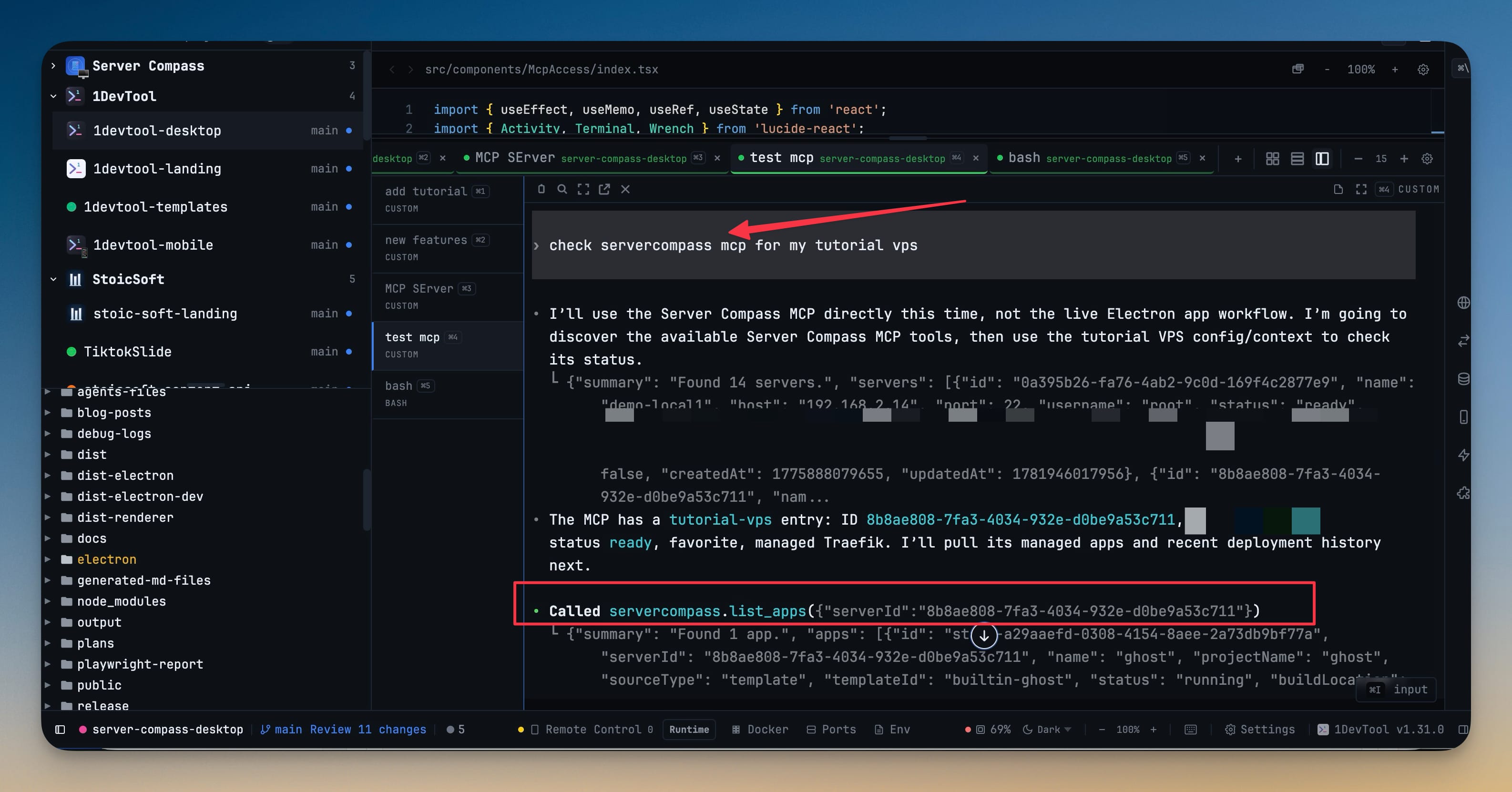
Read-only tools let an agent answer "what is this server's networking doing?" without changing anything. list_cloudflare_accounts returns your saved accounts without their API tokens, and list_cloudflare_zones lists the DNS zones an account can use. get_cloudflare_tunnel returns a server's tunnel and its public hostname routes, and refresh_cloudflare_tunnel re-checks live health from the server and from Cloudflare.
discover_cloudflare_tunnels finds tunnels and connectors that are already running, including ones Server Compass didn't create, and says whether each is ready to adopt. list_cloudflare_unmanaged_ingress shows ingress rules Server Compass doesn't manage, so an agent knows what to leave alone.
Publishing a hostname becomes part of the deploy
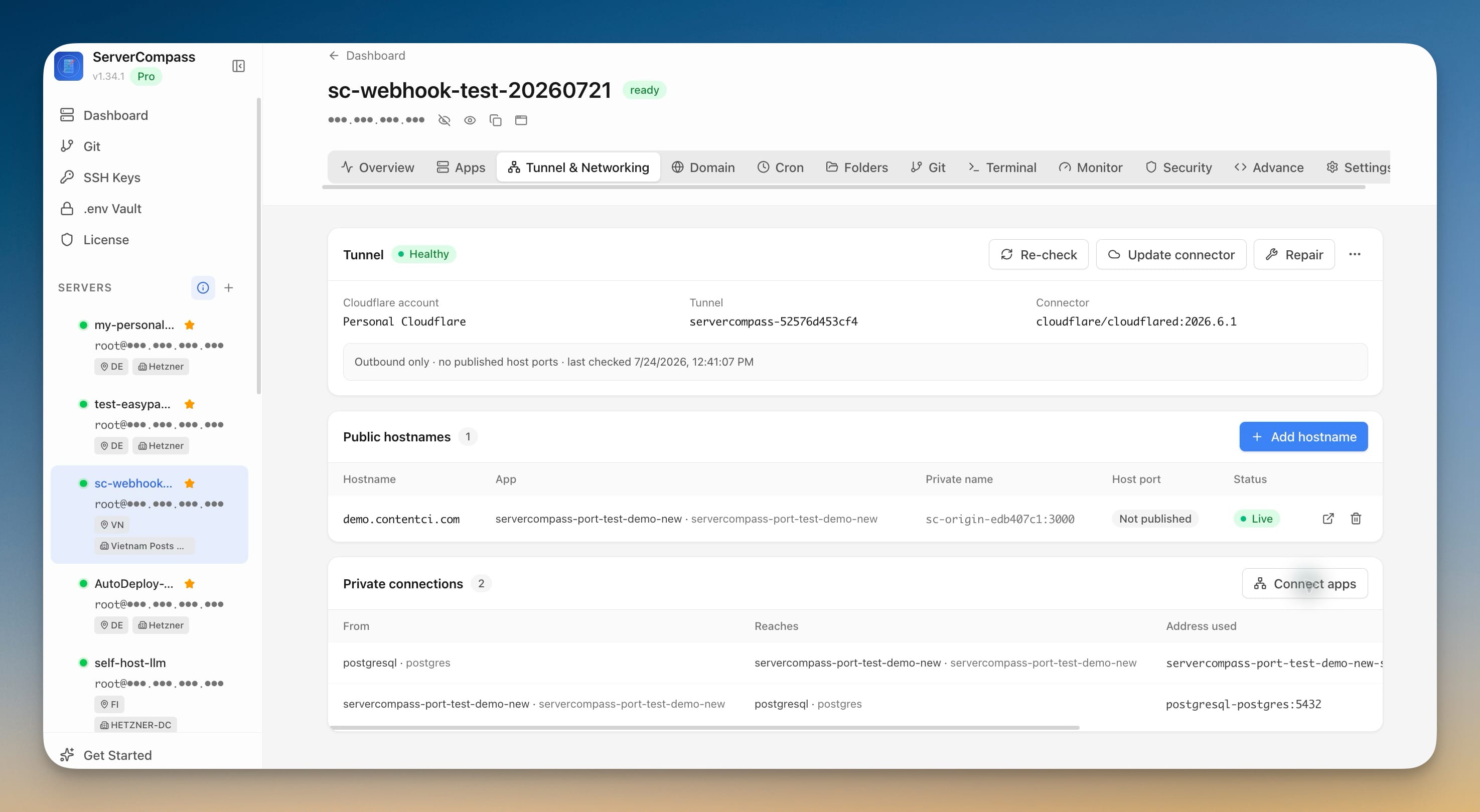
Routes follow a preview-then-create flow. The agent calls list_cloudflare_stack_services to see which Compose services and ports an app exposes. preview_cloudflare_route then validates the hostname and returns a route id without deploying anything, and create_cloudflare_route with that id configures DNS and ingress. It can also close the app's public host port once the route verifies.
Afterwards the agent can check its own work. verify_cloudflare_route tests the origin, DNS and public reachability, restore_cloudflare_route puts a drifted route back to its expected ingress and DNS, and delete_cloudflare_route removes a hostname, with the option to restore the host port. So "deploy this and put it on staging.example.com" can be one request instead of two.
Repairs without opening the app
When a connector misbehaves, an agent with Operate access can run repair_cloudflare_tunnel, which repairs the managed connector and its route network attachments. It can also run update_cloudflare_connector to move cloudflared to a newer version. The tool description warns that an update may briefly interrupt traffic, so the agent knows before it acts.
An agent with Deploy access can go further. install_cloudflare_tunnel creates a tunnel and installs a managed connector from a saved account. adopt_cloudflare_tunnel takes over a tunnel that discovery found, either keeping its external connector or installing a managed one. unlink_cloudflare_tunnel detaches an adopted tunnel from Server Compass and leaves it in Cloudflare.
Your permission tiers decide what an agent may touch
Each tunnel tool sits in one of the four AI Access tiers you already set per token:
- Read: listing accounts, zones, tunnels, routes and services, discovery, health refresh, route preview and verification.
- Operate: repairing the connector and updating it.
- Deploy: installing, adopting and unlinking tunnels, and creating, restoring and deleting routes.
- Danger: uninstalling the connector, deleting the remote tunnel, converting an external connector to managed, and stopping the old external connector.
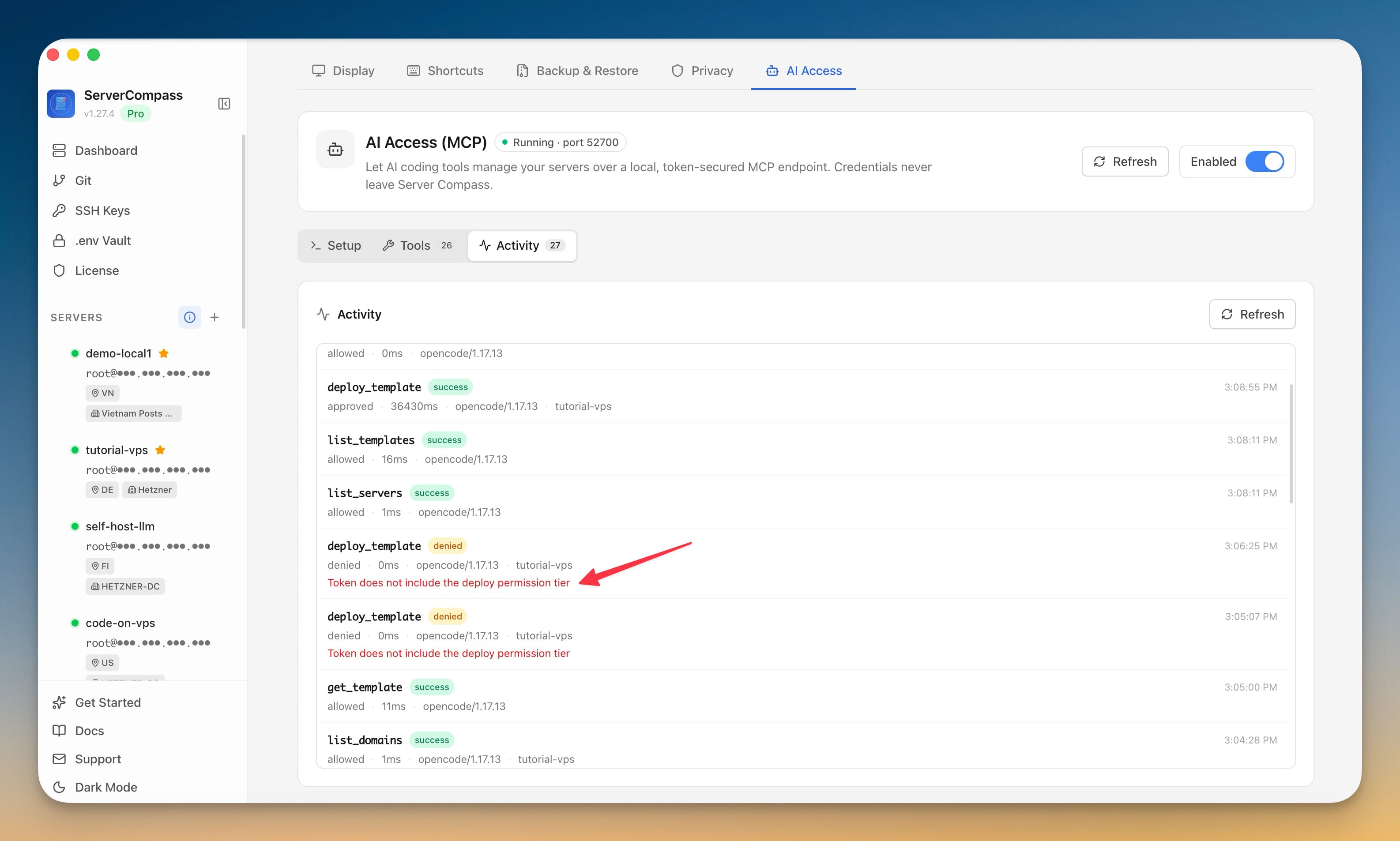
The destructive tools ask for more than a tier. Deleting a tunnel, converting a connector and stopping a foreign connector each require a confirmation that exactly matches the tunnel's remote name, so a guessed call fails. Every call except a read checks the server lock first, and every call appears in the AI Access activity log with its result.
Before vs After
| Task | Before 1.45.0 | With 1.45.0 |
|---|---|---|
| Put a new app on a hostname | Agent deploys, you open Tunnel & Networking and add the hostname | Agent previews and creates the route in the same session |
| Check why a hostname is down | Agent reports the symptom, you investigate the tunnel | Agent runs verify_cloudflare_route and refresh_cloudflare_tunnel |
| Fix a drifted route | Re-create it by hand | Agent calls restore_cloudflare_route |
| Take over a tunnel someone else set up | Manual adoption in the app | Agent discovers it and adopts it, if the token allows Deploy |
| Keep agents away from risky tunnel changes | Agents had no tunnel access at all | Tiers, server locks and exact-name confirmations decide what runs |
Who benefits most
Solo builders who already deploy with an agent. The last step of shipping a side project, giving it a real URL, no longer needs you in the loop.
People running many small services on one VPS. Adding a hostname for each new container is repetitive. A Deploy-tier token lets the agent handle it while Danger stays off.
Anyone who inherited a hand-built tunnel. Discovery and adoption let an agent tell you what is running and bring it under Server Compass without breaking routes Server Compass doesn't own.
Try it
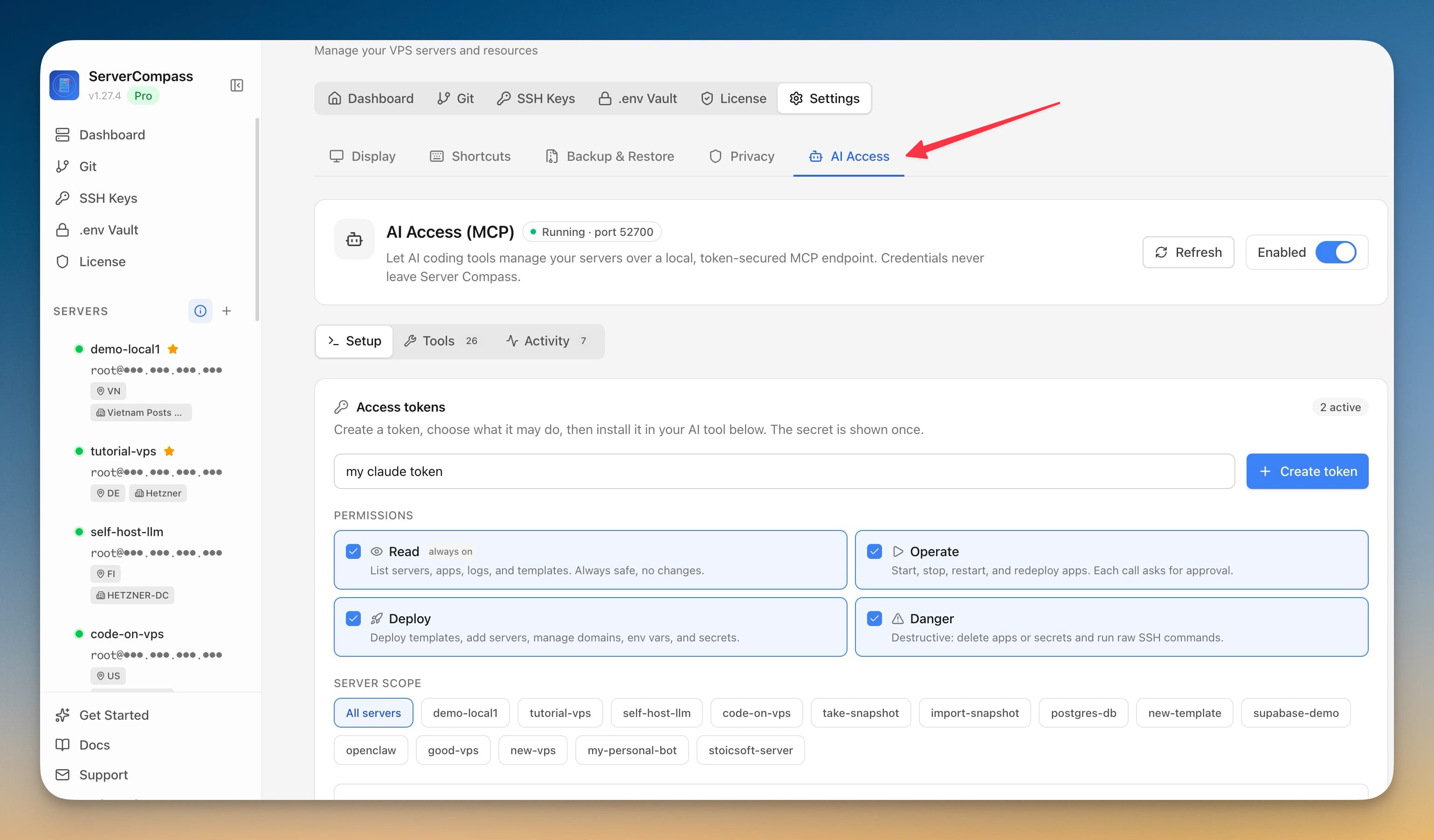
Update to Server Compass 1.45.0 and open Settings › AI Access. If your agent's token already has the tiers you want, the tunnel tools are there the next time it connects. Start with a Read-only token and ask your agent to describe a server's tunnel. When you trust what it sees, add Deploy and let it publish your next app's hostname itself.