March 10, 2026
Sync Your Server Compass Data Across Devices with End-to-End Encryption
Push and pull your Server Compass configuration across Mac, Windows, and Linux using your own S3-compatible storage with end-to-end encryption and conflict detection.
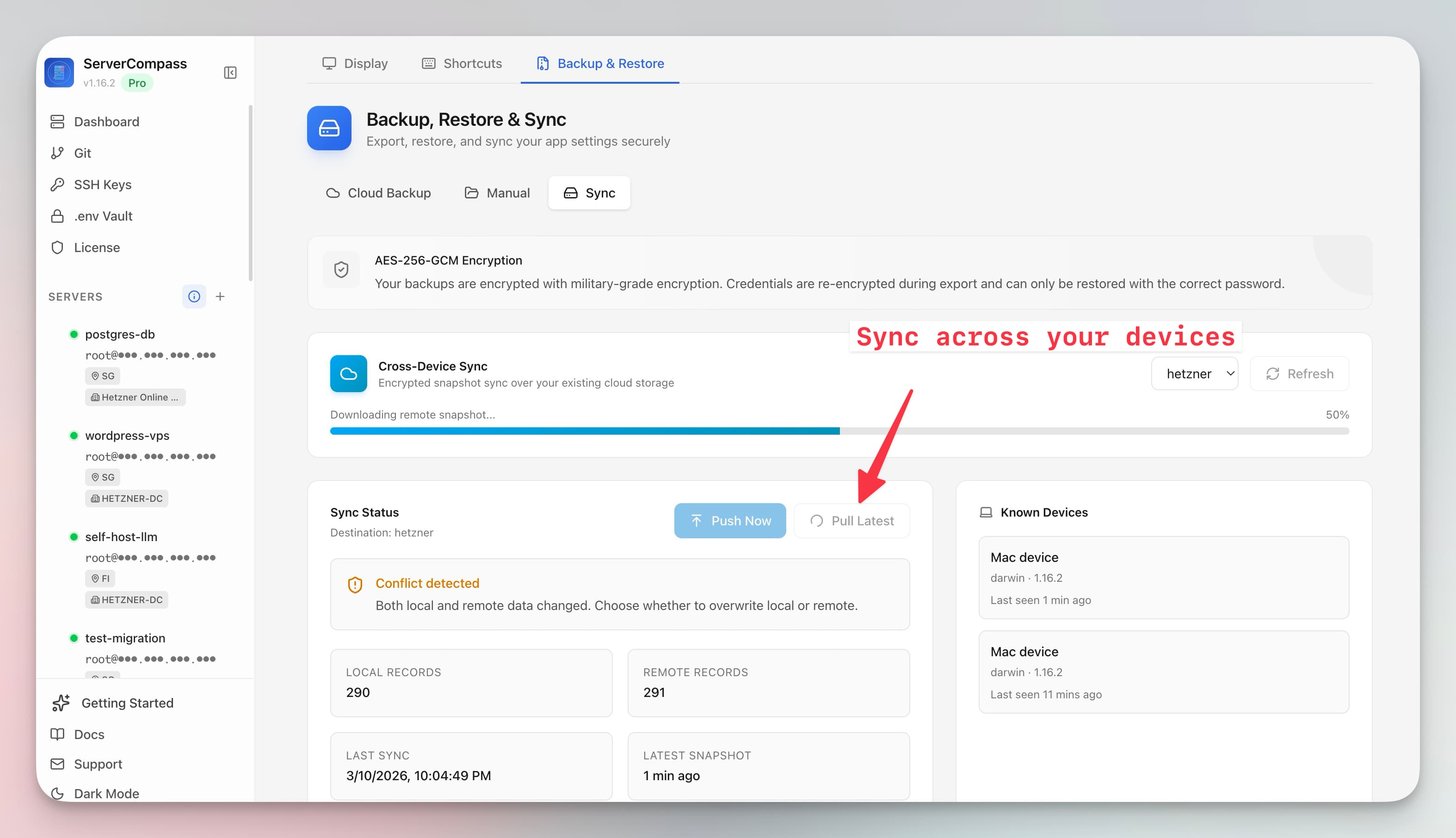
You manage servers from your desktop at the office and your laptop at home. But Server Compass stores its configuration locally, so your laptop doesn't know about the servers you added on your desktop. You end up re-adding connections, re-entering credentials, and duplicating work across devices.
Server Compass v1.16.3 solves this with cross-device sync. Push your data from one device, pull it on another—encrypted end-to-end through your own S3-compatible storage.
How Cross-Device Sync Works
Connect any S3-compatible storage provider (the same ones you use for cloud backups). Then:
- Push — uploads your current Server Compass data to cloud storage, encrypted with your passphrase
- Pull — downloads the latest data from cloud storage to your current device
Your data is encrypted with your backup passphrase before it leaves your device. The cloud provider stores only encrypted blobs—they can't read your server credentials, API keys, or any configuration data.
Device Tracking
See which devices have synced and when they last pushed or pulled. This gives you confidence that all your machines are up to date, and helps you identify which device has the latest changes.
Conflict Detection
When both your local data and the remote data have been modified since the last sync, Server Compass detects the conflict and asks which version to keep. No silent overwrites—you always choose.
Works Across Mac, Windows, and Linux
Sync works across all platforms Server Compass supports. Manage your servers from a Mac at the office, a Windows desktop at home, and a Linux laptop on the road—all with the same configuration.
Sync Your Setup
If you already have cloud backups configured, cross-device sync uses the same S3 connection. Enable it in Settings and your data follows you everywhere. Download Server Compass on all your devices.