August 1, 2026
Redeploys You Can Watch: Live Progress, Honest Timeouts, One-Click Caddy
A zero-downtime redeploy now appears the moment you press the button, follows long builds instead of falsely timing out, and stops honestly at 45 minutes. Plus one-click Caddy installs and full commit hashes you can copy.
You press Redeploy. The dialog says "Redeploying..." and then nothing happens. No log line, no progress bar, no entry in Deployment History. Somewhere on your VPS a Docker build is either running, queued behind something else, or was never started at all — and from where you're sitting those three look identical.
So you wait. Then you press Redeploy again, because maybe the click didn't register. Then you SSH in to check whether docker compose is actually doing anything, which is exactly the thing you bought a desktop app to stop doing. And if the build is a slow one, you eventually get told it timed out, on a deployment that finished successfully four minutes later.
What changed
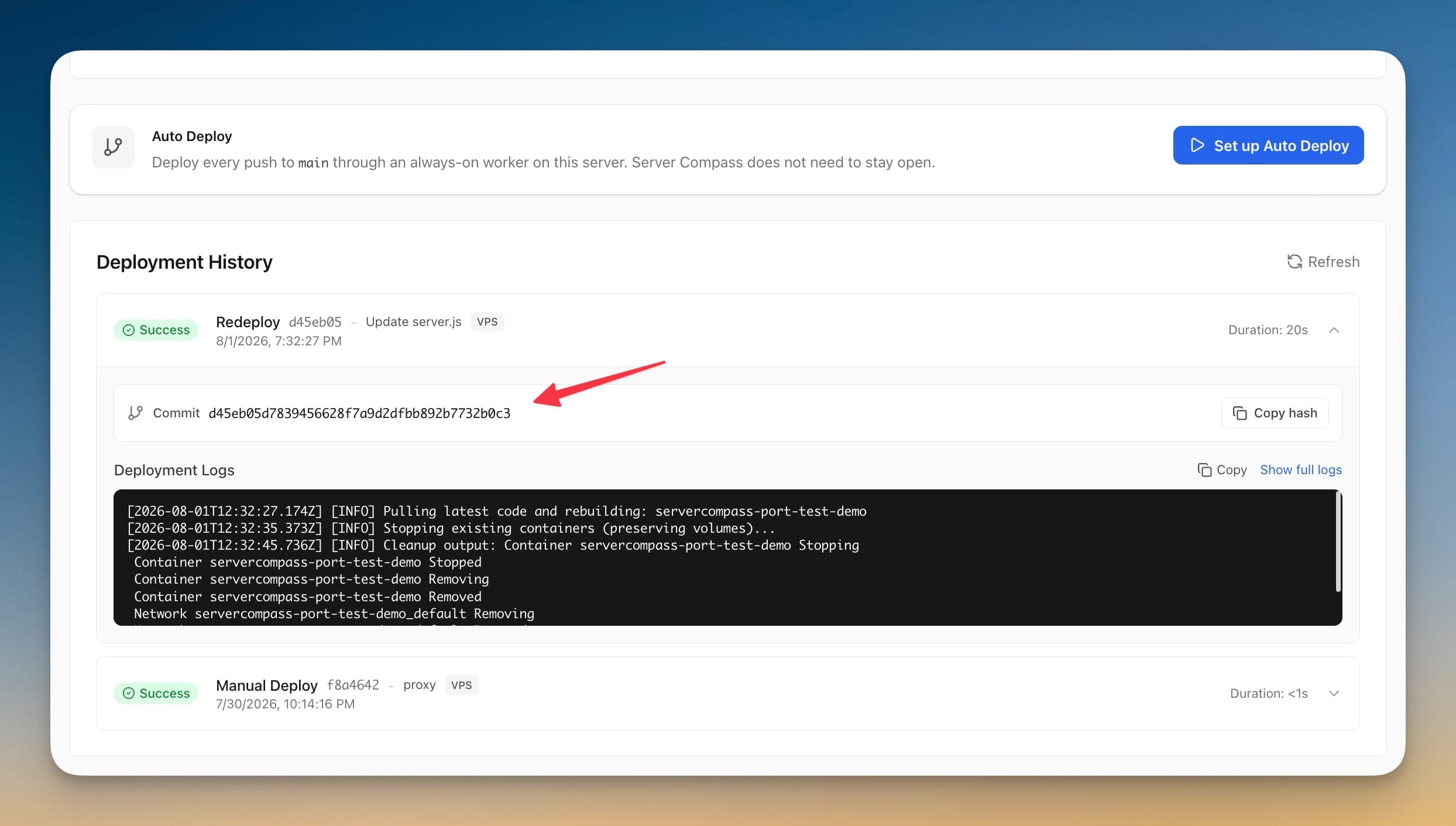
A zero-downtime redeploy now shows up the instant you press the button. The deployment is written to Deployment History immediately, with the commit it's building, and the progress screen follows it for as long as the server is actually working — not for a fixed window that expires while your build is still going.
How it works in practice
The deployment exists before the build finishes
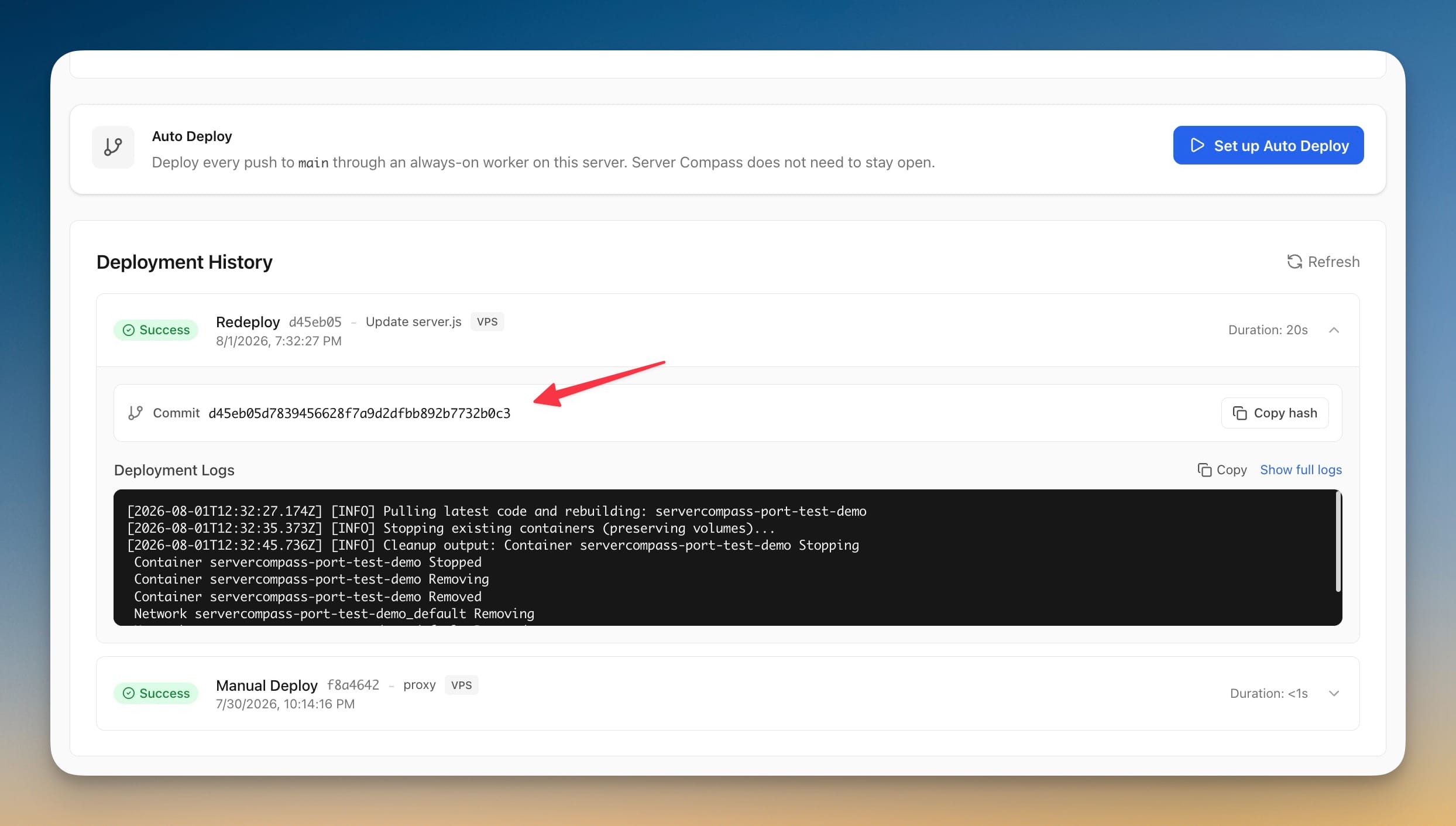
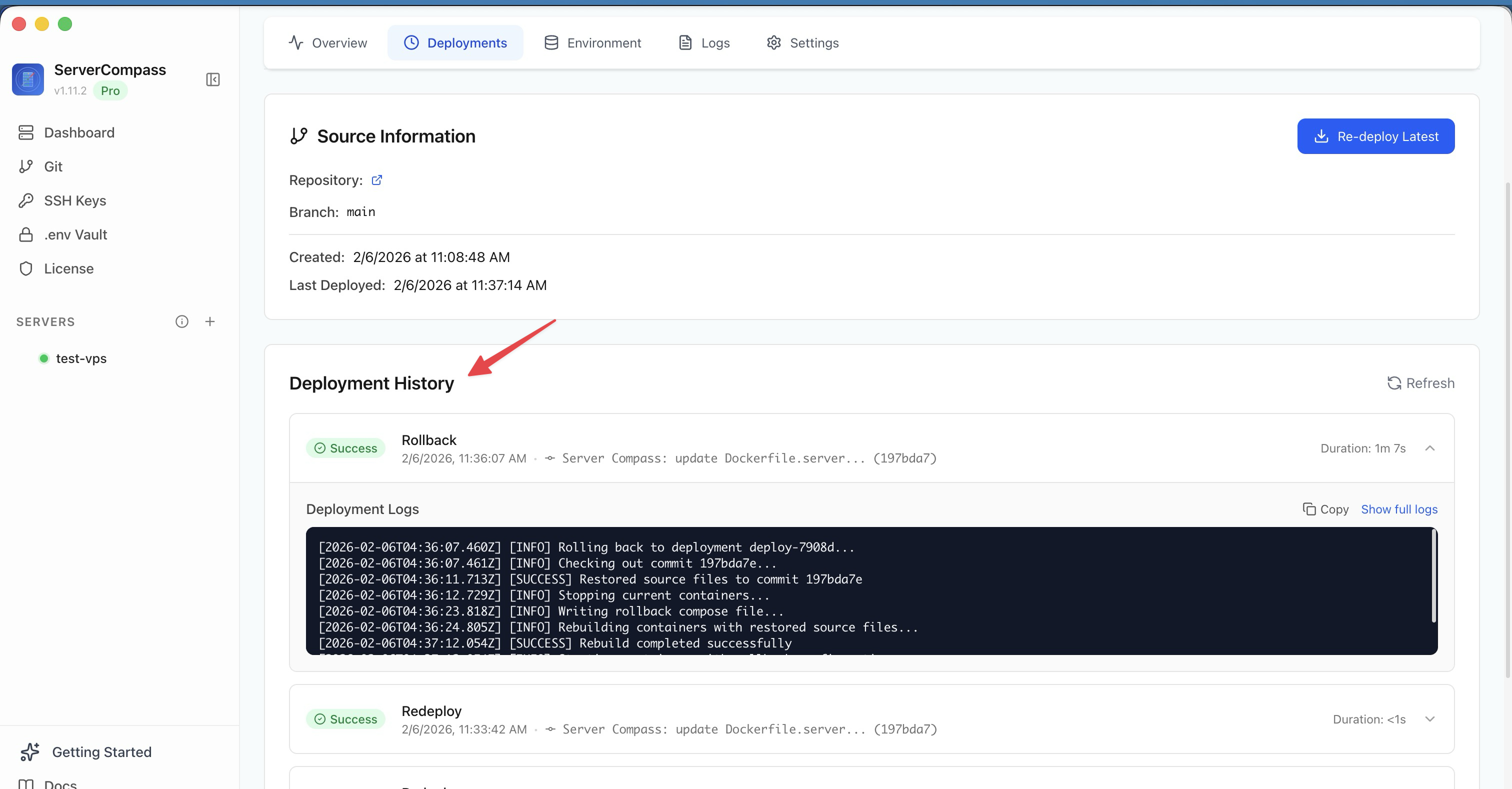
Previously a zero-downtime redeploy only became visible once the whole thing was over, because the backend blocked until completion. Now the deployment record is created up front. That has a practical consequence beyond the progress bar: you can close the modal, walk away, go look at another server, and come back to find the deployment sitting in Deployment History with its status and its commit. The record is durable, so the progress screen is just a view onto it rather than the only place the information lives.
If the server is busy — a Cloudflare Tunnel change, another app's deploy, a migration — you're told how many operations are queued ahead of yours instead of being shown a spinner that means nothing.
Pressing Redeploy twice no longer deploys twice
If a deployment for that app is already queued or running, a second Redeploy tells you so and stops. Before, the second press would happily start a full parallel deployment, which on a zero-downtime path meant two sets of temporary containers competing over the same ports.
Long builds finish, stuck builds don't run forever
These two used to pull in opposite directions, and the fix is to separate them. The progress screen no longer gives up on a redeploy that's still making progress, so a fifteen-minute image build stops reporting a timeout that never happened. Meanwhile the deployment itself is capped at 45 minutes — past that it stops and points you at the logs — and every individual step that talks to your server now carries its own time limit instead of waiting indefinitely on a hung SSH command.
There's a subtler fix in the same area: a redeploy that waited in the queue now pulls the newest commit at the moment it starts, not the one that was newest when you clicked. If you push a fix while a deploy is queued, the queued deploy ships the fix.
Failures that happen before anything starts now say so
The worst failure mode was a request that died before it ever reached the server — bad SSH credentials, a server that's down — leaving the modal spinning on "Redeploying..." forever. That case now renders as Redeploy Could Not Start, with the actual error text, an explicit statement that no deployment is running, and a Try Again button.
Related: an app's Overview can now dismiss a stale Last Error. Once you've fixed the problem, the red banner from three deploys ago stops following you around. The deployment history it came from is kept.
Copy the exact commit you deployed
Expand any deployment — in App Details or in a server's Deployment History — and you get the full commit hash with a Copy hash button next to it. The short hash was already displayed, but a short hash is not what you paste into git checkout, a bisect, or an incident writeup. Now you copy the full 40 characters in one click.
Caddy is one click in the Packages tab
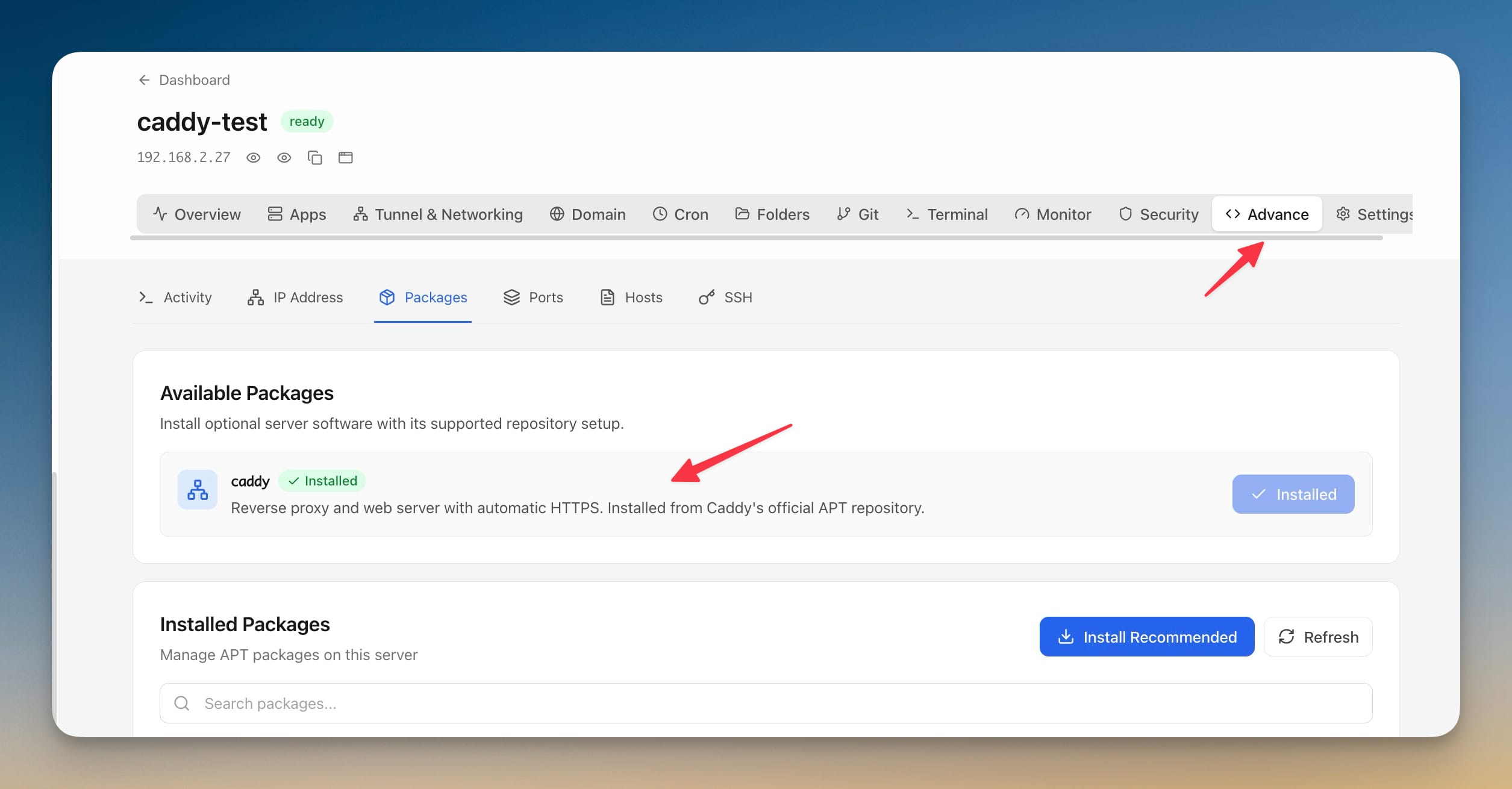
The other half of this release is on the server side. The Packages tab under Advance now has an Available Packages section, and the first entry in it is Caddy.
Installing Caddy properly on Debian or Ubuntu is not one command. It's installing debian-keyring, debian-archive-keyring, apt-transport-https and gnupg, pulling Caddy's GPG key from Cloudsmith and dearmoring it into /usr/share/keyrings/, writing the repository list file, fixing its permissions so unprivileged apt can read it, and only then installing the package. Miss the chmod o+r and you get an apt warning you'll spend ten minutes searching for.
Server Compass runs those four steps for you and streams each one into the log panel as it goes. Because Caddy's package starts a systemd service that binds ports 80 and 443, you're warned about that in the confirmation dialog first — if Nginx already owns those ports, you want to know before the install, not after. If Caddy is already present, the check short-circuits and the button reads Installed.
sudo and jq also joined the recommended package set. Both are quiet dependencies of other Server Compass actions, and installing the recommended set now covers them.

Before vs after
| Before | After | |
|---|---|---|
| Press Redeploy on a zero-downtime app | Button appears frozen until the whole deploy ends | Deployment appears immediately in history, with its commit |
| Server already busy | Spinner, no explanation | "N operations ahead of yours" |
| Press Redeploy twice | Second full deployment starts in parallel | Told one is already queued or running |
| Build takes 20 minutes | Reported as timed out mid-build | Followed until the server is actually done |
| Deploy genuinely hangs | Waits indefinitely | Stops at 45 minutes, points you at the logs |
| Request fails before reaching server | Endless "Redeploying..." | Reason shown + Try Again |
| Need the full commit hash | Read the short hash, SSH in to expand it | Copy hash button |
| Install Caddy | 4 manual apt/GPG steps over SSH | One click, warned about ports 80/443 first |
Who benefits most
If you deploy from a phone-sized attention span — press Redeploy, close the modal, do something else, check the history later. The deployment is a record now, not a modal you have to babysit.
If your builds are slow. Anyone building a real Next.js or Rails image on a 2-vCPU VPS has hit the false timeout. That's gone, and the honest 45-minute ceiling replaces it.
If you're moving to Caddy. Whether you're adding Caddy as a new external proxy or testing it alongside Nginx, the install is no longer a copy-paste from a docs page into a root shell.
Try it
Update to 1.36.3, open an app that uses zero-downtime deployment, and press Redeploy. The deployment shows up before the build does — and stays there when you walk away from it.
Then open Advance → Packages on any server. If you've been putting off trying Caddy because the repository setup is tedious, it's now one button and a warning you'll actually want to read.