March 11, 2026
Server Snapshots: One-File Disaster Recovery for Your Entire VPS Setup
Export your entire server configuration — Docker stacks, databases, domains, cron jobs — to a single encrypted .scz file. Restore to the same server or migrate to a new one.
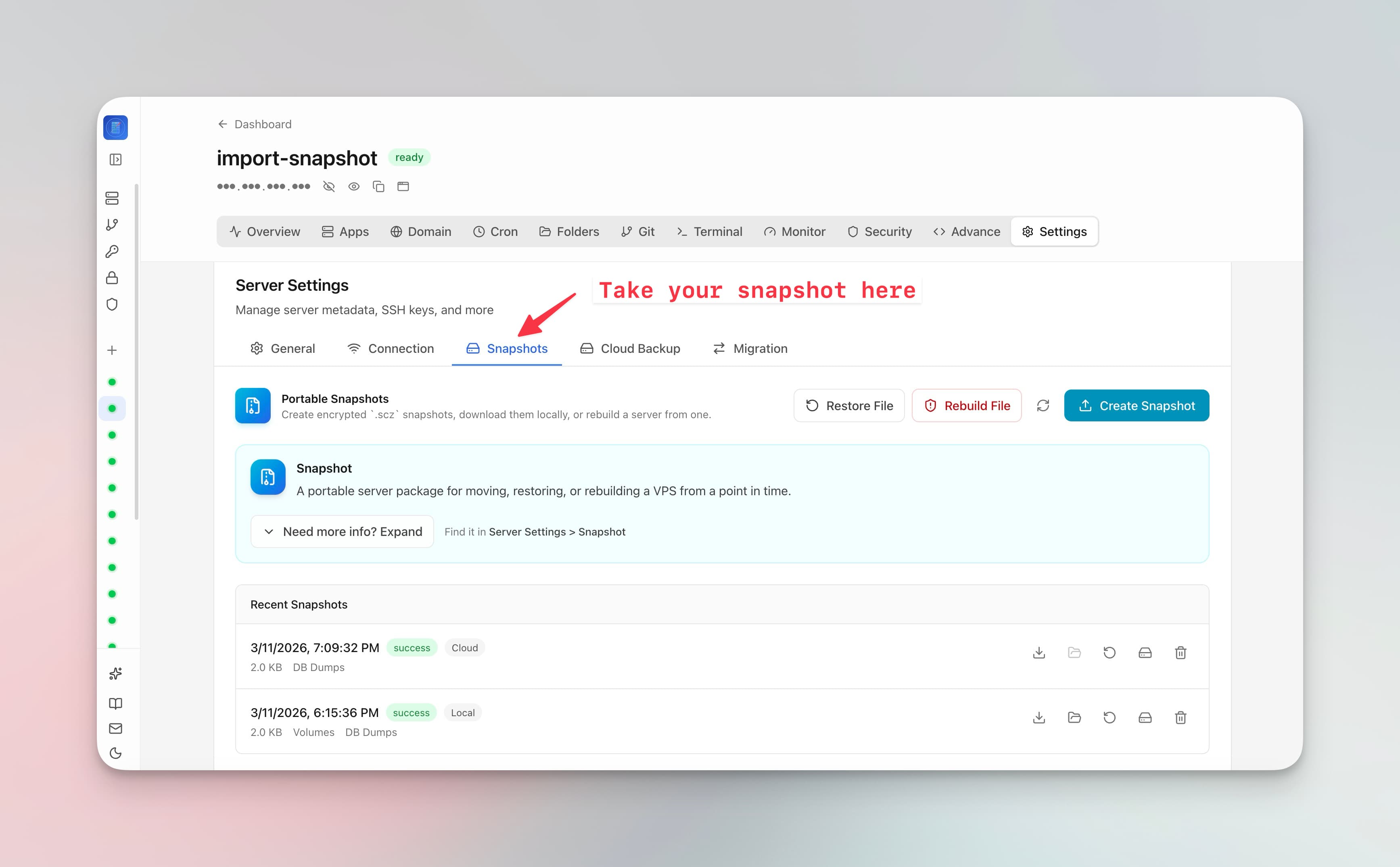
Your VPS has 12 apps running with custom Docker Compose configs, 8 domains with SSL certificates, 5 cron jobs, a dozen alert rules, and environment variables scattered across everything. If you needed to rebuild this setup on a new server tomorrow, how long would it take? Hours? Days?
Server Compass v1.17.0 introduces Server Snapshots—export your entire server configuration to a single encrypted .scz file and restore it anywhere.
What Gets Captured
A server snapshot captures everything Server Compass manages:
- Docker stacks and Compose configurations
- Docker volumes and persistent data
- Database configurations and data
- Domain mappings and SSL settings
- Cron job schedules and scripts
- Alert rules and notification settings
- Environment variables and secrets
Save Locally or Upload to S3
Save snapshots to your local machine for manual backup, or upload directly to your S3-compatible cloud storage. Either way, the file is encrypted so your credentials and secrets are protected at rest.
Three Restore Scenarios
Disaster Recovery
Your server went down. Spin up a new VPS, connect it to Server Compass, and restore the snapshot. All your apps, domains, databases, and cron jobs are back.
Server Migration
Moving from DigitalOcean to Hetzner? Snapshot your existing server, restore to the new one. Domain handling options let you keep original domains, strip all domains (for a clean start), or remap to new domains.
Server Cloning
Need an identical staging server? Snapshot production, restore to a fresh VPS, remap domains to staging subdomains. Exact replica in minutes.
SQL Server (MSSQL) Support in DbAdmin
Also in this release: the database admin panel now supports SQL Server (MSSQL). Browse tables, view data, run SQL queries, and import/export databases—the same workflow you know from PostgreSQL and MySQL.
Protect Your Setup
A snapshot takes seconds to create and can save days of manual reconfiguration. Try Server Compass and create your first server snapshot today.
Related in the StoicSoft network
If you're choosing a VPS provider or benchmarking real-world performance like the post above explores, StoicVPS is the StoicSoft network's independent tracker for VPS pricing, performance, and migration safety.
If you're self-hosting on a VPS or working through a deployment guide like the one above, DeployToVPS is the StoicSoft network's handbook for VPS deployment recipes — docker-compose, nginx, traefik, and common app self-hosts.
From across the StoicSoft network
Hand-curated reads on the same topic from sister sites in the StoicSoft family.