Back to ChangelogDownload
v1.20.1April 1, 2026
Disk Management & Lock Server
Scan your VPS for reclaimable disk space and clean up with one click. Lock production servers into read-only mode to prevent accidental changes, and selectively choose which servers to include in backups.
Download v1.20.1
Get this version from GitHub Releases
What's Changed
New Features
8- Disk Management — server-wide disk scanner showing usage breakdown across Docker images, build cache, dangling volumes, stopped containers, system logs, and more
- One-click cleanup per category — clean up any disk category individually or select multiple and clean them all at once with real-time progress
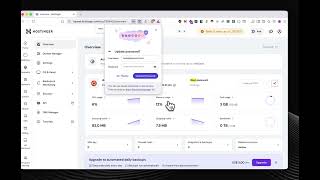
- Per-app disk usage — each app's Overview tab now shows how much disk space its images, volumes, containers, and app folder are using
- Dangling image pruning from app detail — remove unused images for a specific app directly from its overview page
- Lock Server — toggle a server into read-only mode from Server Settings to block deploy, delete, start, stop, restart, and redeploy actions across all apps
- Visual lock indicator — locked servers show a lock icon so you know at a glance which servers are protected
- Selective Backup — choose which servers to include when exporting or uploading backups instead of all-or-nothing
- Download Terminal Logs — save terminal session output as a timestamped .txt file from both embedded and standalone terminal views
Bug Fixes
1- Fixed PostgreSQL table list failing for tables with special characters — tables with uppercase letters, hyphens, or other special characters now load correctly in the database admin panel
Screenshots
Related Resources
Related Topics
diskcleanupstoragedockerlockread-onlyproductionbackupexportterminallogspostgresqldatabase