Back to ChangelogDownload
v1.20.0March 29, 2026
Pull from Registry & Trust Proxy Headers
Deploy pre-built container images from Docker Hub, GHCR, or private registries — no build step required. Plus configure trusted proxy headers so apps see real visitor IPs behind Cloudflare and other proxies.
Download v1.20.0
Get this version from GitHub Releases
What's Changed
New Features
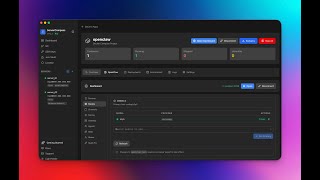
13- Pull from Registry — deploy pre-built container images directly to your VPS from Docker Hub, GHCR, or any private registry without a build step
- Search and verify images — enter any image reference and Server Compass verifies it exists before deploying
- Auto-detect ports — known ports for 30+ popular images pre-filled automatically, custom images get exposed ports read from metadata
- Port conflict detection — see which ports are already in use on your server before deploying
- Public and private registry support — Docker Hub and GHCR out of the box, plus authenticate with GitHub or saved registry credentials for private images
- Registry setup guides — step-by-step instructions for Docker Hub, GHCR, GitLab, Google Cloud, AWS ECR, and custom registries
- One-click redeploy for registry apps — pulls the latest image and restarts with no extra steps
- Image tags in deployment history — every deployment shows which image and tag was deployed, with click-to-copy
- Trust Proxy Headers — configure Traefik to trust forwarded headers from Cloudflare, AWS ALB, DigitalOcean, or Hetzner so apps see real visitor IPs
- One-click Cloudflare preset — all Cloudflare IPv4 and IPv6 ranges pre-filled with one click
- Cloud provider presets — quick-start presets for AWS ALB, DigitalOcean, and Hetzner load balancers
- Custom IP lists — add any trusted IP ranges manually with search and filtering for large lists
- Safe updates with auto-rollback — Traefik config is backed up before every change, automatically restored if Traefik fails to start
Improvements
2- "Pull from Registry" promoted to main wizard — now a top-level option in the Stack Wizard instead of hidden in Advanced
- Stack Wizard layout updated — source selection now uses a 2-column grid for better readability
Screenshots
Related Resources
Video Tutorials


Technology Stacks
Related Topics
dockerregistrydocker hubghcrecrcontainerpullimagecloudflareproxytrust proxyreal iptraefikaws albdigitaloceanhetzner