Back to ChangelogDownload
v1.20.2April 11, 2026
Nested App Groups & Guided Onboarding
Organize Docker apps into nested groups with drag-and-drop assignment, bulk actions, and custom group styling. This release also replaces the old checklist with a guided onboarding flow for both new VPS users and experienced operators.
Download v1.20.2
Get this version from GitHub Releases
What's Changed
New Features
12- Collapsible group sidebar — Create, rename, nest, and delete groups right from the Apps tab on any server
- Drag-and-drop organization — Drag apps onto a group to assign them, drag groups into other groups to nest them
- Multi-group membership — An app can belong to multiple groups at once (e.g., "Production" and "Backend")
- Bulk actions — Select multiple apps and add or remove them from groups with a floating action bar
- Custom icons and colors — Choose from 8 icons (Folder, Code, Globe, Database, Server, Beaker, Briefcase, Heart) and 6 colors (neutral, slate, emerald, amber, rose, violet)
- Safe deletion — Deleting a group never touches the apps inside it. Child groups get promoted up one level and app memberships are cleared automatically
- Live counts — Group app counts update instantly as you drag, select, or deploy new apps
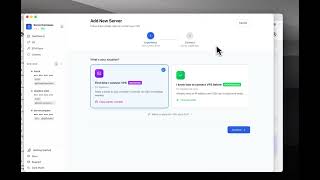
- Two paths on launch — Pick "I'm new to VPS" for a beginner walkthrough, or "I already have a VPS" for pro tips and migration
- Beginner path — Intro to ServerCompass, picks of trusted VPS providers (Hetzner, DigitalOcean, Vultr, Linode) with pricing and specs, step-by-step guide to connecting your first server, and an overview of all three ways to deploy (1-Click Install, GitHub, Upload Dockerfile)
- Pro path — Side-by-side comparison with Coolify, Dokploy, Laravel Forge, and RunCloud, plus direct shortcuts to the Migration Wizard or Add Server flow
- Resume anywhere — The onboarding remembers which path you picked and which step you're on. Close it any time from the X button, reopen it from the sidebar's "Get Started" button, and you'll pick up exactly where you left off
- Dismiss for good — Click "Don't show this again" on the welcome screen to hide it permanently
Related Resources
Video Tutorials
Technology Stacks
Related Topics
groupsnesteddrag-and-droporganizationonboardingvpsmigrationbulk-actionssidebardocker