Back to documentation
Cron Jobs
Scheduling Cron Jobs
Create and manage scheduled tasks on your server without cron syntax.
Intermediate6 min readUpdated 2024-02-01
What are cron jobs?
Cron jobs are scheduled tasks that run automatically. Common uses:
- Database backups
- Log rotation
- Cache clearing
- Health checks
- Data synchronization
Creating a cron job
- Go to the Cron Jobs tab
- Click "Add Cron Job"
- Choose from templates or create custom
- Set the schedule using the visual picker
- Enter the command to run
- Click "Save"
Visual schedule picker
Set schedules without cron syntax:
- Frequency: Every minute, hour, day, week, month
- Time: Select specific time
- Days: Choose days of week/month
- Preview: See human-readable schedule
Cron job templates
Pre-built templates for common tasks:
- Backup database to file
- Clear application cache
- Rotate log files
- Run health checks
- Sync data between services
Viewing logs
Monitor cron job execution:
- Click on a cron job
- View execution history
- See output and errors
- Check success/failure status
Screenshots
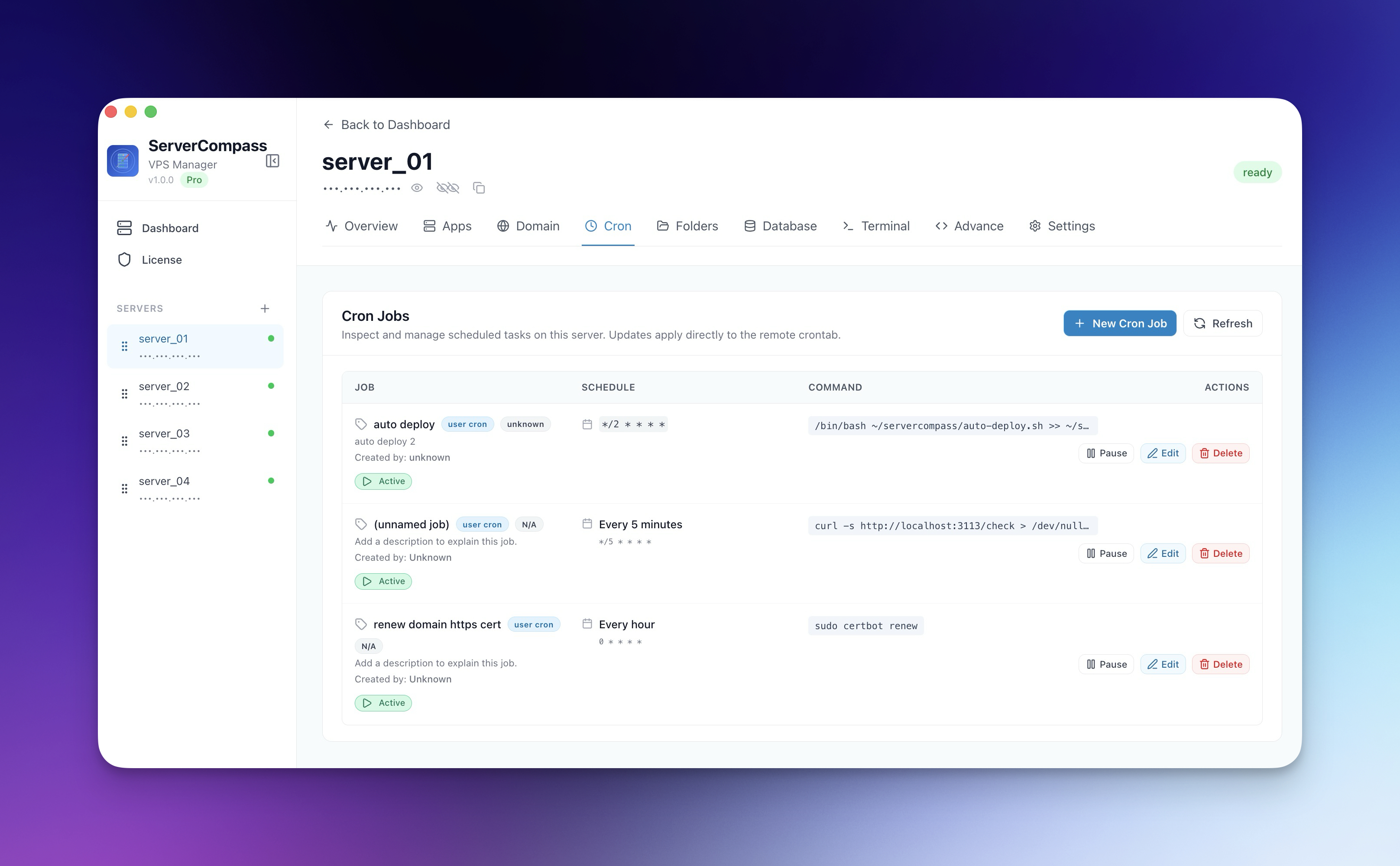


Screenshots may vary slightly from the current version
Video Tutorials
Related Features
Visual Cron Scheduler
Create and manage cron jobs with a visual interface. No need to memorize cron syntax ever again.
Cron Job Templates
Pre-built templates for common scheduled tasks like backups, cleanup, and health checks. Customize and deploy.
Cron Job Logs
View execution logs for each cron job. Track success, failure, and output of scheduled tasks.
On this page
Need Help?
Check our troubleshooting guides or join our community.
Ready to try Server Compass?
Download the app and deploy your first application in under 5 minutes. No terminal knowledge required.