Introduction to Server Compass
Learn what Server Compass is and how it can help you manage VPS servers without terminal commands.
What is Server Compass?
Server Compass is a desktop application that lets you manage VPS servers without touching the terminal. It provides a beautiful visual interface for deploying applications, managing domains, configuring databases, and more.
Key benefits:
- No SSH or terminal knowledge required
- Deploy 100+ applications with one click
- Visual domain and SSL management
- Built-in database administration
- Works with any VPS provider
Who is it for?
Server Compass is designed for:
- Developers who want to self-host apps without DevOps complexity
- Agencies managing multiple client servers
- Startups looking to reduce cloud costs
- Hobbyists who want to run self-hosted software
- Anyone who prefers visual interfaces over CLI
How does it work?
Server Compass connects to your VPS via SSH and executes commands on your behalf. All operations happen through a secure SSH tunnel - no external APIs or third-party services. Your server credentials never leave your computer.
The app runs entirely on your desktop (macOS, Windows, or Linux) and communicates directly with your server.
System requirements
Desktop App:
- macOS 11+ (Intel or Apple Silicon)
- Windows 10/11 (64-bit)
- Linux (Ubuntu 20.04+, Debian 11+)
Server Requirements:
- Any VPS with SSH access
- Ubuntu 20.04+, Debian 11+, or other Linux distros
- At least 1GB RAM (2GB+ recommended)
- Docker support (auto-installed by Server Compass)
Screenshots
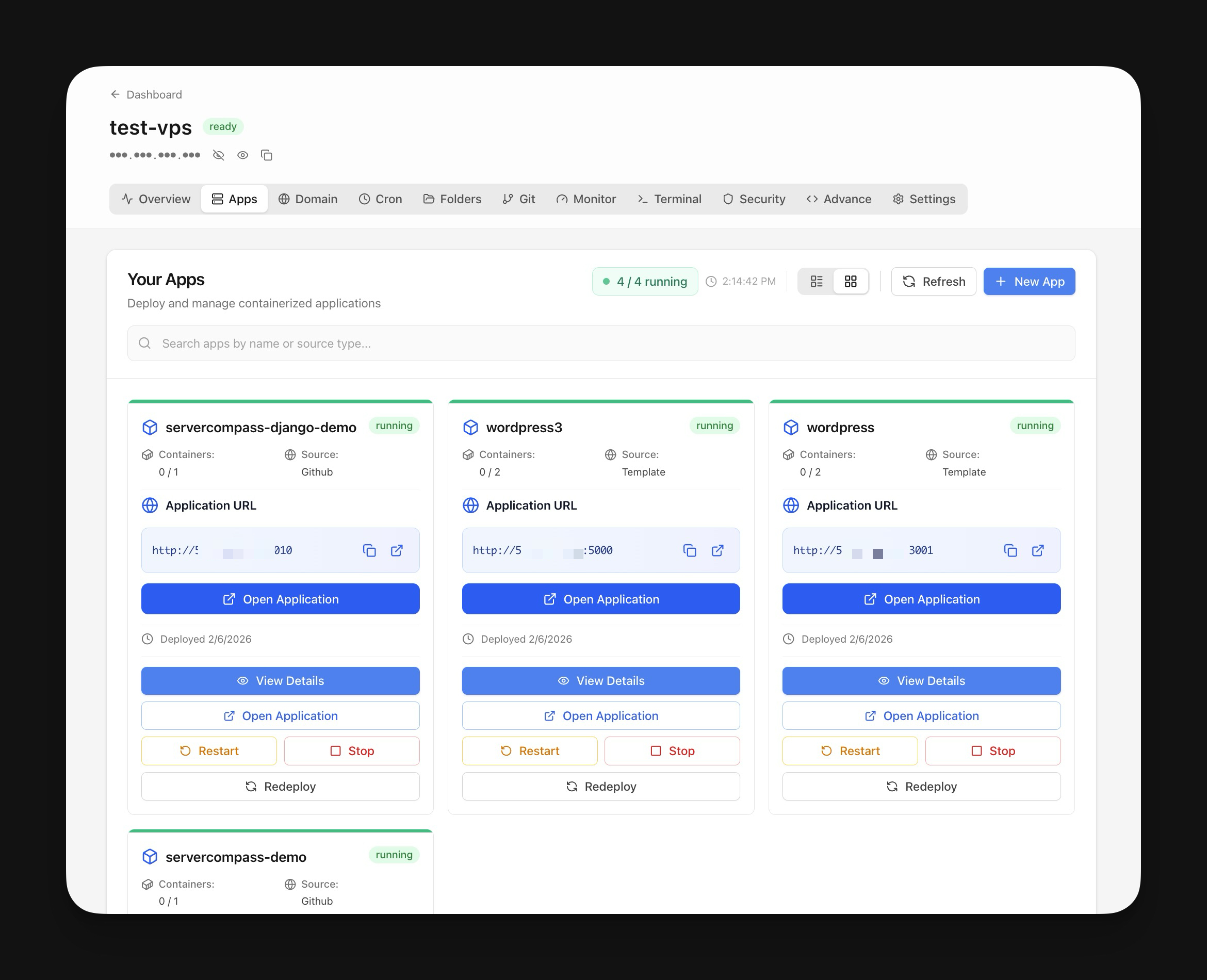

Screenshots may vary slightly from the current version
Video Tutorials
Need Help?
Check our troubleshooting guides or join our community.
Ready to try Server Compass?
Download the app and deploy your first application in under 5 minutes. No terminal knowledge required.