Command Auto-Correction
Automatically correct common typos like "sl" to "ls" or "docer" to "docker". Save time on frequent mistakes.
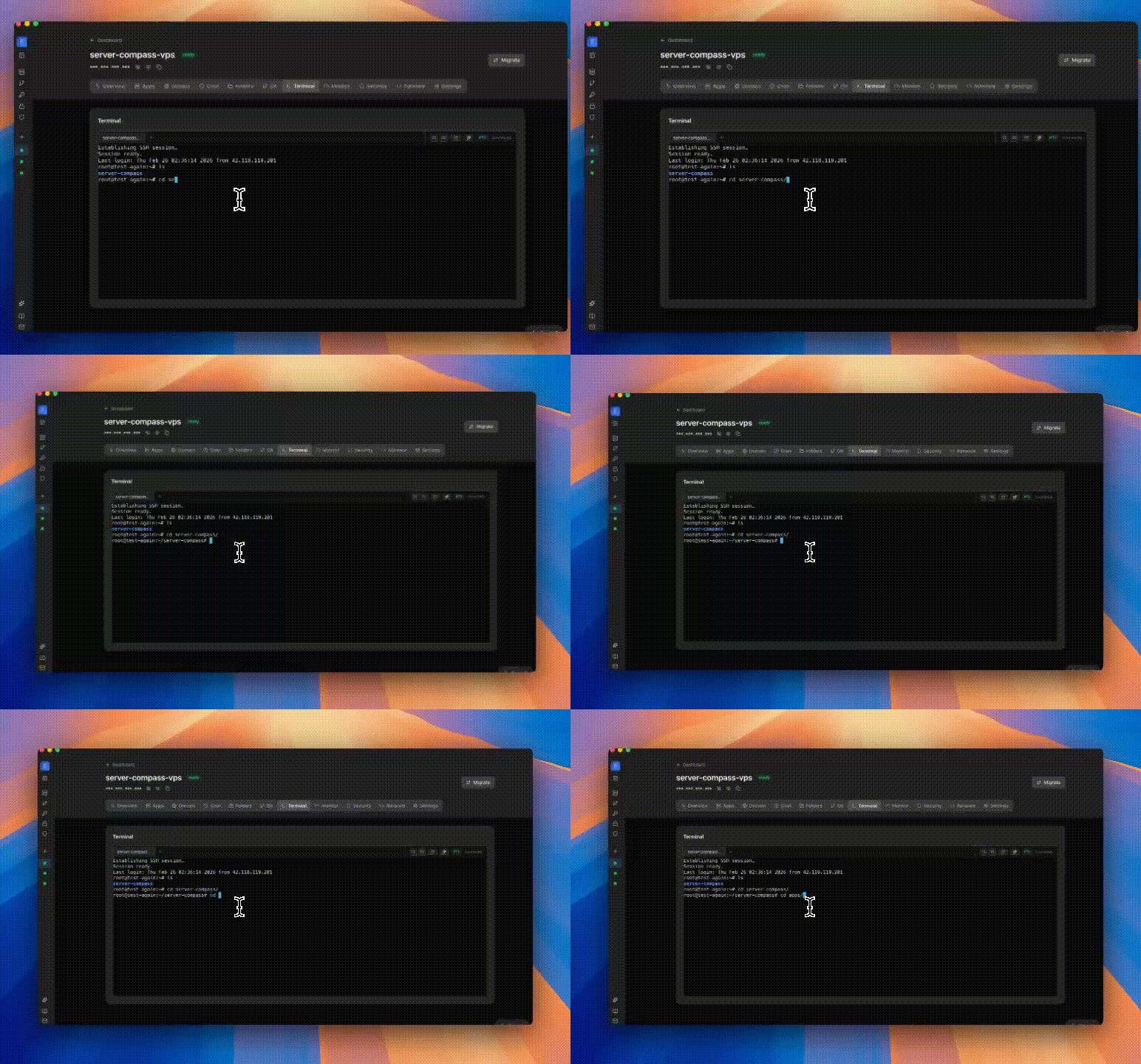
Command Auto-Correction: Step by Step
Command Auto-Correction is designed to be intuitive. Here's how you use it in Server Compass.
Open Terminal
Click the terminal icon or use the keyboard shortcut to open SSH terminal.
Connect to Server
Server Compass establishes a secure SSH connection automatically.
Use Command Auto-Correction
Take advantage of Command Auto-Correction to streamline your terminal workflow.
The Hard Way: Without Command Auto-Correction
No Command Auto-Correction? Get ready to memorize these terminal commands and pray you don't make a typo.
Open your terminal app
Launch Terminal, iTerm, or your preferred app.
# On Mac: Cmd+Space, type "Terminal"
# On Windows: Win+R, type "cmd" or use PuTTY
# On Linux: Ctrl+Alt+TSSH into server
Connect with your credentials.
ssh -i ~/.ssh/id_rsa root@your-server-ip
# Enter passphrase if prompted
# Hope you remember which key goes to which server
Managing keys for 10+ servers? Good luck.
Navigate to your app
Find where your app lives.
cd /opt/apps/myapp
# Or was it /var/www/myapp?
# Or /home/user/apps/myapp?
# Every server is different!Run your commands
Execute whatever you need to do.
# No autocomplete
# No command history across sessions
# No syntax highlighting
docker compose logs -f
# Oops, typo: docker compse logs -f
# "compse: command not found"Why Suffer? We Built Something Better
Command Auto-Correction automates the tedious parts. What takes 30 minutes via terminal takes 30 seconds with Server Compass.
- Point and click
- Instant validation
- Safe defaults
- Works with any provider
Command Auto-Correction: Full Feature List
Everything you need for ssh terminal in one integrated tool, replacing complex CLI commands and manual configuration.
Get StartedCommand Auto-Correction: Why It's Essential
Server management shouldn't require a DevOps team. Command Auto-Correction makes professional-grade ssh terminal accessible to everyone.
No External Tools
Command Auto-Correction runs directly in Server Compass, so you never need to install or configure PuTTY, iTerm, or other SSH clients.
Smart Assistance
Command Auto-Correction suggests commands and corrects typos, speeding up your terminal workflow significantly.
Secure Connection
Command Auto-Correction uses your existing SSH credentials with encrypted connections for every session.
Session Persistence
Command Auto-Correction maintains terminal sessions even while you navigate other parts of the application.
Questions About Command Auto-Correction
Common questions about Command Auto-Correction in Server Compass
How do I access Command Auto-Correction in Server Compass?
Command Auto-Correction is available in the SSH Terminal section of Server Compass. Simply connect to your server, navigate to SSH Terminal, and you'll find Command Auto-Correction ready to use. No additional setup or plugins required.
Does Command Auto-Correction require any server-side installation?
No. Server Compass operates as a desktop application that connects to your server via SSH. Command Auto-Correction works through this connection without installing any agents or packages on your server (except the optional monitoring agent for resource tracking).
Is Command Auto-Correction included in all Server Compass plans?
Yes. Every Server Compass feature, including Command Auto-Correction, is included with the one-time $29 payment. There are no tier restrictions, add-ons, or per-server fees. You get all 152+ features for all your servers.
Can I use Command Auto-Correction with any VPS provider?
Command Auto-Correction works with any VPS or dedicated server that supports SSH access and Docker. This includes DigitalOcean, Hetzner, Vultr, Linode, AWS EC2, Google Cloud, Azure, and any other provider. It also works with local servers and homelab setups.
What makes Command Auto-Correction different from command-line alternatives?
Command Auto-Correction provides a visual, intuitive interface that replaces complex CLI commands and configuration files. You get real-time feedback, safety confirmations, and a consistent experience across all your servers without memorizing syntax or writing scripts.
More SSH Terminal Features
Explore other ssh terminal capabilities in Server Compass
Interactive SSH Terminal
Full xterm-based SSH terminal right in the app. Execute commands, view output, and manage your server without external tools.
Multi-Tab Terminal
Open multiple terminal sessions per server with tab management. Run commands in parallel without switching windows.
Command Suggestions
Auto-suggestions for common commands like ls, git, docker, npm, and more. Speed up your terminal workflow.
Persistent Terminal Window
Pop out terminal into a standalone window for long-running operations. Keep monitoring while navigating the app.
Try Command Auto-Correction Today
Download Server Compass and get access to Command Auto-Correction along with 151 other features. One-time $29 payment. No subscriptions. No per-server fees.