Monitoring Agent
Lightweight monitoring agent for continuous resource tracking. Install with one click and view metrics in your dashboard.
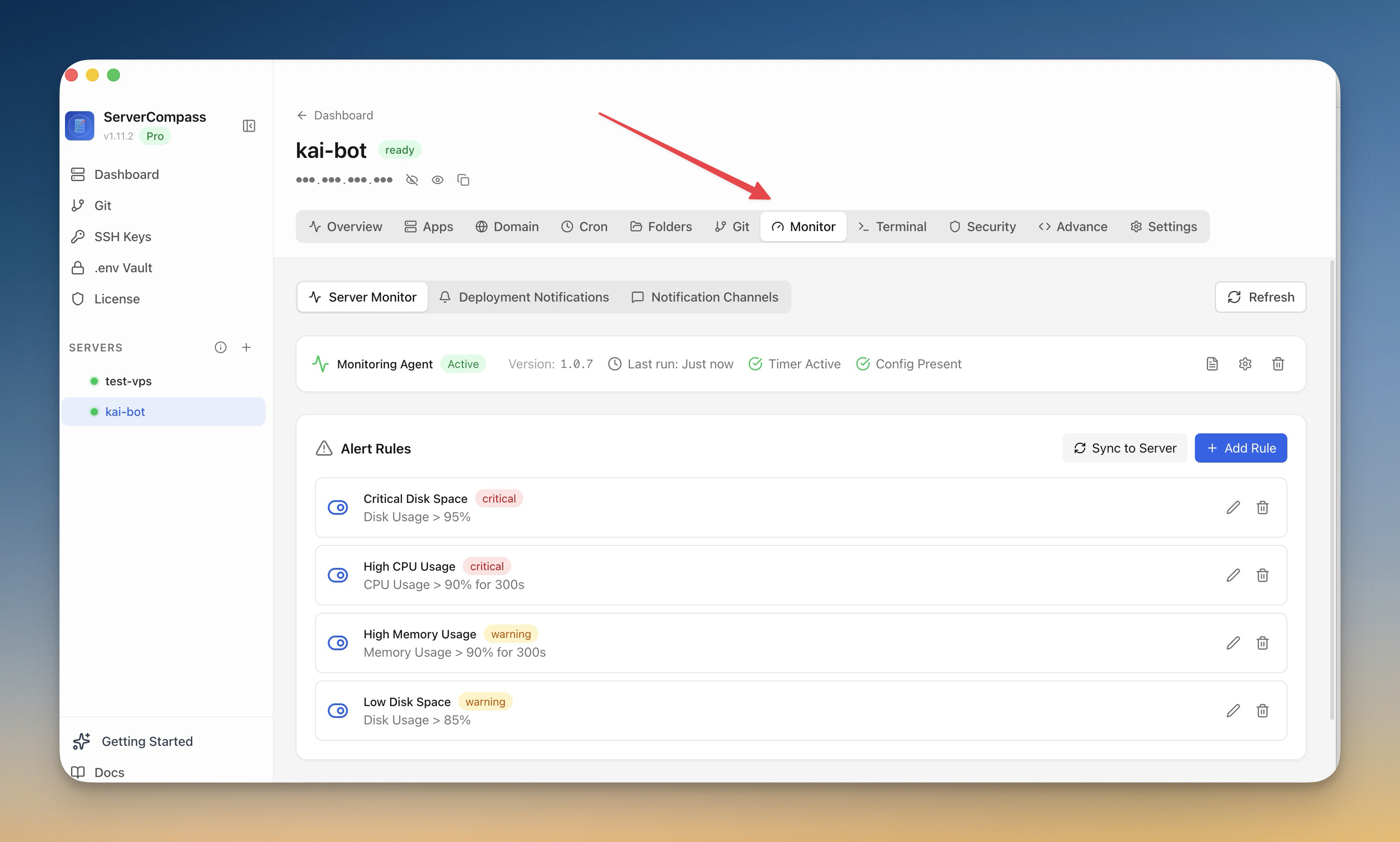
How Monitoring Agent Works
No documentation needed. Monitoring Agent guides you through each step visually.
Navigate to Monitoring
Open the monitoring section from your server dashboard.
Configure Thresholds
Set up your monitoring preferences and alert thresholds.
Monitor & Act
Receive real-time data and act on alerts as they arrive.
Life Without Monitoring Agent
Here's what developers do without Monitoring Agent: open terminal, SSH in, type commands, hope nothing breaks.
SSH into your server
Connect to monitor your server.
ssh root@your-server-ipCheck CPU and memory
View server resource usage.
top
# Or for a snapshot:
free -h
df -h
# Now try to parse this at 3 AM when something's downWatch container stats
Monitor container resource usage.
docker stats
# CONTAINER   CPU %   MEM USAGE
# app         45.2%   512MiB / 2GiB
# db          12.1%   1.2GiB / 2GiB
# Press Ctrl+C to stop watching
No historical data. No alerts. No graphs.
Set up alerts manually
Write a script to check and alert.
# Create a monitoring script
nano /opt/scripts/monitor.sh
#!/bin/bash
CPU=$(top -bn1 | grep "Cpu(s)" | awk '{print $2}')
if (( $(echo "$CPU > 90" | bc -l) )); then
  curl -X POST https://your-webhook.com -d "CPU HIGH: $CPU%"
fi

# Add to crontab
crontab -e
# */5 * * * * /opt/scripts/monitor.shLife's Too Short for Terminal Commands
Stop copy-pasting commands from Stack Overflow. Monitoring Agent gives you a proper interface for server management.
- One-click actions
- Real-time feedback
- Automatic backups
- Zero CLI knowledge required
Monitoring Agent Features
Everything you need for monitoring & alerts in one integrated tool, replacing complex CLI commands and manual configuration.
Get StartedThe Power of Monitoring Agent
Server management shouldn't require a DevOps team. Monitoring Agent makes professional-grade monitoring & alerts accessible to everyone.
Real-Time Insights
Monitoring Agent streams data live so you catch issues the moment they happen, not hours later.
Instant Alerts
Monitoring Agent notifies you through your preferred channels before small issues become outages.
Actionable Data
Monitoring Agent doesn't just show metrics; it highlights what needs attention and suggests next steps.
Complete Audit Trail
Monitoring Agent logs every event, giving you the forensic data you need for debugging and compliance.
Monitoring Agent: Frequently Asked
Common questions about Monitoring Agent in Server Compass
How do I access Monitoring Agent in Server Compass?
Monitoring Agent is available in the Monitoring & Alerts section of Server Compass. Simply connect to your server, navigate to Monitoring & Alerts, and you'll find Monitoring Agent ready to use. No additional setup or plugins required.
Does Monitoring Agent require any server-side installation?
No. Server Compass operates as a desktop application that connects to your server via SSH. Monitoring Agent works through this connection without installing any agents or packages on your server (except the optional monitoring agent for resource tracking).
Is Monitoring Agent included in all Server Compass plans?
Yes. Every Server Compass feature, including Monitoring Agent, is included with the one-time $29 payment. There are no tier restrictions, add-ons, or per-server fees. You get all 152+ features for all your servers.
Can I use Monitoring Agent with any VPS provider?
Monitoring Agent works with any VPS or dedicated server that supports SSH access and Docker. This includes DigitalOcean, Hetzner, Vultr, Linode, AWS EC2, Google Cloud, Azure, and any other provider. It also works with local servers and homelab setups.
What makes Monitoring Agent different from command-line alternatives?
Monitoring Agent provides a visual, intuitive interface that replaces complex CLI commands and configuration files. You get real-time feedback, safety confirmations, and a consistent experience across all your servers without memorizing syntax or writing scripts.
More Monitoring & Alerts Features
Explore other monitoring & alerts capabilities in Server Compass
Real-Time Container Logs
Stream container logs in real-time with beautiful formatting. Filter, search, and follow logs without SSH sessions.
Custom Alert Rules
Create threshold-based alert rules for CPU, memory, disk, and custom metrics. Get notified before problems escalate.
Notification Channels
Configure email, webhook, and other notification channels. Test connectivity before relying on alerts in production.
Deployment Notifications
Get notified on deployment start, success, or failure. Never miss a broken deployment in production.
Try Monitoring Agent Today
Download Server Compass and get access to Monitoring Agent along with 151 other features. One-time $29 payment. No subscriptions. No per-server fees.