Static and PHP Sites
Deploy a static site on Nginx or a PHP 8.3 site on Apache from the Stack Wizard with no Git repository and no build step. Both give you an editable document root, and a redeploy keeps the files you put there.
How Static and PHP Sites Works
Using Static and PHP Sites is straightforward. Follow these simple steps to get started.
Pick the template
Choose Static Site or PHP Site in the Stack Wizard, name the app and set a port.
Confirm it is running
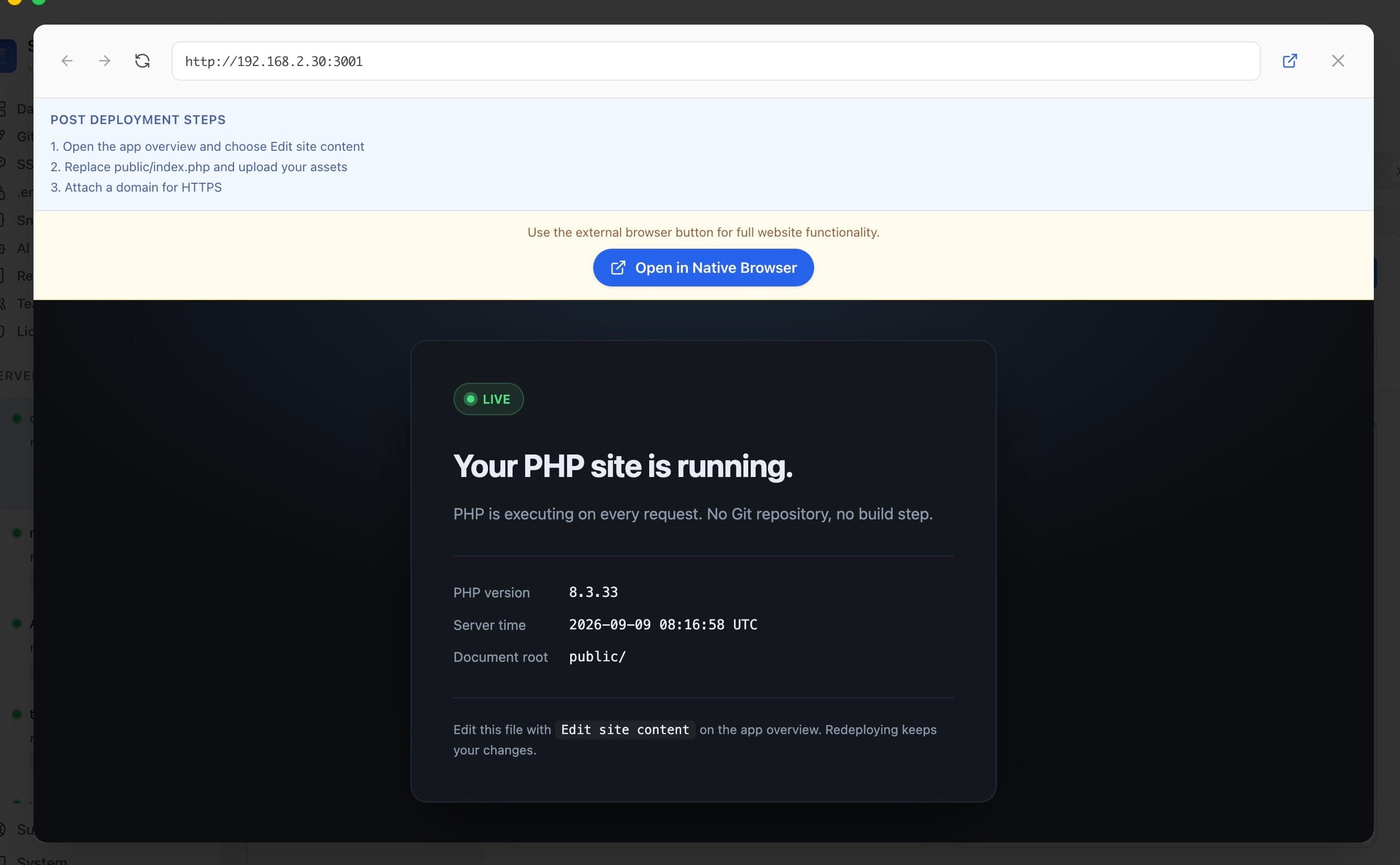
A starter page reports the live PHP version and the resolved document root, so a broken deploy shows up before you upload a site.
Open Edit site content
The Site content card on the app overview opens the deployed public directory directly in the file manager.
Replace the files
Edit index.php in place, upload files or a folder, or drag a local build output onto the drop target.
Static and PHP Sites vs. The Command Line
Miss the old days? Here's how to do everything Static and PHP Sites does... the hard way.
Write a compose file
The PHP template is a single service mounting a local public directory as the document root.
printf 'services:\n web:\n image: php:8.3-apache\n ports:\n - "8080:80"\n volumes:\n - ./public:/var/www/html\n restart: unless-stopped\n' > docker-compose.ymlCreate the document root
Without a page in place the site returns a directory listing or a 403.
mkdir -p public && echo '<?php phpinfo();' > public/index.phpBring it up
Start the container and confirm PHP is executing.
docker compose up -d && curl -s localhost:8080 | head -5Update the site later
Every content change means another trip over scp or rsync.
rsync -av ./dist/ user@your-server:/opt/site/public/There's a Better Way
Static and PHP Sites in Server Compass does all of this with a single click. No terminal. No memorizing commands. No 3 AM debugging sessions.
- No SSH required
- Guided workflows
- Undo support
- Multi-server management
Static and PHP Sites Features
Everything you need for deployment in one integrated tool, replacing complex CLI commands and manual configuration.
Get StartedBenefits of Static and PHP Sites
Server management shouldn't require a DevOps team. Static and PHP Sites makes professional-grade deployment accessible to everyone.
Deploy in Minutes
Static and PHP Sites eliminates complex CLI workflows. Deploy your applications visually without memorizing Docker commands.
Zero-Configuration Defaults
Static and PHP Sites comes pre-configured with production-ready settings so you can ship with confidence.
Visual Feedback
Track every step of your deployment with Static and PHP Sites. See progress, logs, and status in real time.
Repeatable Process
Once configured, Static and PHP Sites lets you replicate deployments across servers consistently.
Static and PHP Sites FAQ
Common questions about Static and PHP Sites in Server Compass
How do I access Static and PHP Sites in Server Compass?
Static and PHP Sites is available in the Deployment section of Server Compass. Simply connect to your server, navigate to Deployment, and you'll find Static and PHP Sites ready to use. No additional setup or plugins required.
Does Static and PHP Sites require any server-side installation?
No. Server Compass operates as a desktop application that connects to your server via SSH. Static and PHP Sites works through this connection without installing any agents or packages on your server (except the optional monitoring agent for resource tracking).
Is Static and PHP Sites included in all Server Compass plans?
Yes. Every Server Compass feature, including Static and PHP Sites, is included with the one-time $29 payment. There are no tier restrictions, add-ons, or per-server fees. You get all 152+ features for all your servers.
Can I use Static and PHP Sites with any VPS provider?
Static and PHP Sites works with any VPS or dedicated server that supports SSH access and Docker. This includes DigitalOcean, Hetzner, Vultr, Linode, AWS EC2, Google Cloud, Azure, and any other provider. It also works with local servers and homelab setups.
What makes Static and PHP Sites different from command-line alternatives?
Static and PHP Sites provides a visual, intuitive interface that replaces complex CLI commands and configuration files. You get real-time feedback, safety confirmations, and a consistent experience across all your servers without memorizing syntax or writing scripts.
More Deployment Features
Explore other deployment capabilities in Server Compass
Docker Stack Wizard
Multi-step wizard walks you through deploying containerized applications. Choose source, configure settings, and deploy in minutes.
Template-Based Deployment
Choose from 100+ pre-built templates for databases, services, and development tools. Deploy popular stacks with one click.
Deploy from GitHub
Deploy directly from any GitHub repository. Select branches, configure build settings, and ship your code to production.
Docker Compose Editor
Full-featured YAML editor for docker-compose configurations. Write, edit, and validate your compose files visually.
Try Static and PHP Sites Today
Download Server Compass and get access to Static and PHP Sites along with 151 other features. One-time $29 payment. No subscriptions. No per-server fees.