1
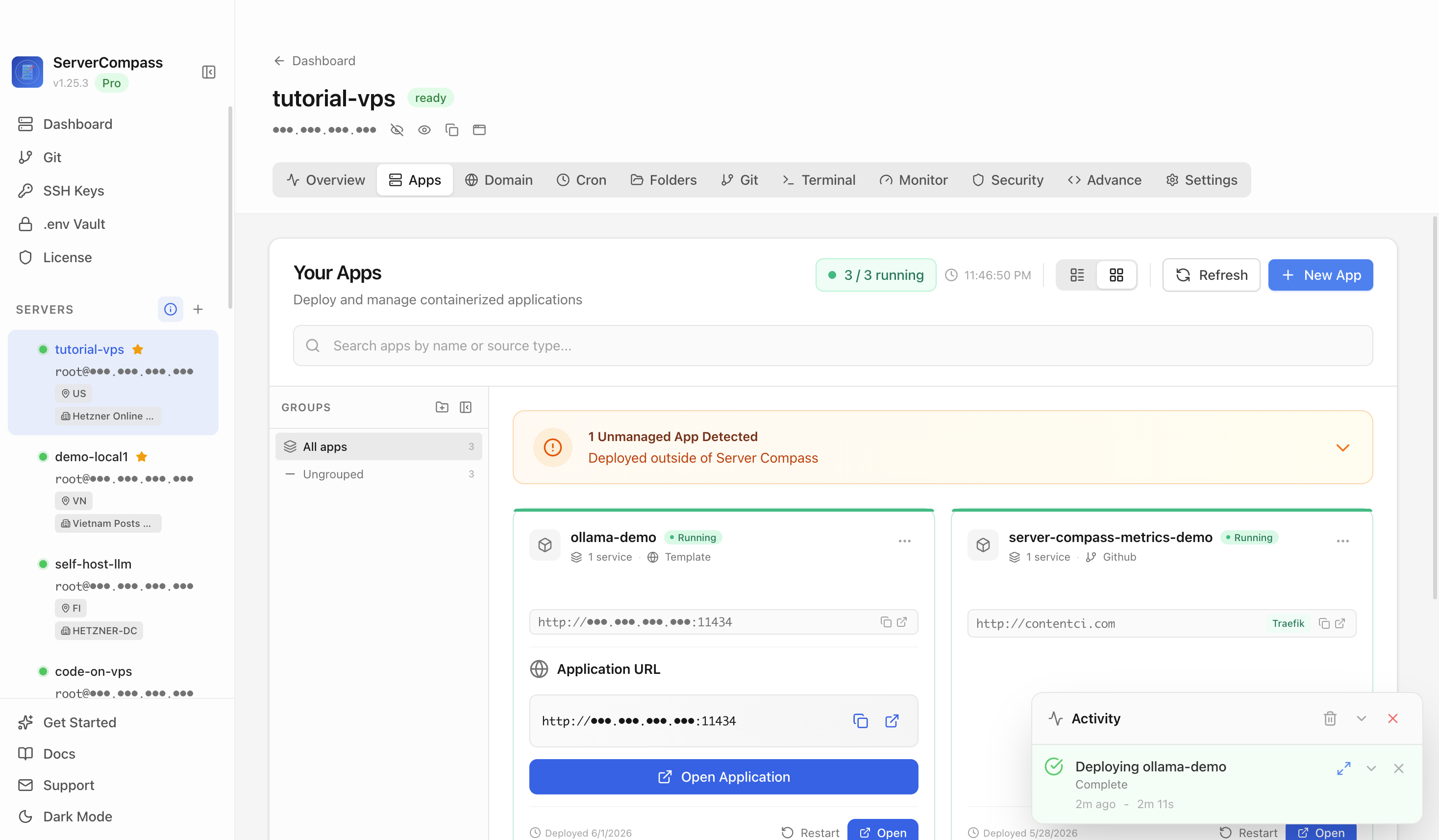
Step 1Open the server Apps tab
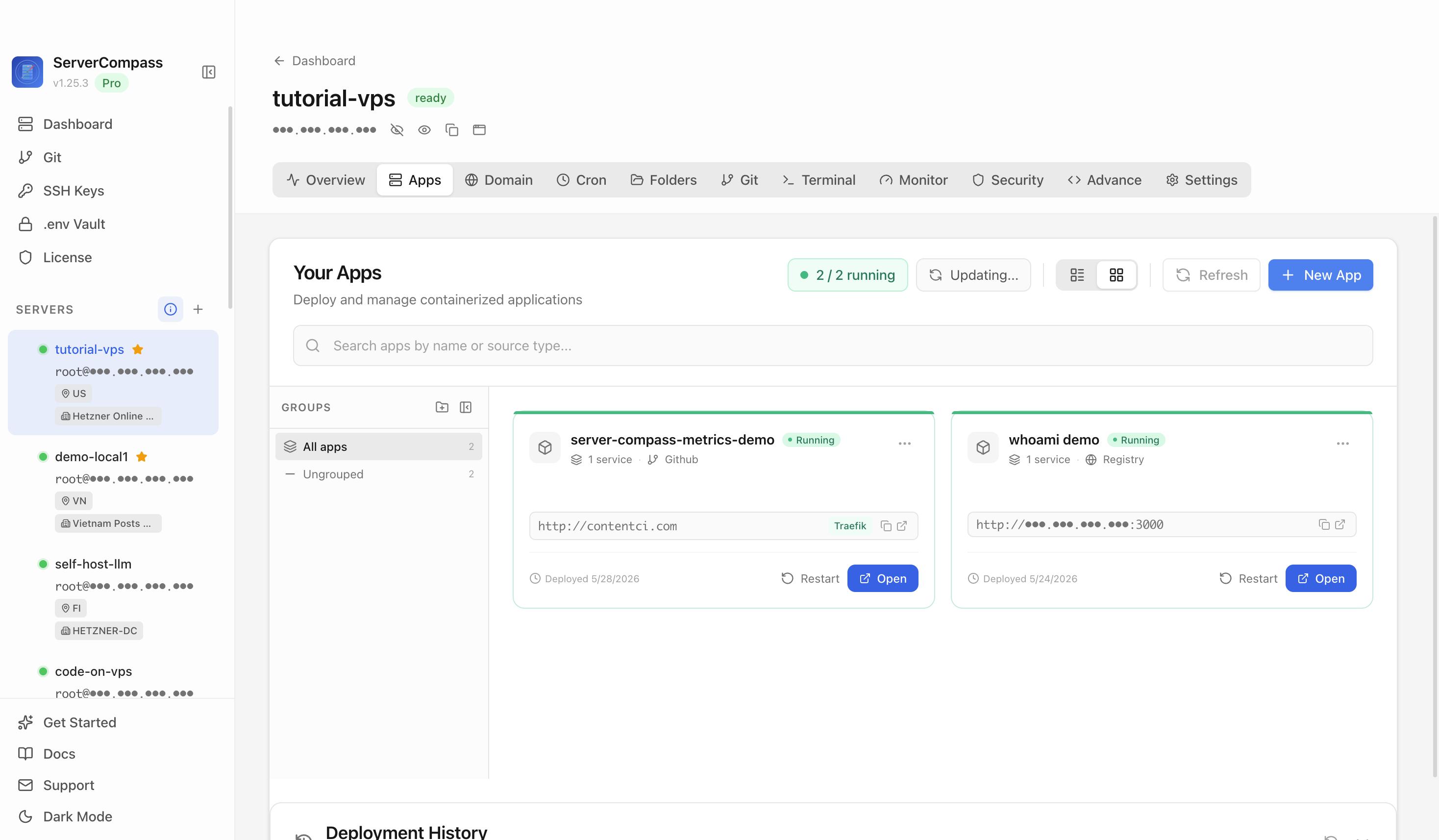
Select the tutorial-vps VPS, open the Apps tab, and start a new app deployment. Keep sensitive server details hidden before capturing or sharing screenshots.

Run large language models locally with an OpenAI-compatible API. Supports Llama, Qwen, Mistral, DeepSeek, Gemma and 100+ open models.
Add your server credentials to Server Compass
Choose from our template library
Fill in settings and click Deploy
Use the Ollama template in Server Compass to deploy a self-hosted local LLM runtime API on your VPS, then verify the API landing response in a browser.
Select the tutorial-vps VPS, open the Apps tab, and start a new app deployment. Keep sensitive server details hidden before capturing or sharing screenshots.
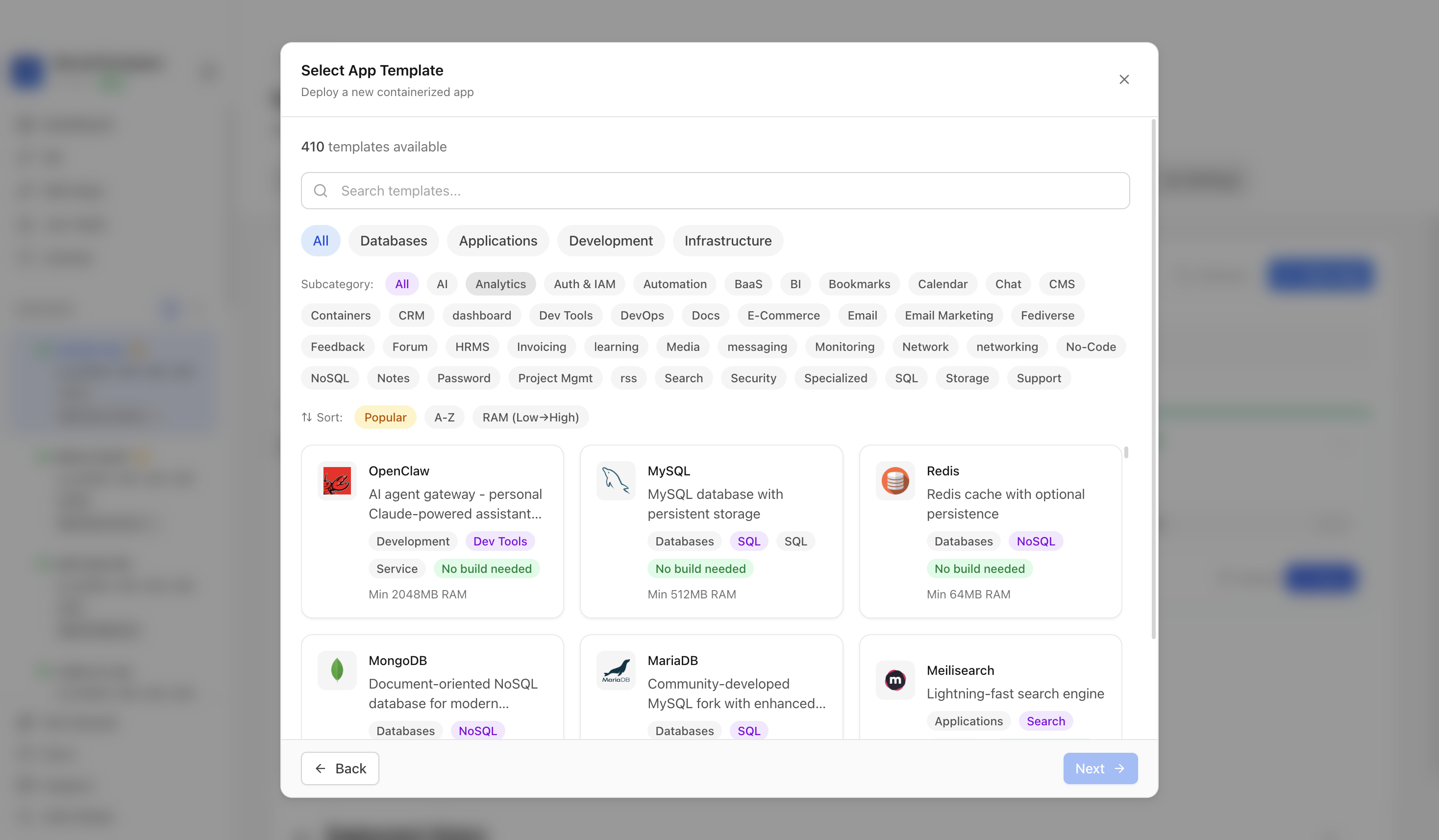
Click New App and choose the template deployment path so Server Compass can load the built-in catalog.
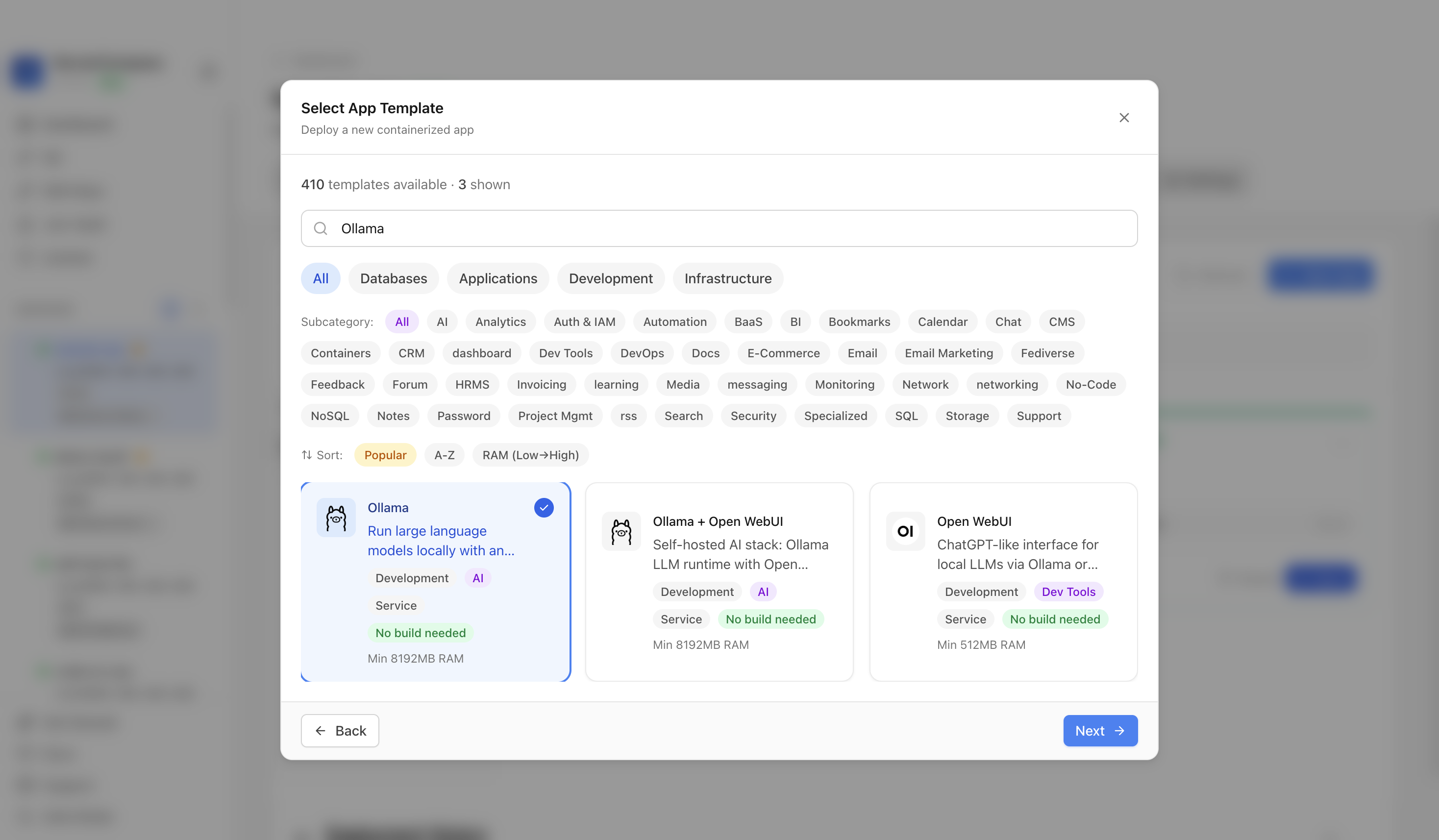
Use the template picker search to find Ollama in the Server Compass template catalog.
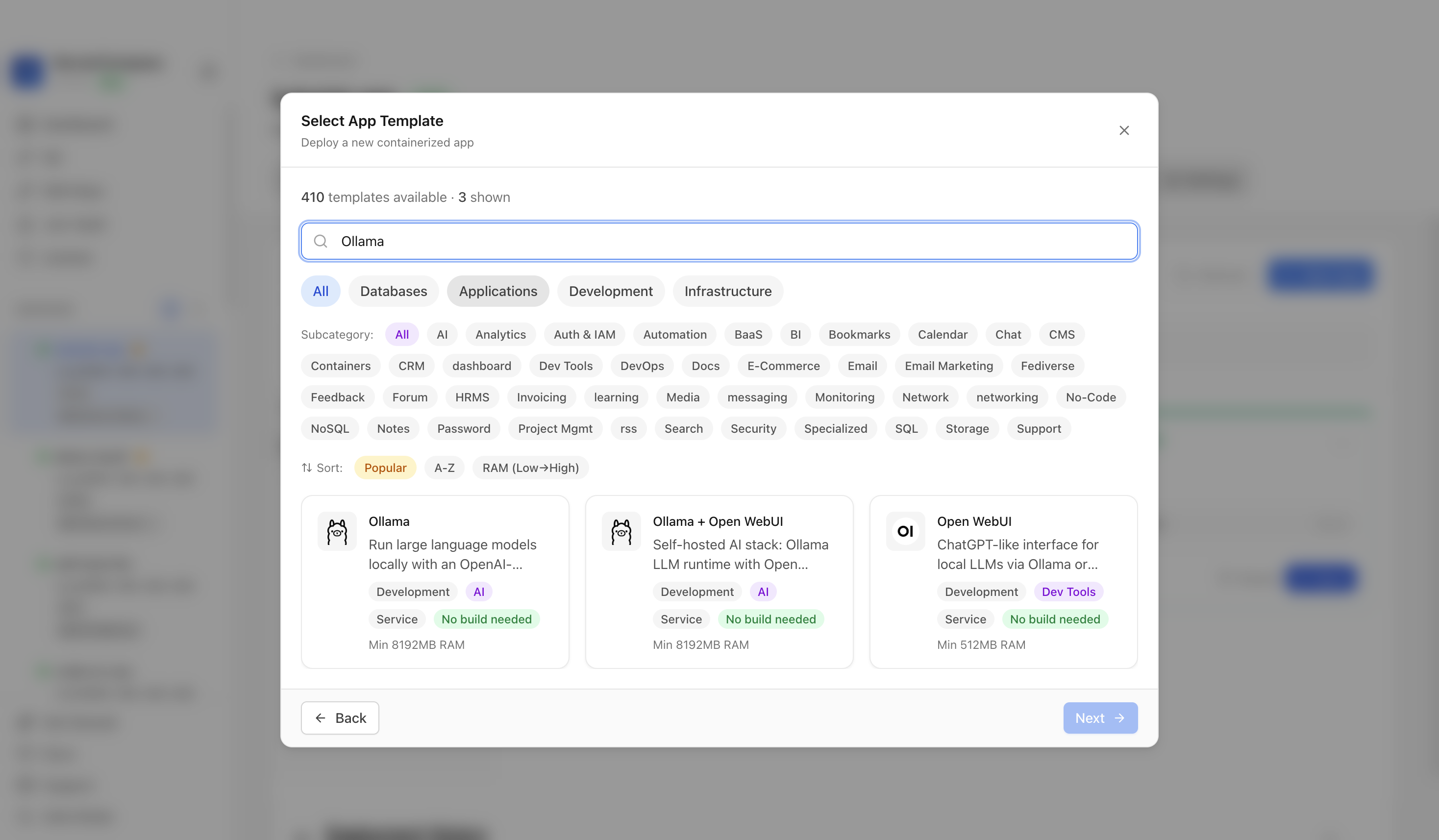
Choose the Ollama template. Server Compass fills the Ollama service, persistent model volume, keep-alive setting, and API port.
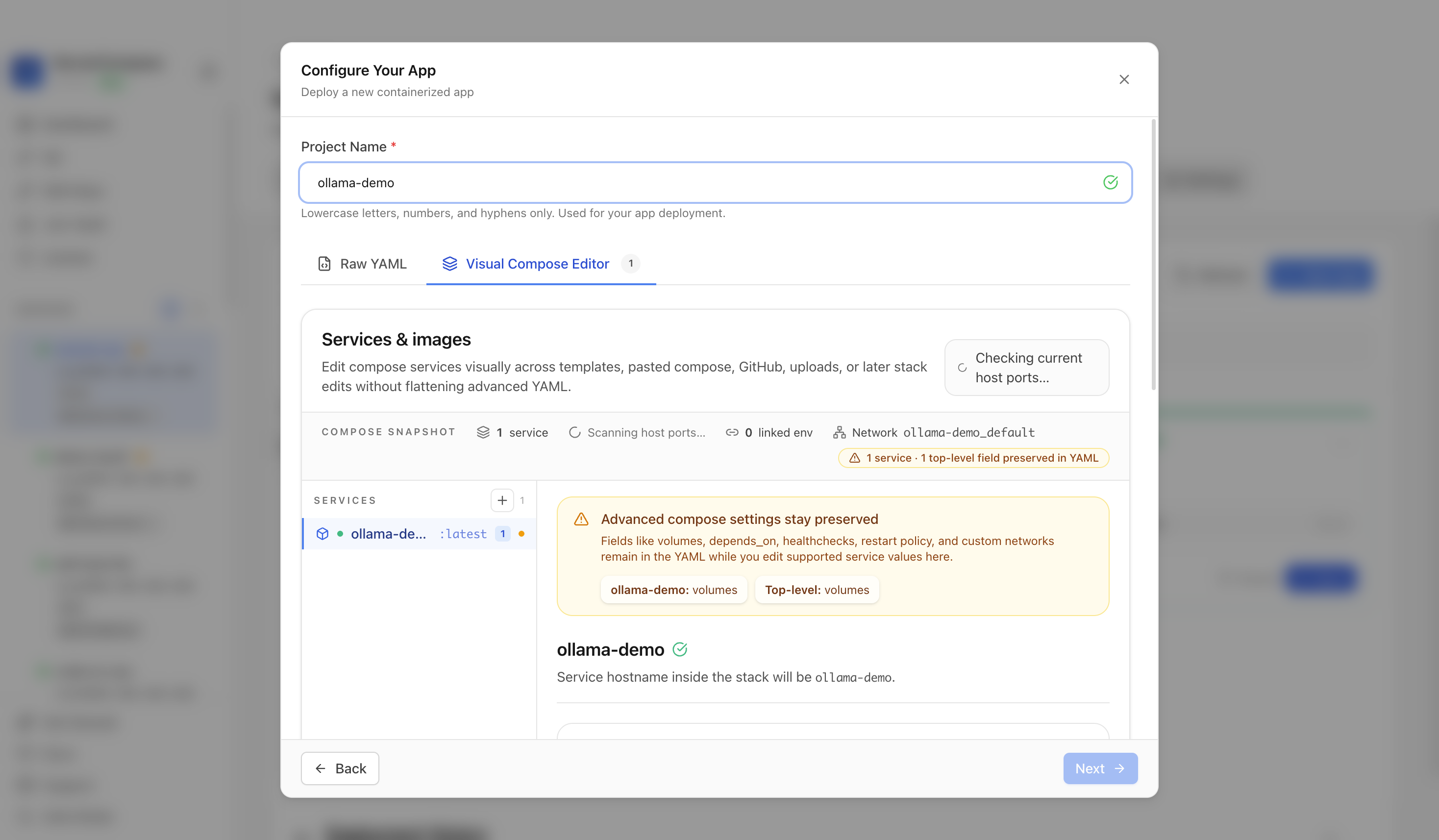
Confirm the app name and compose services. In this run, the app was named ollama-demo and used host port 11434.
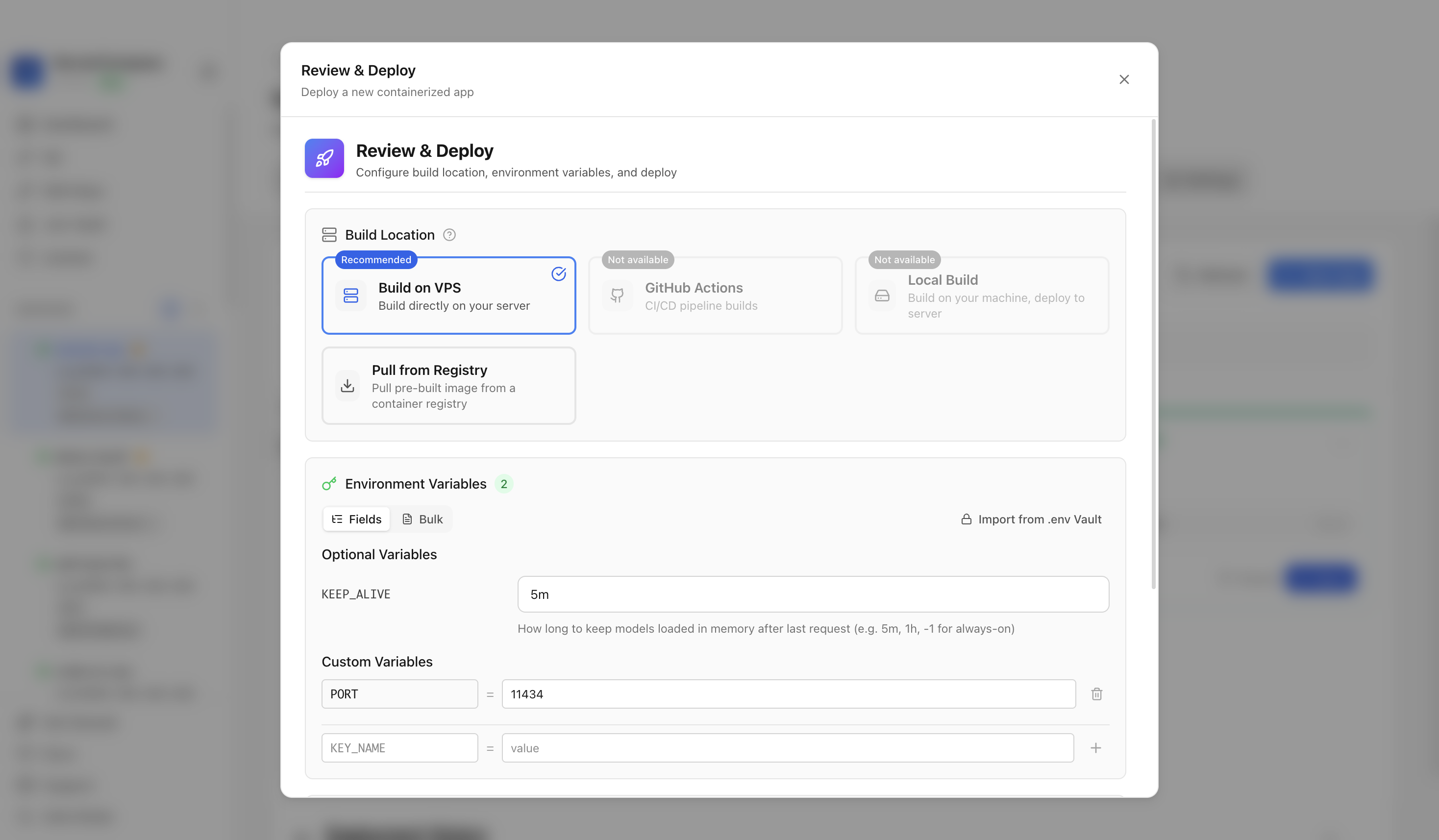
Review the generated compose settings, confirm the web port is available, and click Deploy Now.
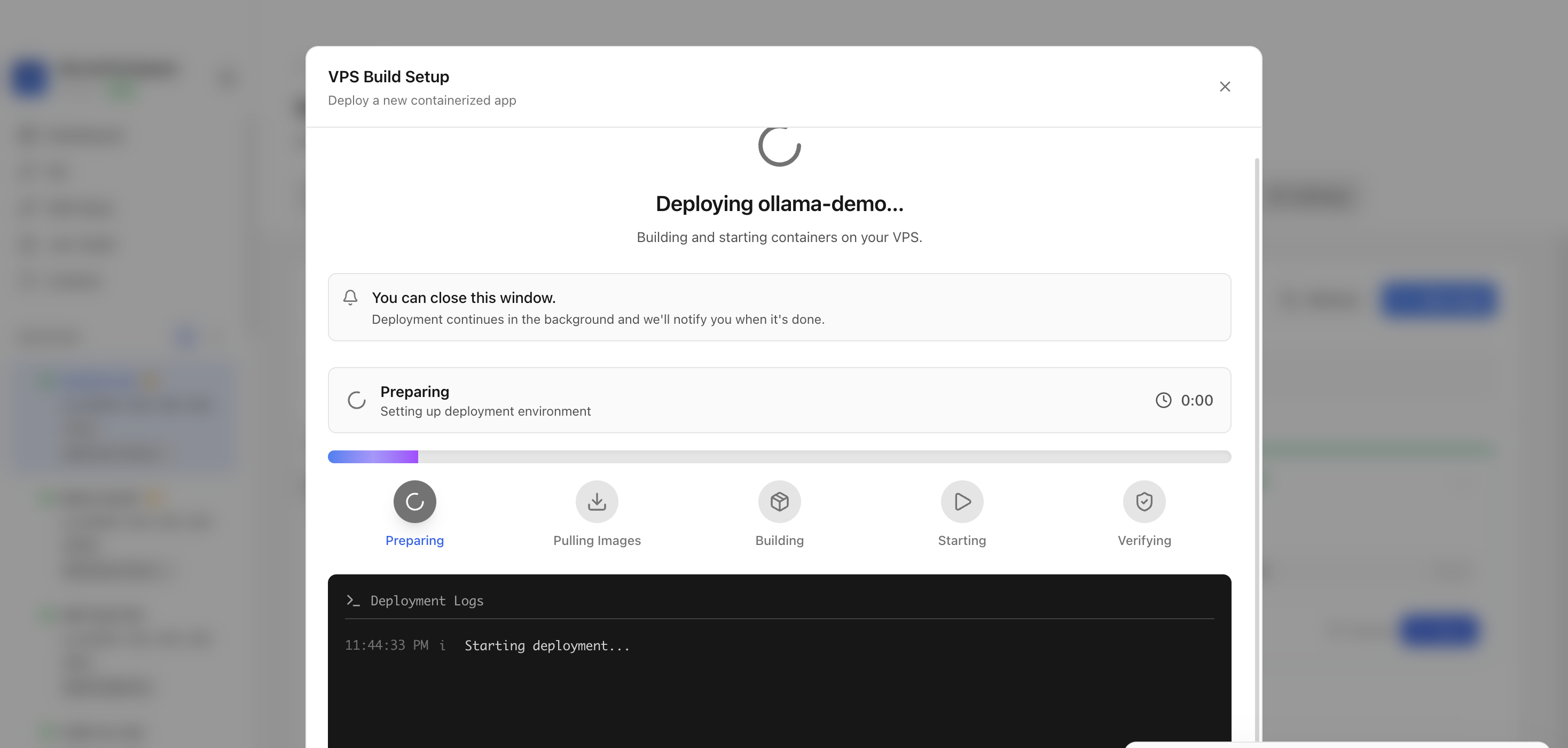
Keep the deployment modal open while Server Compass uploads the compose file, pulls the Ollama image, starts the container, and verifies the stack.
After deployment finishes, return to the Apps tab and confirm the Ollama app is marked Running with its application URL available.
Click Open Application or open the application URL in a browser. The Ollama API landing response confirms the local LLM API is reachable.

It deploys the Ollama container with a persistent `/root/.ollama` model volume and exposed Ollama API port.
The tutorial used host port 11434, which maps to the Ollama API on container port 11434.
A fresh Ollama deployment is considered reachable when the HTTP API returns the Ollama running response.
No. The deployment guide should live on the Ollama template detail page and be linked from the reusable template deployment docs page.
Learn how to self-host Ollama with this hands-on deployment guide.
Open your terminal and connect to your server. Replace the IP address with your VPS IP.
# SSH into your server
ssh root@your-server-ip

# Using a custom SSH key
ssh -i ~/.ssh/id_rsa root@your-server-ip
First time? Need Docker? Install it: curl -fsSL https://get.docker.com | sh
Set up a clean directory for your application.
# Create and navigate to project directory
mkdir -p ~/apps/ollama
cd ~/apps/ollamaSet up the container stack using this Docker Compose configuration:
services:
  ollama:
    image: ollama/ollama:latest
    ports:
      - "11434:11434"
    volumes:
      - ollama_data:/root/.ollama
    environment:
      - OLLAMA_KEEP_ALIVE=5m
    restart: unless-stopped

volumes:
  ollama_data:
PORTHost port to expose Ollama API(default: 11434)KEEP_ALIVEModel keep-alive duration(default: 5m)Launch your application stack in the background.
# Start the containers in detached mode
docker compose up -d

# Check if containers are running
docker compose ps

# View logs
docker compose logs -fConfigure your firewall to permit external connections.
# Allow the application port through firewall
sudo ufw allow 11434/tcp
sudo ufw reload

# Access your app at:
# http://your-server-ip:11434Let Server Compass handle the complexity. Deploy Ollama with a simple, intuitive interface.
After deploying Ollama with Server Compass, complete these steps to finish setup
Open the Ollama tab in ServerCompass to manage models and test the API
Pull your first model (Qwen3.5-9B recommended)
Use the API section to get endpoint URL and code snippets
Test with the built-in chat interface
Need help? Check out our documentation for detailed guides.
Common questions about self-hosting Ollama
Simply download Server Compass, connect to your VPS, and select Ollama from the templates list. Fill in the required configuration and click Deploy. The entire process takes under 3 minutes.
Ollama requires a minimum of 8192MB RAM. We recommend a VPS with at least 16384MB RAM for optimal performance. Any modern Linux server with Docker support will work.
Yes! Server Compass provides volume mapping that allows you to import existing data. You can also use standard Ollama backup and restore procedures.
Server Compass makes updates easy. Simply click the Update button in your deployment dashboard, and the latest Ollama image will be pulled and deployed with zero downtime.
Ollama is open-source software. You only pay for your VPS hosting (typically $5-20/month) and optionally Server Compass ($29 one-time). No subscription fees or per-seat pricing.

Open-source backend in a single file with realtime database, auth, and file storage

Open-source backend-as-a-service - self-hosted Firebase alternative

Open-source backend framework with dashboard

Full Supabase self-hosted with Kong, GoTrue Auth, Realtime, and Studio
Download Server Compass and deploy Ollama to your VPS in under 3 minutes. No Docker expertise required.
Download Server Compass