April 15, 2026
Migration Plan From Vercel, Railway, or Render to a Self-Hosted VPS
A rollback-first migration runbook for moving from Vercel, Railway, Render, Heroku, or another managed platform to your own VPS with config parity, staging rehearsal, backups, DNS cutover, monitoring, and a 24-hour rollback window.
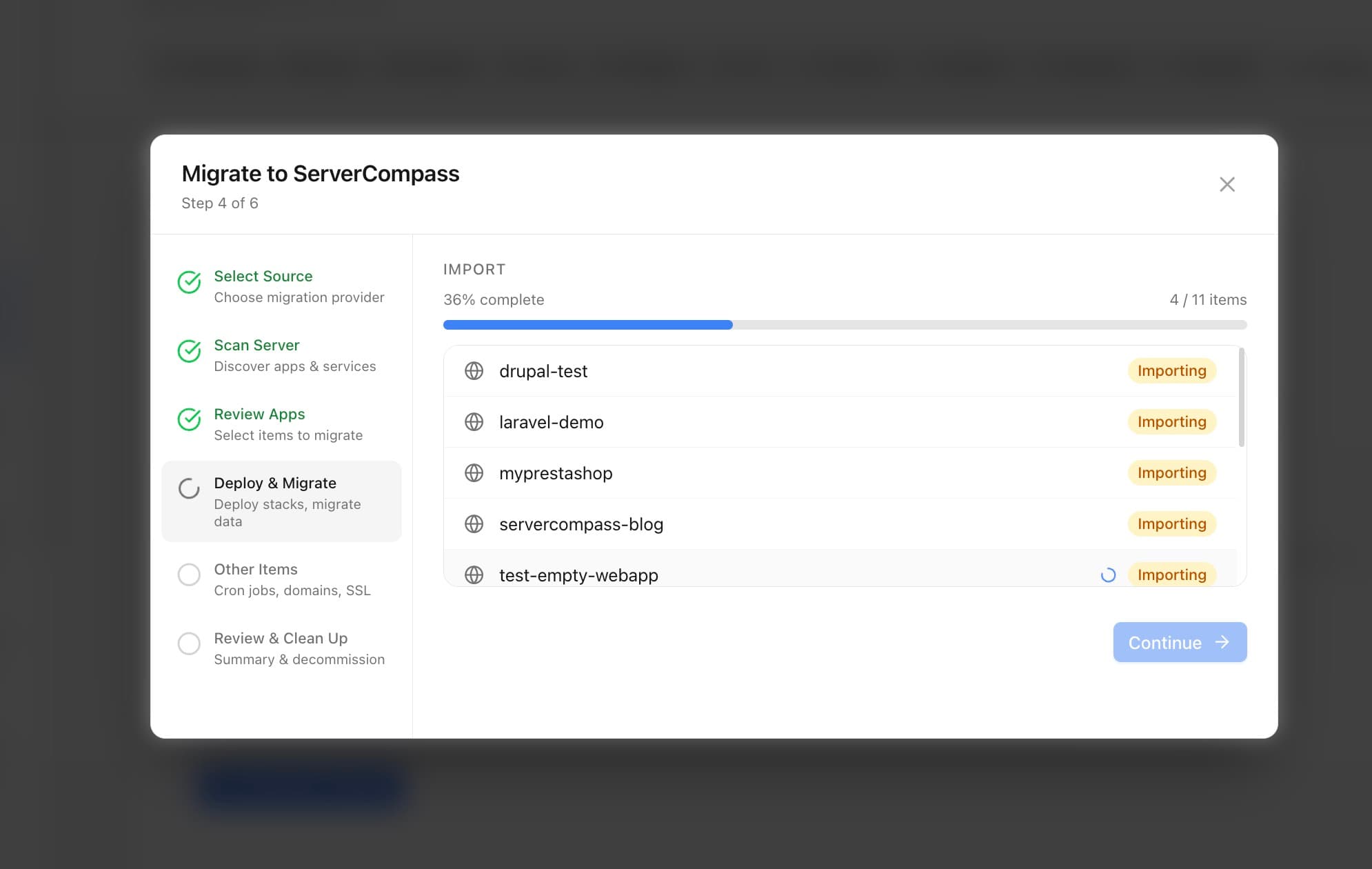
Moving from a managed platform to a VPS is usually driven by cost, control, or both. The risk is not Docker. The risk is an unplanned cutover: missing environment variables, DNS cache delays, database drift, broken background jobs, and no clear way back.
A no-regret migration is rollback-first. You rehearse the new environment, keep the old platform warm, cut DNS with low TTL, and only remove the old system after the new one has survived real traffic.
Quick answer: how do you migrate with less downtime?
To migrate from Vercel, Railway, Render, Heroku, or another managed platform to a VPS, replicate environment variables first, rehearse the app on a staging domain, back up the database and uploaded files, lower DNS TTL before cutover, switch traffic during a rollback window, and keep the old platform running for at least 24 hours.
1. Freeze writes long enough to inventory reality
Before moving anything, write down the current production shape:
- App repository, branch, build command, and start command.
- Environment variables and secrets.
- Database type, version, extensions, and connection string.
- Background workers, queues, cron jobs, and scheduled tasks.
- Domains, redirects, SSL behavior, and proxy headers.
- External integrations such as storage, email, payments, and webhooks.
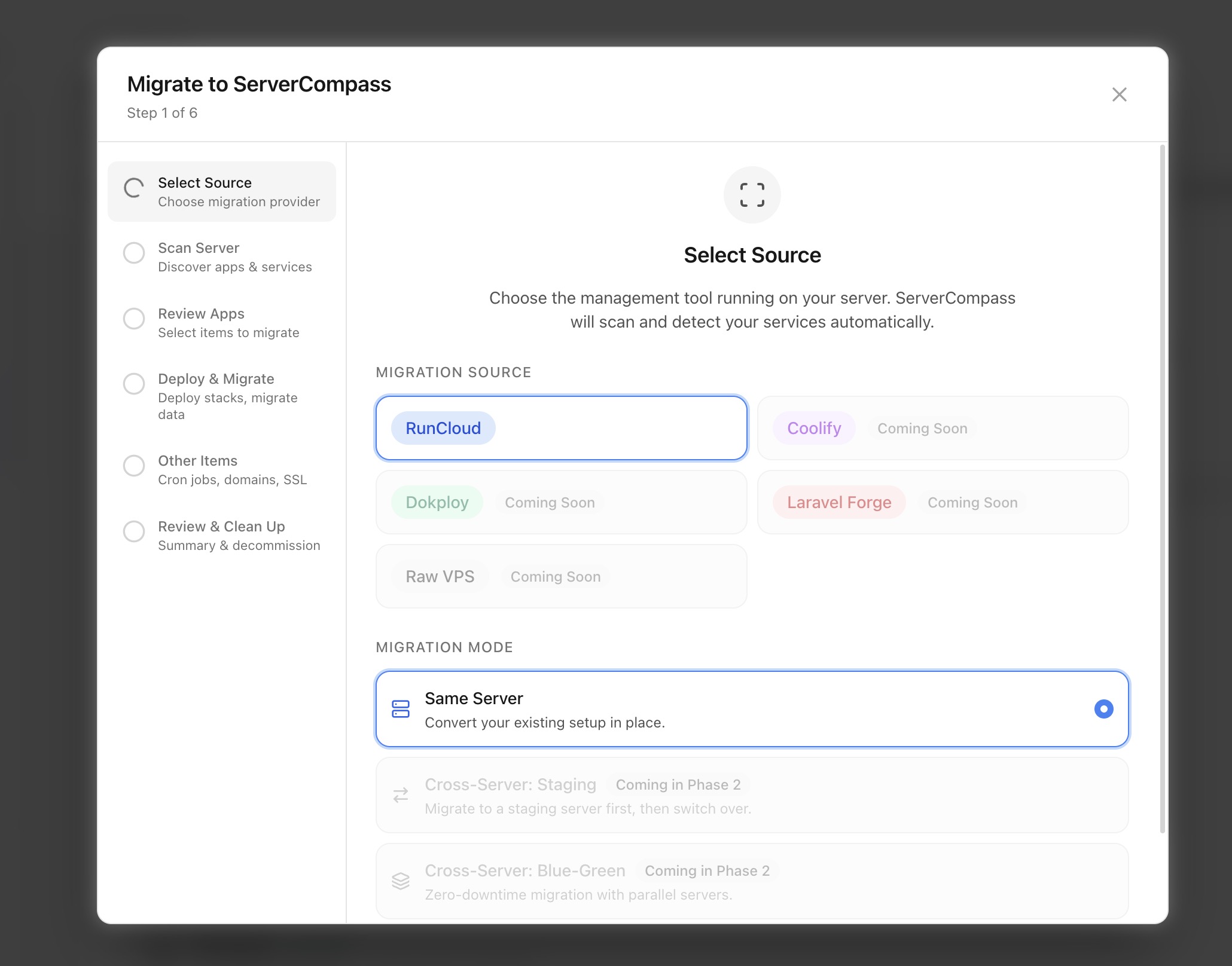
If the source is another server management platform, use the Server Compass migration wizard to discover existing apps and import what can be automated.
If the source is a hosted app platform such as Vercel, Railway, Render, Netlify, or Heroku, the same inventory still matters. Export the behavior, not just the code repository.
2. Replicate config before deploying code
Most failed migrations come from config drift. Do not wait until cutover to discover that a secret is missing or a callback URL still points at the old host.
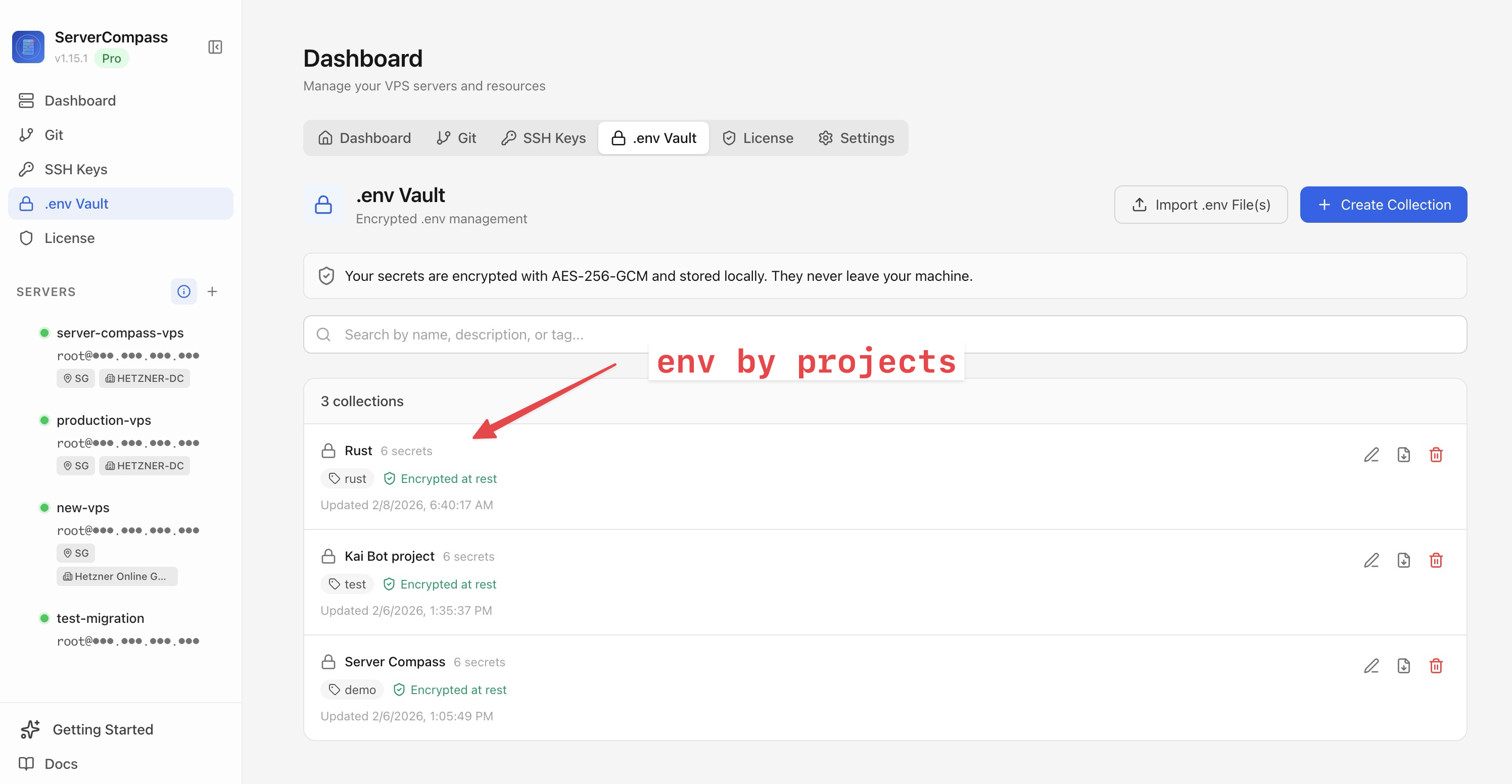
Store production variables in the Server Compass .env Vault, import them into the new app, then explicitly change only the values that should differ: database host, staging domain, debug flags, and provider credentials.
3. Rehearse in staging with production-like data
Deploy the app to the VPS under a staging domain before touching production DNS. Run smoke tests against the same paths users depend on:
- Login and session handling.
- Database reads and writes.
- File uploads and downloads.
- Email, webhooks, and background jobs.
- Payment or auth provider callbacks.
- Admin-only workflows.
Use staging or preview environments and activity logs to make each rehearsal repeatable. If the runbook only works once because someone clicked around manually, it is not ready.
4. Take backups before the cutover
A migration without a backup is a bet. Before the DNS change, capture:
- A database dump from the old platform.
- A copy of uploaded files or object storage state.
- The new VPS app configuration.
- Server-level snapshots if the VPS already has multiple services.
Server Compass supports encrypted backups and server snapshots so you can keep a restorable copy before and after migration.
5. Lower TTL before DNS cutover
Lower DNS TTL at least several hours before cutover, preferably the day before. Then verify the new VPS domain and SSL path before switching the production record.
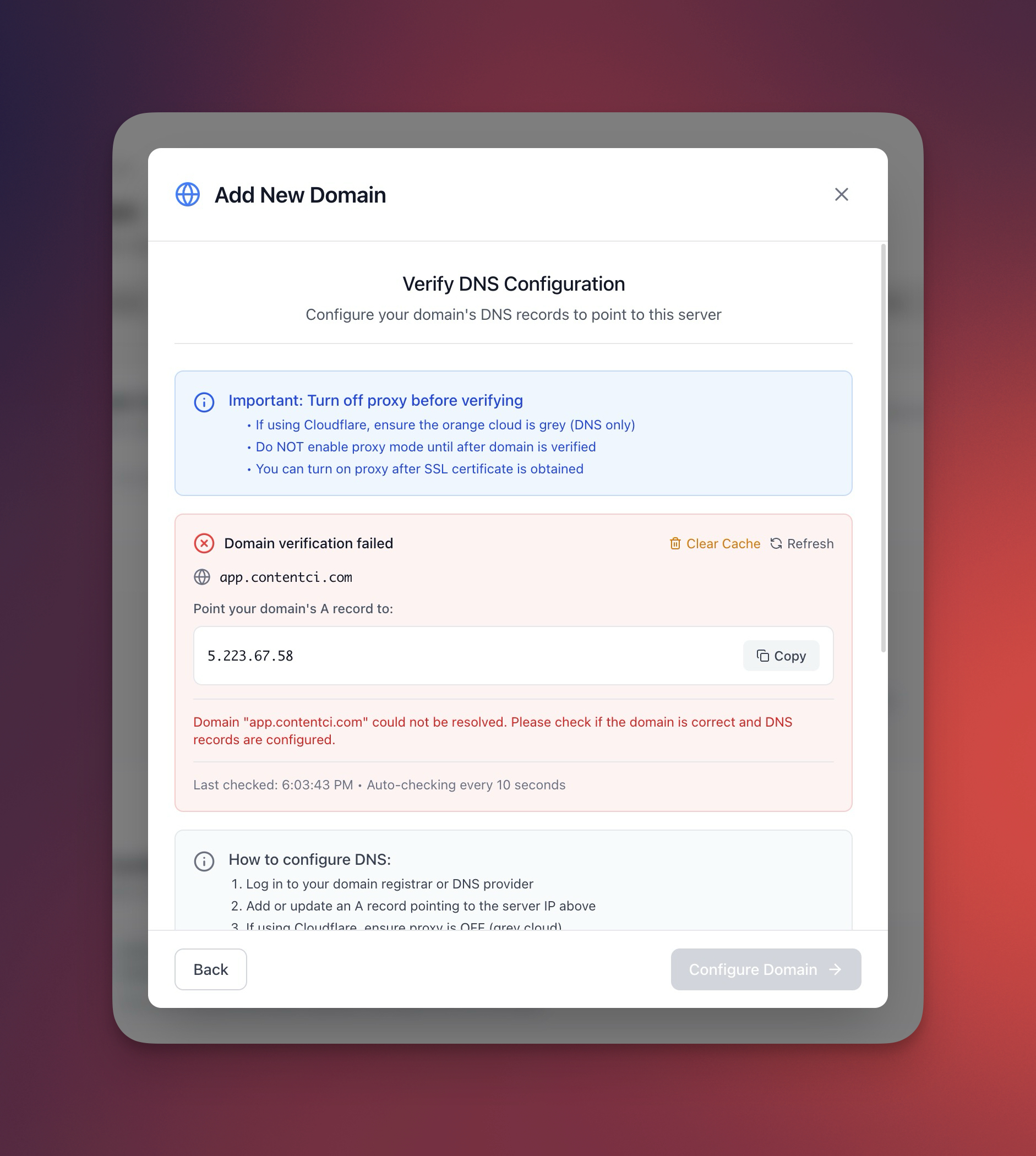
Server Compass DNS verification, automatic SSL, and certificate viewer help catch the boring domain mistakes that cause avoidable downtime.
6. Cut over with a rollback window
During the cutover window:
- Pause writes or put the app into maintenance mode if data consistency requires it.
- Run the final database dump or sync.
- Restore/import data on the VPS.
- Run smoke tests against the new app.
- Update DNS to point production traffic at the VPS.
- Watch logs, resources, and external health checks.
Keep the old platform warm for at least 24 hours. Do not delete the previous deployment, database, or environment variables immediately after the first successful request.
For high-write applications, use a shorter maintenance window and make the old platform read-only before the final sync. For low-write apps, a final dump and restore may be enough. The key is choosing the data strategy before users can write to both systems.
7. Know exactly how to roll back
The rollback plan should fit on one screen:
Failure
Rollback action
App fails boot or returns 502
Restore old DNS target and investigate VPS logs.
Database import is wrong
Keep old platform read/write, restore dump to a fresh VPS database.
New deploy is bad
Use deployment history or rollback to the previous VPS version.
VPS host issue
Rebuild from snapshot or keep traffic on old platform.
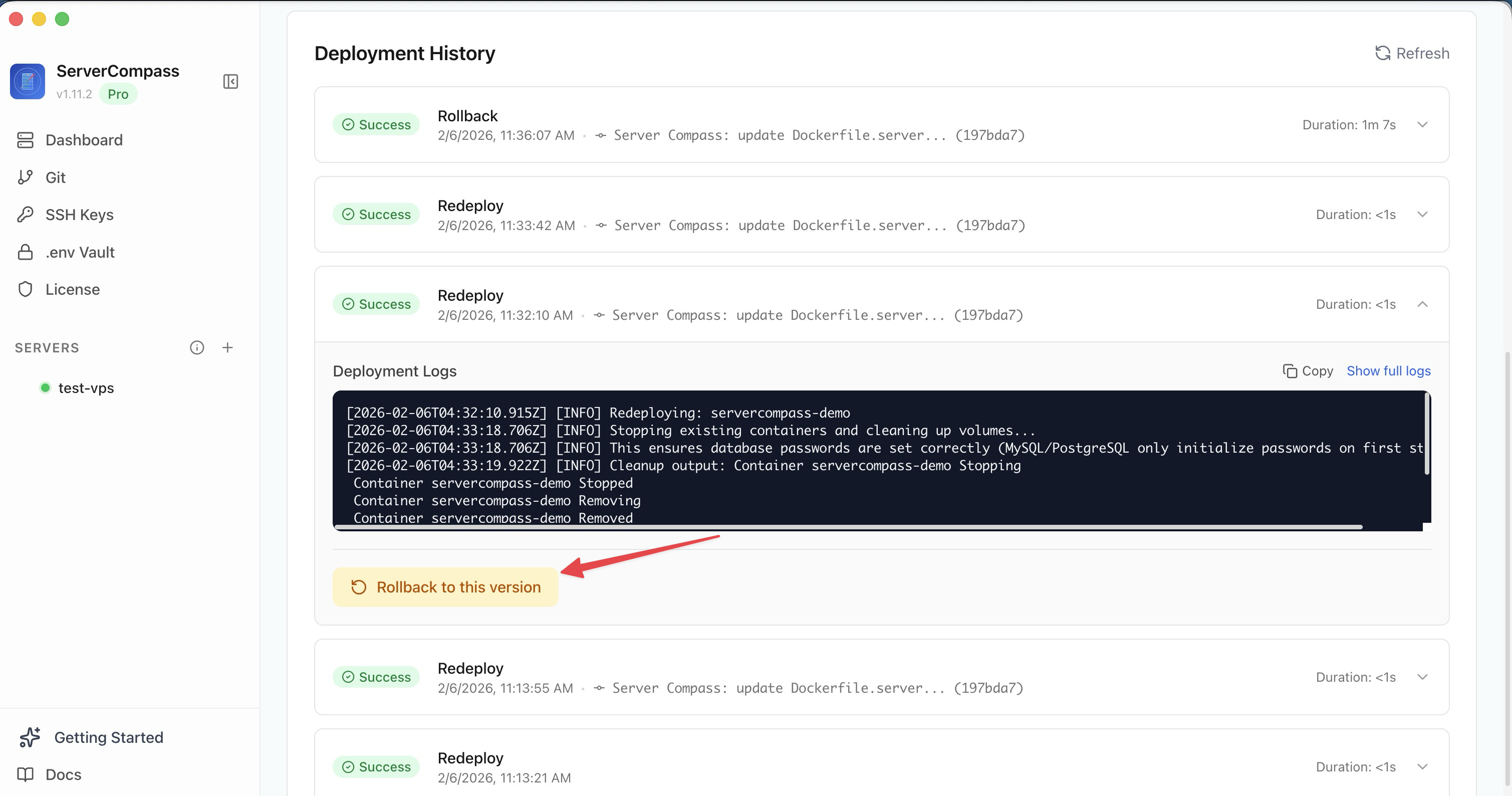
8. After 24 hours, clean up deliberately
Once the VPS has handled real traffic, review metrics, logs, backups, and error rates. Then update documentation, raise DNS TTL, remove temporary staging secrets, and decide when to retire the old platform.
Add ongoing alert rules, resource monitoring, and scheduled backups before you declare the migration finished.
The migration runbook
- Inventory production behavior and dependencies.
- Replicate environment variables and secrets first.
- Rehearse in staging with real smoke tests.
- Back up data and server configuration.
- Lower TTL before cutover.
- Keep rollback warm for 24 hours.
- Only then remove the old platform.
FAQ
Can I migrate from Vercel to a VPS?
Yes, especially for apps that can run as a Docker container or Node.js service. The main work is replacing managed assumptions: environment variables, build settings, domains, SSL, background jobs, storage, and deployment automation.
How do I migrate the database?
Take a fresh dump from the old database, restore it to the VPS or new database host, run smoke tests, then freeze writes or run a final sync during cutover. Keep the old database available until the VPS has handled real traffic.
How much downtime should I expect?
With a rehearsed cutover and low DNS TTL, small apps can often keep downtime to minutes. Apps with heavy writes or large databases need more planning because data consistency, not DNS, becomes the hard part.
Download Server Compass to import existing apps, manage config, verify domains, monitor the cutover, and keep rollback available while the migration settles.
Related in the StoicSoft network
If you're self-hosting on a VPS or working through a deployment guide like the one above, DeployToVPS is the StoicSoft network's handbook for VPS deployment recipes — docker-compose, nginx, traefik, and common app self-hosts.
From across the StoicSoft network
Hand-curated reads on the same topic from sister sites in the StoicSoft family.