March 6, 2026
Why Self-Hosting Saves Developers $600+ Per Year
Break down the real costs of PaaS platforms like Vercel, Railway, Heroku, and Netlify. See how a $5/month VPS can replace $50+/month in managed hosting fees, with a complete cost comparison calculator and getting started guide.
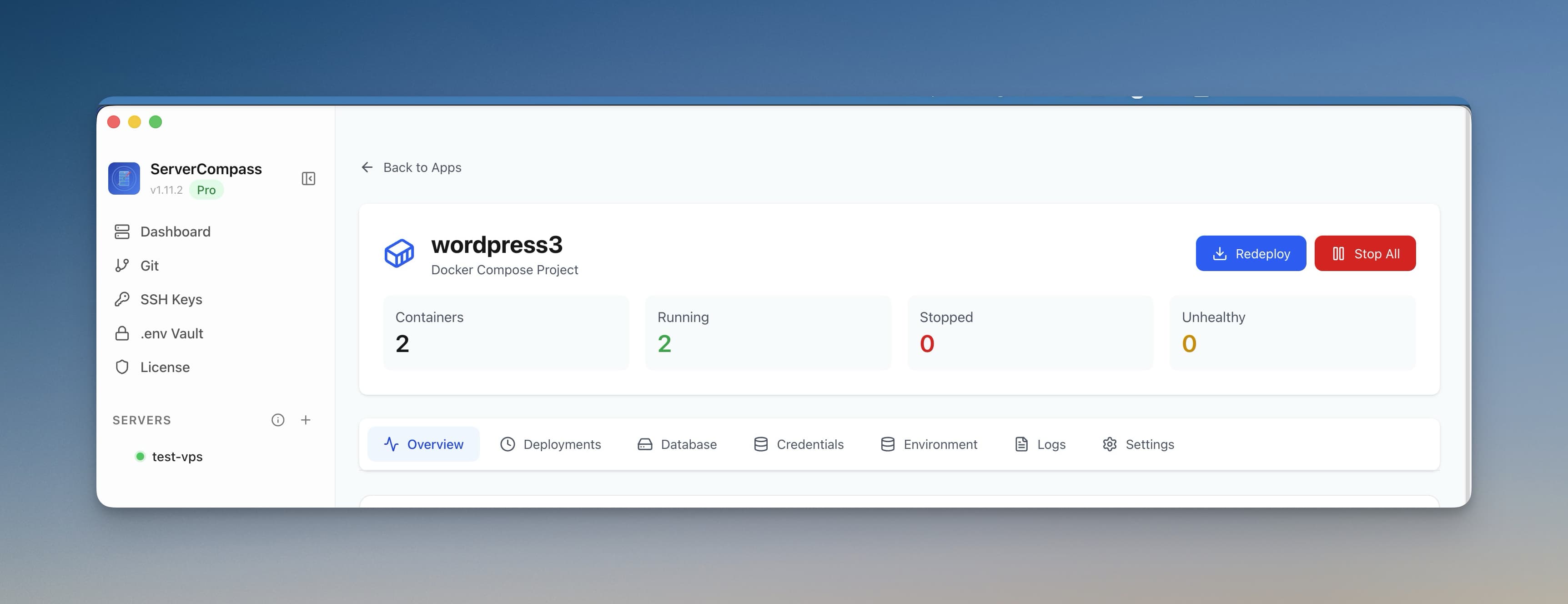
If you're a developer in 2026, there's a good chance you're paying for at least one Platform-as-a-Service (PaaS) provider. Vercel for your Next.js apps. Railway for your backend services. Maybe Heroku for that legacy project or Netlify for static sites. These platforms are convenient, polished, and incredibly easy to use.
They're also quietly draining your bank account.
The dirty secret of modern PaaS platforms is that their pricing models are designed to seem cheap at first and scale aggressively as your usage grows. What starts as a “free tier” or “just $20/month” quickly balloons into hundreds of dollars annually — often for workloads that could run on a $5/month VPS.
In this comprehensive guide, we'll break down the real costs of popular PaaS platforms, show you what you're actually paying for, and demonstrate how self hosting cost savings can put $600 or more back in your pocket every year. We'll include a real savings calculator, cost comparison tables, and a step-by-step guide to getting started.
The Hidden Costs of PaaS Platforms
PaaS platforms have mastered the art of incremental pricing. The base plan looks reasonable, but the real costs hide in the details: bandwidth overages, build minutes, serverless function invocations, team seats, and “add-ons” that should be standard features.
Let's examine what developers actually pay across the major platforms.
Common PaaS Costs Breakdown
Vercel: $240+/Year for Pro
Vercel is the darling of the Next.js ecosystem, and for good reason — the developer experience is excellent. But that experience comes at a premium.
Vercel Pro Pricing (per team member):
- Base cost: $20/month = $240/year minimum
- Bandwidth: 1TB included, then $40 per 100GB overage
- Serverless function execution: 1M included, then $0.60 per additional million
- Build minutes: 6,000/month included, then $0.025/minute overage
- Edge Middleware invocations: 1M included, then $2 per million
- Image optimization: 5,000 source images, then $5 per 1,000
Real-world scenario: A moderately successful SaaS with 10,000 monthly active users can easily hit 2TB of bandwidth and 5M function executions. That's $20 (base) + $400 (bandwidth overage) + $2.40 (functions) = $422.40/month or $5,069/year.
Even staying within limits, the $240/year baseline is just the starting point. Add a second team member and you're at $480/year. Three team members? $720/year. For hosting what could be a single Docker container.
For a deep dive into Vercel's pricing structure, see our Vercel Pricing Explained: Hidden Costs Revealed guide.
Railway: Usage Adds Up Fast
Railway markets itself as a simple, usage-based platform. Pay for what you use. Sounds fair, right? Until you realize how quickly “what you use” accumulates.
Railway Pricing:
- Hobby plan: $5/month credit included
- Pro plan: $20/month per seat + usage
- vCPU: $0.000231/minute (~$10/month for 1 vCPU 24/7)
- Memory: $0.000231/GB/minute (~$10/month for 1GB RAM 24/7)
- Network egress: $0.10/GB
- Disk storage: $0.25/GB/month
Real-world scenario: A typical Node.js API server with a PostgreSQL database:
- API server: 0.5 vCPU + 512MB RAM = ~$7.50/month
- PostgreSQL: 0.5 vCPU + 1GB RAM + 10GB disk = ~$12.50/month
- Network: 50GB egress = $5/month
- Total: ~$25/month or $300/year
Add a Redis cache, a background worker, and staging environments, and you're looking at $50-100/month or $600-1,200/year for infrastructure that fits on a single $10/month VPS.
Heroku: $84+/Year Minimum
Heroku pioneered the modern PaaS model, but its pricing hasn't aged well. After eliminating their free tier in 2022, even hobby projects require payment.
Heroku Pricing:
- Eco dynos: $5/month (sleeps after 30 minutes of inactivity)
- Basic dynos: $7/month (always on, but limited resources)
- Standard-1X: $25/month (512MB RAM)
- Standard-2X: $50/month (1GB RAM)
- Heroku Postgres Mini: $5/month (10K rows limit)
- Heroku Postgres Basic: $9/month (10M rows, no fork/follow)
- Heroku Postgres Standard: $50/month+ (production-ready)
- Heroku Redis Mini: $3/month
- Heroku Redis Premium: $15/month+
Real-world scenario: A minimal production app with one always-on dyno and a basic database:
- Basic dyno: $7/month
- Postgres Basic: $9/month
- Total: $16/month or $192/year
Need more RAM, a Redis cache, or multiple workers? You're quickly at $50-100/month or $600-1,200/year.
Netlify: $348+/Year for Teams
Netlify excels at static sites and Jamstack deployments, but their pricing for anything beyond hobby use is steep.
Netlify Pricing:
- Pro plan: $19/month per member = $228/year minimum
- Bandwidth: 1TB included, then $55 per 100GB
- Build minutes: 25,000/month, then $7 per 500 minutes
- Serverless functions: 125K/month, then $25+ per 2M
- Forms: 100 submissions/month on Pro, then $19/month extra
- Identity (auth): 1,000 active users, then $99/month for 10K
Real-world scenario: A team of two running a SaaS with authentication:
- Pro plan (2 seats): $38/month
- Identity add-on: $99/month (for 10K users)
- Form submissions: $19/month
- Total: $156/month or $1,872/year
Even a single developer on Pro paying just the base rate is at $228/year for what's essentially static file hosting with some serverless sprinkles.
VPS Cost Reality: What You Actually Need
Now let's look at what a VPS actually costs. These are real prices from major providers as of 2026:
Budget VPS Options
Provider
Plan
Specs
Monthly
Yearly
DigitalOcean
Basic Droplet
1 vCPU, 1GB RAM, 25GB SSD, 1TB transfer
$6
$72
Hetzner
CX22
2 vCPU, 4GB RAM, 40GB SSD, 20TB transfer
$4.35
$52
Vultr
Cloud Compute
1 vCPU, 1GB RAM, 25GB SSD, 1TB transfer
$5
$60
Linode
Nanode
1 vCPU, 1GB RAM, 25GB SSD, 1TB transfer
$5
$60
The $5/month Droplet or Hetzner server can run:
- Multiple web applications (Next.js, Django, Laravel, etc.)
- PostgreSQL or MySQL database
- Redis for caching
- Background job workers
- Monitoring tools (Uptime Kuma, Grafana)
- Automatic SSL via Let's Encrypt
- Unlimited deployments
- Unlimited bandwidth (within reason)
That's a complete production stack for $60/year. Compare that to the $300-1,200/year you'd pay on PaaS platforms for equivalent workloads.
Higher-Resource VPS Options
Need more power? VPS pricing scales linearly, unlike PaaS platforms where costs can explode unexpectedly:
Provider
Specs
Monthly
Yearly
Hetzner CX32
4 vCPU, 8GB RAM, 80GB SSD
$7.50
$90
DigitalOcean
4 vCPU, 8GB RAM, 160GB SSD
$48
$576
Hetzner CX42
8 vCPU, 16GB RAM, 160GB SSD
$15
$180
Even a beefy 8 vCPU/16GB RAM server from Hetzner costs just $180/year. That's less than a single Vercel Pro seat for an entire year.
Real Savings Calculator
Let's calculate the actual savings for common scenarios. These numbers assume you're moving from a PaaS to a self-hosted VPS.
Scenario 1: Solo Developer with Side Projects
Platform
Monthly Cost
Yearly Cost
Vercel Pro (1 seat)
$20
$240
Railway (hobby usage)
$15
$180
PaaS Total
$35
$420
Hetzner VPS (CX22)
$4.35
$52
Annual Savings
$368/year
Scenario 2: Small SaaS (One Product)
Platform
Monthly Cost
Yearly Cost
Vercel Pro (2 seats)
$40
$480
Railway (API + DB + Redis)
$35
$420
PaaS Total
$75
$900
DigitalOcean Droplet (4GB)
$24
$288
Annual Savings
$612/year
Scenario 3: Agency with Multiple Clients
Platform
Monthly Cost
Yearly Cost
Vercel Pro (3 seats)
$60
$720
10 client sites on Netlify
$190
$2,280
PaaS Total
$250
$3,000
2x Hetzner VPS (CX32)
$15
$180
Annual Savings
$2,820/year
For agencies, the savings are dramatic. Instead of paying per-site or per-seat, you pay for raw compute. A single VPS can host 10+ client sites, and you can scale by adding more servers as needed.
What You Get with Self-Hosting
Beyond the cost savings, self-hosting gives you capabilities that PaaS platforms either don't offer or charge extra for:
Unlimited Deployments
PaaS platforms count your builds. Self-hosting? Deploy as many times as you want. Run continuous deployment on every commit. No build minute limits, no throttling.
Predictable Costs
Your VPS costs the same every month. No surprise bills from traffic spikes. No bandwidth overages. Your server handles the load or you upgrade — your choice, your timeline.
Full Control Over Your Stack
- Install any software or service
- Run long-running processes and cron jobs
- Configure your database exactly how you want
- Use any version of Node.js, Python, Go, or Rust
- Set up custom caching layers
- Run multiple apps on one server
Data Privacy and Compliance
Your data stays on your server. No third-party has access to your database, logs, or environment variables. This simplifies GDPR compliance and client trust for agencies.
No Cold Starts
Your applications are always running. No serverless cold starts adding 500ms-2s to requests. Consistent, fast response times for your users.
No Vendor Lock-In
Standard Docker containers run anywhere. Not happy with your VPS provider? Migrate in hours, not weeks. Your deployment isn't tied to proprietary Edge Functions or platform-specific APIs.
The “Complexity” Myth: It's Easier Than You Think
The most common objection to self-hosting: “But it's so complicated!”
This was true in 2015. It's not true in 2026.
Modern deployment tools have eliminated the DevOps knowledge gap. You don't need to know how to configure Nginx by hand. You don't need to write Dockerfiles from scratch. You don't need to set up SSL certificates manually.
What Used to Be Required
- SSH into your server and run manual commands
- Configure Nginx or Apache virtual hosts
- Set up SSL with certbot
- Write Docker Compose files
- Build CI/CD pipelines from scratch
- Configure firewalls and fail2ban
- Set up monitoring and alerting
What Modern Tools Provide
- Visual interfaces for server management
- One-click app deployments
- Automatic SSL certificate provisioning
- Auto-generated Dockerfiles based on your framework
- Built-in CI/CD from GitHub
- Security hardening with a single toggle
- Pre-configured monitoring dashboards
The learning curve has collapsed. What took a dedicated DevOps engineer in 2015 now takes any developer 30 minutes to set up.

Tools That Make Self-Hosting Easy
Several tools have emerged to give you PaaS-level convenience on your own VPS:
Server Compass
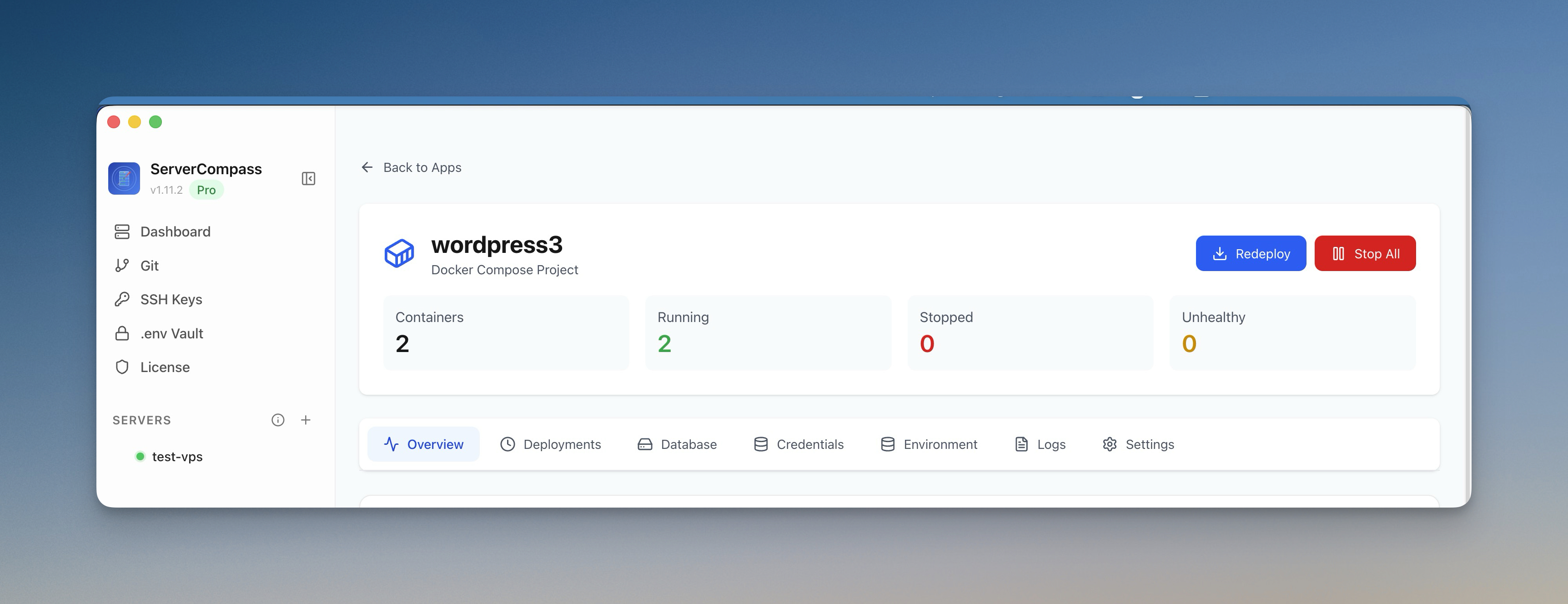
Server Compass is a desktop app that turns any VPS into a deployment platform. Key features:
- Framework detection: Automatically detects 16+ frameworks and generates optimized Dockerfiles
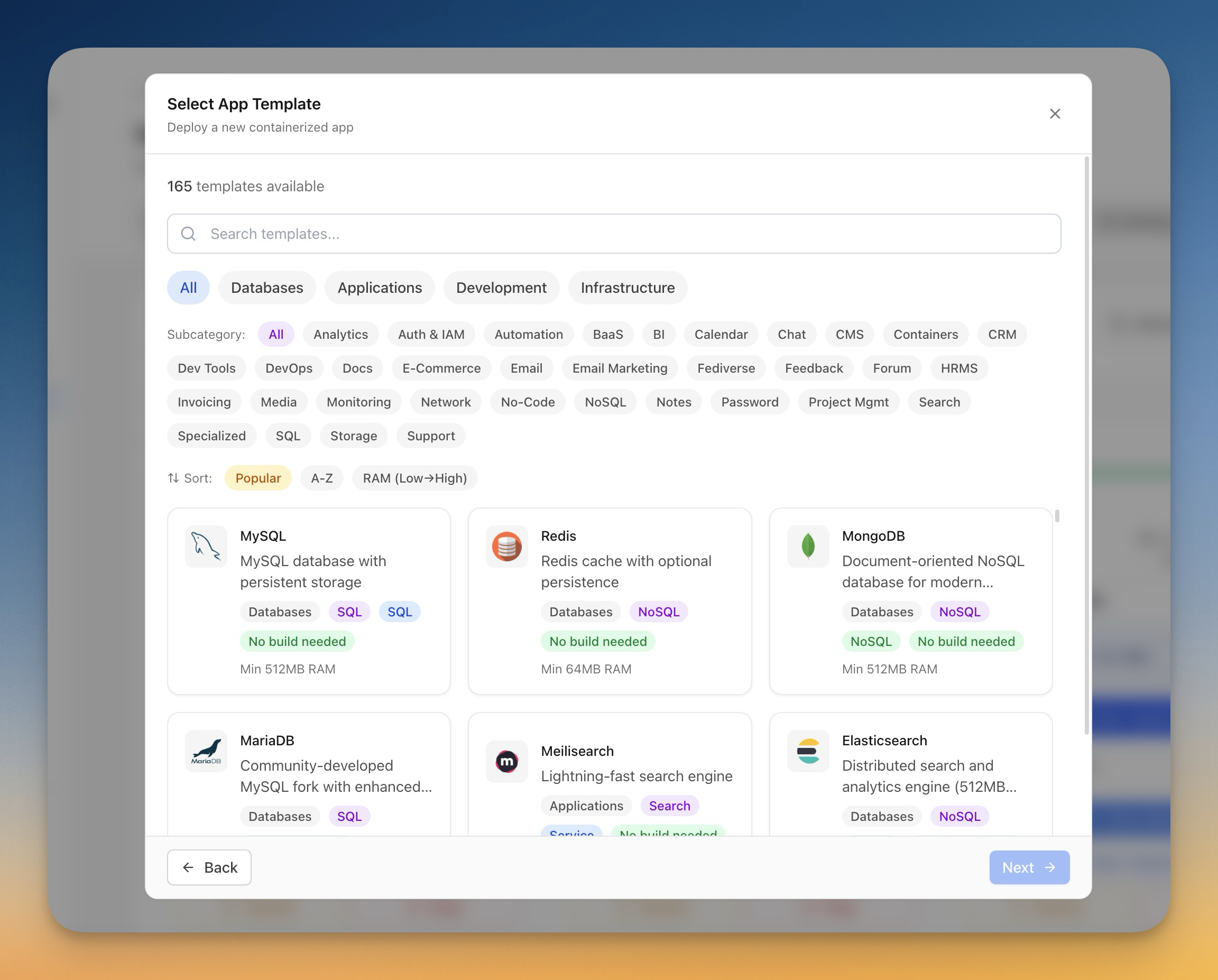
- One-click templates: Deploy 166+ applications (databases, CMS, tools) instantly
- Zero-downtime deployments: Blue-green deployments built in
- GitHub integration: Connect your repo, auto-deploy on push
- Automatic SSL: Let's Encrypt certificates for every domain
- Security tools: Firewall management, fail2ban, SSH hardening
- No server agent: Connects via SSH only when needed
Server Compass costs $29 one-time — not a subscription. Deploy unlimited apps to unlimited servers forever.
Other Self-Hosting Tools
- Coolify: Open-source, self-hosted. Requires installation on your VPS. Good for single-server setups.
- CapRover: Open-source PaaS you install on your server. Docker-based with a web UI.
- Dokku: Heroku-style git push deployments. Command-line focused.
For a detailed comparison, see our guide to the Best Self-Hosted Deployment Platforms in 2026 .
Cost Comparison Table: 1 Year vs 3 Years
Let's put all the numbers together. This table compares the total cost of ownership for a typical small SaaS (frontend + API + database + Redis):
1-Year Cost Comparison
Solution
Year 1 Cost
Includes
Vercel + Railway + managed Redis
$720
Frontend hosting, API, DB, cache
Heroku (Standard-1X + Postgres + Redis)
$840
1 dyno, basic DB, mini Redis
Render (Starter + DB + Redis)
$504
Web service, Postgres, Redis
Netlify Pro + external backend
$600+
Frontend only, backend extra
VPS + Server Compass
$89
$60 VPS + $29 tool (one-time)
3-Year Cost Comparison
Solution
Year 1
Year 2
Year 3
3-Year Total
Vercel + Railway
$720
$720
$720
$2,160
Heroku
$840
$840
$840
$2,520
Render
$504
$504
$504
$1,512
VPS + Server Compass
$89
$60
$60
$209
Over 3 years, self-hosting saves $1,300 to $2,300 compared to PaaS platforms. The savings only compound over time because your VPS cost stays flat while you 've already paid for your deployment tool.
Getting Started: Your First Self-Hosted Deployment
Ready to make the switch? Here's a step-by-step guide to deploying your first application on your own VPS:
Step 1: Get a VPS (5 minutes)
Sign up for a VPS provider. We recommend:
- Hetzner (best value, EU servers): 4GB RAM for $4.35/month
- DigitalOcean (great UI, US/EU/Asia): 1GB RAM for $6/month
- Vultr (global locations): 1GB RAM for $5/month
Choose Ubuntu 22.04 or 24.04 LTS as your OS. Note down your server's IP address and root password.
Step 2: Set Up Your Deployment Tool (5 minutes)
Download Server Compass for Mac, Windows, or Linux. Launch the app and add your server by entering the IP address and credentials. Server Compass will automatically:
- Set up SSH key authentication
- Install Docker and required dependencies
- Configure automatic security updates
- Set up the firewall with sensible defaults
Step 3: Connect Your GitHub Repository (2 minutes)
Authenticate with GitHub OAuth and select the repository you want to deploy. Server Compass will analyze your project and detect the framework automatically.
Step 4: Deploy (3 minutes)
Click deploy. Server Compass will:
- Generate an optimized Dockerfile for your framework
- Build your application
- Deploy with zero-downtime (blue-green)
- Set up SSL automatically
- Configure your domain
Your app is now live on your own server. Total time: about 15 minutes.
Step 5: Add a Database (Optional, 1 minute)
Need PostgreSQL, MySQL, or Redis? Go to the Templates section and click deploy. Your database will be running alongside your app in seconds, with connection strings automatically available.
When PaaS Still Makes Sense
Self-hosting isn't for everyone. PaaS platforms still make sense when:
- You need global edge distribution: Vercel's Edge Network is genuinely excellent for latency-critical applications.
- You're truly serverless: Sporadic workloads with long idle periods can be cheaper on serverless platforms.
- You need enterprise support: Large organizations with SLAs and compliance requirements may need vendor support.
- You're under free tier limits: If you genuinely fit in free tiers, there's no reason to change.
But if you're paying $50+/month for any PaaS platform, you should seriously consider the self-hosted alternative.
Frequently Asked Questions
Is self-hosting hard to maintain?
Not anymore. Modern tools handle updates, SSL renewals, and security patches automatically. With Server Compass, your server maintenance is a few clicks per month, not hours of terminal work.
What about security? Am I responsible now?
You're responsible, but modern tools make it easy. Server Compass includes automatic SSL, firewall configuration, fail2ban setup, and SSH hardening. You get enterprise-grade security without the expertise requirement.
Can I scale if my app goes viral?
Absolutely. Vertical scaling (upgrading your VPS) takes minutes. Horizontal scaling (adding more servers) works the same way — add a new VPS and deploy. Unlike PaaS platforms where viral traffic means viral bills, your VPS costs stay predictable.
What if my server goes down?
Major VPS providers (DigitalOcean, Hetzner, Vultr) have 99.99% uptime SLAs. For critical applications, you can run multiple servers behind a load balancer, or use managed database services while self-hosting the application layer.
How hard is it to migrate from Vercel/Railway/Heroku?
Surprisingly easy. Your code doesn't change — only where it runs. Most migrations take 1-2 hours. See our Vercel alternative guide for detailed migration steps.
Is the $600+/year savings worth the setup time?
Let's do the math. Setup takes about 2 hours. If you save $600/year, that's effectively $300/hour for your time. Over 3 years, you save $1,500-2,500 for 2 hours of initial work. Yes, it's worth it.
Conclusion: Take Control of Your Hosting Costs
The PaaS convenience tax is real. Every month, developers collectively pay millions of dollars for infrastructure that could run on commodity VPS servers at a fraction of the cost.
Self-hosting in 2026 is not the nightmare it was a decade ago. The tools have caught up. The complexity has been abstracted away. What remains is a simple value proposition: pay $60/year for a VPS instead of $600+/year for managed platforms.
The self hosting cost savings are undeniable:
- $368-612/year for solo developers
- $600-1,200/year for small SaaS companies
- $2,000-5,000/year for agencies
That's real money that could go toward marketing, hiring, or extending your runway.
Ready to stop paying the PaaS tax? Try Server Compass — $29 one-time, no subscription. Deploy unlimited apps to unlimited servers on your own infrastructure. Your server, your rules, your savings.
View pricing | Compare to Vercel | Browse 166+ templates
Related in the StoicSoft network
If you're self-hosting on a VPS or working through a deployment guide like the one above, DeployToVPS is the StoicSoft network's handbook for VPS deployment recipes — docker-compose, nginx, traefik, and common app self-hosts.
From across the StoicSoft network
Hand-curated reads on the same topic from sister sites in the StoicSoft family.
 1DevTool11 min read
Self-Hosted AI Coding Assistant Workflow: Practical Setup Guide
A self-hosted AI coding workflow needs more than model hosting. You need environment control, connector governance, and reproducible operations. This guide covers the practical stack.
Read on 1devtool.com 1DevTool10 min read
One-Time Purchase Code Editor Alternatives in 2026
Subscription fatigue is real for individual developers and small teams. Here is a framework for evaluating one-time purchase code editor alternatives without sacrificing AI workflows.
Read on 1devtool.com