Back to ChangelogDownload
v1.23.0May 7, 2026
1DevTool Handoff
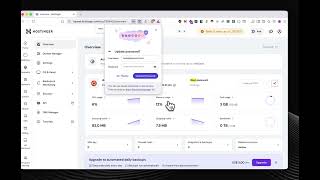
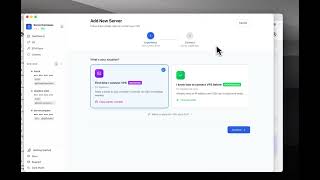
Server Compass now receives one-click deployment handoffs from the 1DevTool desktop app — pick a VPS, and the Stack Wizard skips source selection because it already has the compose YAML, Dockerfile, env vars, and Git remote. Plus a privacy-aware server picker, analytics consent on first launch, and a new Privacy Settings panel.
Download v1.23.0
Get this version from GitHub Releases
What's Changed
New Features
5- Deploy projects straight from 1DevTool — Hand off a project from the 1DevTool desktop app and Server Compass takes over the deploy with one click. A pop-up modal lets you pick which VPS to deploy to. The Stack Wizard skips source selection — Server Compass picks the right deploy lane (compose, GitHub repo, or local upload) based on what 1DevTool sent. Pre-fills project name, compose YAML, Dockerfile, environment variables, and Git remote where they exist. A
Source: 1DevToolbadge in the wizard header makes it clear where the deploy came from. - Auto-upload for local-folder deploys — When the handoff is a local folder, the upload to your VPS starts immediately on the chosen server with no extra
choose folderprompt. - Privacy-aware server picker — The picker masks IPs and server names when your privacy toggles are on, matching the dashboard.
- Analytics consent on first launch — Decide whether to share anonymous usage data on first run; change your mind any time.
- New Privacy Settings panel — Manage analytics preferences and review what's collected from one place.
Related Resources
Related Topics
1devtool handoffdeployprivacyanalytics consent