Your servers on your phone (without your keys ever leaving the desktop), command snippets, and terminal session replay
Control your servers from a phone without moving SSH credentials off the desktop, reuse command snippets, record and replay terminal output, extend backups to the whole server, and choose the exact image tag for a redeploy.
Download v1.40.0
Get this version from GitHub Releases
What's Changed
New Features
19- Open your servers in a phone browser — turn on Remote access in Settings, scan the QR code with your phone camera, and your servers, apps, and terminals are in your pocket
- What you can do from the phone
- Every paired device has its own access level — a device you just paired can only look; raise it to Operator to let it act, or Admin for everything, and revoke it at any time
- Remote access requires an activated license
- A new Snippets screen in the Dashboard holds your reusable commands, with search, folders, and grid or list view
- A Snippets button in every terminal — insert a command at the prompt to edit it first, or insert and run it in one click
- Your snippets are on the phone too — run any of them from the remote terminal
- A new Sessions tab under a server's Advance section lists every terminal session you've opened on that server, with when it started and how long it ran
- Replay a session exactly as it happened — play and pause, speed it up to 2× or 4×, and skip the gaps where nothing was happening
- Export a session — as plain text with sensitive values scrubbed out, or as the raw recording for use elsewhere
- Only what the server printed is recorded, never what you typed — passwords entered at hidden prompts are never stored, and recordings stay on your device
- You decide how long to keep them — 7 days, 30 days, 90 days, or a year, with the oldest removed first, or switch recording off entirely
- Databases you never registered are now backed up — Server Compass finds every MySQL/MariaDB, PostgreSQL and MongoDB running on the server, whether it lives inside one of your Docker apps or directly on the host, and dumps each one
- System cron files — the scheduled jobs living outside a user's own crontab are captured too
- System configs and packages — key configuration files, the list of installed packages, and which services are enabled, so a rebuilt server can be brought back to the same shape
- Web roots —
/var/www, CloudPanel site folders, and the document roots detected from your nginx, Apache or Caddy configuration - All four are off by default — turn on only what you want in the new Full server coverage section of Backup settings
- Restoring is deliberate, never destructive — pick exactly which discovered databases and web roots to bring back, while cron files and system configuration are placed in a folder on the server with a short README for you to review and apply yourself
- Redeploying an app that runs a published image now asks which tag to pull — prefilled with the tag currently running, so a redeploy never silently jumps you to a different version
Improvements
3- Stop and start individual containers from the Apps list — expand the container count on any app card or table row to control each service, without opening the app first
- Redeploying a published-image app now shows progress — the same live deployment view every other app already had, instead of finishing silently
- Servers with a long command history stay responsive — trimming old entries no longer slows down every command you run
Bug Fixes
6- Fixed pasting a multi-line command into a terminal turning into one mangled line — each line now runs as if you had typed it and pressed Enter
- Fixed Cmd+V pasting the same command twice
- Fixed long lines wrapping in the wrong place after resizing a terminal window — the server is now told the new size, so editors and prompts line up correctly
- Fixed output from editors, pagers and progress bars redrawing on the wrong line and garbling the terminal
- Fixed a database password appearing in the command log while a backup was running
- Fixed switching an app to a different image version being ignored during a zero-downtime redeploy — the change is now applied instead of quietly deploying the old version
Screenshots
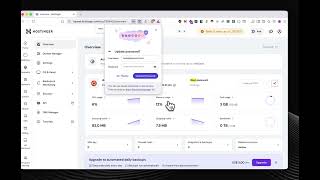
Remote access settings showing local network and Cloudflare Tunnel connection modes with device expiry controls
Link a device panel showing a QR code and phone pairing instructions
Mobile browser dashboard showing managed servers and app controls
Mobile terminal connected to a server with command controls
Snippets library showing reusable commands organized for quick access
Command template browser showing reusable Linux server commands ready to import
Recorded terminal sessions list with replay, export, retention, and privacy controls
Terminal session replay modal with playback speed, skip-idle, and export controls