Deploy with Local Build
Build Docker images on your machine and deploy directly to your server without cloud CI/CD.
How local build works
Local build lets you use your machine's resources for Docker builds:
- Server Compass builds the Docker image on your local machine
- The built image is pushed directly to your server via SSH
- The container is started on the server
No cloud CI/CD services, no container registries, no third-party accounts needed.
Starting a local build deploy
- Open the Stack Wizard
- Select Local Build as the build location
- Choose your project directory or Dockerfile
- Server Compass detects the framework and generates a Dockerfile if needed
- Configure environment variables and ports
- Click Deploy — the image builds locally and is transferred to your server
Upload code to deploy
For projects without a Dockerfile:
- Select Upload Code in the Stack Wizard
- Pick a folder from your computer
- Server Compass auto-detects the framework (Next.js, Django, Laravel, etc.)
- A Dockerfile is generated automatically
- Upload progress is tracked in real-time
- The app is built and deployed on the server
Screenshots
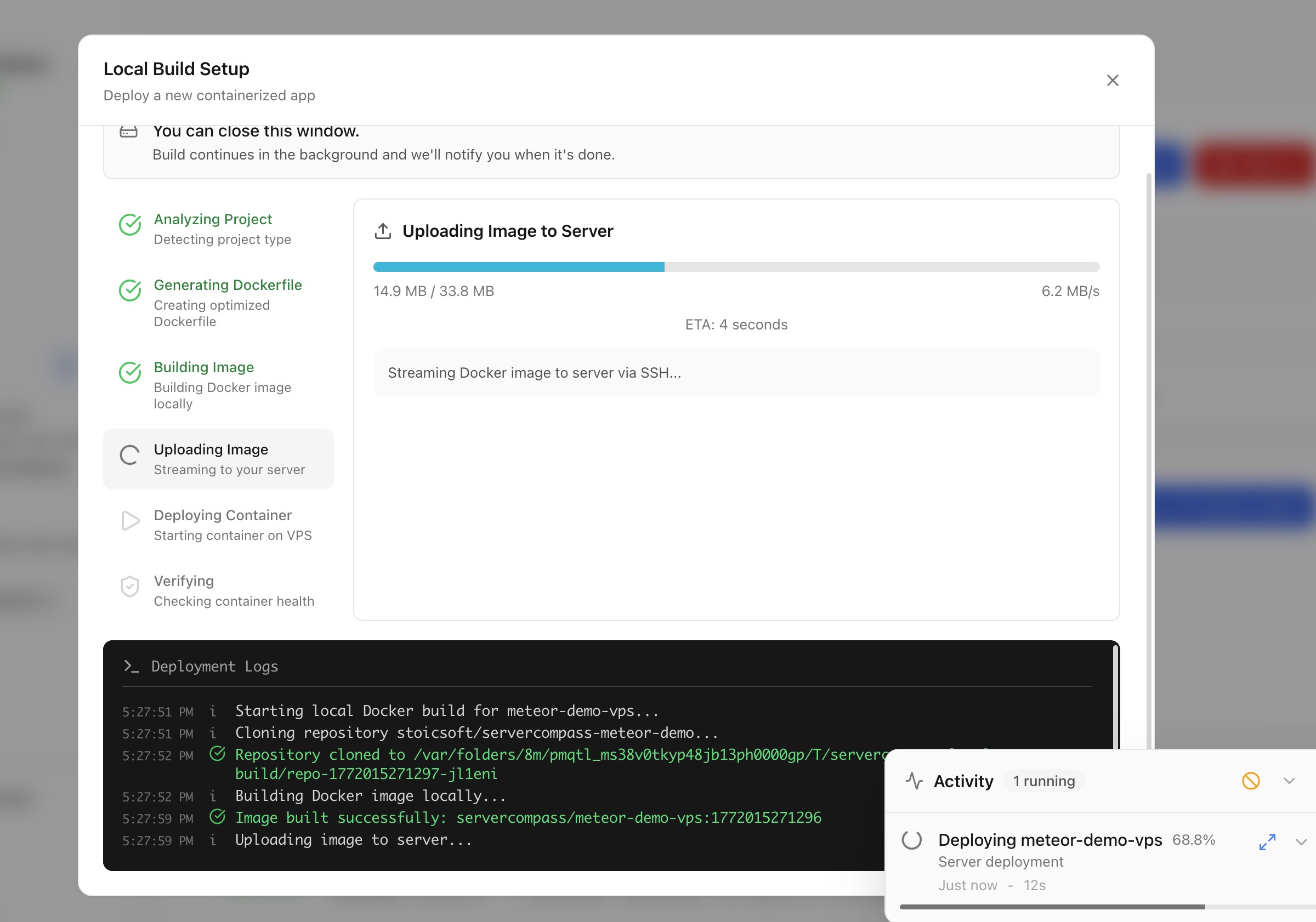
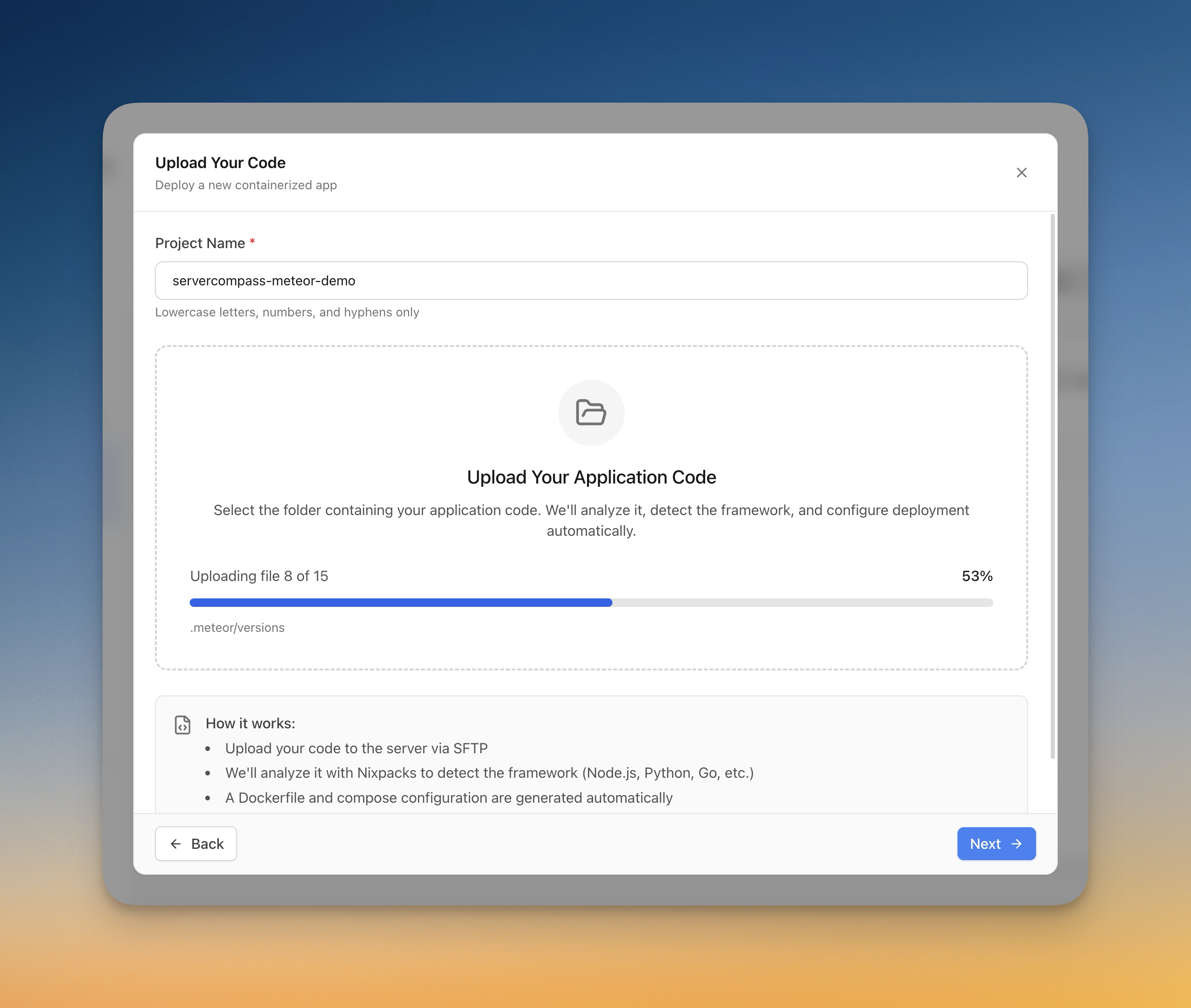
Screenshots may vary slightly from the current version
Video Tutorials
Related Features
Deploy with Local Build
Build Docker images on your local machine and deploy them directly to your server. No cloud CI/CD services or container registries required.
Upload Code to Deploy
Pick a folder from your computer and deploy it directly to your server. Automatic framework detection generates the right Dockerfile with upload progress tracking.
Related Articles
Need Help?
Check our troubleshooting guides or join our community.
Ready to try Server Compass?
Download the app and deploy your first application in under 5 minutes. No terminal knowledge required.