Back to documentation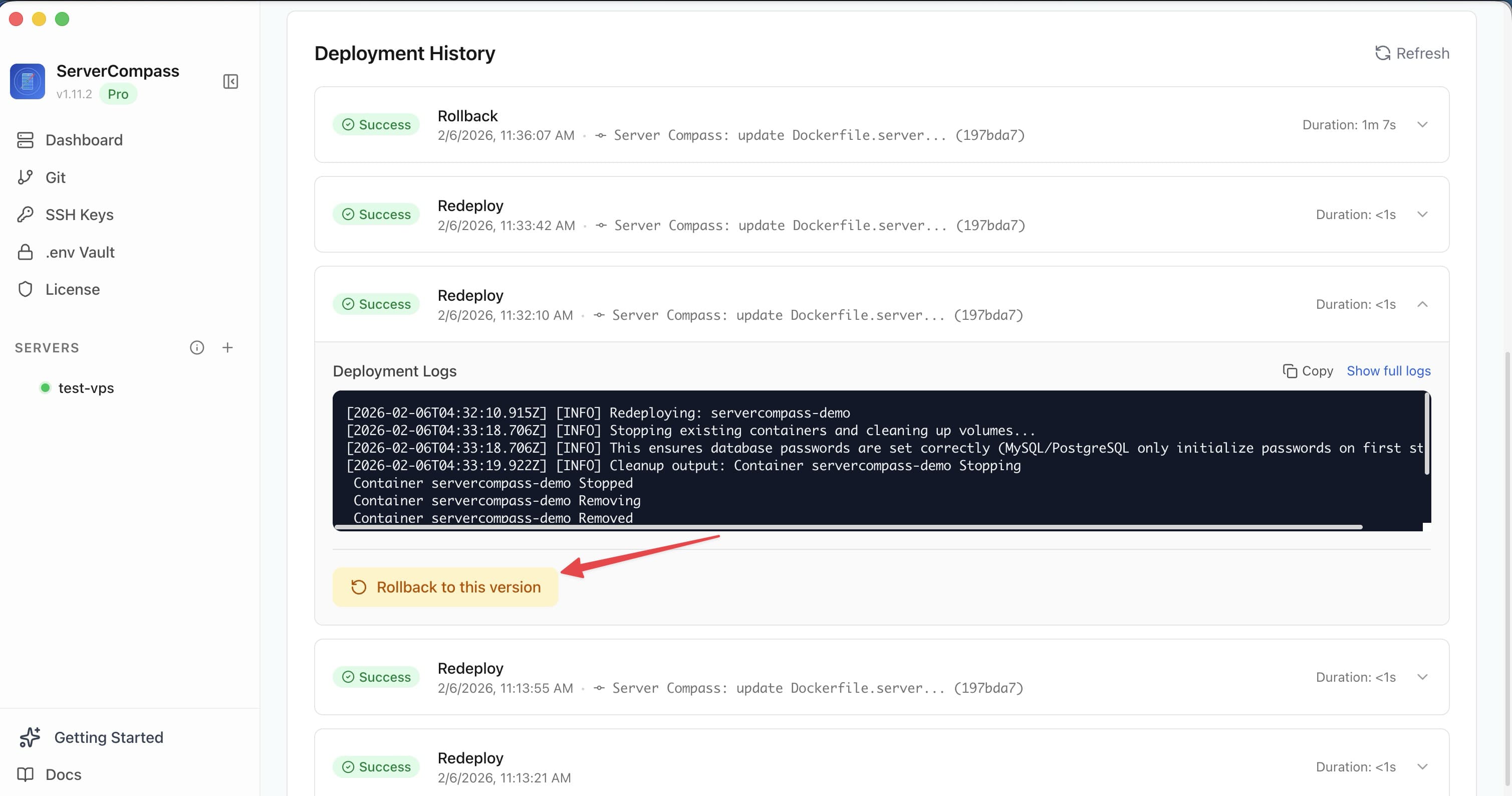
Deployment
Rolling Back Deployments
Instantly rollback to any previous deployment version with one click.
Beginner3 min readUpdated 2026-03-29
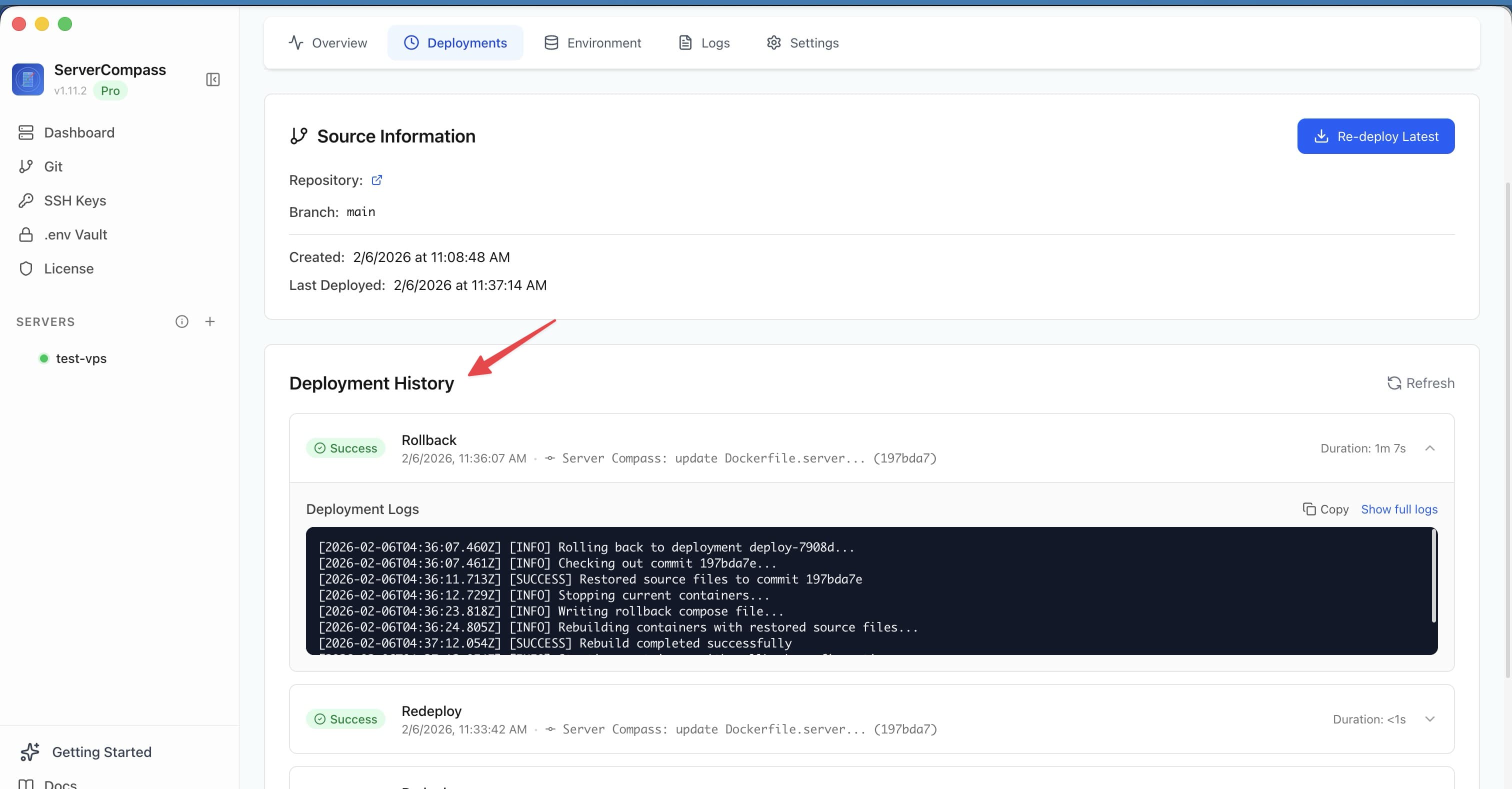
Viewing deployment history
Every deployment is tracked in the Deployments tab:
- Deployment status (success, failed, rolled back)
- Duration and timestamp
- Commit hash and branch (for GitHub deploys)
- Image tag (for registry deploys)
Click any deployment to see its full build logs.
Rolling back
- Open your app's Deployments tab
- Find the deployment you want to restore
- Click Rollback on that entry
- Server Compass redeploys the previous container image
- The rollback appears as a new entry in the deployment history
Screenshots
Related Features
Ready to try Server Compass?
Download the app and deploy your first application in under 5 minutes.
Download Server Compass