Back to documentation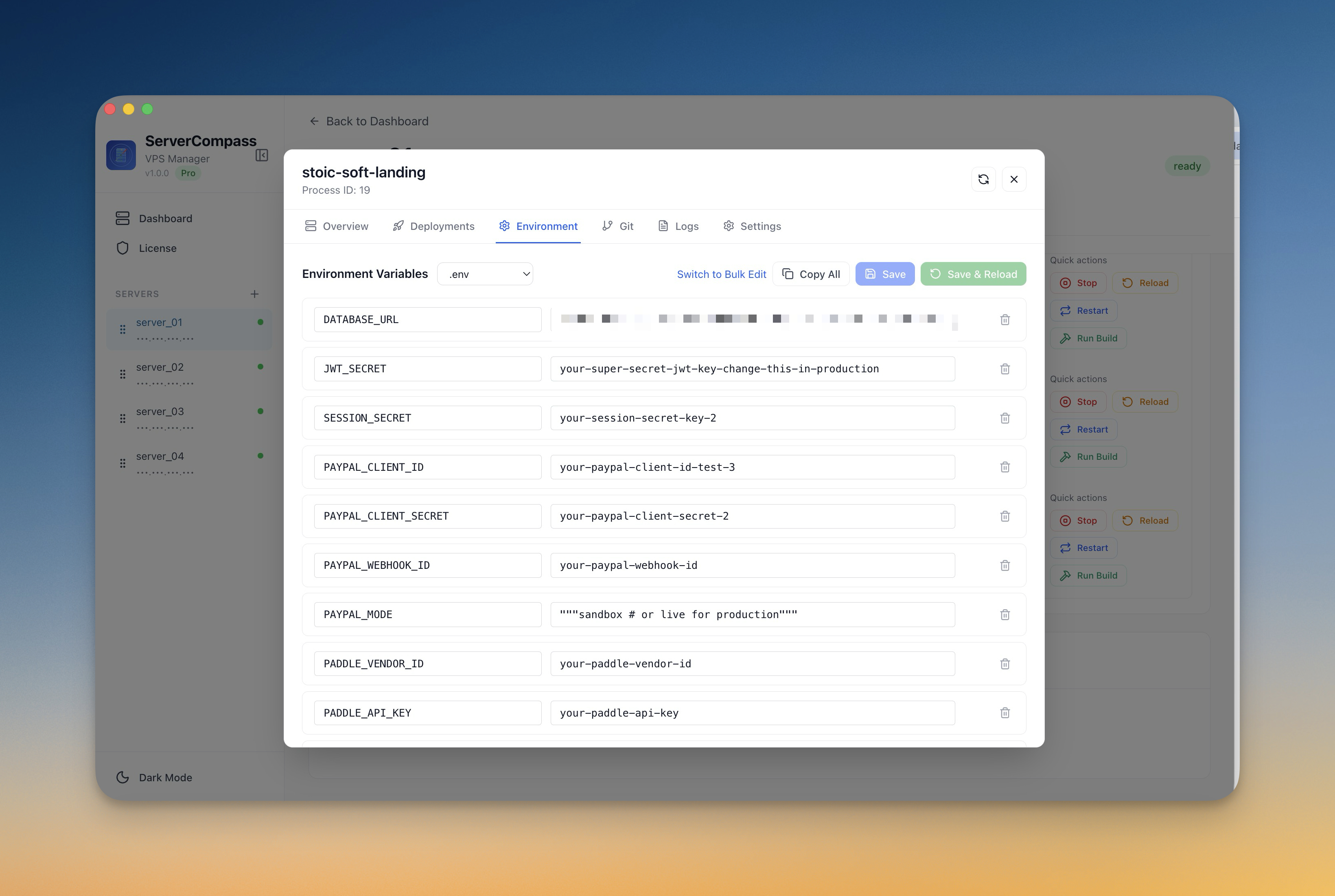
Deployment
Managing Environment Variables
Securely manage environment variables and secrets for your applications.
Intermediate5 min readUpdated 2024-02-01
Adding environment variables
Environment variables are configured during deployment or from the app settings:
- Open your app's settings
- Go to the "Environment" tab
- Add, edit, or remove variables
- Click "Save" to apply changes
Changes trigger a container restart to apply new values.
Secret masking
Server Compass masks sensitive values:
- Passwords are hidden by default
- API keys are partially masked
- Click the eye icon to reveal values
- Export excludes sensitive values by default
Environment Vault
Use the Environment Vault for shared secrets:
- Go to Settings > Environment Vault
- Create reusable environment groups
- Apply groups to multiple apps
- Update once, apply everywhere
Screenshots
Video Tutorials
Related Features
Ready to try Server Compass?
Download the app and deploy your first application in under 5 minutes.
Download Server Compass