Back to documentation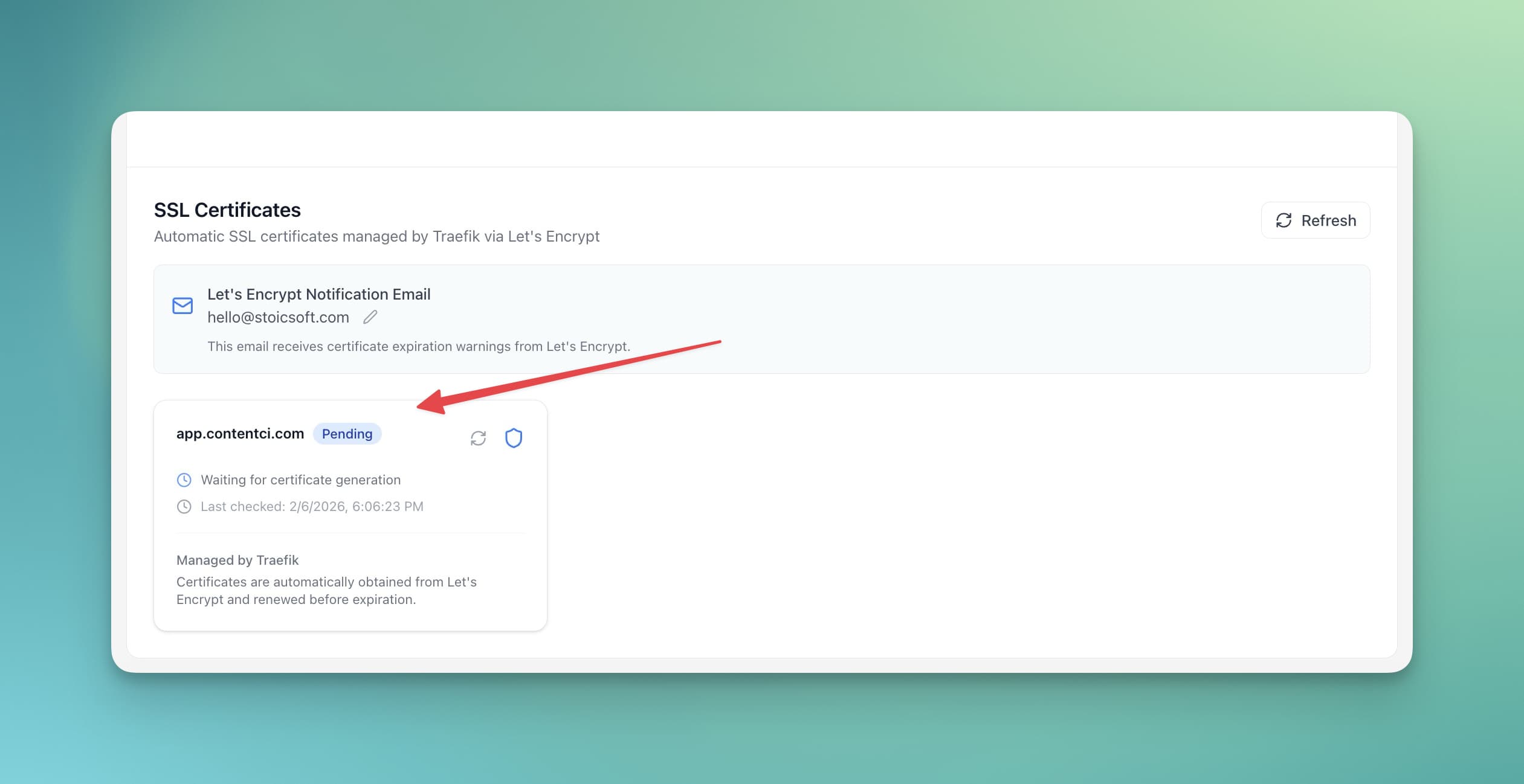
Troubleshooting
Resolving SSL Certificate Issues
Fix problems with SSL certificate issuance and renewal.
Intermediate5 min readUpdated 2024-02-01
Certificate not issuing
Cause: DNS not pointing correctly
Solutions:
- Verify DNS A record points to server IP
- Wait for DNS propagation (up to 48 hours)
- Check with:
dig your-domain.com - Ensure port 80 is accessible
Certificate expired
Cause: Auto-renewal failed
Solutions:
- Check Traefik logs for errors
- Manually trigger renewal
- Verify domain still points to server
- Check disk space for certificate storage
Mixed content warnings
Cause: HTTP resources on HTTPS page
Solutions:
- Update all URLs to use HTTPS
- Use protocol-relative URLs (
//) - Check embedded content and scripts
- Review browser console for specific URLs
Screenshots
Ready to try Server Compass?
Download the app and deploy your first application in under 5 minutes.
Download Server Compass