Run as a Sudo User
Connect Server Compass to your VPS as an ordinary account with sudo instead of root. Firewall rules, brute-force protection, SSH hardening, Docker installs and deploys all work from that account, and apps land in its home folder rather than root's.
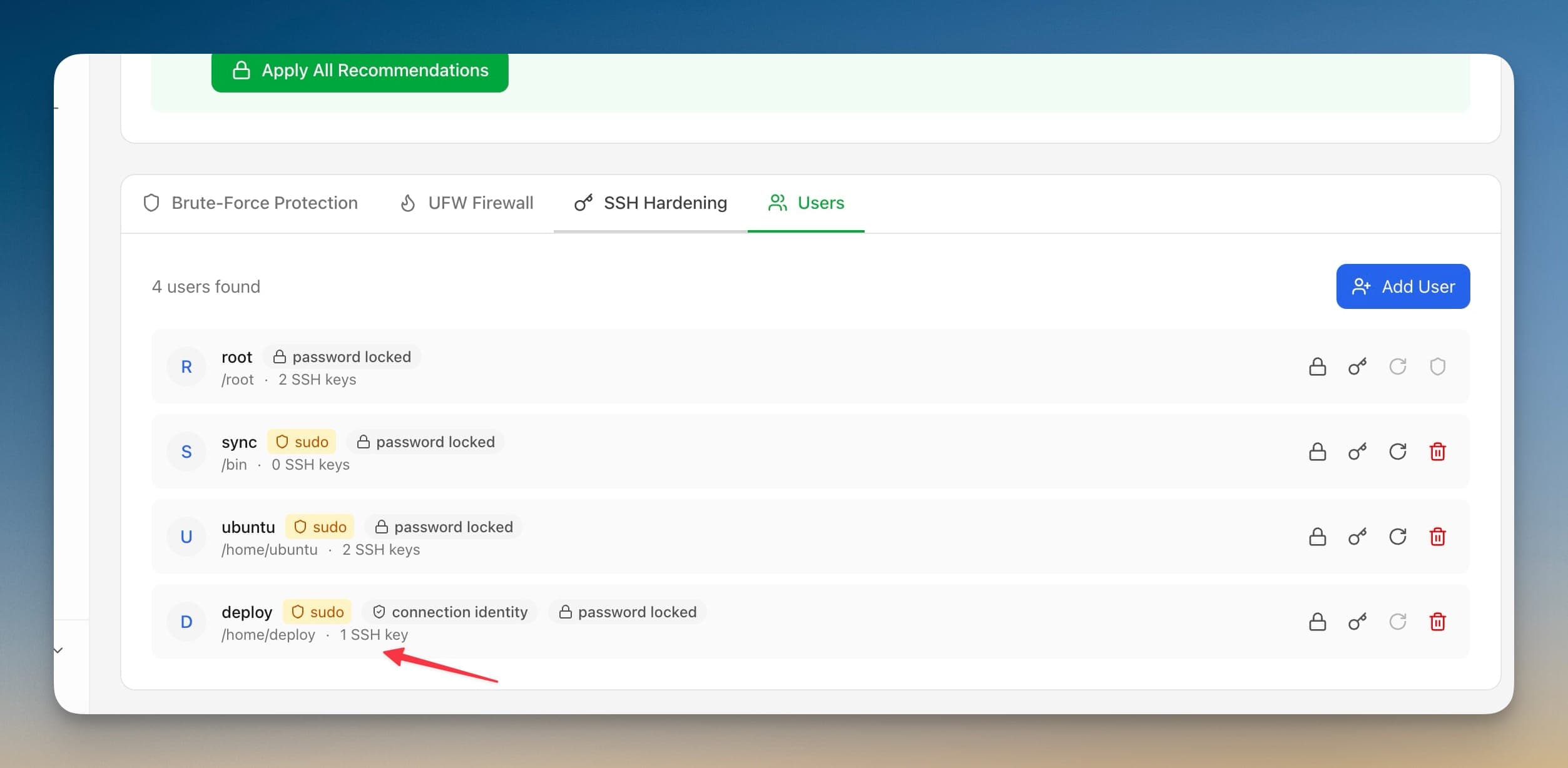
How Run as a Sudo User Works
Using Run as a Sudo User is straightforward. Follow these simple steps to get started.
See who you are connected as
The Security tab states the account Server Compass signs in with and whether passwordless sudo is available on it.
Create the account
Create New User takes a username, a Sudo Access toggle, and a password choice: generate one, set one, or SSH key only.
Let the key be copied
Server Compass copies the current connection key to the new account and reports whether the copy actually succeeded.
Switch the connection
Sync hardening to a user verifies passwordless sudo and an SSH login as that user, then offers to move the connection across.
Run as a Sudo User vs. The Command Line
Miss the old days? Here's how to do everything Run as a Sudo User does... the hard way.
Create the account
Add the user and put it in the sudo group by hand.
adduser deploy && usermod -aG sudo deployGrant passwordless sudo
Write a sudoers drop-in, and validate it before you save or you can lock yourself out.
echo 'deploy ALL=(ALL) NOPASSWD:ALL' | sudo tee /etc/sudoers.d/deploy && sudo visudo -cInstall your key
Copy the public key across and fix the permissions the SSH daemon insists on.
ssh-copy-id deploy@your-server && ssh deploy@your-server 'chmod 700 ~/.ssh && chmod 600 ~/.ssh/authorized_keys'Prove it works before locking root out
Open a second session and confirm sudo works there. Keep the first session open until it does.
ssh deploy@your-server 'sudo -n true && echo sudo-ok'If you disable root login before this returns sudo-ok, you can be locked out of the server entirely.
There's a Better Way
Everything above in one visual interface. Run as a Sudo User handles the complexity so you can focus on building.
- No SSH required
- Guided workflows
- Undo support
- Multi-server management
Run as a Sudo User Features
Everything you need for security in one integrated tool, replacing complex CLI commands and manual configuration.
Get StartedBenefits of Run as a Sudo User
Server management shouldn't require a DevOps team. Run as a Sudo User makes professional-grade security accessible to everyone.
Proactive Protection
Run as a Sudo User identifies vulnerabilities before they're exploited with automated security scanning.
Visual Configuration
Run as a Sudo User makes firewall rules, SSH settings, and Fail2Ban configuration accessible through a GUI.
One-Click Hardening
Run as a Sudo User applies security best practices with a single click: disable root, change ports, enforce key auth.
Continuous Monitoring
Run as a Sudo User keeps watching your security posture and alerts you when new issues are detected.
Run as a Sudo User FAQ
Common questions about Run as a Sudo User in Server Compass
How do I access Run as a Sudo User in Server Compass?
Run as a Sudo User is available in the Security section of Server Compass. Simply connect to your server, navigate to Security, and you'll find Run as a Sudo User ready to use. No additional setup or plugins required.
Does Run as a Sudo User require any server-side installation?
No. Server Compass operates as a desktop application that connects to your server via SSH. Run as a Sudo User works through this connection without installing any agents or packages on your server (except the optional monitoring agent for resource tracking).
Is Run as a Sudo User included in all Server Compass plans?
Yes. Every Server Compass feature, including Run as a Sudo User, is included with the one-time $29 payment. There are no tier restrictions, add-ons, or per-server fees. You get all 152+ features for all your servers.
Can I use Run as a Sudo User with any VPS provider?
Run as a Sudo User works with any VPS or dedicated server that supports SSH access and Docker. This includes DigitalOcean, Hetzner, Vultr, Linode, AWS EC2, Google Cloud, Azure, and any other provider. It also works with local servers and homelab setups.
What makes Run as a Sudo User different from command-line alternatives?
Run as a Sudo User provides a visual, intuitive interface that replaces complex CLI commands and configuration files. You get real-time feedback, safety confirmations, and a consistent experience across all your servers without memorizing syntax or writing scripts.
More Security Features
Explore other security capabilities in Server Compass
Security Audit Scanner
Run comprehensive security audits on your server. Get actionable recommendations for hardening your infrastructure.
Fail2Ban Configuration
Manage Fail2Ban brute-force protection rules. Configure jail settings, ban times, and whitelist IPs visually.
UFW Firewall Management
Configure UFW firewall rules with a visual interface. Add, remove, and toggle rules without memorizing iptables.
SSH Hardening
Apply SSH security best practices with one click. Disable root login, change ports, and configure key-only auth.
Try Run as a Sudo User Today
Download Server Compass and get access to Run as a Sudo User along with 151 other features. One-time $29 payment. No subscriptions. No per-server fees.