Back to documentation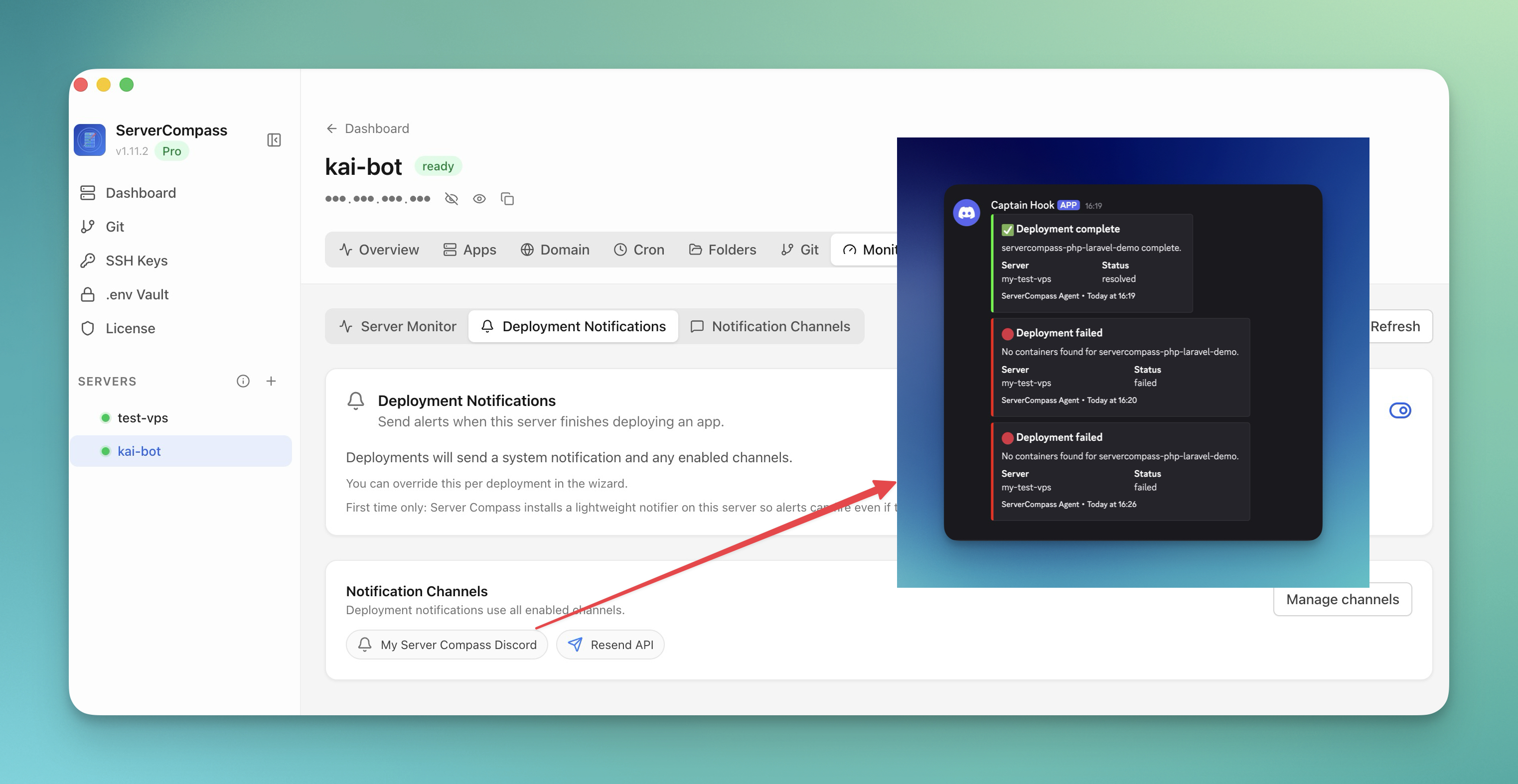
Monitoring & Alerts
Deployment Notifications
Get notified about deployments via Slack, Discord, email, or webhooks.
Beginner4 min readUpdated 2026-03-29
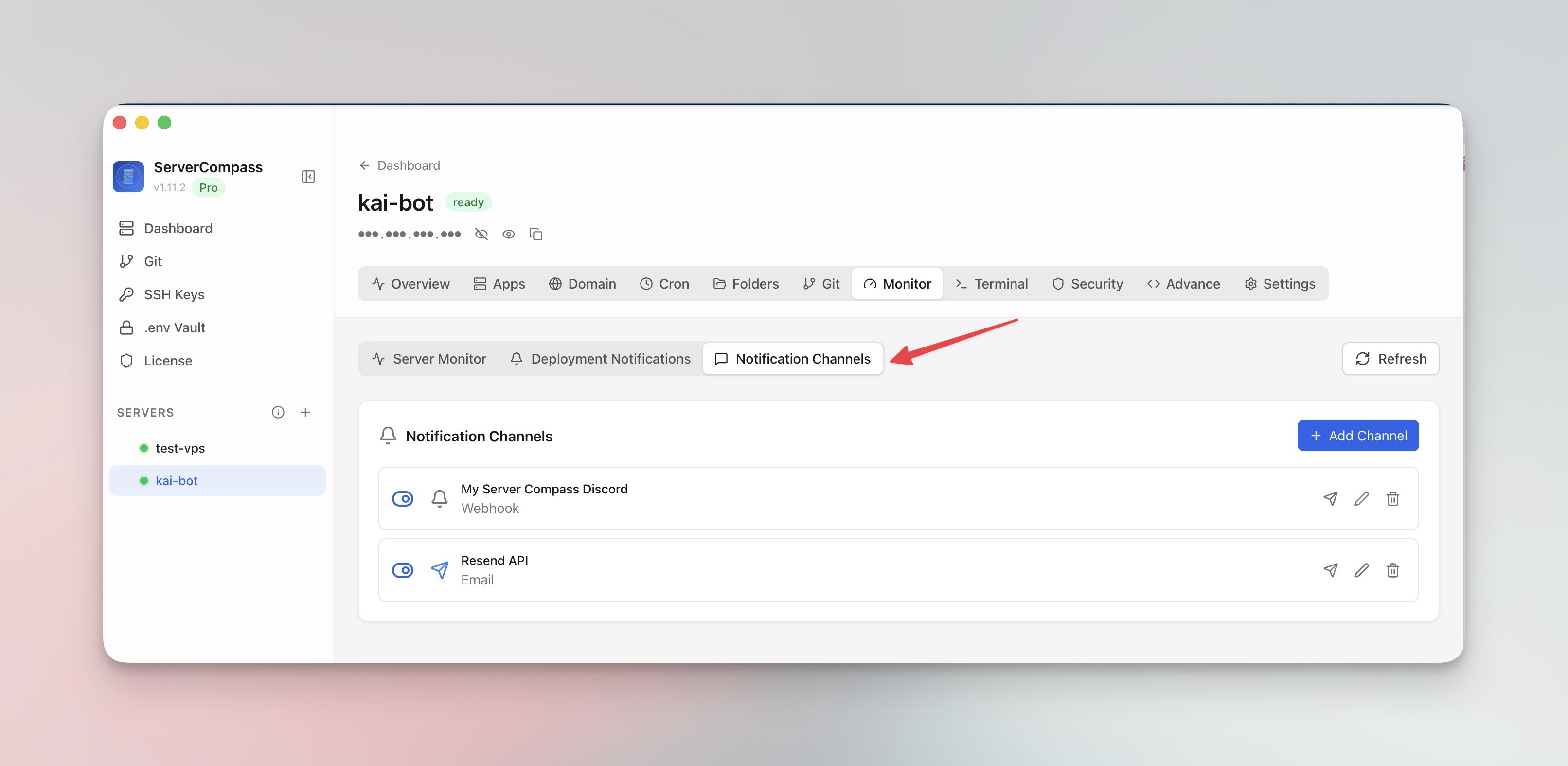
Setting up notification channels
- Go to your server's Monitor tab
- Open Notification Channels
- Add one or more channels:
- Slack — paste a webhook URL
- Discord — paste a webhook URL
- Email — enter recipient addresses
- Webhooks — send JSON payloads to any URL
- Test the channel to verify delivery
Configuring deployment alerts
Choose which events trigger notifications:
- Deployment started
- Deployment succeeded
- Deployment failed
- Rollback performed
Each channel can subscribe to different event types. Failed deployments are sent to all channels by default.
Screenshots
Video Tutorials
Related Features
Ready to try Server Compass?
Download the app and deploy your first application in under 5 minutes.
Download Server Compass