Setting Up Monitoring
Install the monitoring agent and configure alerts for your server.
Monitoring agent
The optional monitoring agent provides:
- Continuous resource tracking
- Historical metrics and graphs
- Detailed performance data
- Basis for alert rules
Installing the agent
- Go to Monitoring tab
- Click "Install Agent"
- Wait for installation (1-2 minutes)
- Agent starts collecting metrics immediately
Creating alert rules
Set up alerts:
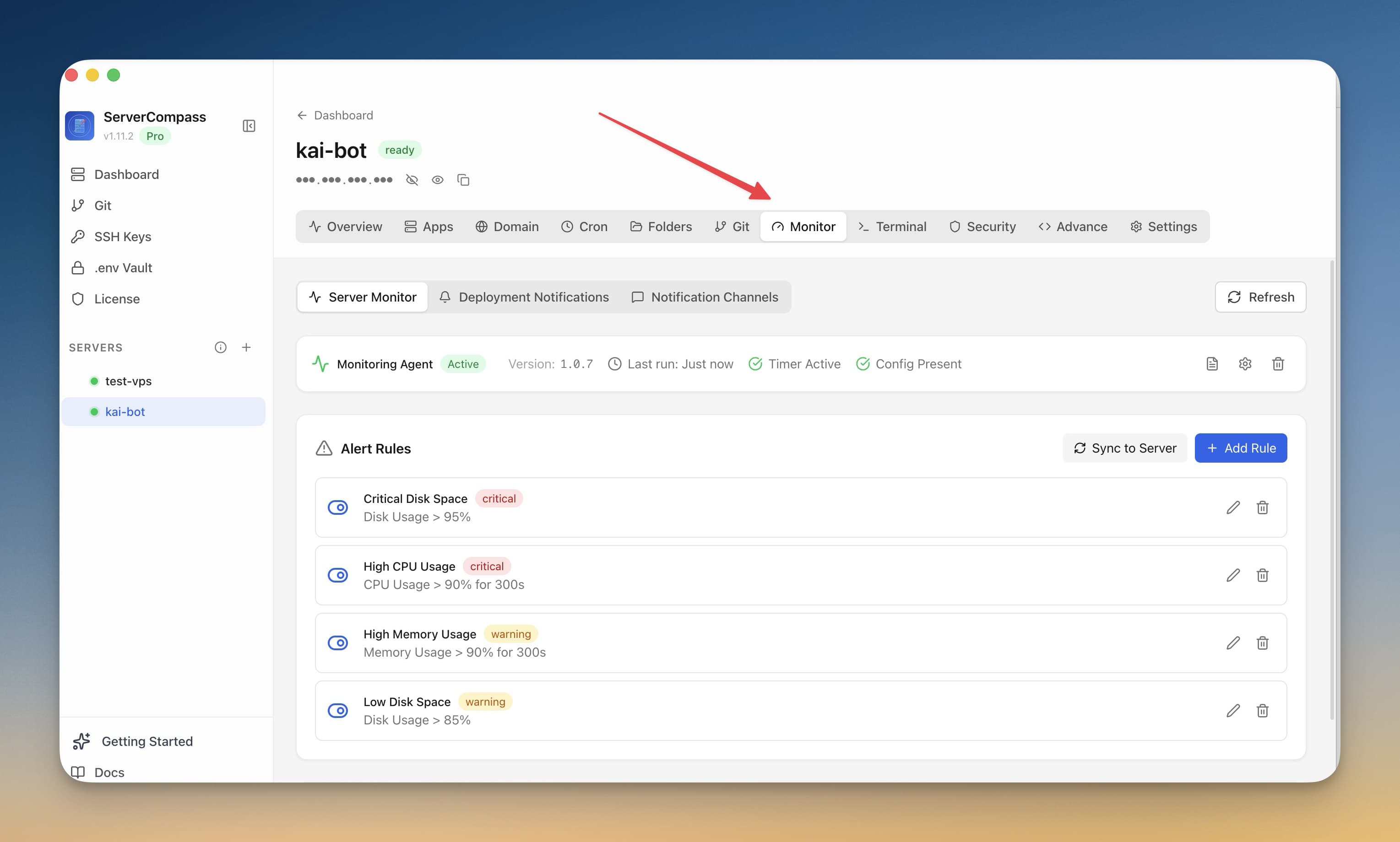
- Go to Monitoring > Alerts
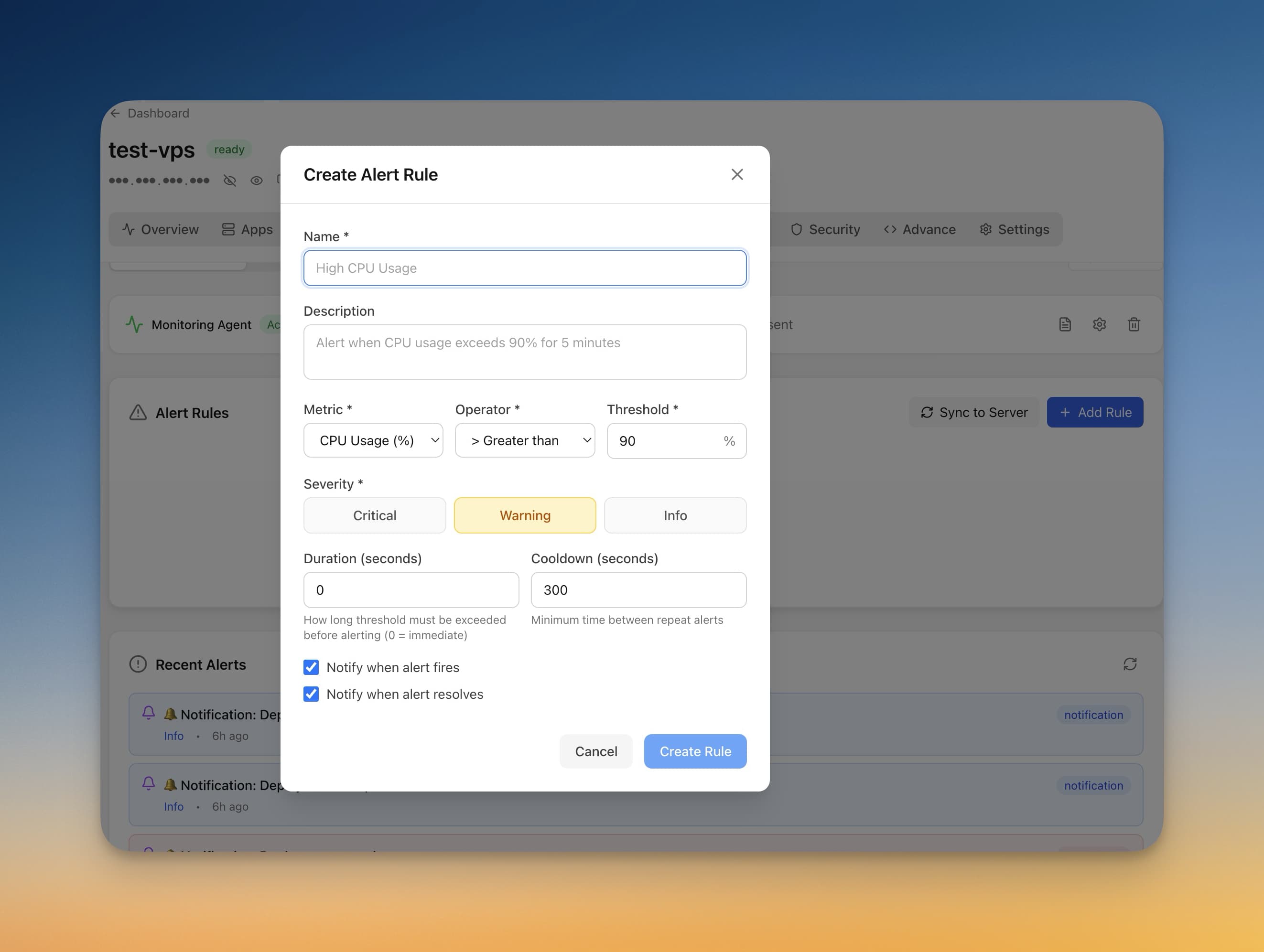
- Click "Add Rule"
- Choose metric (CPU, memory, disk)
- Set threshold and duration
- Select notification channel
For Disk Usage, the Filesystem field lists every mounted filesystem. Keep Root (/) or pick a data volume such as /mnt/data.
Notification channels
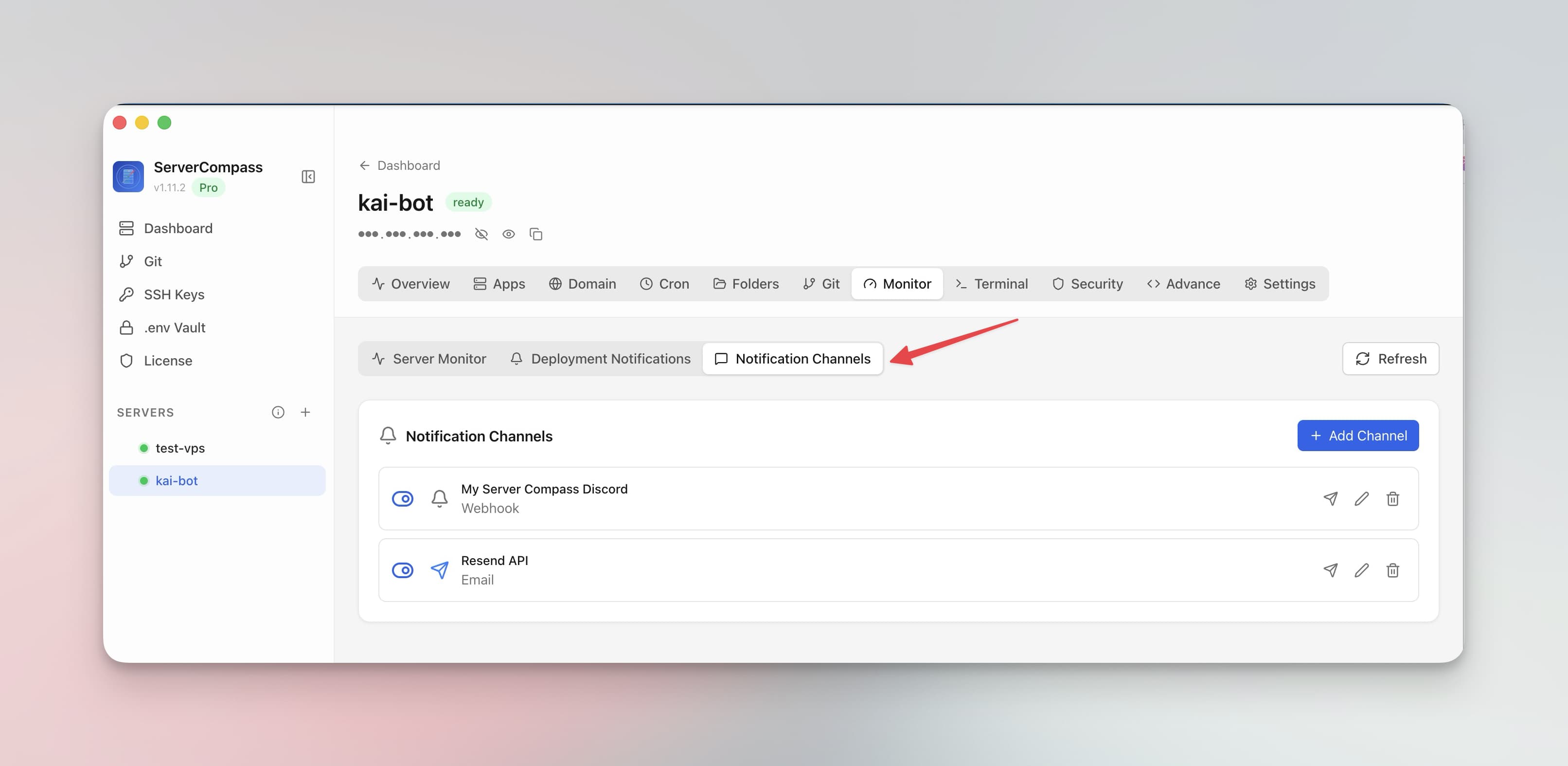
Configure where to receive alerts:
- Email: Direct email notifications
- Webhook: POST to your URL
- Test channels before relying on them
Keeping metric history
Live gauges show the current moment. To keep a record on the server itself:
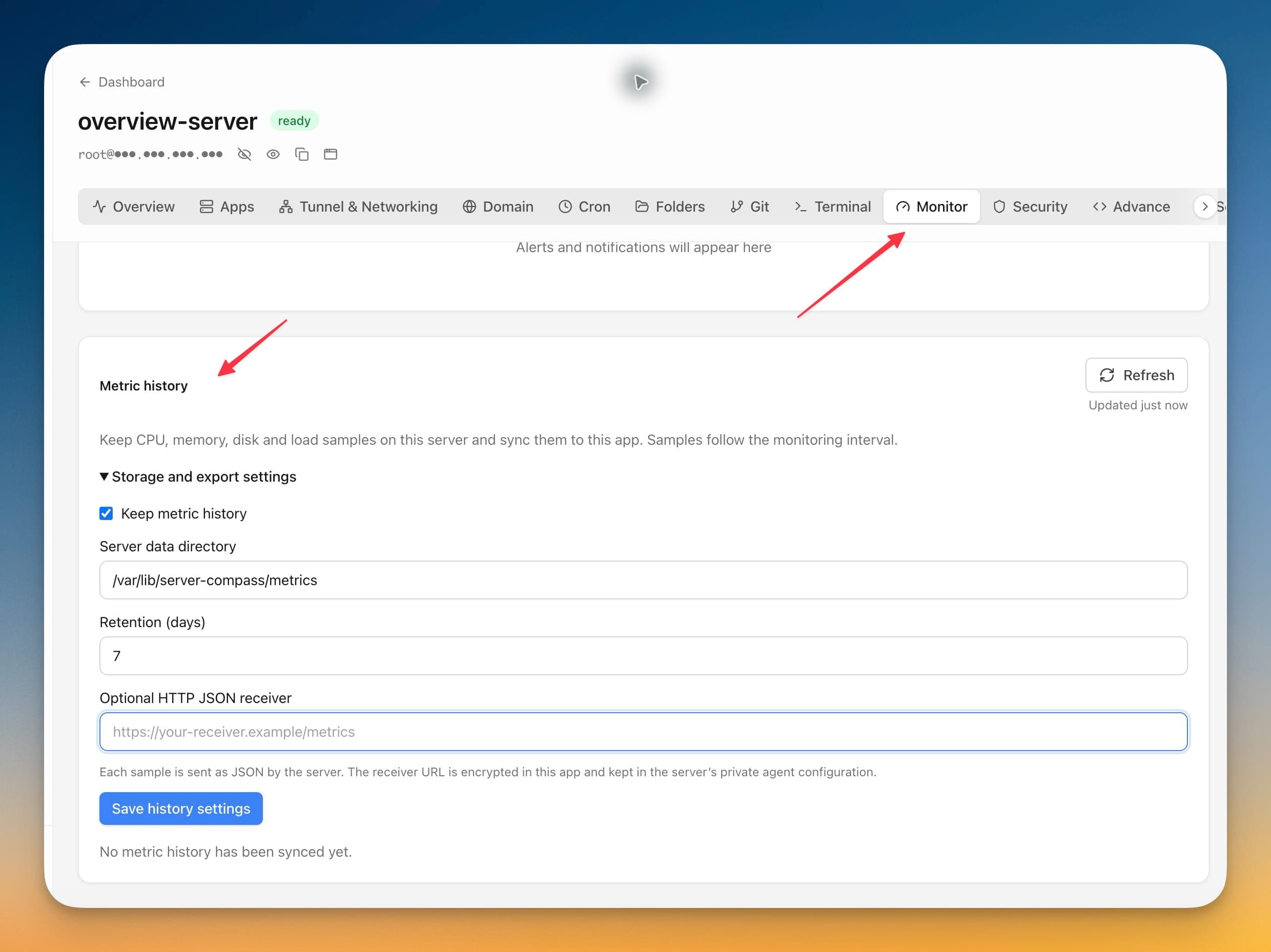
- Open the server's Monitor tab and find Metric history
- Expand Storage and export settings and tick Keep metric history
- Set the Server data directory that holds the samples
- Set Retention (days) so the history does not grow without limit
- Choose Save history settings
CPU, memory, disk and load samples are stored on the server, following the monitoring interval configured for the agent. You can choose that interval before the agent is installed, and the interval you pick is what actually runs.
Forwarding samples elsewhere. Add an Optional HTTP JSON receiver and the server POSTs each sample as JSON to that address. The receiver URL is encrypted in the app and kept in the agent's private configuration on the server.
Exporting. Use Export JSON to pull the synced samples out of the app for your own analysis.
More than one filesystem. When the samples cover more than one filesystem, a Disk picker chooses which one the Disk column shows.
Screenshots
Related Features
Monitoring Agent
Lightweight monitoring agent for continuous resource tracking. Install with one click and view metrics in your dashboard.
Custom Alert Rules
Create threshold-based alert rules for CPU, memory, disk, and custom metrics, and get notified before problems escalate. Disk Usage rules can watch any mounted filesystem, such as /mnt/data, not just root.
Notification Channels
Configure email, webhook, and other notification channels. Test connectivity before relying on alerts in production.
Ready to try Server Compass?
Download the app and deploy your first application in under 5 minutes.
Download Server Compass