GitHub Actions से CI/CD
GitHub Actions से अपने applications automatically build और deploy करें।
GitHub Actions क्यों use करें?
GitHub Actions builds के फ़ायदे:
- Free CI minutes: GitHub free build minutes देता है
- तेज़ builds: GitHub का infrastructure अक्सर तेज़ होता है
- सर्वर free रखें: VPS resources ऐप्स चलाने के लिए बचे रहते हैं
- Familiar workflow: Standard GitHub Actions syntax
GitHub Actions सेटअप करें
- GitHub से ऐप deploy करें
- Build settings में "GitHub Actions" चुनें
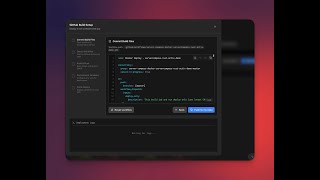
- Server Compass workflow file generate करता है
- Workflow को अपने repo में commit करें
- भविष्य के pushes automated builds trigger करते हैं
Workflow configuration
Generated workflow:
- आपकी Docker image build करती है
- GitHub Container Registry पर push करती है
- Server Compass को deploy के लिए notify करती है
- आपकी configured किसी भी branch के साथ काम करती है
Builds monitor करें
Server Compass में build status देखें:
- अपने app का CI/CD tab खोलें
- Recent workflow runs देखें
- Real-time में build logs देखें
- Workflows manually re-trigger करें
Screenshots


Video Tutorials
Related Features
GitHub Actions Integration
Build and deploy using GitHub Actions free CI minutes. Your server resources stay free for running apps.
Auto-Deploy on Push
Deploy your app automatically on every push to GitHub — a signed webhook triggers an always-on worker on your server, so the desktop app can stay closed and your SSH port stays private. Route it through Server Compass–managed Traefik, a stable tunnel, or your own reverse proxy — running on the host or inside Docker.
Workflow Management
Sync, view, and manage GitHub Actions workflows. See run history, job status, and trigger workflows manually.
Ready to try Server Compass?
Download the app and deploy your first application in under 5 minutes.
Download Server Compass