दस्तावेज़ पर वापस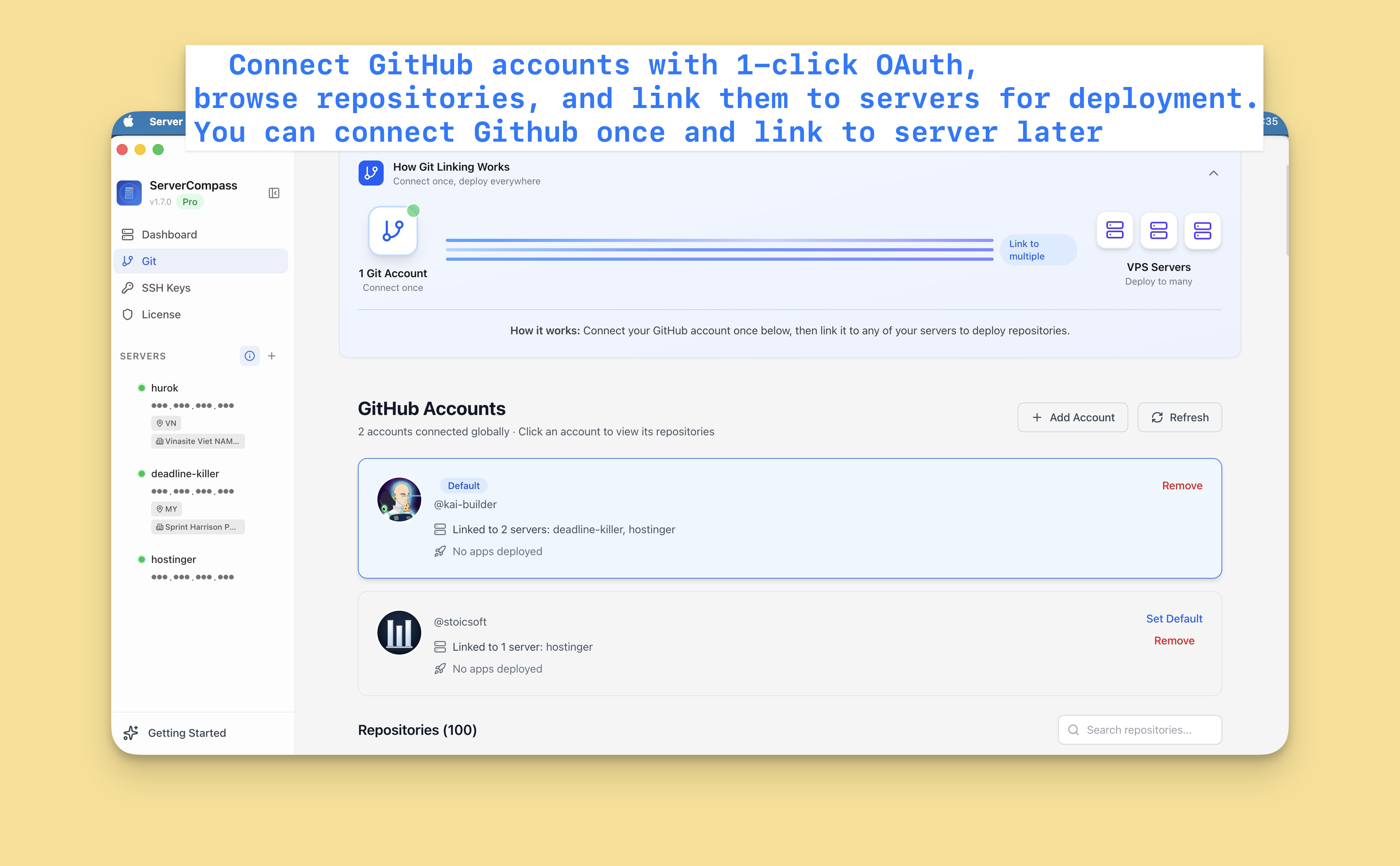

GitHub Integration
GitHub Integration सेटअप करें
Repositories deploy करने और auto-deploy enable करने के लिए अपना GitHub account कनेक्ट करें।
Beginner4 min readUpdated 2024-02-01
GitHub account कनेक्ट करें
- Settings > GitHub पर जाएं
- "Connect GitHub" पर क्लिक करें
- GitHub पर redirect होंगे
- Server Compass authorize करें
- कनेक्ट हो गया!
GitHub Apps या personal access tokens बनाने की ज़रूरत नहीं।
Multiple accounts
कई GitHub accounts कनेक्ट करें:
- अपने projects के लिए Personal account
- Team repos के लिए Organization accounts
- Multiple organizations
हर account deployment source selector में दिखता है।
Connections manage करें
GitHub connections manage करने के लिए:
- Settings > GitHub पर जाएं
- सभी connected accounts देखें
- जो accounts ज़रूरी नहीं हैं उन्हें हटाएं
- ज़रूरत के अनुसार नए accounts जोड़ें
Screenshots
Video Tutorials
Related Features
Ready to try Server Compass?
Download the app and deploy your first application in under 5 minutes.
Download Server Compass