दस्तावेज़ पर वापस


सुरक्षा
SSH Hardening और Fail2Ban
SSH hardening और Fail2Ban के ज़रिए brute-force protection से server security मज़बूत करें।
Intermediate6 min readUpdated 2026-09-09
SSH hardening
Server Compass recommended SSH security settings apply कर सकता है:
- Security tab पर जाएं
- SSH Hardening खोलें
- Recommended settings apply करें:
- Root login disable करें
- Password authentication disable करें (key-only)
- Default SSH port बदलें
- Idle timeout सेट करें
- Server Compass
sshd_configupdate करता है और SSH service safely restart करता है
Fail2Ban सेटअप
Fail2Ban brute-force attacks से बचाता है:
- Security tab खोलें
- Enable Fail2Ban पर क्लिक करें
- Server Compass Fail2Ban automatically install और configure करता है
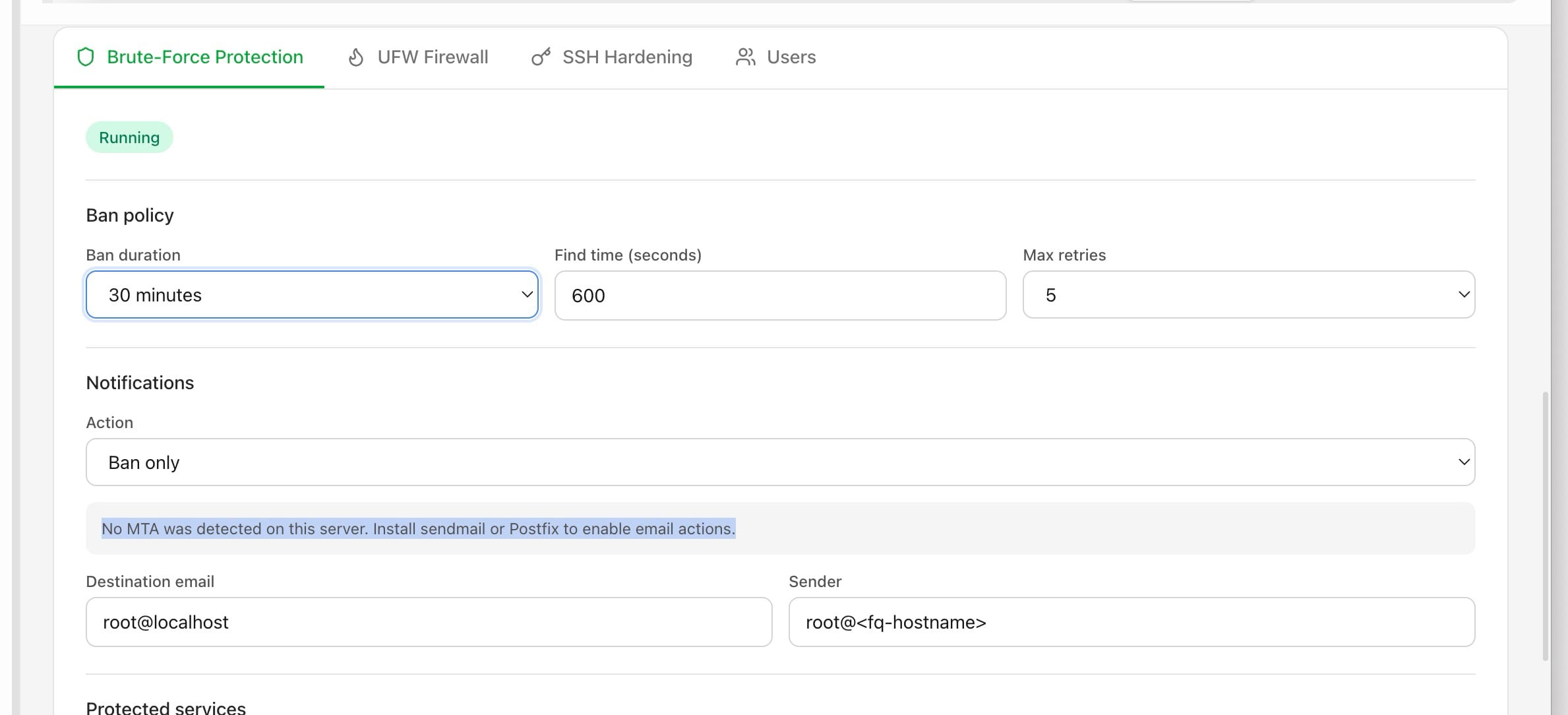
- Ban rules कॉन्फ़िगर करें:
- Ban से पहले max retries
- Ban duration
- Monitored services (SSH, HTTP, आदि)
- Banned IPs देखें और ज़रूरत हो तो manually unban करें
Firewall rules
SSH hardening को firewall rules के साथ combine करें:
- Security > Firewall पर जाएं
- केवल ज़रूरी ports allow करें (SSH, HTTP, HTTPS)
- सभी incoming traffic block करें
- Server Compass आपके लिए
ufwयाiptablesrules manage करता है
Screenshots
Related Features
Ready to try Server Compass?
Download the app and deploy your first application in under 5 minutes.
Download Server Compass