Server Backups और Snapshots
Encrypted server snapshots बनाएं और cloud storage पर automated backups schedule करें।
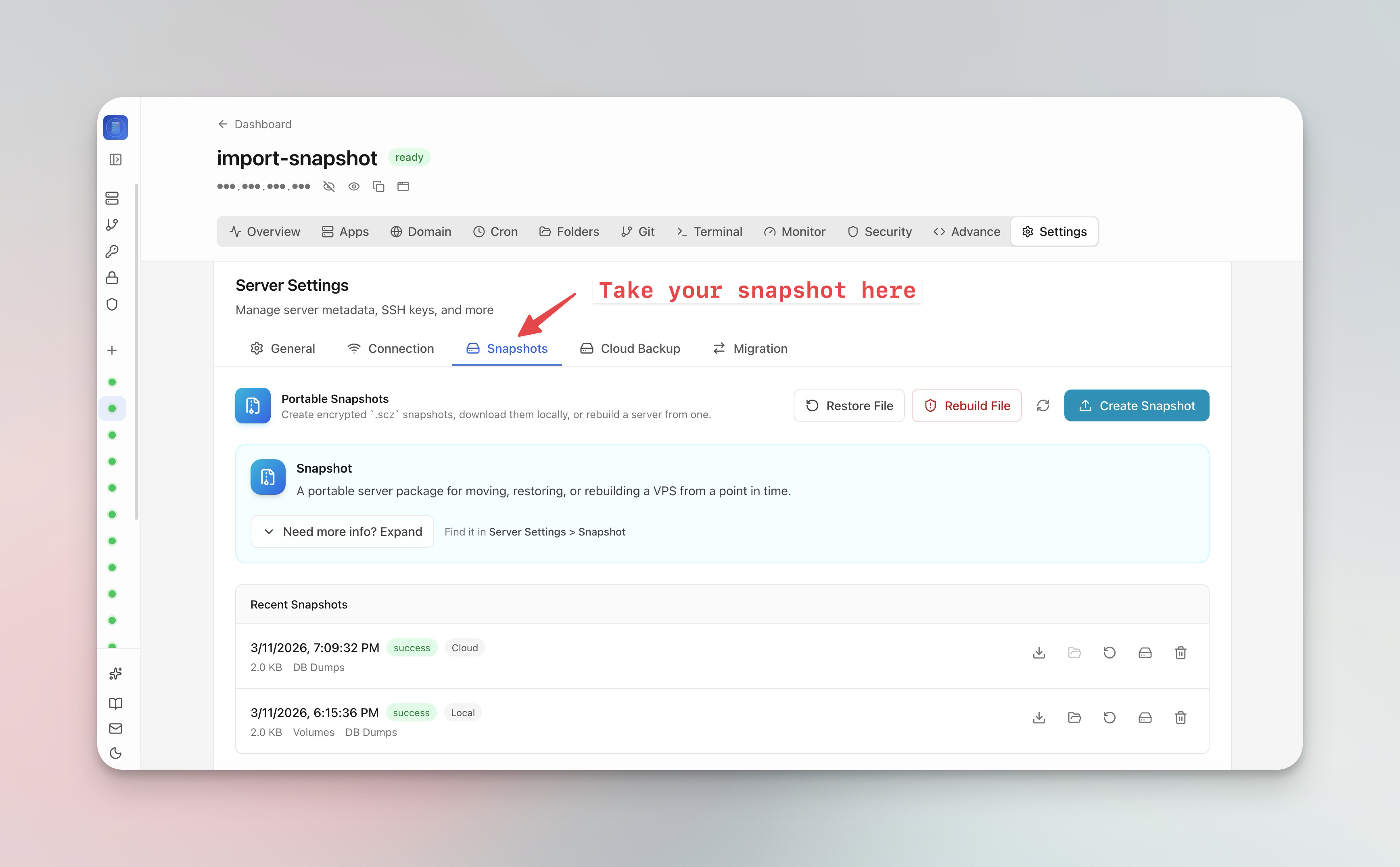
Server snapshot बनाएं
Server snapshots आपके पूरे server state capture करते हैं:
- Server Settings > Snapshot tab पर जाएं
- Create Snapshot पर क्लिक करें
- Optional encryption passphrase सेट करें
- Snapshot cloud storage पर upload होता है
- Snapshots से एक क्लिक में पूरे VPS को नए सर्वर पर migrate करें
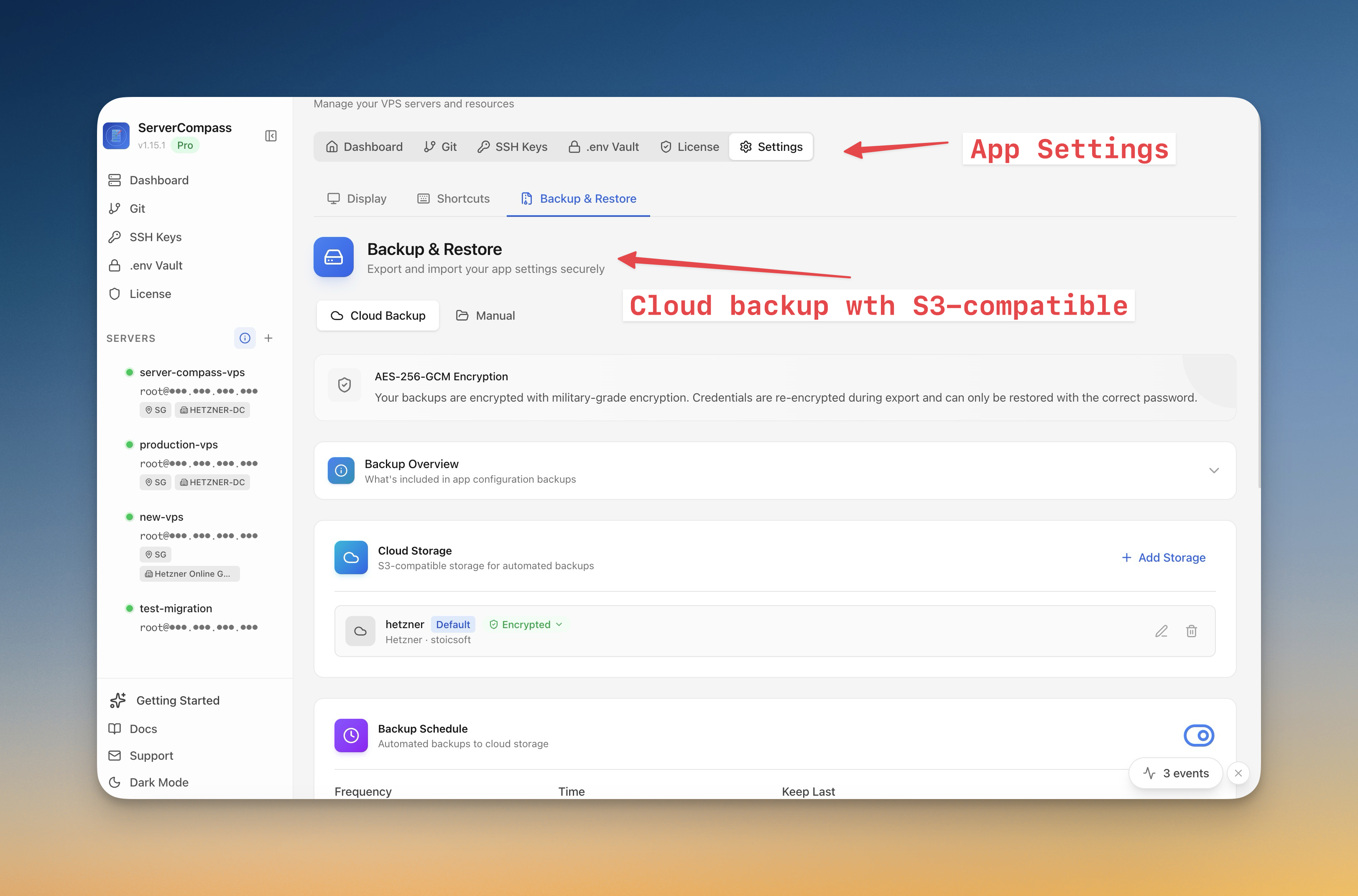
Automated backups schedule करें
- Server Settings > Backup tab पर जाएं
- Backup schedule कॉन्फ़िगर करें (daily, weekly, या custom)
- क्या backup करना है चुनें (databases, volumes, configs)
- Cloud storage कनेक्ट करें (S3-compatible)
- पुराने backups automatically clean up करने के लिए retention policy सेट करें
Backup से restore करें
- Backup overview खोलें
- Date के अनुसार available snapshots browse करें
- Snapshot से rebuild करने के लिए Restore पर क्लिक करें
- Migration के लिए "Restore to new server" चुनें और target server connection provide करें
Screenshots
Video Tutorials
Related Features
Server Backups & Cloud Storage
Automated backups of stacks, volumes, databases, environment files, SSL certificates, and cron jobs. Store encrypted backups in S3-compatible cloud storage with flexible scheduling — hourly, daily, weekly, or monthly.
Server Snapshots
Export your entire server to a single AES-256 encrypted .scz file — Docker stacks, volumes, databases, domains, cron jobs, alerts, and notification channels. Save locally or upload to S3, then restore to the same server for disaster recovery or rebuild on a new VPS for migration. Domain remapping lets you switch domains during restore.
Ready to try Server Compass?
Download the app and deploy your first application in under 5 minutes.
Download Server Compass