CI/CD dengan GitHub Actions
Gunakan GitHub Actions untuk build dan deploy aplikasi secara otomatis.
Mengapa menggunakan GitHub Actions?
Manfaat build GitHub Actions:
- Menit CI gratis: GitHub menyediakan menit build gratis
- Build lebih cepat: Infrastruktur GitHub sering lebih cepat
- Jaga server tetap bebas: Resource VPS tetap untuk menjalankan aplikasi
- Workflow familiar: Sintaks GitHub Actions standar
Setup GitHub Actions
- Deploy aplikasi dari GitHub
- Di pengaturan build, pilih "GitHub Actions"
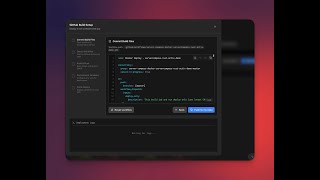
- Server Compass menghasilkan file workflow
- Commit workflow ke repo
- Push di masa depan memicu build otomatis
Konfigurasi workflow
Workflow yang di-generate:
- Membangun Docker image
- Push ke GitHub Container Registry
- Memberitahu Server Compass untuk deploy
- Bekerja dengan branch apa pun yang dikonfigurasi
Monitoring build
Lihat status build di Server Compass:
- Buka tab CI/CD aplikasi
- Lihat workflow run terbaru
- Lihat build logs secara real-time
- Trigger ulang workflow secara manual
Screenshots


Video Tutorials
Related Features
GitHub Actions Integration
Build and deploy using GitHub Actions free CI minutes. Your server resources stay free for running apps.
Auto-Deploy on Push
Deploy your app automatically on every push to GitHub — a signed webhook triggers an always-on worker on your server, so the desktop app can stay closed and your SSH port stays private. Route it through Server Compass–managed Traefik, a stable tunnel, or your own reverse proxy — running on the host or inside Docker.
Workflow Management
Sync, view, and manage GitHub Actions workflows. See run history, job status, and trigger workflows manually.
Ready to try Server Compass?
Download the app and deploy your first application in under 5 minutes.
Download Server Compass