Back to documentation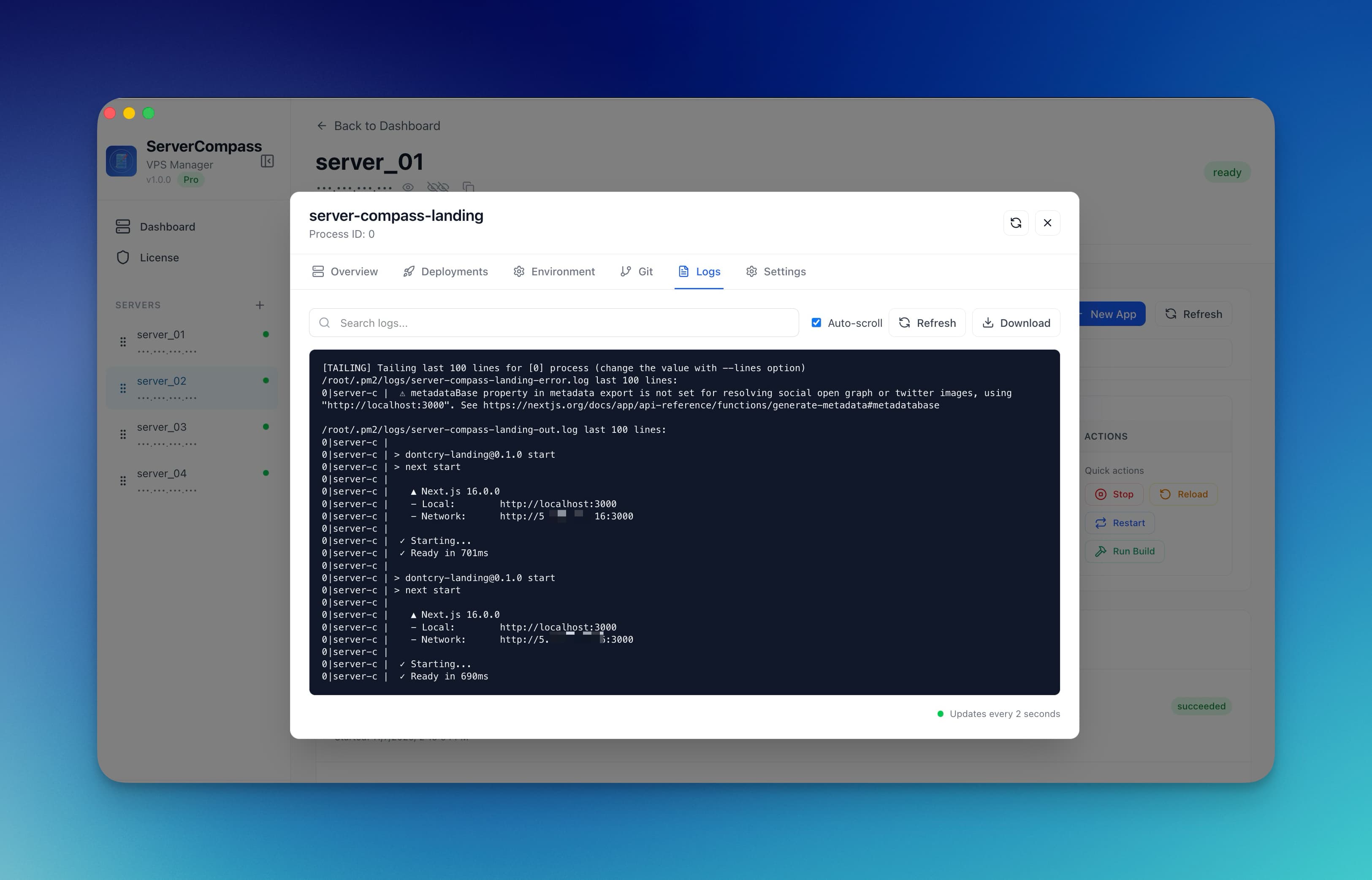
Monitoring & Alerts
Viewing Container Logs
Stream and search container logs in real-time without SSH.
Beginner3 min readUpdated 2024-02-01
Accessing logs
View container logs:
- Open your app in Server Compass
- Go to the "Logs" tab
- Logs stream in real-time
Log features
The log viewer includes:
- Real-time streaming: New logs appear instantly
- Color coding: Different colors for log levels
- Search: Filter logs by keyword
- Follow mode: Auto-scroll to new entries
Multi-container logs
For apps with multiple containers:
- Select which container to view
- Or view combined logs from all containers
- Container name is shown for each line
Screenshots
Related Features
Ready to try Server Compass?
Download the app and deploy your first application in under 5 minutes.
Download Server Compass