Back to Changelog
v1.29.0July 10, 2026

Custom SSL Certificates and Persistent Terminals

Bring your own SSL certificate instead of Let's Encrypt, and keep terminal sessions alive as you move around the app.

Download v1.29.0

Get this version from GitHub Releases

Download

What's Changed

New Features

9
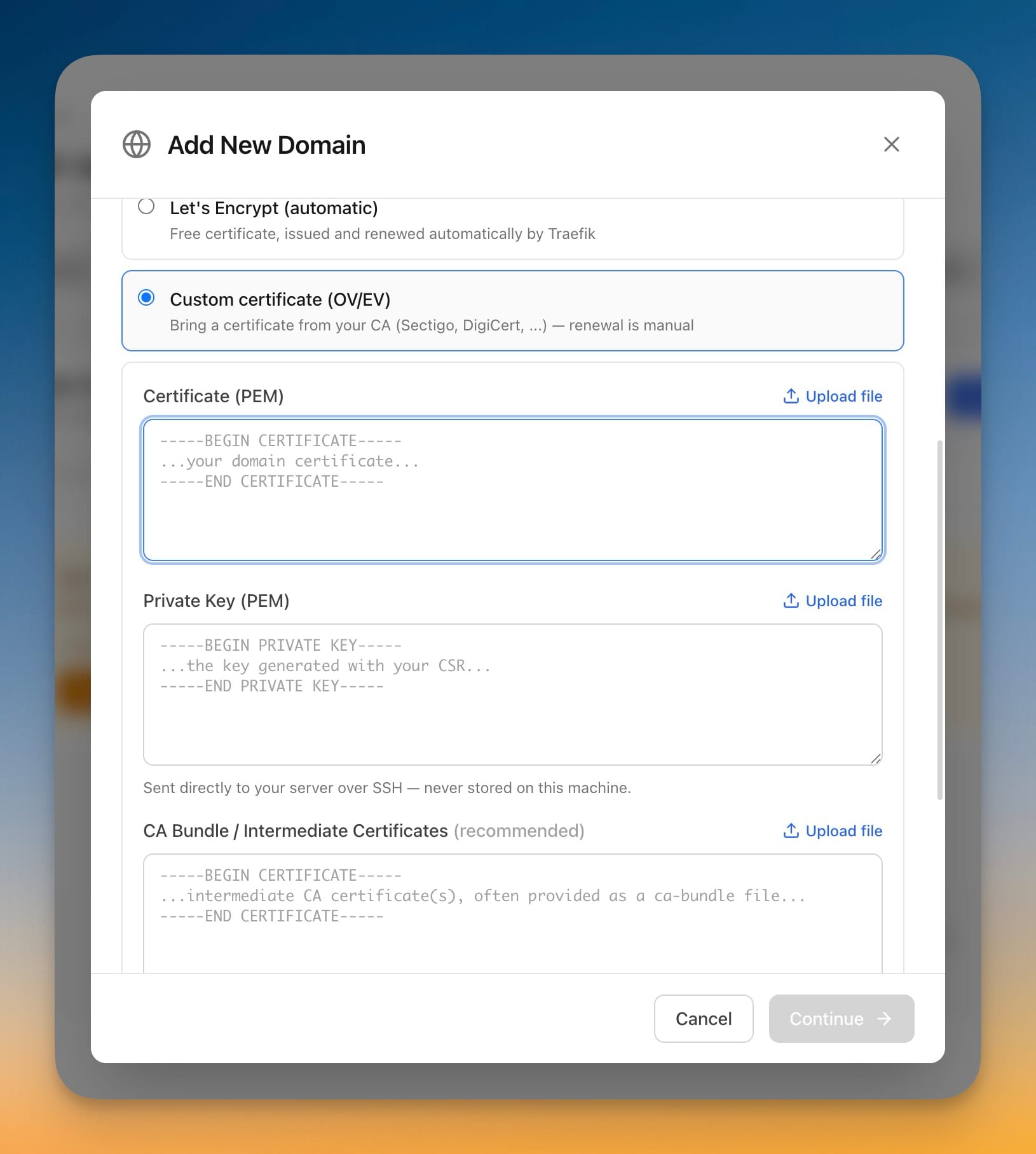
  • Use your own SSL certificate for a domain — instead of Let's Encrypt, bring a certificate from your own certificate authority (Sectigo, DigiCert, and others), including OV and EV certificates
  • Choose your certificate when adding a domain — the Add Domain screen now lets you pick Let's Encrypt (automatic) or a custom certificate you provide
  • Switch an existing domain to a custom certificate — open a domain's SSL settings to upload or replace its certificate at any time
  • Upload certificate files straight from your computer — pick your certificate, private key, and CA bundle files with a single click instead of copy-pasting long text
  • Server Compass checks that the certificate matches the private key, covers the domain, and hasn't expired before you continue
  • Your private key is sent directly to your server and never stored on your computer
  • See custom certificate details at a glance — the SSL Certificates list now shows a "Custom" label, who issued the certificate, when it expires, and a reminder that custom certificates renew manually
  • Keep your terminal sessions open as you work — terminal tabs now stay open and keep running when you switch to another screen and come back, instead of starting over
  • Terminals keep working in the background — long-running commands continue even when the terminal isn't the active window

Improvements

3
  • Smarter detection of what's already using ports 80 and 443 — Server Compass now reliably spots an existing web proxy on your server, including nginx, Caddy, and CloudPanel running outside of Docker
  • Keep your existing proxy instead of forcing Traefik — when another proxy already owns ports 80 and 443, Server Compass offers to keep it and switch the server to External Proxy mode, with clear steps if you'd rather use Traefik
  • Domains keep working after a redeploy — pulling new code from Git or a registry no longer drops your domain routing, so your sites stay reachable without re-applying settings

Bug Fixes

3
  • Fixed domain routing breaking after a Git or registry redeploy — your configured domains no longer return "404 Not Found" after redeploying, because routing is carried over automatically
  • Fixed domain setup offering Traefik when another proxy already owned ports 80 and 443 — Server Compass now guides you to keep your existing proxy instead of failing partway through
  • Fixed SSL certificate cards always showing "renews automatically" — domains using a custom certificate now correctly show manual-renewal details and the certificate's real expiry date
Related Topics
custom SSL certificatespersistent terminalreverse proxydomains