April 5, 2026
Coolify vs Dokploy: Which Self-Hosted PaaS Should You Use?
A detailed comparison of Coolify and Dokploy covering features, ease of use, pricing, Docker support, GitHub integration, and community. Find out which self-hosted PaaS fits your workflow in 2026.
If you're looking for a self-hosted alternative to Vercel, Railway, or Heroku, two names come up constantly: Coolify and Dokploy. Both are open-source platforms that let you deploy applications to your own VPS with a web-based control panel — but they differ in meaningful ways when it comes to features, maturity, pricing, and developer experience.
This guide breaks down the coolify vs dokploy debate across every dimension that matters: features, ease of use, Docker support, GitHub integration, pricing, and community. By the end, you'll know exactly which platform fits your workflow — and whether a third option might be worth considering.
What Is Coolify?
Coolify is an open-source, self-hosted PaaS built by Andras Bacsai. It installs on your server as a Docker-based panel and provides a web UI for deploying applications, databases, and services. Think of it as a self-hosted Heroku — you get Git push deployments, automatic SSL via Let's Encrypt, database provisioning, and a dashboard to manage everything.
Coolify has been around since 2022 and is the more mature of the two platforms. Key highlights:
- Supports Docker, Docker Compose, and Nixpacks-based builds
- One-click service deployments (databases, Redis, monitoring tools)
- Automatic SSL certificates via Let's Encrypt
- Built-in webhook and GitHub/GitLab integration for auto-deploy
- Server monitoring with resource usage dashboards
- Backup scheduling for databases
- Multi-server management from a single panel
- Active development with regular releases
What Is Dokploy?
Dokploy is a newer open-source self-hosted PaaS that positions itself as a lightweight, simpler alternative to Coolify. Created by Mauricio Siu, it also runs as a Docker-based panel on your server and provides a web UI for deploying applications and databases.
Dokploy launched more recently and has gained traction for its clean interface and straightforward approach. Key highlights:
- Docker and Docker Compose deployments
- Nixpacks support for automatic builds
- Automatic SSL via Let's Encrypt with Traefik
- GitHub, GitLab, and Bitbucket integration
- Database management (PostgreSQL, MySQL, MongoDB, Redis)
- Real-time deployment logs
- Multi-server support via Docker Swarm
- Clean, modern UI
Feature-by-Feature Comparison
Let's compare Coolify and Dokploy across the features that matter most for day-to-day deployment workflows.
Feature
Coolify
Dokploy
Platform type
Server-installed web panel
Server-installed web panel
Open source
Yes (Apache 2.0)
Yes (Canary license)
Build system
Nixpacks, Dockerfiles, Docker Compose
Nixpacks, Dockerfiles, Docker Compose
Reverse proxy
Traefik (default), Caddy option
Traefik
SSL certificates
Automatic (Let's Encrypt)
Automatic (Let's Encrypt)
Database support
PostgreSQL, MySQL, MongoDB, Redis, more
PostgreSQL, MySQL, MongoDB, Redis
Git providers
GitHub, GitLab, Bitbucket
GitHub, GitLab, Bitbucket
Multi-server
Yes (remote servers via SSH)
Yes (Docker Swarm)
Backup scheduling
Built-in for databases
Built-in for databases
Monitoring
Server resource dashboards
Basic metrics
One-click services
150+ service templates
Fewer pre-built templates
Webhooks
Built-in
Built-in
API
REST API available
REST API available
Maturity
Since 2022, larger community
Newer, growing fast
On paper, these two platforms look remarkably similar. The real differences emerge in execution, ecosystem maturity, and the trade-offs each makes.
Ease of Use
Installation
Both Coolify and Dokploy install via a single shell command that sets up Docker, pulls the panel image, and starts the web dashboard. The process takes 2-5 minutes on a fresh Ubuntu server.
Coolify requires a minimum of 2 CPU cores and 2GB RAM for the panel alone. This is on top of whatever your applications need. On a budget VPS with 1GB RAM, Coolify can feel sluggish or fail to install entirely.
Dokploy is generally lighter on resources, though it still installs a web panel, database, and Traefik on your server. Expect at least 512MB-1GB of RAM consumed by the panel infrastructure.
Both platforms expose a web-based management panel on your server's IP or a domain you configure. This means your management interface is accessible over the internet — something to consider from a security perspective.
Daily Workflow
Coolify's UI is feature-rich but can feel overwhelming. The navigation has many sections — projects, environments, servers, sources, teams, and settings. For experienced developers, this depth is valuable. For beginners, there's a learning curve.
Dokploy's UI is more streamlined. It focuses on the core workflow: create a project, add a service, deploy. The interface is cleaner and less cluttered, which makes it easier to pick up quickly. However, you may find yourself wanting features that Coolify already has.
Docker Support
Docker is the backbone of both platforms. Here's how they compare:
Docker Compose
Both Coolify and Dokploy support deploying applications from docker-compose.yml files. You can define multi-container stacks — for example, a web app with a database and cache — and deploy them as a unit.
Coolify provides a built-in editor for Compose files and lets you configure environment variables, volumes, and networks through its UI. Dokploy offers a similar workflow but with a slightly more minimal interface.
Dockerfile Builds
Both platforms can build images from Dockerfiles in your repository. They also both support Nixpacks for automatic language detection and build configuration — similar to how Heroku buildpacks work.
One consideration: since both platforms build images on your server, build times depend on your VPS hardware. A compute-intensive build on a 2-core VPS can spike CPU usage and temporarily slow down running applications. If you need to build locally and deploy via SSH, neither Coolify nor Dokploy supports that workflow natively.
Container Management
Coolify has more mature container management with deployment history, rollback support, and detailed logs. Dokploy covers the basics — start, stop, restart, logs — but Coolify's container lifecycle management is more polished.
GitHub Integration
Git integration is where you'll notice meaningful differences in the Coolify vs Dokploy comparison.
Coolify
Coolify offers a GitHub App integration that provides webhook-based auto-deployments. However, GitHub OAuth — which allows you to browse and select repositories from the UI — requires a paid Coolify Cloud subscription or the paid self-hosted tier. On the free self-hosted version, you configure repositories manually via URL and deploy keys.
Dokploy
Dokploy supports GitHub, GitLab, and Bitbucket connections. You can configure Git providers through the settings panel and set up auto-deploy via webhooks. The setup involves creating SSH keys or personal access tokens manually. Like Coolify's free tier, you won't get a polished OAuth flow where you browse and pick repos from a dropdown.
Both platforms support webhook-triggered deployments on push to a branch, which is the most common CI/CD pattern. If you want deeper GitHub Actions integration with generated workflows, neither platform provides that out of the box.
Pricing
Pricing is one of the most debated topics in the coolify vs dokploy discussion, and it's where they diverge significantly.
Coolify Pricing
- Self-hosted (free): Full open-source version you install and maintain yourself. No GitHub OAuth, no priority support.
- Cloud ($5/month per server): Coolify hosts the management panel; you provide your servers.
- Self-hosted Pro ($5-350/month): Self-hosted but with GitHub OAuth, team features, and support tiers. The Basic tier ($5/mo) unlocks GitHub OAuth. Pro ($21/mo) adds team collaboration. Ultimate ($350/mo) includes white-label options.
The free tier is genuinely free and functional, but if you want quality-of-life features like browsing your GitHub repos from the UI, you're looking at a monthly subscription.
Dokploy Pricing
- Self-hosted (free): Fully open-source. All features included with no paywalled tiers.
- Dokploy Cloud: Managed hosting option where Dokploy handles the panel infrastructure for a monthly fee.
Dokploy's main advantage on pricing is simplicity: the self-hosted version includes all features. There's no tiered system gating features behind monthly subscriptions. For developers who want a dokploy alternative to Coolify's subscription model, this is a strong draw.
The Hidden Cost: Server Resources
Both platforms install a web panel, database, and reverse proxy on your server. This overhead typically consumes 500MB-2GB of RAM depending on the platform and configuration. On a $6/month VPS with 4GB RAM, that's 12-50% of your total memory consumed by the management tool itself — before you deploy a single application.
This is a cost that doesn't show up on any pricing page but directly impacts how many applications you can run on your server. For a deeper look at how self-hosting costs compare to PaaS platforms , see our cost breakdown guide.
Community and Ecosystem
Coolify
Coolify has the larger community by a significant margin. It has 35,000+ GitHub stars, an active Discord server with thousands of members, and regular feature releases. The project has been around longer, which means more tutorials, blog posts, and community-contributed service templates.
If you run into an issue with Coolify, the chances of finding a solution in a GitHub issue, Discord thread, or blog post are high. The documentation is comprehensive, though it can lag behind the latest features.
Dokploy
Dokploy has a smaller but growing community. It has gained significant traction on GitHub and has an active Discord server. The project is moving quickly, with frequent releases and responsive maintainers.
The trade-off is less third-party content. You'll find fewer tutorials and guides compared to Coolify. When something breaks, you may need to rely more on Discord support or reading the source code directly.
Security Considerations
Both Coolify and Dokploy share a fundamental architectural decision: they install a web-accessible management panel on your server. This means:
- Your management dashboard is exposed to the internet
- The panel itself is an attack surface that needs to be secured and kept updated
- Panel bugs or vulnerabilities could compromise your entire server
- You need to configure strong authentication and ideally restrict access by IP
Both platforms support user authentication, and you should always set up HTTPS for the panel itself. Some developers put the management panel behind a VPN or IP allowlist for extra protection.
When to Choose Coolify
Coolify is the better choice when:
- You need a mature ecosystem — more service templates, larger community, more documentation
- You manage multiple remote servers — Coolify's multi-server management via SSH is well-tested
- You need advanced features — server monitoring dashboards, webhook integrations, and API access
- You want team collaboration — Coolify's paid tiers offer role-based access and team management
- You're comfortable with a subscription — the Pro features behind the paywall are genuinely useful
When to Choose Dokploy
Dokploy is the better choice when:
- You want all features free — no paywalled tiers for the self-hosted version
- You prefer a simpler UI — less overwhelming for beginners or solo developers
- You have limited server resources — Dokploy is generally lighter on memory
- You use Docker Swarm — Dokploy's multi-server approach uses Swarm natively
- You value a newer codebase — less technical debt, potentially easier to contribute to
Quick Comparison Summary
Dimension
Winner
Notes
Features
Coolify
More templates, monitoring, webhooks
Ease of use
Dokploy
Cleaner UI, simpler onboarding
Pricing (self-hosted)
Dokploy
All features free vs tiered model
Docker support
Tie
Both handle Compose, Dockerfiles, Nixpacks
GitHub integration
Coolify (paid)
OAuth browsing requires subscription
Community
Coolify
Larger, more resources available
Server footprint
Dokploy
Generally lighter on resources
Multi-server
Tie
Different approaches (SSH vs Swarm)
A Third Option: Skip the Server Panel Entirely
Both Coolify and Dokploy share the same fundamental architecture: a web panel installed on your server that consumes resources, exposes a management surface to the internet, and requires ongoing maintenance and updates. If you've been comparing these two platforms, it's worth asking whether a server-installed panel is the right approach at all.
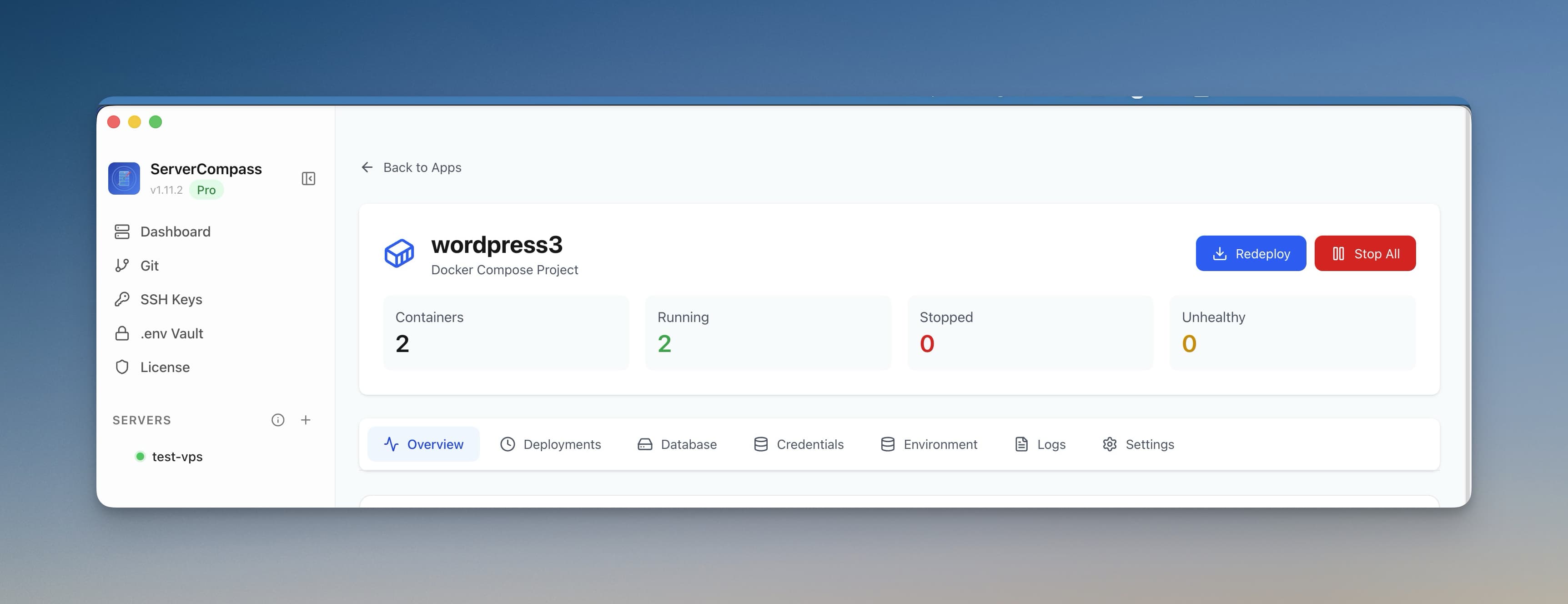
Server Compass takes a fundamentally different approach. Instead of installing anything on your server, it's a native desktop app for Mac, Windows, and Linux that connects to your VPS over SSH. Your server stays clean — no panel, no database, no management daemon consuming RAM. The only thing on your server is Docker and your applications.
Here's how it compares to both Coolify and Dokploy:
- Zero server footprint — the app runs on your laptop, not your VPS. That means 100% of your server resources go to your applications.
- No exposed management panel — no web dashboard for attackers to target. Your management interface lives on your local machine.
- One-time $29 payment — no monthly subscriptions, no tiered feature access. You pay once and own it. Compare that to Coolify's $5-350/month for Pro features. See our Coolify comparison and Dokploy comparison for full details.
- 247+ one-click templates — a larger template library than either Coolify or Dokploy, covering databases, CMS platforms, monitoring tools, AI applications, and more.
- Built-in GitHub OAuth — browse and deploy from your repos without paying for a subscription tier. See our GitHub integration.
- GitHub Actions CI/CD generation — Server Compass generates GitHub Actions workflows for zero-downtime deployments, something neither Coolify nor Dokploy offers.
- Database admin panel — browse tables, run queries, and manage backups for PostgreSQL, MySQL, and MongoDB directly from the built-in database interface.
- Multi-server management — manage all your servers from a single desktop app. No separate installation per server.
If you're choosing between Coolify and Dokploy primarily for simplicity and cost, Server Compass offers a compelling coolify alternative and dokploy alternative that eliminates the server overhead entirely. You can explore the full template gallery and pricing details on the site.
Final Verdict
There is no single "best" self-hosted PaaS — it depends on your priorities.
Choose Coolify if you want the most feature-rich, battle-tested open-source panel with a large community behind it. Be prepared to either stick to the free tier's limitations or pay for the Pro features you'll eventually want.
Choose Dokploy if you prefer a leaner, fully-free self-hosted panel with a modern codebase and cleaner UI. Accept that the community and ecosystem are still catching up to Coolify.
Choose Server Compass if you want to skip the server-installed panel model entirely, keep your VPS clean, and manage everything from a native desktop app with a one-time payment. It's a different architectural approach that avoids the trade-offs both Coolify and Dokploy share.
Whichever path you choose, self-hosting your deployments on a $5-20/month VPS is dramatically cheaper than paying for Vercel, Railway, or Heroku at scale. The self-hosted deployment landscape has never been stronger.
Related in the StoicSoft network
If you're self-hosting on a VPS or working through a deployment guide like the one above, DeployToVPS is the StoicSoft network's handbook for VPS deployment recipes — docker-compose, nginx, traefik, and common app self-hosts.
From across the StoicSoft network
Hand-curated reads on the same topic from sister sites in the StoicSoft family.
 1DevTool10 min read
Docker Desktop Alternatives for Developers in 2026
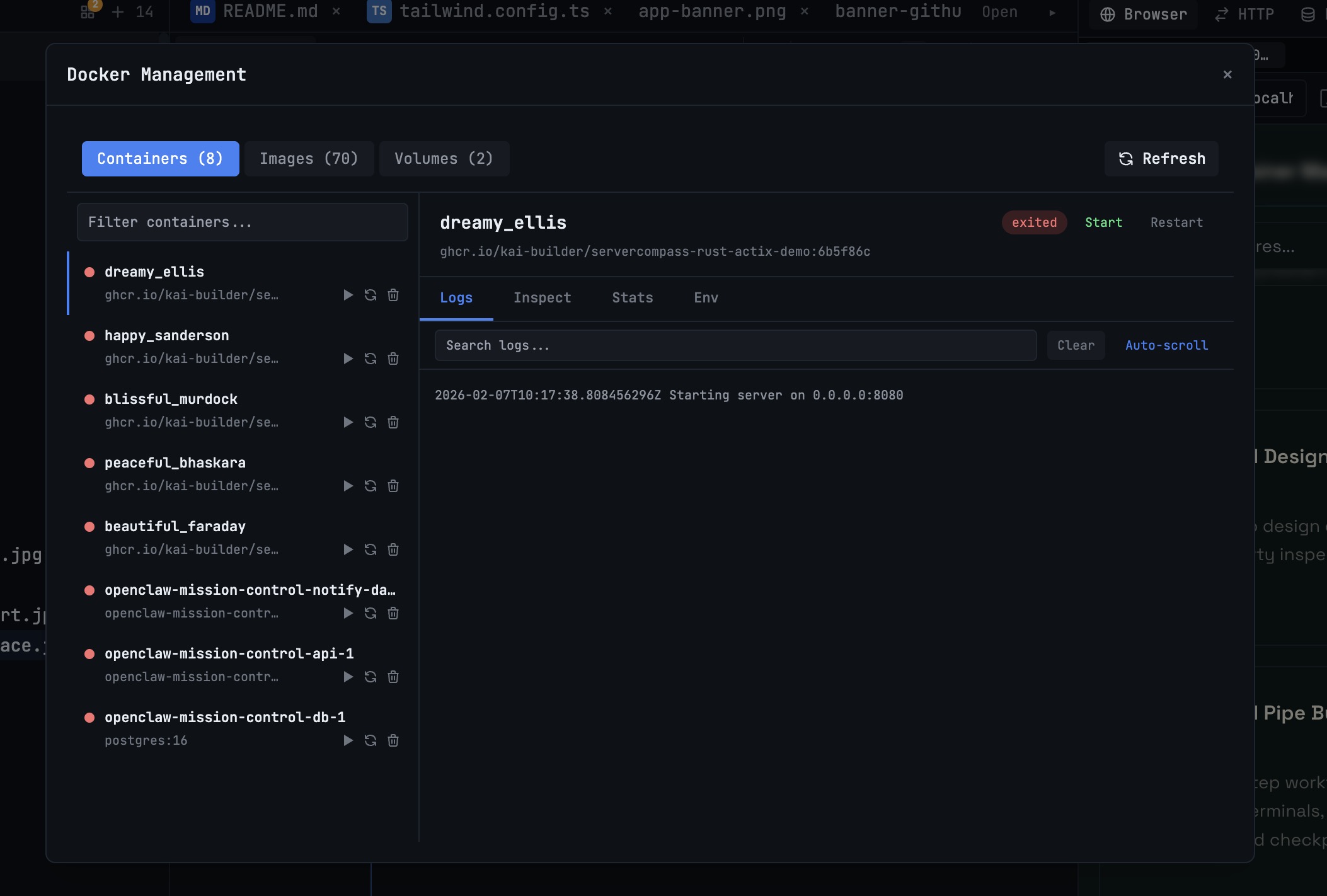
Developers want a Docker workflow that stays close to code, logs, and AI agents. This comparison breaks down Docker Desktop alternatives by performance, observability, and daily usability.
Read on 1devtool.com 1DevTool14 min read
GitHub Copilot vs Cursor: The Definitive Comparison (2026)
GitHub Copilot vs Cursor head-to-head comparison. Features, pricing, AI models, and which one is better for your workflow.
Read on 1devtool.com- 1DevTool14 min read
Cursor vs Windsurf vs Copilot: Which AI Coding Tool Wins in 2026?
In-depth comparison of Cursor, Windsurf, and GitHub Copilot. Pricing, features, AI capabilities, and which one is best for your development needs.
Read on 1devtool.com - 1DevTool12 min read
Best AI Code Editors in 2026: Complete Guide
Compare the top AI-powered code editors of 2026 including Cursor, Windsurf, 1DevTool, and more. Find the perfect AI IDE for your development workflow.
Read on 1devtool.com