दस्तावेज़ पर वापस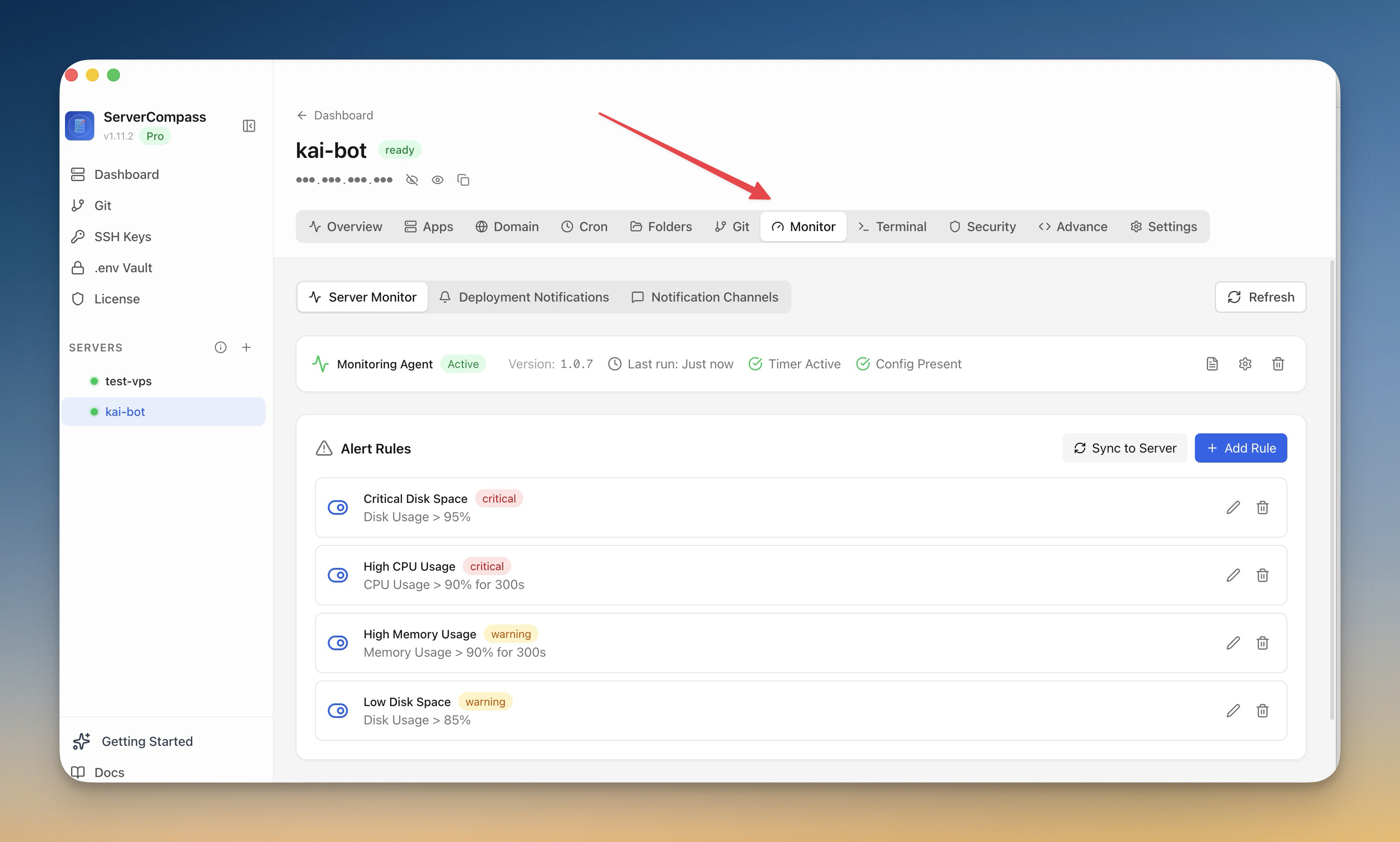
निगरानी और अलर्ट
Monitoring सेटअप करें
Monitoring agent install करें और अपने सर्वर के लिए alerts कॉन्फ़िगर करें।
Intermediate6 min readUpdated 2026-09-09
Monitoring agent
Optional monitoring agent देता है:
- Continuous resource tracking
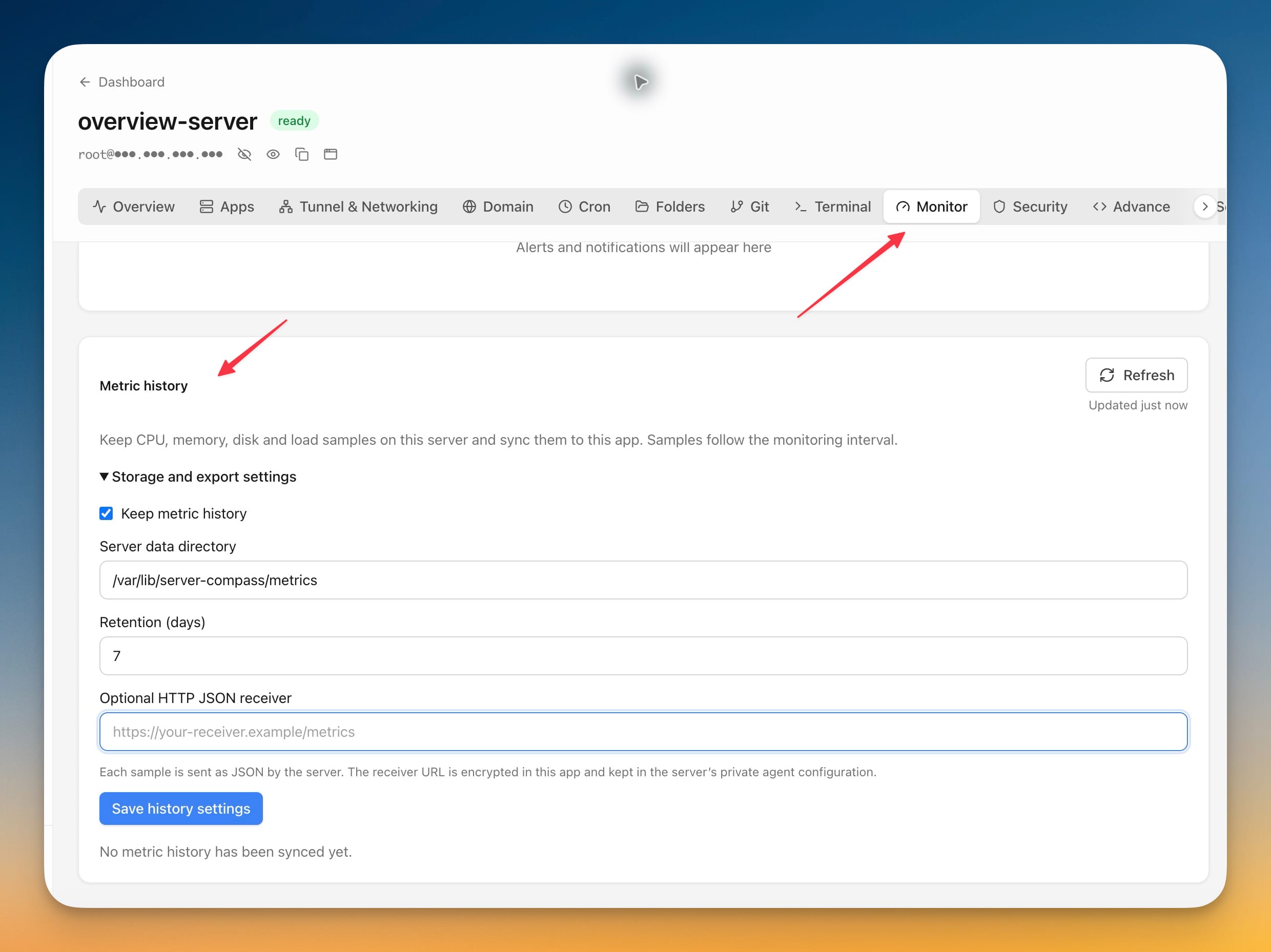
- Historical metrics और graphs
- Detailed performance data
- Alert rules का आधार
Agent install करें
- Monitoring tab पर जाएं
- "Install Agent" पर क्लिक करें
- Installation का इंतज़ार करें (1-2 मिनट)
- Agent तुरंत metrics collect करना शुरू करता है
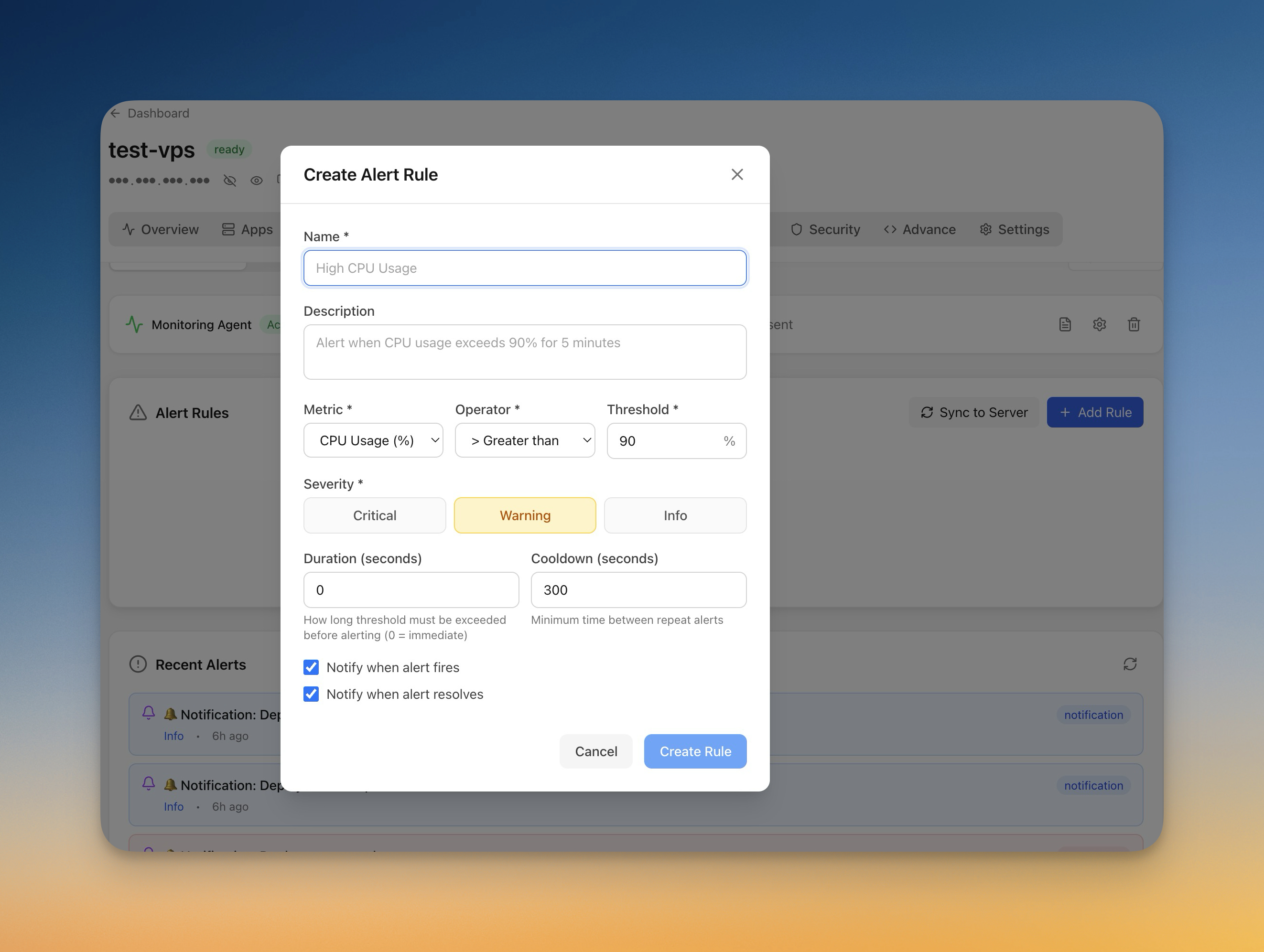
Alert rules बनाएं
Alerts सेटअप करें:
- Monitoring > Alerts पर जाएं
- "Add Rule" पर क्लिक करें
- Metric चुनें (CPU, memory, disk)
- Threshold और duration सेट करें
- Notification channel चुनें
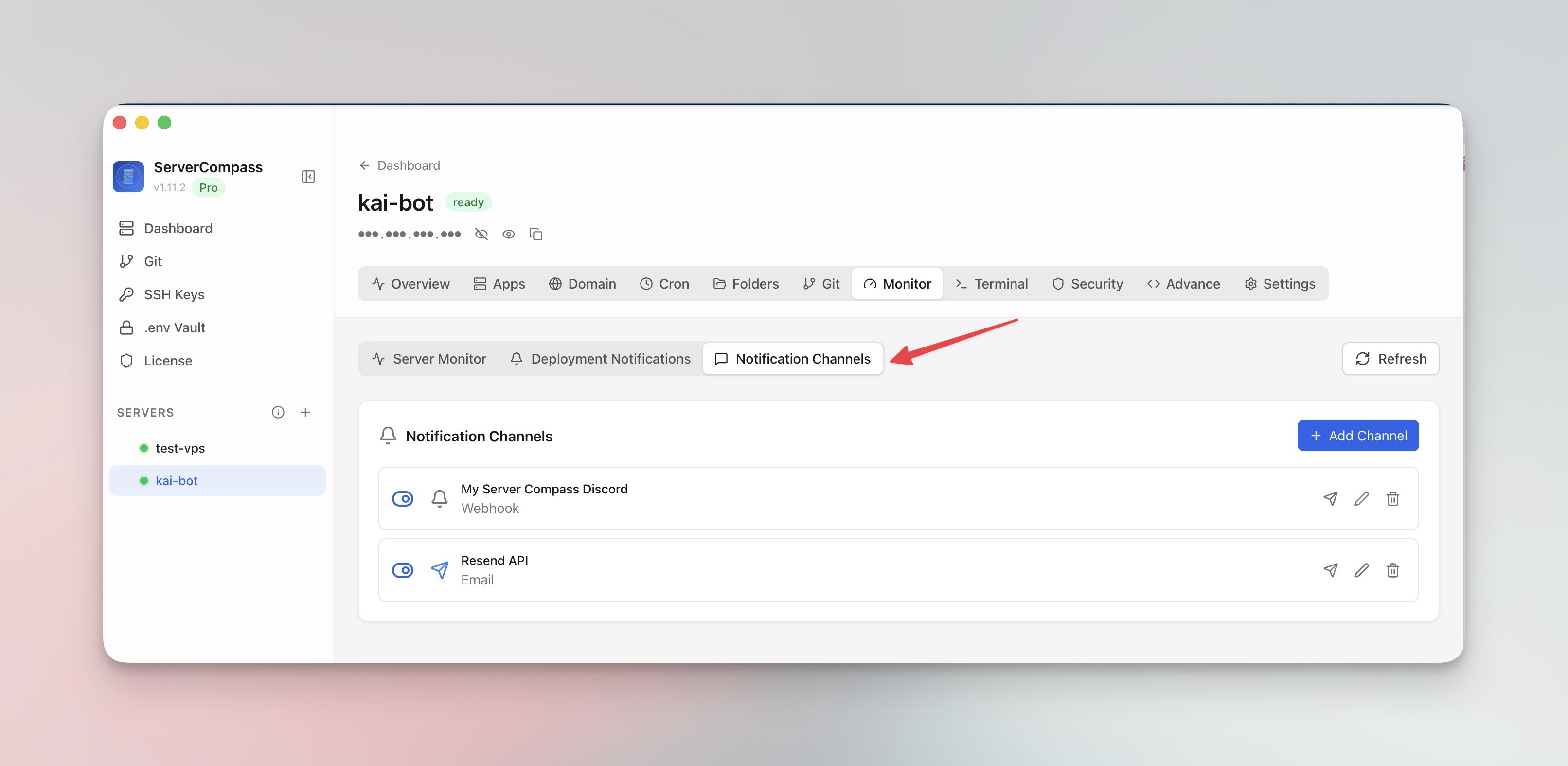
Notification channels
Alerts कहां receive करें यह कॉन्फ़िगर करें:
- Email: Direct email notifications
- Webhook: आपके URL पर POST
- Rely करने से पहले channels test करें
Screenshots
Related Features
Monitoring Agent
Lightweight monitoring agent for continuous resource tracking. Install with one click and view metrics in your dashboard.
Custom Alert Rules
Create threshold-based alert rules for CPU, memory, disk, and custom metrics. Get notified before problems escalate.
Notification Channels
Configure email, webhook, and other notification channels. Test connectivity before relying on alerts in production.
Ready to try Server Compass?
Download the app and deploy your first application in under 5 minutes.
Download Server Compass