दस्तावेज़ पर वापस
डोमेन और SSL
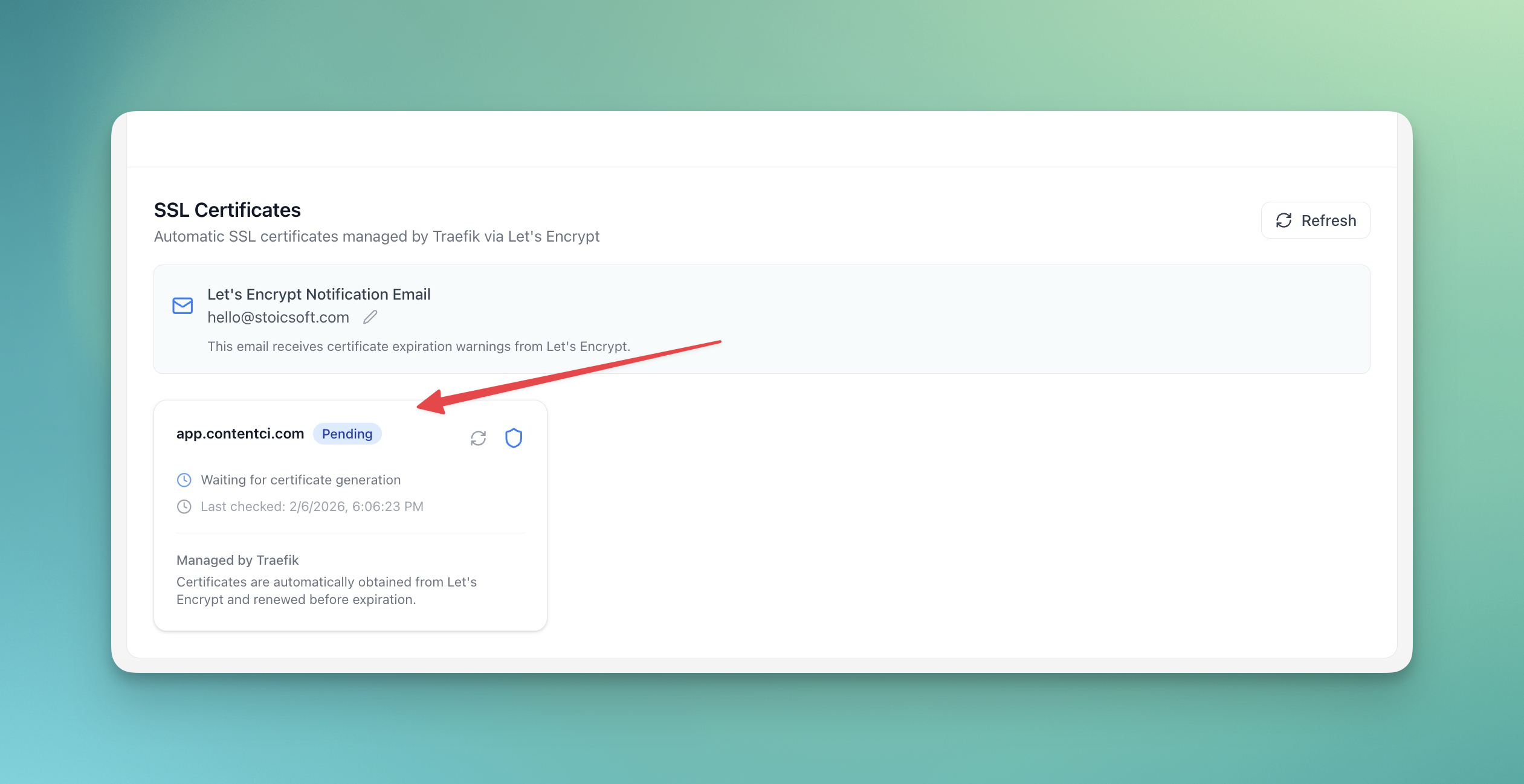
SSL Certificates समझें
Server Compass Let's Encrypt के साथ SSL certificates automatically कैसे manage करता है।
Intermediate5 min readUpdated 2024-02-01
Let's Encrypt से Automatic SSL
Server Compass free SSL certificates देने के लिए Let's Encrypt उपयोग करता है:
- Domain जोड़ने पर certificates automatically issue होते हैं
- Expiry से पहले auto-renewal होती है
- Manual intervention की ज़रूरत नहीं
- HTTPS default से configured होता है
Certificate details देखें
SSL certificate information देखने के लिए:
- अपने app का Domains tab खोलें
- किसी domain पर क्लिक करें
- Certificate details देखें:
- Issuer
- Valid from/until
- Certificate chain
Manual renewal
Certificates auto-renew होते हैं, लेकिन आप force renewal कर सकते हैं:
- Domain settings पर जाएं
- "Renew Certificate" पर क्लिक करें
- नया certificate issue होने का इंतज़ार करें
SSL समस्याएं ठीक करें
आम SSL समस्याएं और fixes:
- Certificate issue नहीं हो रहा: Verify करें कि DNS सही point हो रहा है
- Mixed content warnings: सुनिश्चित करें सभी resources HTTPS use करें
- Certificate expired: जाँचें कि auto-renewal काम कर रही है
Screenshots
Related Features
Ready to try Server Compass?
Download the app and deploy your first application in under 5 minutes.
Download Server Compass