दस्तावेज़ पर वापस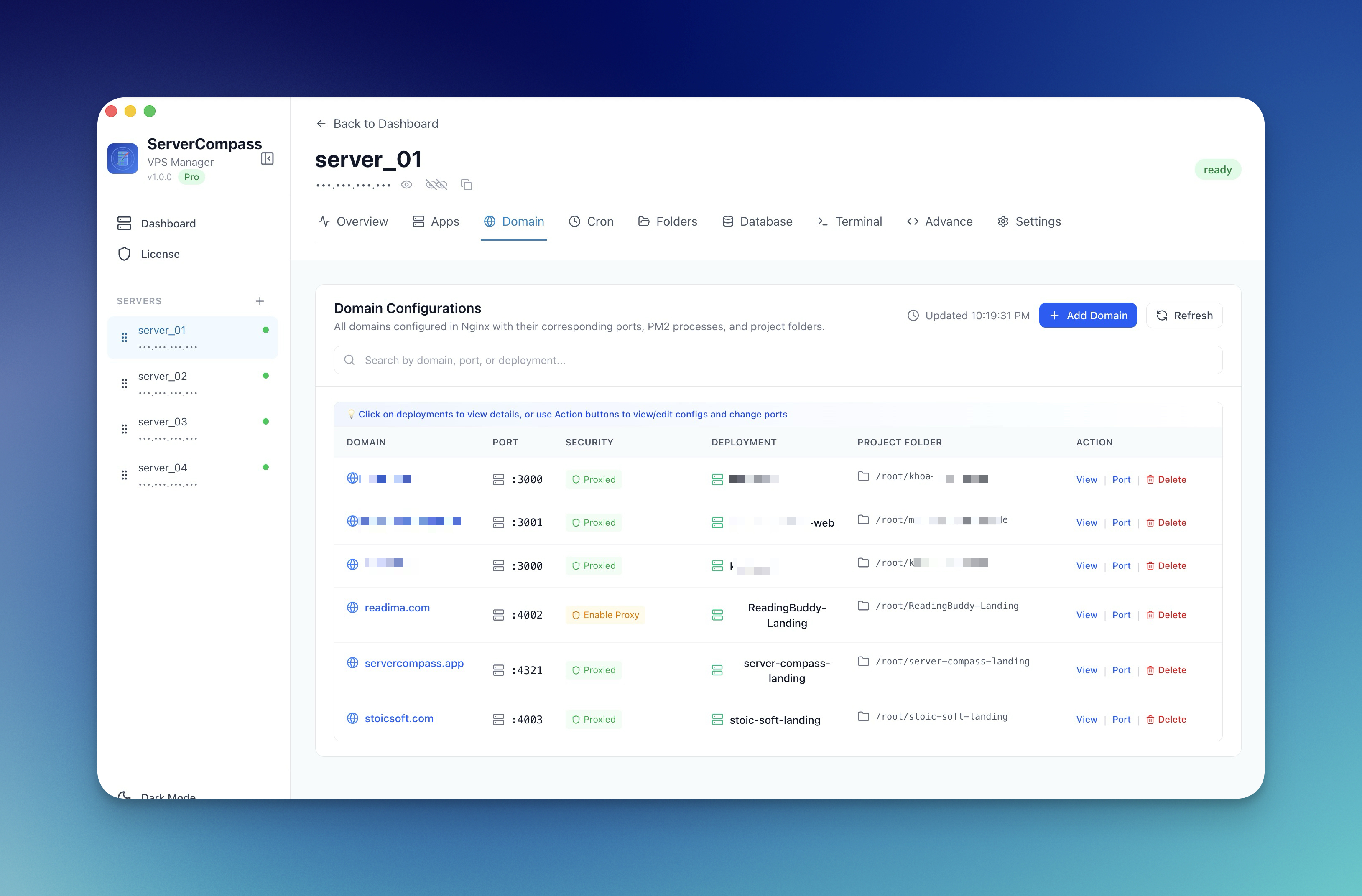

डोमेन और SSL
ऐप में Domain जोड़ें
अपने deployed application के लिए automatic SSL certificate के साथ custom domain कॉन्फ़िगर करें।
Beginner6 min readUpdated 2024-02-01
Prerequisites
Domain जोड़ने से पहले:
- एक domain का ownership या access हो
- Domain के DNS settings का access हो
- आपका ऐप Server Compass में deployed और running हो
DNS कॉन्फ़िगर करें
अपना domain अपने सर्वर की तरफ point करें:
- अपने domain registrar के DNS settings पर जाएं
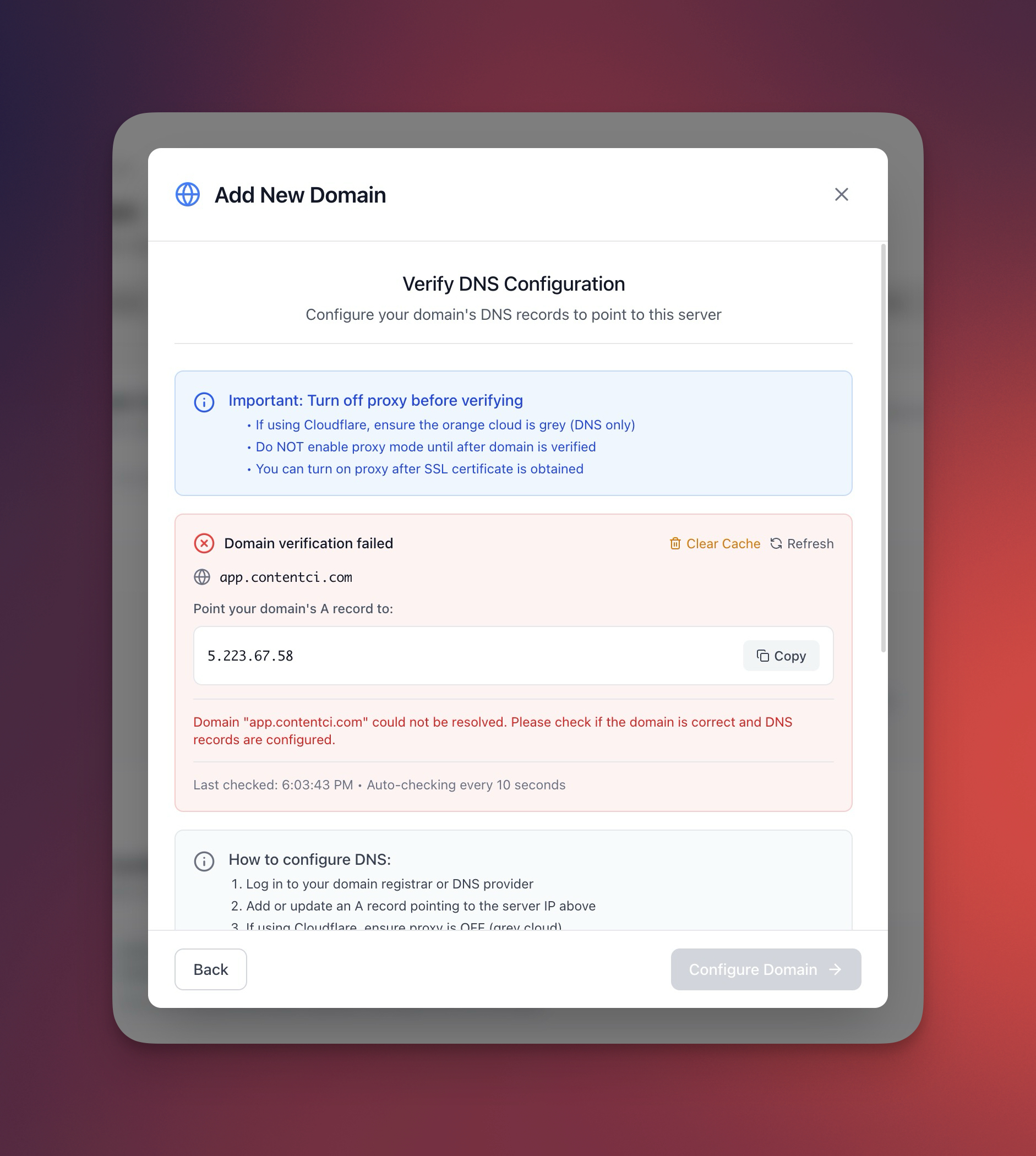
- A record जोड़ें:
- Host: @ (या subdomain जैसे "app")
- Value: आपके सर्वर का IP address
- TTL: 300 (या automatic)
- DNS propagation का इंतज़ार करें (आमतौर पर 5-30 मिनट)
Server Compass में domain जोड़ें
- Server Compass में अपना ऐप खोलें
- "Domains" tab पर जाएं
- "Add Domain" पर क्लिक करें
- अपना domain name डालें
- "Verify DNS" पर क्लिक करें
- Verify होने पर "Configure" पर क्लिक करें
Automatic SSL
Server Compass automatically:
- Verify करता है कि DNS सही point हो रहा है
- Free Let's Encrypt certificate प्राप्त करता है
- आपके domain के लिए HTTPS कॉन्फ़िगर करता है
- Expiry से पहले auto-renewal सेटअप करता है
Manual SSL configuration की ज़रूरत नहीं!
Screenshots
Frequently Asked Questions
SSL certificate में कितना समय लगता है?
DNS verify होने के बाद SSL certificate 1-2 मिनट में automatically issue हो जाता है।
क्या मैं Cloudflare proxy use कर सकता हूं?
हां! Cloudflare में proxy enable करें, फिर Server Compass में domain जोड़ें। SSL Cloudflare के ज़रिए काम करेगा।
Video Tutorials
Related Features
Ready to try Server Compass?
Download the app and deploy your first application in under 5 minutes.
Download Server Compass