문서로 돌아가기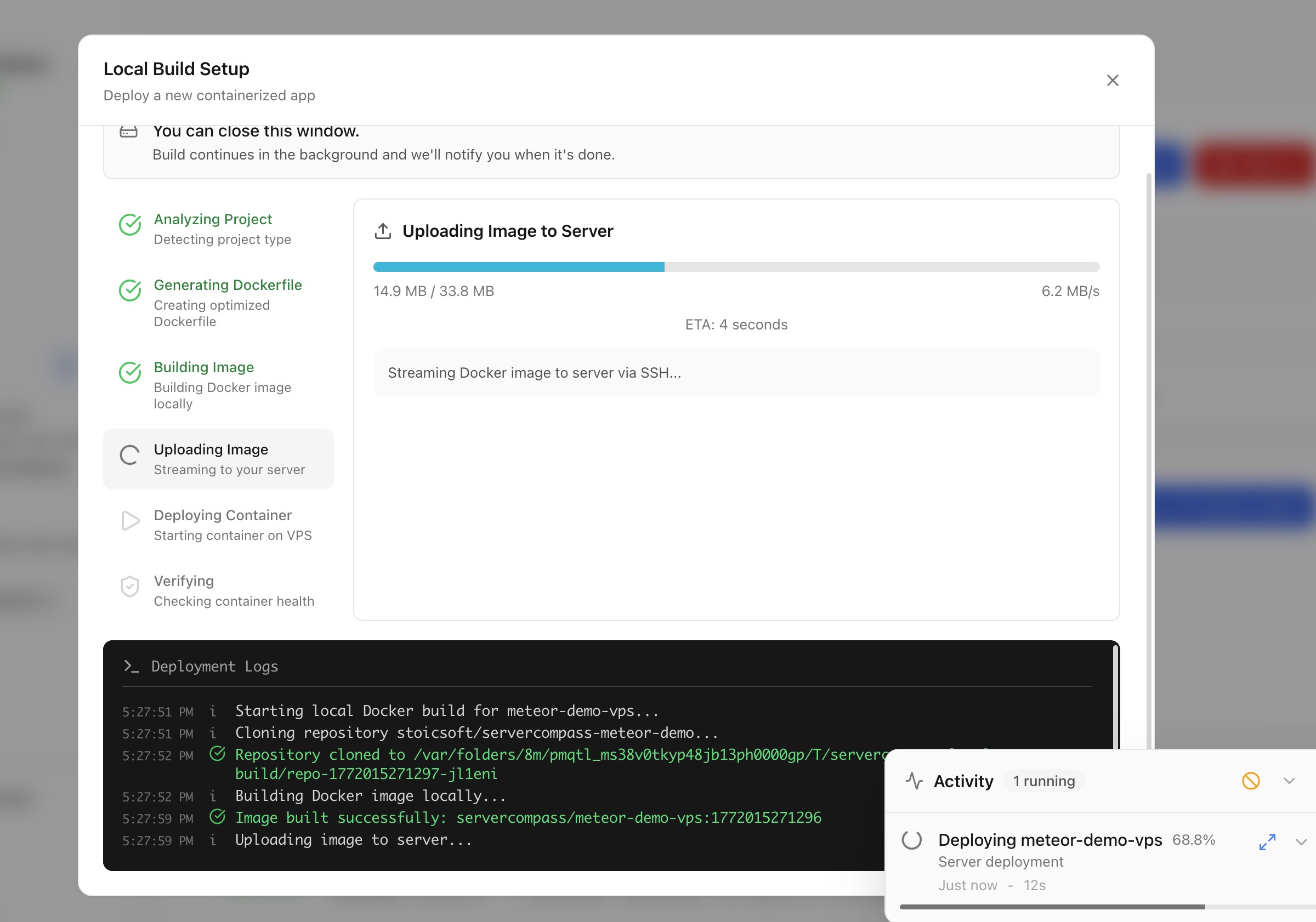
배포
로컬 빌드로 배포
Docker 이미지를 머신에서 빌드하고 클라우드 CI/CD 없이 서버로 직접 배포하세요.
Intermediate5 min readUpdated 2026-03-29
로컬 빌드 작동 방식
로컬 빌드를 사용하면 Docker 빌드에 머신의 리소스를 사용할 수 있습니다:
- Server Compass 가 로컬 머신에서 Docker 이미지를 빌드합니다
- 빌드된 이미지는 SSH 를 통해 서버로 직접 푸시됩니다
- 컨테이너가 서버에서 시작됩니다
클라우드 CI/CD 서비스, 컨테이너 레지스트리, 서드파티 계정이 필요하지 않습니다.
로컬 빌드 배포 시작
- 스택 마법사 열기
- 빌드 위치로 로컬 빌드 선택
- 프로젝트 디렉터리 또는 Dockerfile 선택
- Server Compass 가 프레임워크를 감지하고 필요시 Dockerfile 을 생성합니다
- 환경 변수 및 포트 구성
- 배포 클릭 — 이미지가 로컬에서 빌드되어 서버로 전송됩니다
코드 업로드하여 배포
Dockerfile 이 없는 프로젝트의 경우:
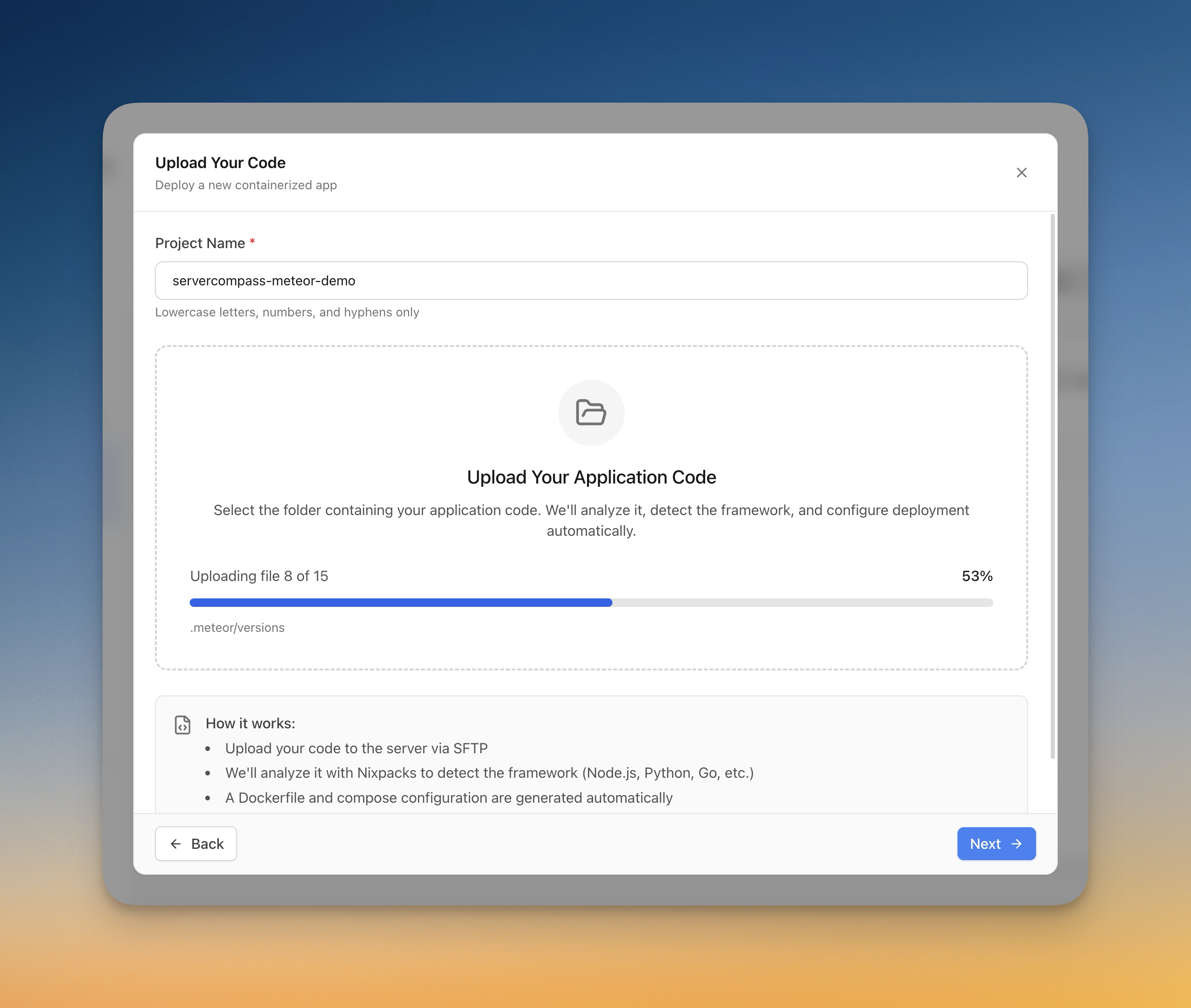
- 스택 마법사에서 코드 업로드 선택
- 컴퓨터에서 폴더 선택
- Server Compass 가 프레임워크를 자동 감지합니다 (Next.js, Django, Laravel 등)
- Dockerfile 이 자동으로 생성됩니다
- 업로드 진행률이 실시간으로 추적됩니다
- 앱이 서버에서 빌드되고 배포됩니다
Screenshots
Video Tutorials
Related Features
Deploy with Local Build
Build Docker images on your local machine and deploy them directly to your server. No cloud CI/CD services or container registries required.
Upload Code to Deploy
Pick a folder from your computer and deploy it directly to your server. Automatic framework detection generates the right Dockerfile with upload progress tracking.
Ready to try Server Compass?
Download the app and deploy your first application in under 5 minutes.
Download Server Compass