문서로 돌아가기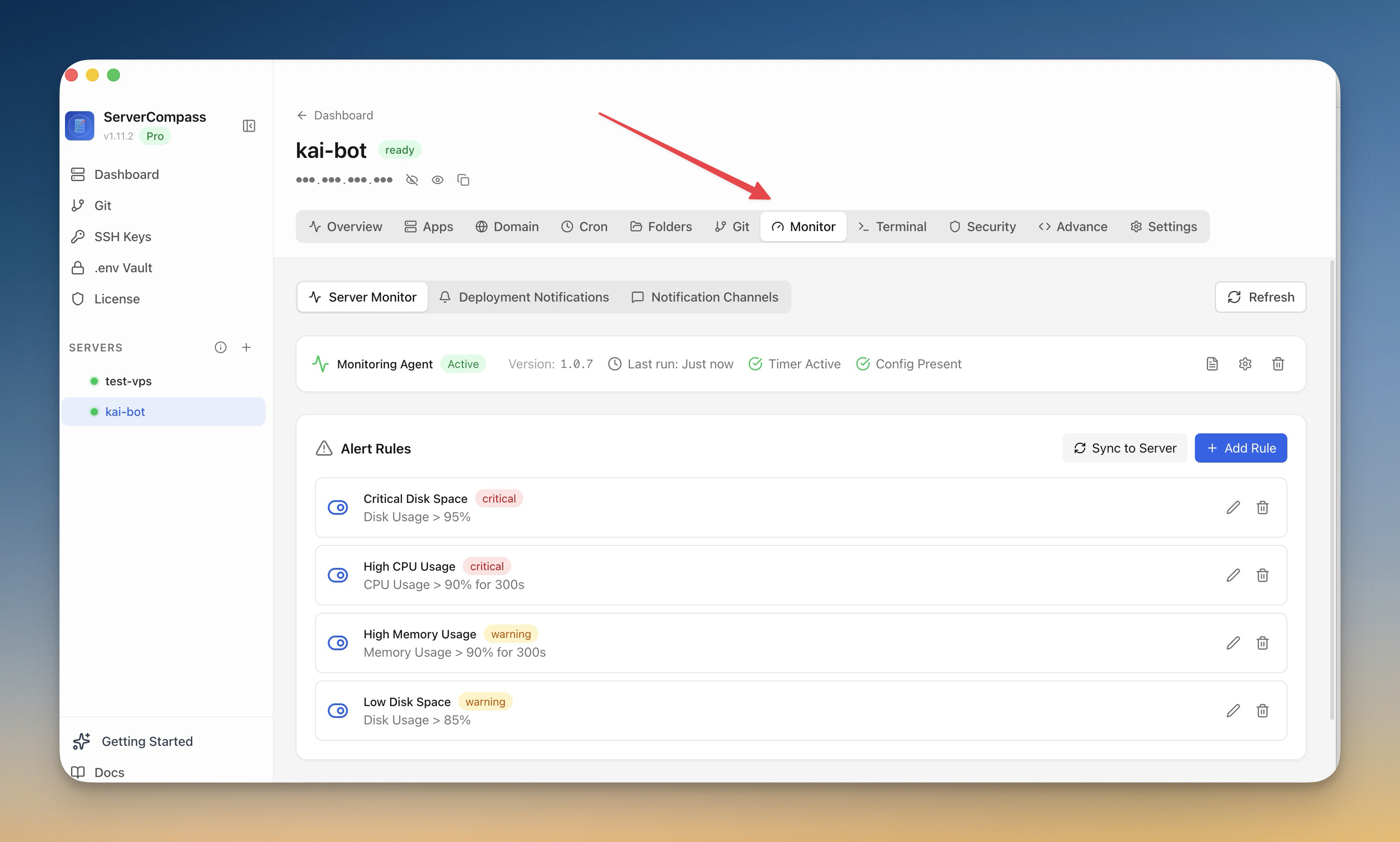
모니터링 및 알림
모니터링 설정
서버에 모니터링 에이전트를 설치하고 알림을 구성하세요.
Intermediate6 min readUpdated 2026-09-09
모니터링 에이전트
선택적 모니터링 에이전트는 다음을 제공합니다:
- 지속적인 리소스 추적
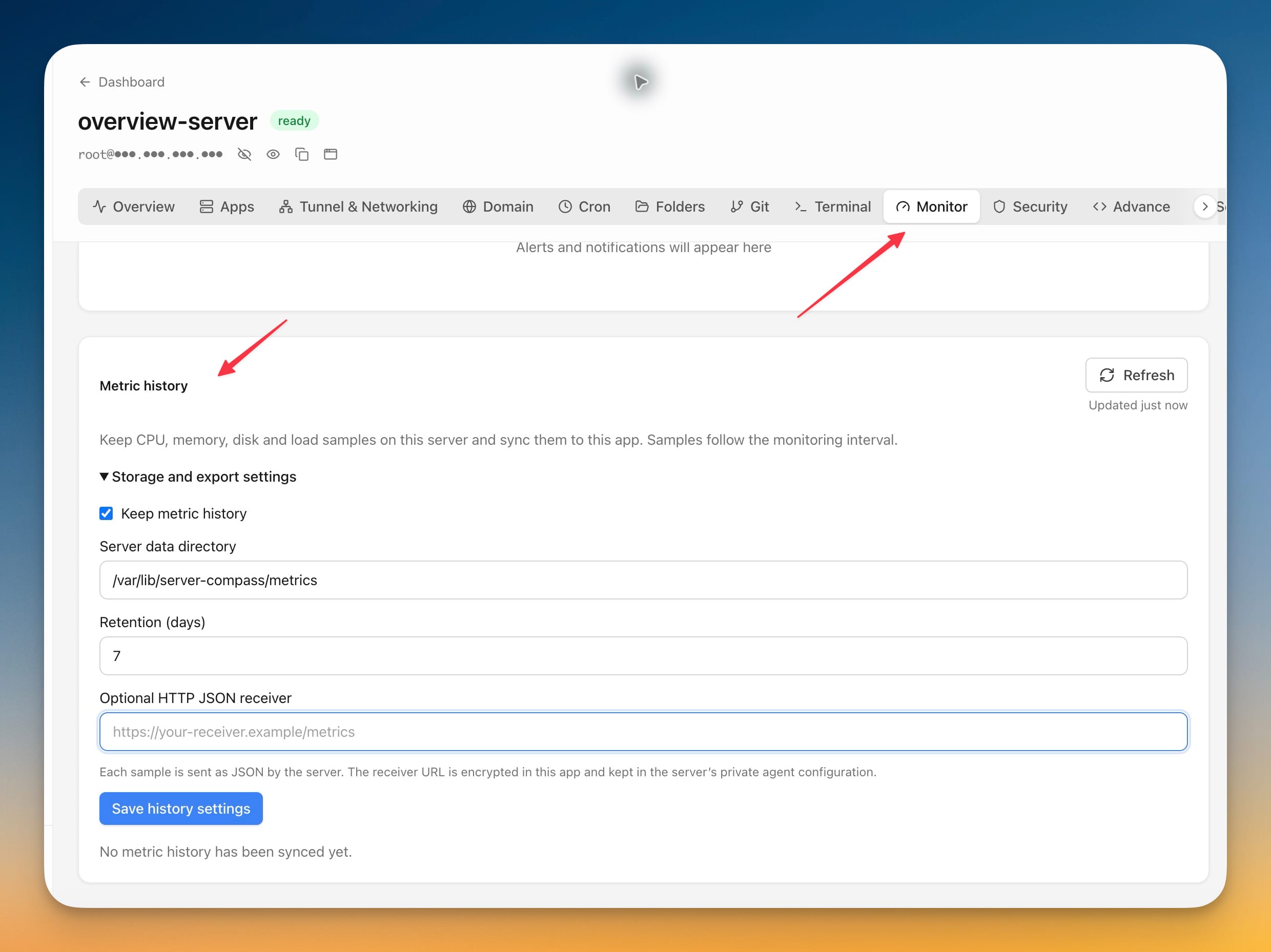
- 과거 지표 및 그래프
- 상세한 성능 데이터
- 알림 규칙의 기반
에이전트 설치
- 모니터링 탭으로 이동
- "에이전트 설치" 클릭
- 설치 대기 (1-2 분)
- 에이전트가 즉시 지표 수집 시작
알림 규칙 생성
알림 설정:
- 모니터링 > 알림으로 이동
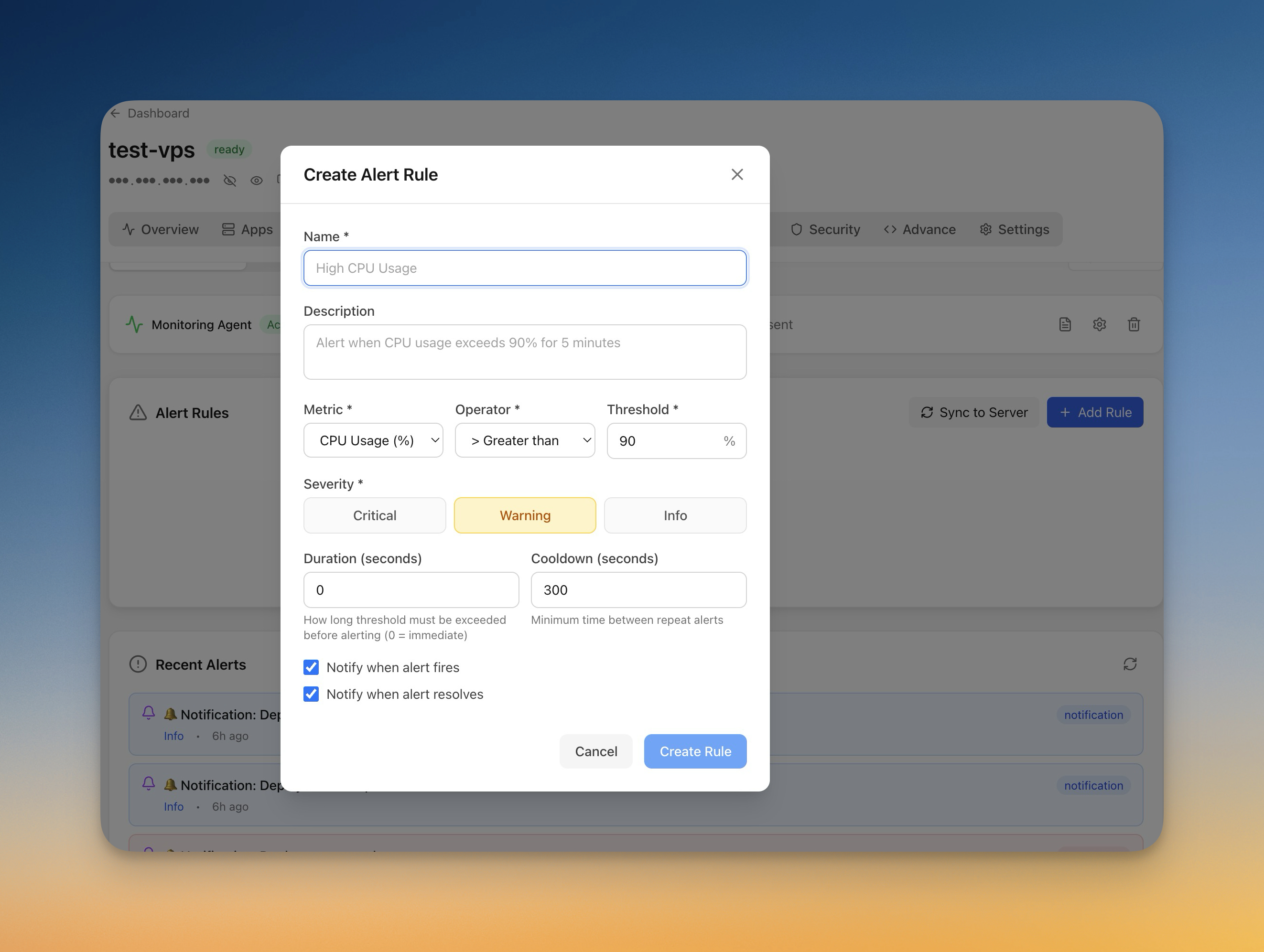
- "규칙 추가" 클릭
- 지표 선택 (CPU, 메모리, 디스크)
- 임계값 및 지속 시간 설정
- 알림 채널 선택
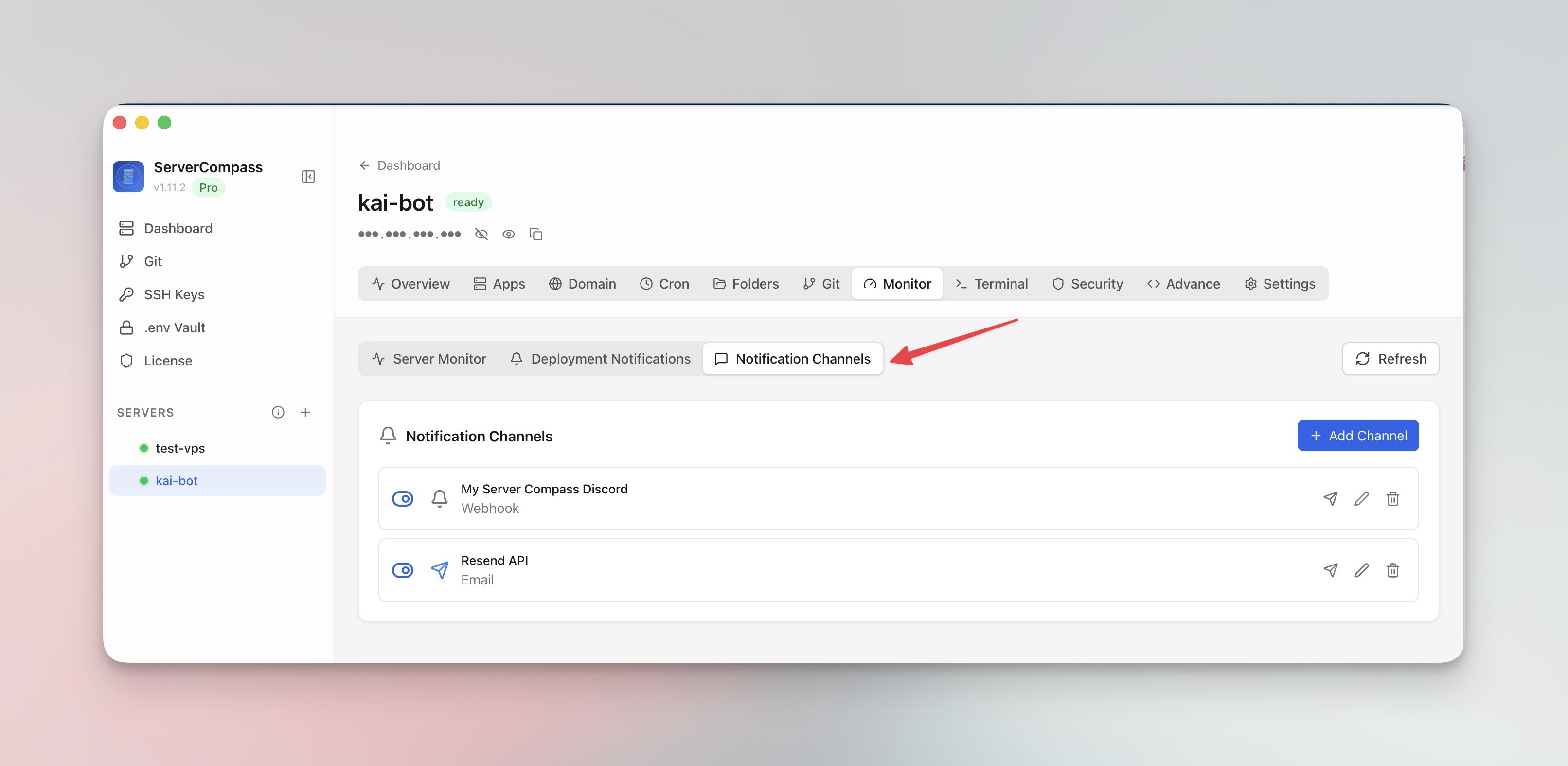
알림 채널
알림을 받을 위치 구성:
- 이메일: 직접 이메일 알림
- 웹훅: URL 로 POST
- 의존하기 전에 채널 테스트
Screenshots
Related Features
Monitoring Agent
Lightweight monitoring agent for continuous resource tracking. Install with one click and view metrics in your dashboard.
Custom Alert Rules
Create threshold-based alert rules for CPU, memory, disk, and custom metrics. Get notified before problems escalate.
Notification Channels
Configure email, webhook, and other notification channels. Test connectivity before relying on alerts in production.
Ready to try Server Compass?
Download the app and deploy your first application in under 5 minutes.
Download Server Compass