Back to documentation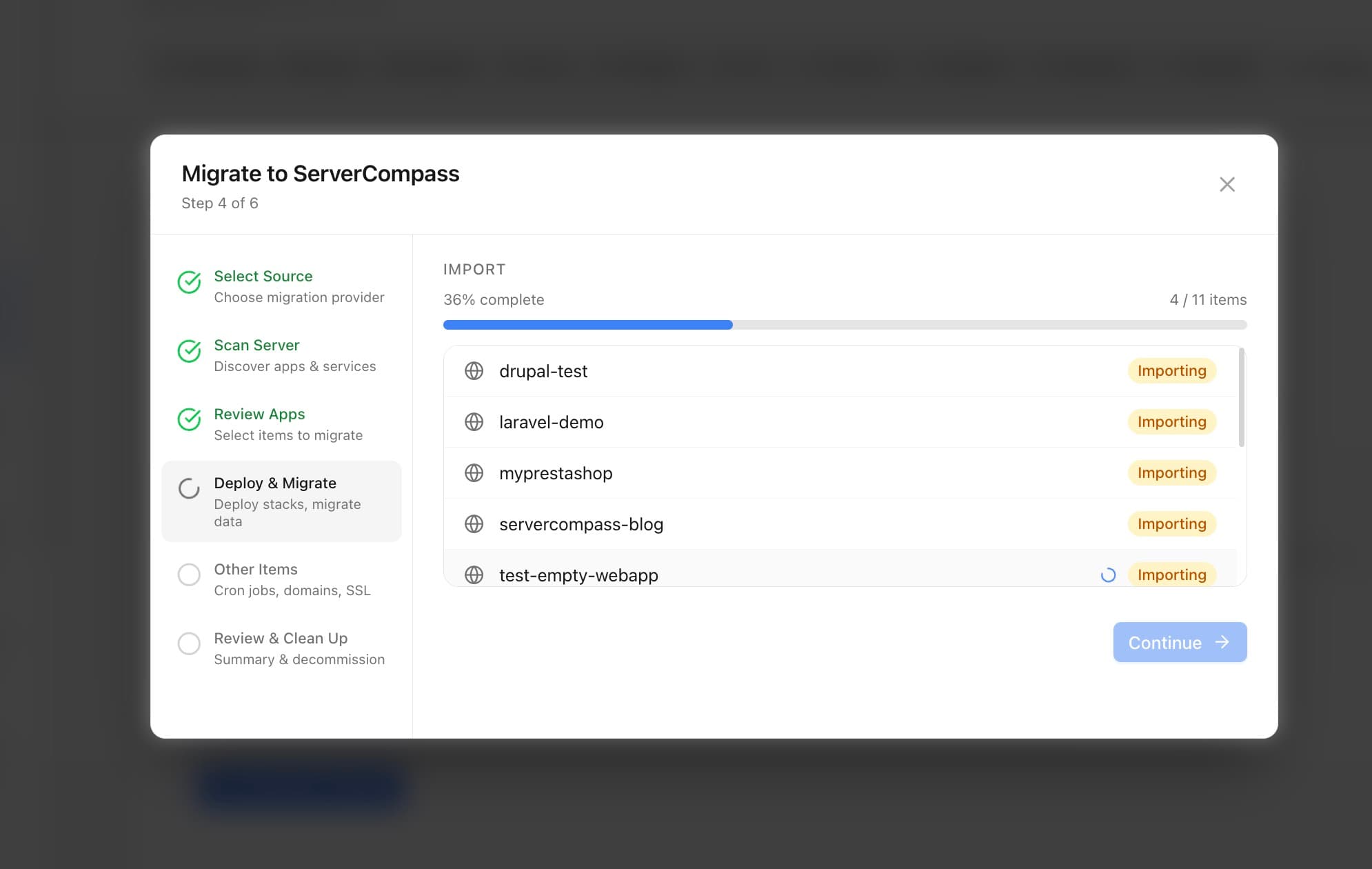
Server Management
Migrating from Other Platforms
Migrate apps from RunCloud, Coolify, CapRover, Laravel Forge, and other platforms.
Advanced8 min readUpdated 2026-03-29
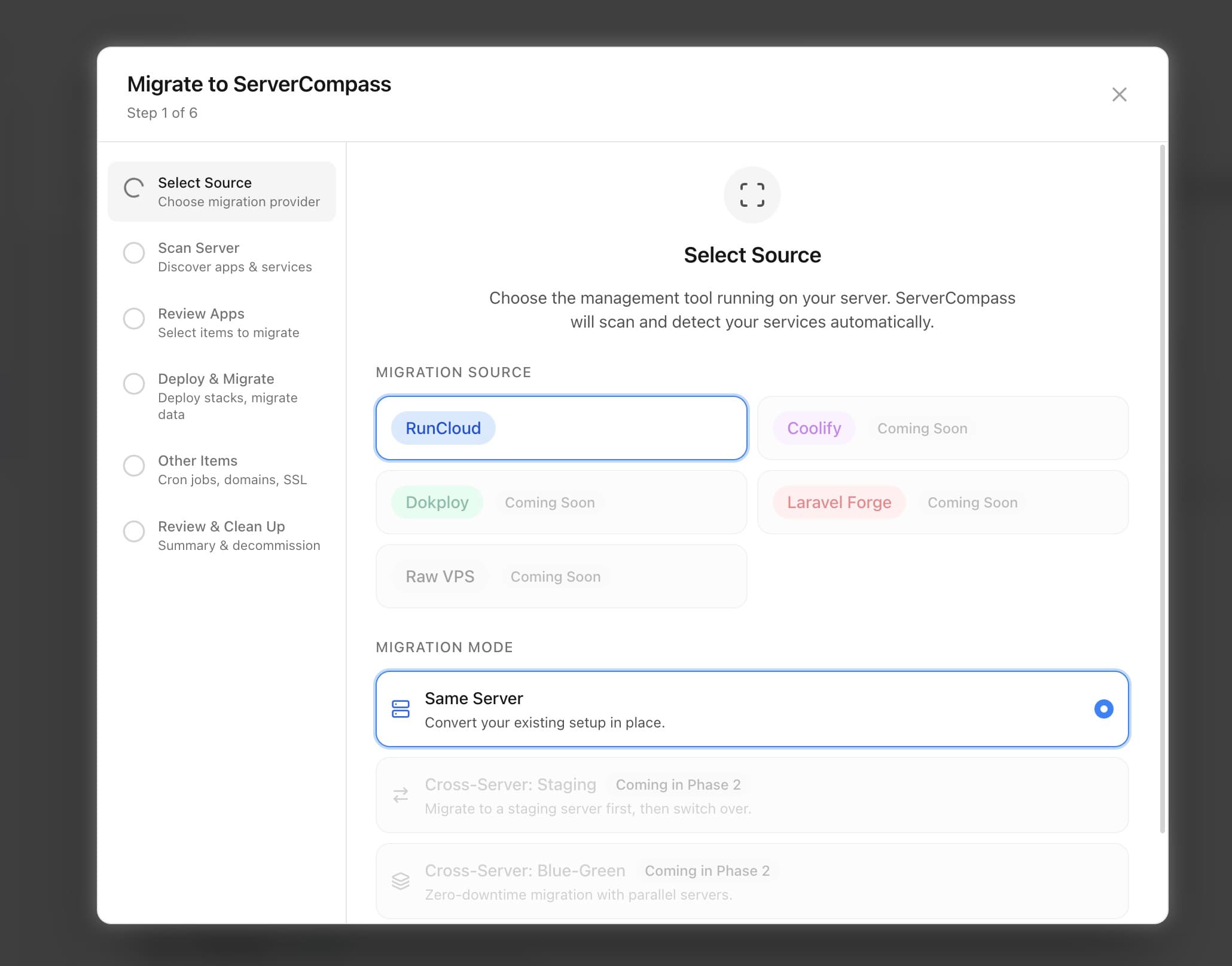
Supported platforms
Server Compass can import apps from:
- RunCloud — import server configuration and apps
- Coolify — migrate Docker-based deployments
- CapRover — transfer apps and databases
- Laravel Forge — import site configurations
- Ploi — migrate server management
- Manual — import from any Docker-based setup
The migration wizard scans your server and detects running containers, databases, and configurations.
Running the migration wizard
- Go to Server Settings > Migration
- Select the platform you're migrating from
- Server Compass scans your server for existing apps
- Review detected applications and select which to import
- Server Compass creates docker-compose configurations for each app
- Domains, SSL, and environment variables are preserved where possible
Post-migration checklist
After migration:
- Verify all apps are running correctly
- Check domain routing and SSL certificates
- Test database connections
- Update DNS if switching servers
- Set up monitoring and alerts
- Configure backups on the new setup
Screenshots
Video Tutorials
Related Features
Server Migration Wizard
Migrate apps from RunCloud, Coolify, Dokploy, Laravel Forge, or raw VPS. Scan and discover existing applications, then import them into Server Compass with one click.
Multi-Provider Support
Support for migrating from popular server management platforms. Select your source provider and let the wizard handle the rest.
Ready to try Server Compass?
Download the app and deploy your first application in under 5 minutes.
Download Server Compass