กลับไปยังเอกสาร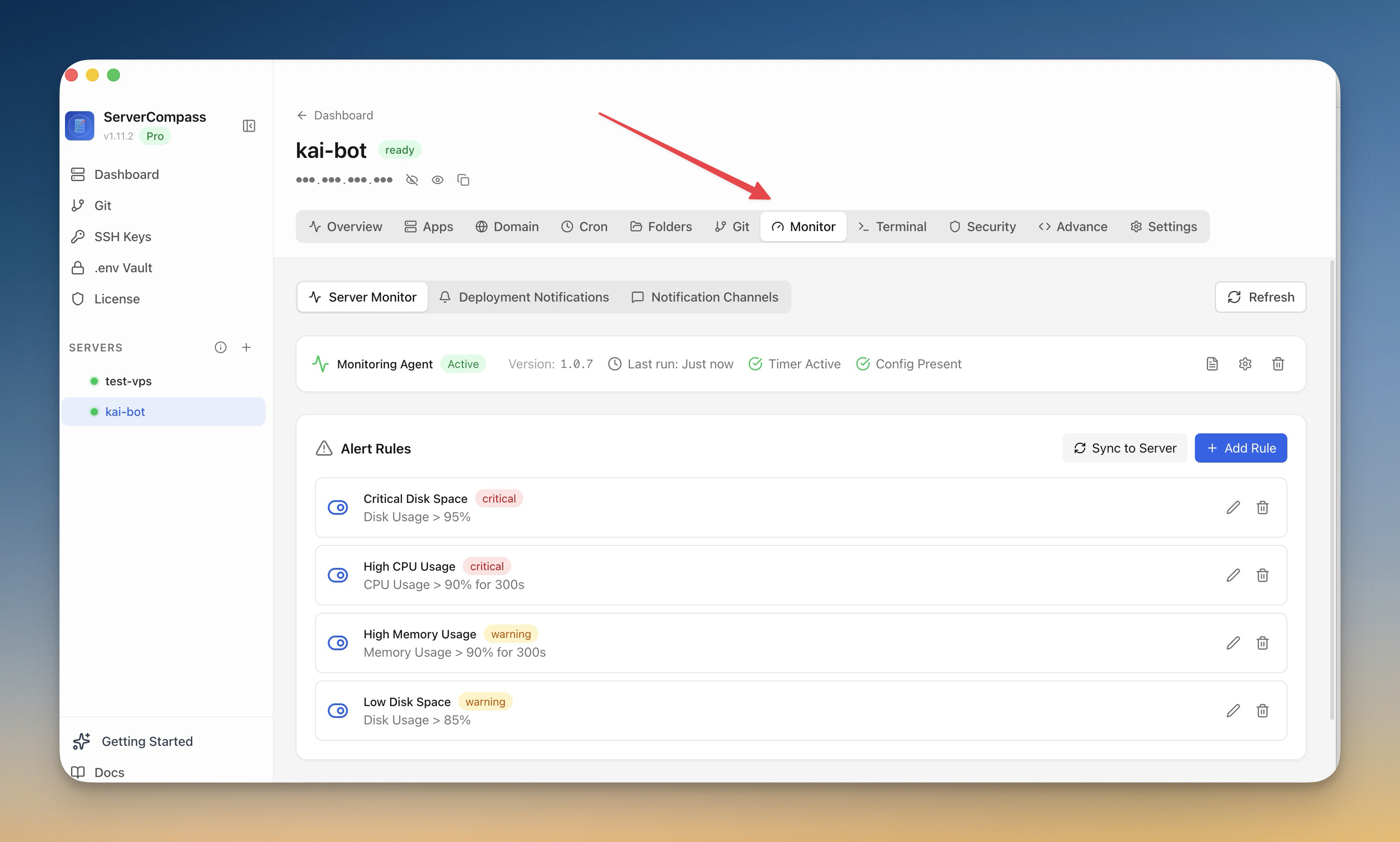
การตรวจสอบและการแจ้งเตือน
ตั้งค่า Monitoring
ติดตั้ง monitoring agent และกำหนดค่า alerts สำหรับ server ของคุณ
Intermediate6 min readUpdated 2026-09-09
Monitoring agent
Monitoring agent เพิ่มเติมให้:
- การติดตาม resources อย่างต่อเนื่อง
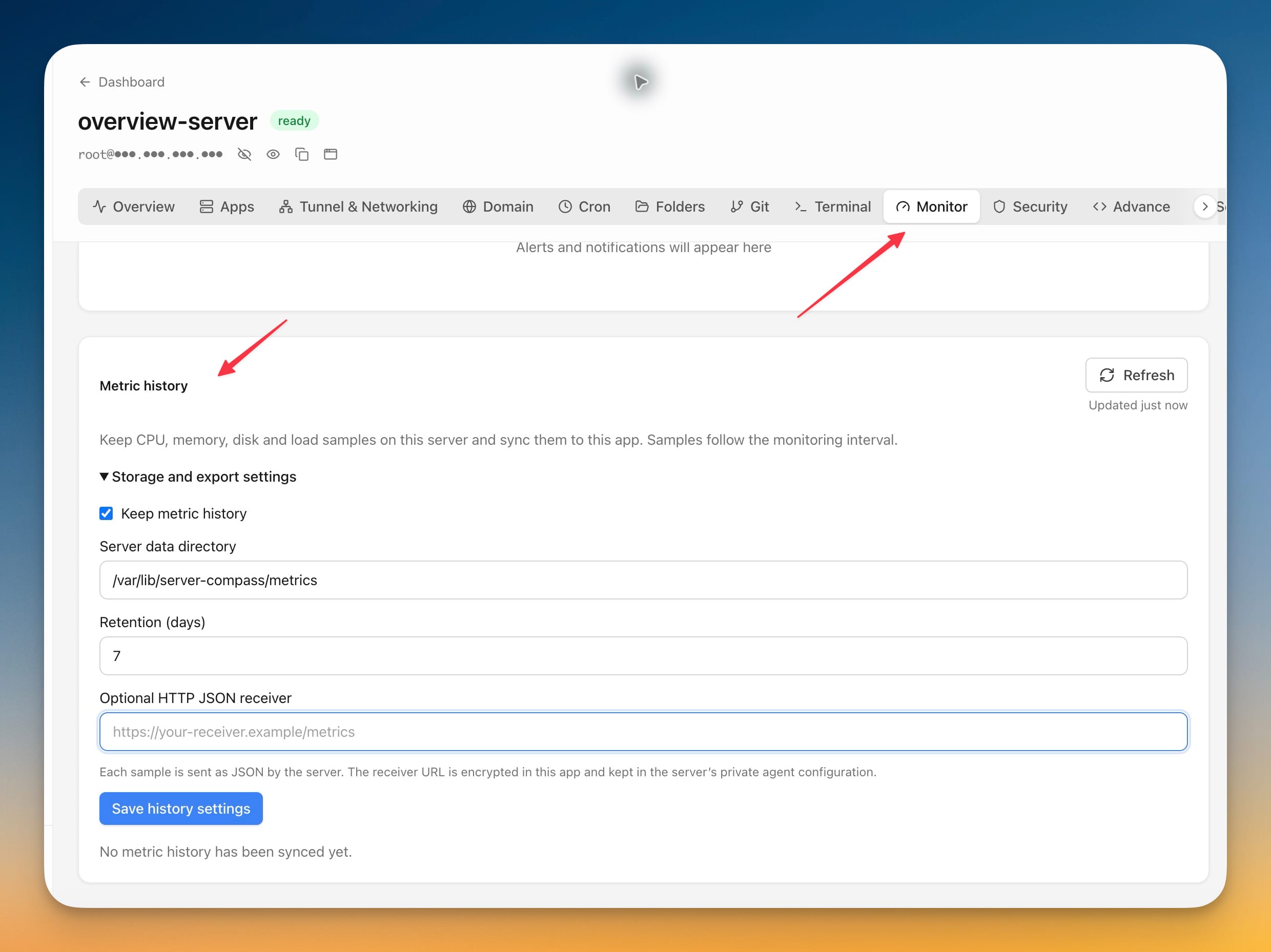
- เมตริกและกราฟย้อนหลัง
- ข้อมูลประสิทธิภาพโดยละเอียด
- พื้นฐานสำหรับกฎ alerts
ติดตั้ง agent
- ไปที่แท็บ Monitoring
- คลิก "Install Agent"
- รอการติดตั้ง (1-2 นาที)
- Agent เริ่มรวบรวมเมตริกทันที
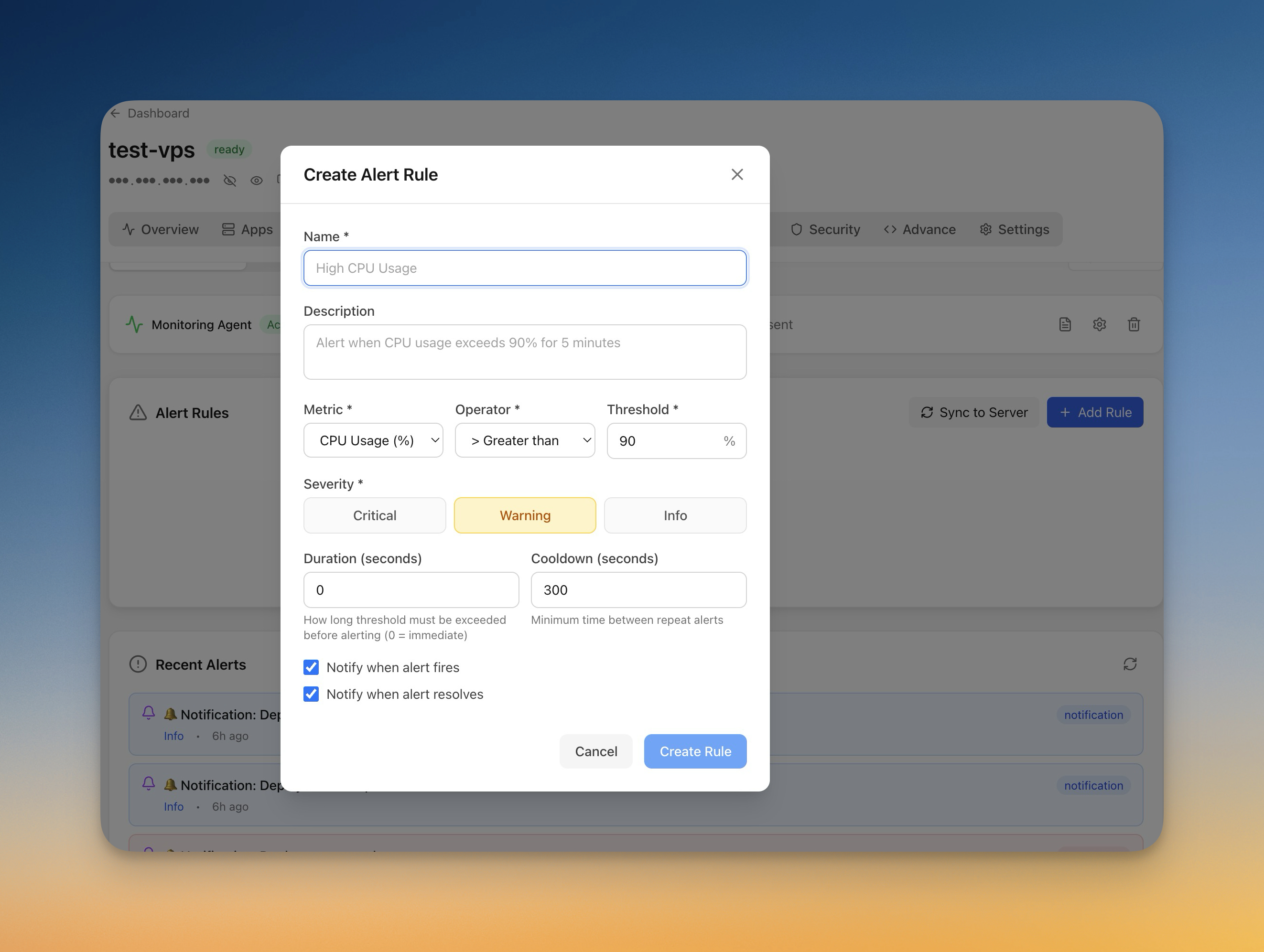
สร้างกฎ alert
ตั้งค่า alerts:
- ไปที่ Monitoring > Alerts
- คลิก "Add Rule"
- เลือกเมตริก (CPU, memory, disk)
- ตั้งค่า threshold และระยะเวลา
- เลือกช่องทางการแจ้งเตือน
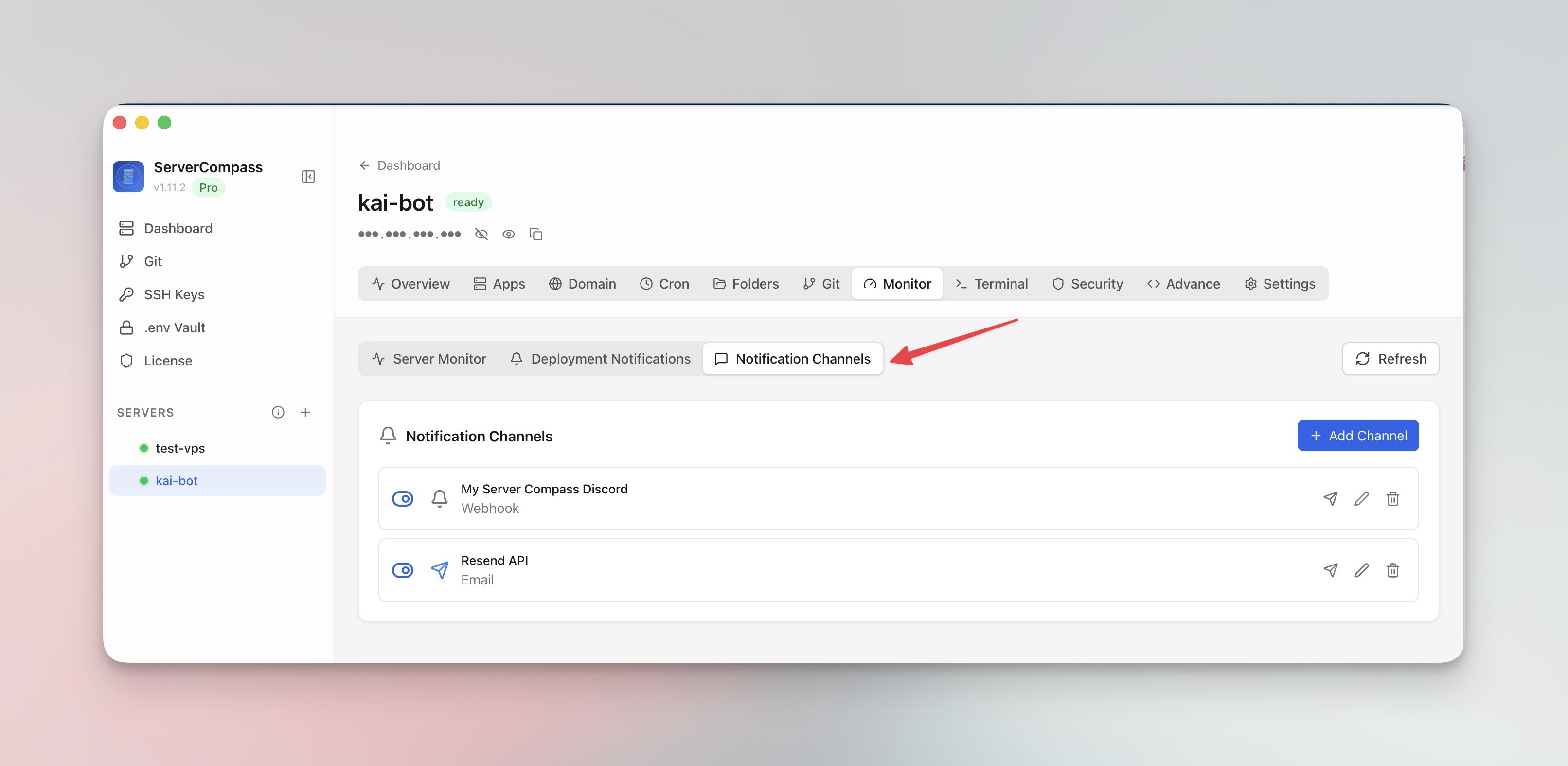
ช่องทางการแจ้งเตือน
กำหนดค่าที่รับ alerts:
- Email: การแจ้งเตือนทางอีเมลโดยตรง
- Webhook: POST ไปยัง URL ของคุณ
- ทดสอบช่องทางการแจ้งเตือนก่อนพึ่งพา
Screenshots
Related Features
Monitoring Agent
Lightweight monitoring agent for continuous resource tracking. Install with one click and view metrics in your dashboard.
Custom Alert Rules
Create threshold-based alert rules for CPU, memory, disk, and custom metrics. Get notified before problems escalate.
Notification Channels
Configure email, webhook, and other notification channels. Test connectivity before relying on alerts in production.
Ready to try Server Compass?
Download the app and deploy your first application in under 5 minutes.
Download Server Compass