CI/CD với GitHub Actions
Dùng GitHub Actions để build và triển khai ứng dụng tự động.
Tại sao dùng GitHub Actions?
Lợi ích của build với GitHub Actions:
- Phút CI miễn phí: GitHub cung cấp phút build miễn phí
- Build nhanh hơn: Hạ tầng của GitHub thường nhanh hơn
- Giữ máy chủ rảnh: Tài nguyên VPS dành để chạy ứng dụng
- Workflow quen thuộc: Cú pháp GitHub Actions tiêu chuẩn
Thiết lập GitHub Actions
- Triển khai ứng dụng từ GitHub
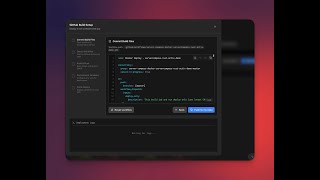
- Trong cài đặt build, chọn "GitHub Actions"
- Server Compass tạo file workflow
- Commit workflow vào kho lưu trữ
- Các lần push tiếp theo kích hoạt build tự động
Cấu hình workflow
Workflow được tạo ra:
- Build Docker image
- Đẩy lên GitHub Container Registry
- Thông báo Server Compass để triển khai
- Hoạt động với bất kỳ nhánh nào bạn cấu hình
Theo dõi build
Xem trạng thái build trong Server Compass:
- Mở tab CI/CD của ứng dụng
- Xem các lần chạy workflow gần đây
- Xem log build theo thời gian thực
- Kích hoạt lại workflow thủ công
Screenshots


Video Tutorials
Related Features
GitHub Actions Integration
Build and deploy using GitHub Actions free CI minutes. Your server resources stay free for running apps.
Auto-Deploy on Push
Deploy your app automatically on every push to GitHub — a signed webhook triggers an always-on worker on your server, so the desktop app can stay closed and your SSH port stays private. Route it through Server Compass–managed Traefik, a stable tunnel, or your own reverse proxy — running on the host or inside Docker.
Workflow Management
Sync, view, and manage GitHub Actions workflows. See run history, job status, and trigger workflows manually.
Ready to try Server Compass?
Download the app and deploy your first application in under 5 minutes.
Download Server Compass